Verification: 234cbc2215f1fb96

Kling 3.0: Advanced AI Video Generation Technology

Understanding Kling 3.0: What's New in AI Video Generation

Kling 3.0 represents a major leap forward in AI video generation technology. This latest model from Kuaishou transforms how creators approach video production.

What sets Kling 3.0 apart? It's the first unified multimodal AI system that processes text, image, video, and audio inputs simultaneously. Previous AI video generation tools handled these elements separately. You'd generate video, then add audio, then refine visuals. Kling 3.0 changes that completely.

Kuaishou upgraded and released Kling 3.0 with features like 15-second duration, native audio, and improved realism. The system now handles complex character interactions, maintains consistency across scenes, and produces native 4K output, all from a single text prompt.

This multimodal AI approach means you can describe a scene, and Kling 3.0 generates everything: visuals, synchronized audio, character movements, and environmental sounds. It's not just about creating video anymore; it's about crafting complete cinematic experiences.

For content creators, this represents a major shift. Instead of juggling multiple tools and workflows, Kling 3.0 offers a streamlined path from concept to finished video. The AI video generation field has evolved from basic motion graphics to sophisticated storytelling tools, and Kling 3.0 sits at the forefront of this transformation.

The Evolution from Previous Kling Models

The jump from Kling 2.6 to Kling 3.0 isn't just an incremental update. It's a complete architectural overhaul. KlingAI rebuilt their system from the ground up to address key limitations in earlier versions.

Kling 2.6 processed video and audio separately. You'd generate your video first, then hope the audio sync worked properly. Character consistency across scenes? Hit or miss. Complex physics interactions? Often unrealistic.

Kling 3.0 is a unified multimodal AI system that processes text, image, video, and audio inputs in a single generation process. This unified approach eliminates the disconnect between visual and audio elements that plagued earlier versions.

The technical improvements are substantial. Where Kling 2.6 maxed out at 10-second clips with inconsistent quality, Kling 3.0 delivers 15-second sequences with native 4K resolution. The physics engine understands real-world motion patterns, creating believable character movements and environmental interactions.

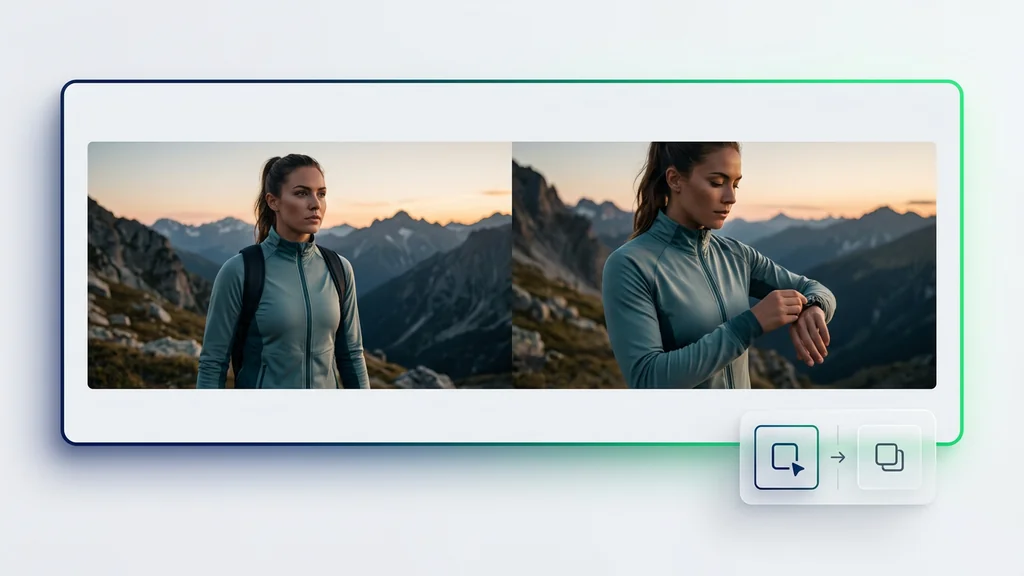
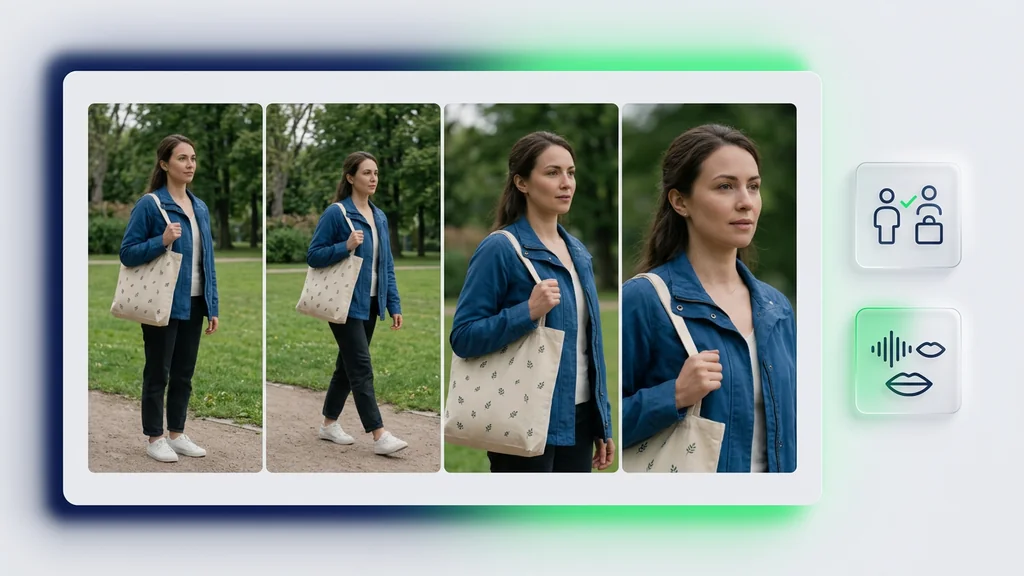
Perhaps most importantly, Kling 3.0 introduces multi-shot storyboarding capabilities. You can now create narrative sequences that maintain character and scene consistency across multiple shots, something that required extensive manual editing in previous versions.

FeatureKling 2.6Kling 3.0
Max Duration10 seconds15 seconds
Resolution1080pNative 4K
Audio SupportSeparate processNative integration
Character ConsistencyLimitedAdvanced
Multi-shot CapabilityNoYes
Physics EngineBasicAdvanced

Key Features and Capabilities of Kling 3.0

Kuaishou's latest release packs impressive technical capabilities that push the boundaries of AI-generated video. Let's explore what makes this system stand out in the competitive AI video generation market.

Native 4K Resolution and Extended Duration

The jump to native 4K resolution changes everything. Unlike competitors that upscale lower-resolution outputs, Kling 3.0 generates true 4K video from the start. This means sharper details, cleaner edges, and professional-grade output suitable for commercial projects.

The 15-second duration might seem modest, but it's a game-changer for storytelling. According to Kuaishou's announcement, this 50% increase from the previous 10-second limit enables complete narrative sequences. You can now establish a scene, develop action, and deliver a payoff within a single generation.

What really matters is how KlingAI optimized these longer sequences. The system maintains consistent quality throughout the entire 15 seconds, avoiding the degradation that typically appears in extended AI-generated content. Frame-to-frame coherence remains stable, characters don't morph unexpectedly, and lighting stays consistent.

Unified Multimodal Processing

The multimodal architecture represents Kling 3.0's biggest innovation. Instead of treating video, audio, and effects as separate layers, the system processes everything simultaneously. This integrated approach creates natural synchronization between visual and audio elements.

Consider a simple scene: a person walking through a forest. Traditional AI video generators would create the visuals first, then attempt to match footstep sounds afterward. Kling 3.0 generates the footsteps in perfect sync with the character's movement, adjusts the sound based on terrain (leaves, gravel, mud), and even includes ambient forest sounds that react to the character's presence.

The unified processing extends to complex interactions between multiple elements. Characters speaking while moving, objects colliding with realistic sound effects, environmental audio that responds to action, all happen naturally without post-processing.

Advanced Physics Engine and Realism

Physics simulation in AI video has always been a weak point. Objects would float unnaturally, characters would move without weight, and interactions looked artificial. Kling 3.0's physics engine addresses these issues head-on.

The system understands gravity, momentum, and material properties. Drop a glass, and it shatters realistically based on height and surface. Fabric moves naturally with wind and body movement. Water splashes follow actual fluid dynamics. These aren't pre-programmed animations but real-time physics calculations.

Character movement shows the most dramatic improvement. Walking, running, and gesturing all follow biomechanical principles. Weight shifts properly during movement. Arms swing naturally. Even subtle details like breathing and micro-expressions appear realistic.

Multi-Shot Storyboarding and Scene Consistency

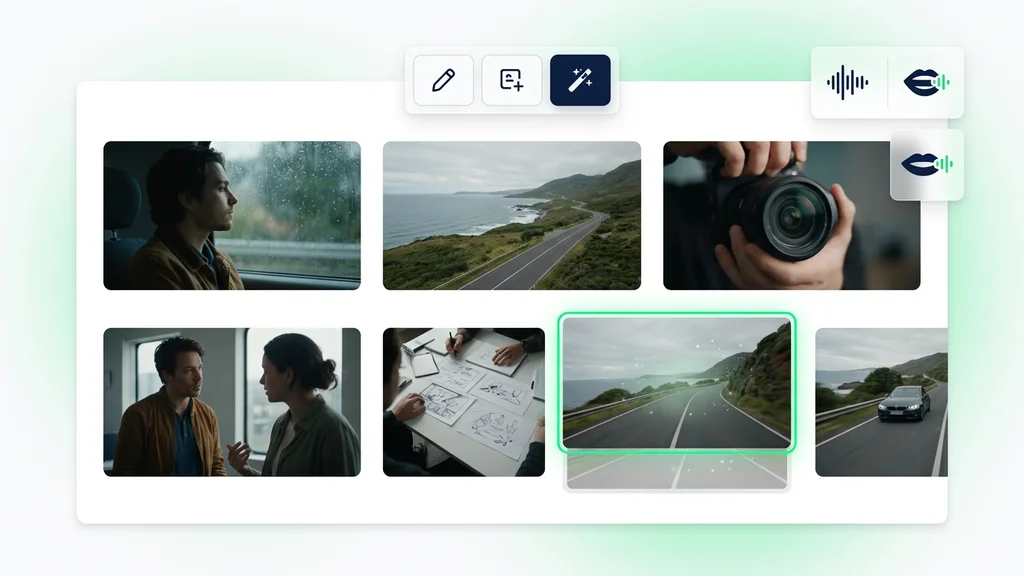
Creating narrative sequences has always required careful planning and multiple generation attempts. Kling 3.0's multi-shot capabilities streamline this process dramatically. You can define multiple camera angles, scene transitions, and character actions within a single prompt.

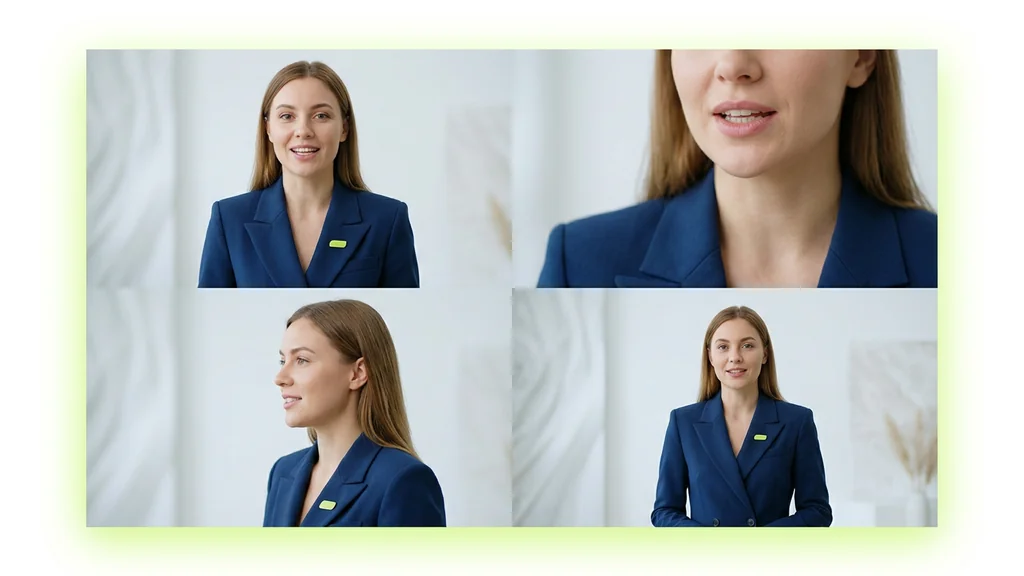
The system maintains consistency across shots through its advanced memory architecture. Characters retain their appearance, clothing, and distinguishing features. Lighting conditions carry through scene changes. Props and environments stay consistent even when viewed from different angles.

This opens up cinematic techniques previously impossible with AI generation. Establishing shots, close-ups, reaction shots, and action sequences can flow naturally together. The result feels like professionally edited video rather than disconnected clips.

Practical Applications and Use Cases

Kling 3.0's capabilities translate into real-world applications across multiple industries. From content creation to commercial production, the technology enables new workflows and creative possibilities.

Content Creation and Social Media

Social media creators face constant pressure to produce engaging video content. Kling 3.0 accelerates this process dramatically. A creator can generate multiple video variations from a single concept, test different approaches, and publish content faster than ever.

The 15-second duration aligns perfectly with social media formats. Instagram Reels, TikTok videos, and YouTube Shorts all thrive on this length. Native audio generation means creators don't need separate sound design workflows. They can produce complete, polished videos ready for immediate posting.

Educational content benefits particularly well. Complex concepts can be visualized quickly. Historical events can be recreated. Scientific processes can be demonstrated with accurate physics. The multimodal system ensures narration syncs perfectly with visual demonstrations.

Commercial Video Production

Professional video production traditionally requires significant resources: actors, locations, equipment, crew. Kling 3.0 offers an alternative for many commercial applications. Pre-visualization becomes instant and affordable. Concept testing happens in hours instead of weeks.

Advertising agencies use the technology for rapid prototyping. Instead of expensive test shoots, they generate multiple campaign concepts quickly. Client presentations include actual video examples rather than storyboards. Revisions happen in real-time during meetings.

Product demonstrations showcase another strength. The physics engine accurately represents how products move and interact. Lighting can be adjusted to highlight features. Multiple angles and scenarios can be tested without physical prototypes.

Film and Animation Pre-Production

Film studios increasingly rely on AI tools for pre-production planning. Kling 3.0 takes this further by generating actual footage rather than static previsualization. Directors can see how scenes will look and flow before committing to expensive shoots.

The multi-shot capabilities prove invaluable for testing scene compositions. Different camera movements, angles, and transitions can be explored quickly. Character blocking and movement can be refined. Even complex action sequences can be previsualized with realistic physics.

Animation studios benefit from rapid concept development. Character designs can be tested in motion. Environmental concepts can be explored dynamically. The native audio generation helps establish mood and pacing early in the creative process.

Getting Started with Kling 3.0

Accessing and using Kling 3.0 effectively requires understanding both the technical requirements and creative best practices. Let's walk through everything you need to know to start generating professional-quality videos.

Access and Platform Requirements

KlingAI provides Kling 3.0 through cloud-based infrastructure, eliminating the need for powerful local hardware. Access happens through web interfaces or API integrations, making the technology available to creators regardless of their technical setup.

The web interface works on any modern browser. Chrome, Firefox, Safari, and Edge all support the platform fully. Mobile access remains limited, though tablet browsers can handle basic generation tasks. For optimal results, desktop or laptop access provides the best experience.

API access opens advanced possibilities for developers and studios. Integration with existing workflows becomes seamless. Batch processing enables multiple video generations simultaneously. Custom applications can leverage Kling 3.0's capabilities for specialized use cases.

Crafting Effective Prompts

Success with Kling 3.0 depends heavily on prompt quality. The system's natural language understanding has improved dramatically, but specific techniques yield better results.

Start with clear scene descriptions. Instead of vague concepts, provide specific details about environment, lighting, and mood. "A person walking" becomes "A young woman in a red coat walking through an autumn park at golden hour, leaves falling around her."

Character descriptions need consistency markers. Include distinctive features, clothing details, and personality traits. The system uses these markers to maintain character consistency across shots. "The detective with gray hair and a worn leather jacket" stays recognizable throughout your sequence.

Action descriptions benefit from physics-aware language. Describe weight, speed, and interaction details. "The heavy wooden door creaks open slowly" generates more realistic motion than "the door opens." The physics engine responds to these physical property hints.

Optimizing Output Quality

Several techniques maximize the quality of generated videos. Understanding these optimization strategies helps you achieve professional results consistently.

Frame composition improves with cinematography terms. Include camera angles, movements, and framing in your prompts. "Medium shot transitioning to close-up" or "tracking shot following the subject" guide the generation process effectively.

Lighting descriptions dramatically impact mood and quality. Specify light sources, intensity, and color temperature. "Soft morning light through venetian blinds" creates different results than "harsh fluorescent overhead lighting." The system accurately simulates these lighting conditions.

Audio elements need equal attention. Describe not just what sounds occur, but their quality and timing. "Footsteps echoing in an empty hallway" generates different audio than "muffled footsteps on thick carpet." Environmental audio adds depth when specified clearly.

Comparison with Other AI Video Generators

The AI video generation market has exploded with options. Understanding how Kling 3.0 compares to alternatives helps you choose the right tool for your needs.

Kling 3.0 vs. Runway Gen-3

Runway Gen-3 has established itself as a popular choice for creators. Both systems offer text-to-video generation, but their approaches differ significantly.

Runway excels at artistic and experimental content. Its strength lies in creative effects and stylized output. However, it processes video and audio separately, requiring additional steps for synchronized sound. Video duration caps at 10 seconds, limiting narrative possibilities.

Kling 3.0's unified multimodal processing gives it an edge for realistic content. The 15-second duration and native audio generation streamline production workflows. Physics simulation and character consistency surpass Runway's capabilities for narrative content.

Pricing models also differ. Runway uses a credit system with per-second generation costs. Kuaishou offers subscription tiers with monthly generation limits. For high-volume users, Kling 3.0 often proves more economical.

Kling 3.0 vs. Pika Labs

Pika Labs focuses on accessibility and ease of use. Their interface simplifies video generation for beginners, but this simplicity comes with limitations.

Pika's 3-second generation limit restricts creative possibilities severely. While useful for quick social media clips, it can't handle narrative sequences. The resolution caps at 1080p, lacking Kling 3.0's native 4K output.

Where Pika shines is rapid iteration. Quick generations allow fast experimentation. For users needing simple motion graphics or brief clips, Pika's streamlined approach works well. Kling 3.0 targets users requiring longer, higher-quality content with synchronized audio.

Kling 3.0 vs. Stable Video Diffusion

Stable Video Diffusion represents the open-source approach to AI video generation. Its availability for local installation appeals to users wanting full control over their workflow.

Technical requirements present the main challenge. Stable Video Diffusion needs powerful GPUs for reasonable generation speeds. Quality varies significantly based on hardware and configuration. Audio generation requires separate tools and workflows.

Kling 3.0's cloud-based approach eliminates hardware concerns. Consistent quality and integrated audio generation provide a more polished experience. For users without technical expertise or powerful hardware, Kling 3.0 offers superior accessibility.

Future Developments and Industry Impact

The release of Kling 3.0 signals broader changes in the AI video generation industry. Understanding these trends helps creators and businesses prepare for what's coming.

Technological Roadmap

Kuaishou has hinted at ambitious plans for future Kling versions. Extended duration remains a priority, with 30-second and eventually minute-long generations on the horizon. Real-time generation speeds would enable interactive applications and live content creation.

Resolution improvements continue advancing. While 4K satisfies current needs, 8K generation would future-proof content for emerging display technologies. HDR support and expanded color spaces would enhance visual quality further.

The multimodal architecture opens possibilities for additional input types. 3D model integration could enable precise object placement. Motion capture data might guide character animations. Voice cloning could personalize generated dialogue.

Industry Transformation

Traditional video production faces disruption as AI tools mature. Small studios can now compete with larger operations by leveraging AI for pre-production and concept development. Individual creators access capabilities previously requiring entire teams.

Educational institutions adapt curricula to include AI video generation. Film schools teach prompt engineering alongside traditional cinematography. Design programs integrate AI tools into standard workflows.

Legal and ethical frameworks evolve to address AI-generated content. Copyright questions around training data and output ownership need resolution. Industry standards for disclosing AI use in commercial content emerge.

Creative Possibilities

As tools like Kling 3.0 democratize video creation, new forms of storytelling emerge. Interactive narratives where viewers influence generation parameters become possible. Personalized content adapts to individual preferences automatically.

Cross-media projects benefit from rapid video generation. Authors visualize scenes from their novels. Game developers prototype cutscenes quickly. Musicians create unique visuals for every performance.

The barrier between imagination and visual expression continues shrinking. Ideas that would have required massive budgets become accessible to anyone. This democratization promises an explosion of creative content as more voices gain access to professional video tools.

Frequently Asked Questions

What makes Kling 3.0 different from other AI video generators? Kling 3.0 is the first unified multimodal system that processes text, video, audio, and images simultaneously. Unlike competitors that handle these elements separately, it creates cohesive cinematic experiences from single prompts.

How long can Kling 3.0 videos be? Kling 3.0 generates videos up to 15 seconds in length with native 4K resolution. This represents a 50% increase from the previous 10-second limit in Kling 2.6.

Does Kling 3.0 include audio generation? Yes, Kling 3.0 features native audio generation in multiple languages. The system synchronizes audio with visual elements during the generation process, eliminating the need for separate audio workflows.

Can Kling 3.0 maintain character consistency across scenes? Absolutely. The unified multimodal architecture ensures character consistency across multiple shots and scenes, a significant improvement over previous versions that struggled with character continuity.

What resolution does Kling 3.0 output? Kling 3.0 produces native 4K resolution videos. The system's advanced rendering engine maintains this quality throughout the entire generation process without upscaling artifacts.

Is Kling 3.0 suitable for professional video production? Yes, with its 4K output, advanced physics engine, and multi-shot capabilities, Kling 3.0 meets professional standards for many commercial applications, particularly in pre-visualization and concept development.

How does the physics engine work in Kling 3.0? The physics engine understands real-world motion patterns, gravity, and object interactions. It creates believable character movements, environmental effects, and object dynamics based on physical laws.

Can I control specific elements in Kling 3.0 videos? Yes, Kling 3.0 offers start-and-end-frame control, subject management, and element positioning. You can guide character movements, camera angles, and scene compositions through detailed prompts.

What input types does Kling 3.0 accept? Kling 3.0 accepts text prompts, reference images, video clips, and audio files. The multimodal system processes all these inputs simultaneously to create cohesive output.

How does Kling 3.0 handle complex scenes with multiple characters? The advanced AI architecture manages multiple characters, their interactions, and individual movements within complex scenes. It maintains each character's unique attributes while coordinating their interactions naturally.

What languages does Kling 3.0 support for audio generation? Kling 3.0 supports multiple languages for native audio generation, though specific language availability varies by region and may require different prompt structures for optimal results.

Can Kling 3.0 create narrative sequences? Yes, the multi-shot storyboarding feature allows creation of narrative sequences with consistent characters, settings, and story progression across multiple connected scenes.

How accurate is Kling 3.0's text-to-video conversion? Kling 3.0 demonstrates high accuracy in interpreting complex text prompts, understanding context, character descriptions, environmental details, and action sequences with minimal prompt engineering required.

Does Kling 3.0 require special hardware to run? Kling 3.0 runs on cloud infrastructure, so you don't need specialized hardware. Access is through web interfaces or API integrations, making it accessible on standard computers.

What are Kling 3.0's main limitations? Current limitations include the 15-second maximum duration, occasional inconsistencies in complex physics interactions, and varying quality depending on prompt complexity and specificity.