1Step 01
Upload Your Photo
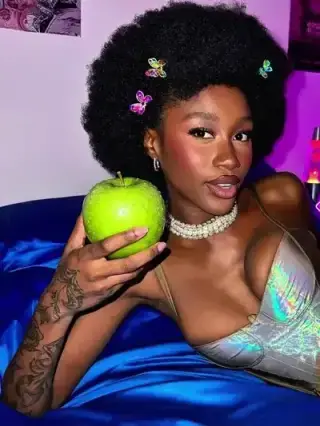
Choose a photo with a subject you want to keep. The AI separates the subject so the new background blends naturally.
modelArticleAnim.uploadImagePNG · JPG

Instantly remove backgrounds from your photos, isolating the subject for better compositing and creative freedom.
Your Photo
Upload your photo
Upload a photo, describe a new background, and export a seamless image — all inside Cleep.ai.
Choose a photo with a subject you want to keep. The AI separates the subject so the new background blends naturally.
Write a prompt for the scene you want — a studio backdrop, a beach, a city street, or any setting you imagine.
The new background is generated and blended in seconds. Download your image, ready to share or post.
Start by uploading a JPG, PNG, or WEBP that clearly shows the subject. Add a short prompt like “clean white studio backdrop with soft shadow” or “modern office with window light,” then generate a new scene. If you have a reference image, add it to guide the look and color mood.

Create consistent marketplace photos by placing products on clean studio backgrounds or brand-colored backdrops. Refresh headshots with professional office or neutral gradients while keeping facial details intact. Produce multiple variations for ads—seasonal scenes, lifestyle settings, or minimal solid colors—without reshooting.

Use the preview to zoom in on edges around hair, glasses, and fine product details to confirm the mask looks natural. Check for background color spill on the subject and adjust your prompt (for example, “soft shadow only” or “no haze”) if needed. When it looks right, download a transparent PNG for design work or a finished image for immediate posting.

Cleep AI focuses on subject preservation so the person or product remains consistent while the background changes. Prompts can specify lighting and environment (e.g., “soft daylight from the left,” “clean seamless paper,” “outdoor bokeh”) to keep results believable. For best results, use images with clear separation between subject and background and avoid heavy motion blur.

Swap in a clean studio look, a lifestyle scene, or a solid color that fits your feed in minutes. Upload one image and iterate quickly by changing the prompt until the preview matches your goal. Export a transparent PNG for designers or a ready-to-post image for your next listing or campaign.