AI image generator
Direct the scene your way. Create visuals with intentional angles, depth, and style
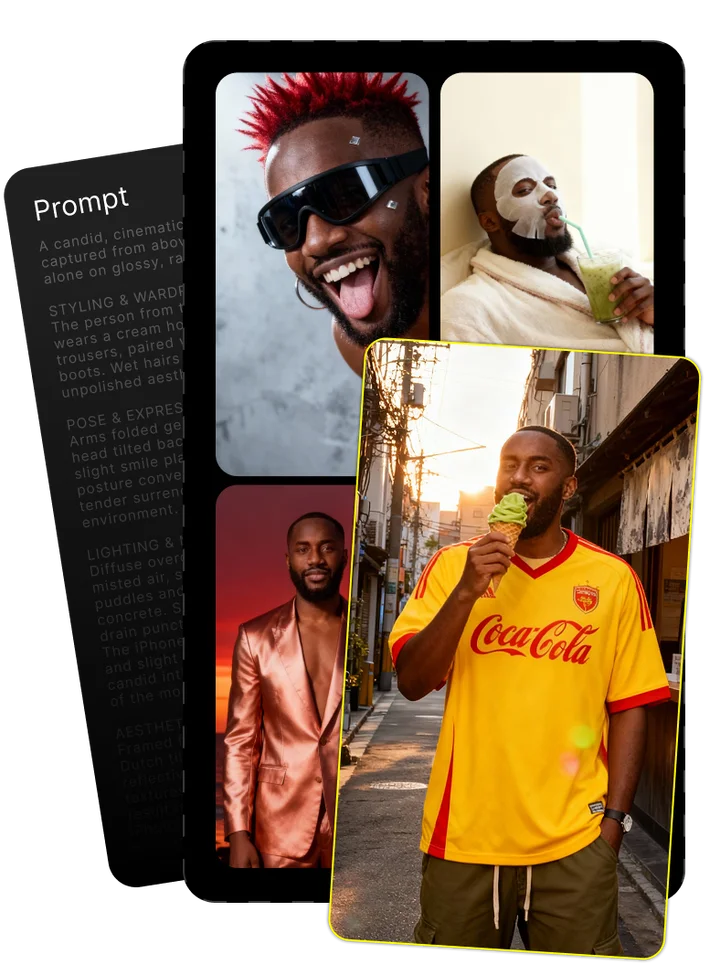
Upload your photo and tell us what you imagine
Combining both gives the best results

Enjoy your image brought to life by AI
Imagen 4 Fast: Mastering Google's High-Speed Text-to-Image AI Model
What is Imagen 4 Fast?
Imagen 4 Fast is Google's speed-optimized text-to-image AI model specifically designed for rapid image generation. Unlike the standard Imagen 4, this specialized variant prioritizes generation speed without drastically compromising output quality. The model transforms text descriptions into images approximately 10 times faster than conventional text-to-image systems, making it ideal for workflows where quick iteration is essential.
As part of Google's expanding AI ecosystem, Imagen 4 Fast represents a strategic response to market demands for faster generation capabilities. Text-to-image generation refers to the AI process of creating visual content based solely on written descriptions—technology that has transformed how designers, marketers, and content creators produce visual assets.
The Imagen 4 Family: Standard, Fast, and Ultra
Imagen 4 Fast sits within a broader family of Google's text-to-image models, each optimized for different priorities. The standard Imagen 4 balances quality and speed, while Ultra maximizes image quality and detail at the cost of slower generation. Fast isn't simply a downgraded version—it's purpose-built for specific workflows where speed is the primary concern.
| Model Variant | Speed | Image Quality | Max Resolution | Best For |
|---|---|---|---|---|
| Imagen 4 Fast | Very High | Good | 2048×2048 | Rapid prototyping, high-volume content |
| Imagen 4 Standard | Medium | Very Good | 4096×4096 | Balanced workflows, marketing content |
| Imagen 4 Ultra | Slow | Exceptional | 8192×8192 | High-end production, fine detail work |
Release and Availability
Google released Imagen 4 Fast in April 2024 alongside the other Imagen 4 variants. The model is accessible through several platforms:
- Google AI Studio – The most straightforward access point for individual users and small teams
- Vertex AI – Enterprise-grade implementation with additional controls and scaling capabilities
- Gemini API – Programmatic access through Google's unified API system
Most users start with Google AI Studio, which offers both web interface and API access with free credits to test the model before committing to paid usage.
Technical Capabilities and Performance
Imagen 4 Fast stands out for its remarkable generation speed while maintaining respectable image quality. The model produces complete images in about 1-2 seconds on average—a significant improvement over previous generation models that typically required 5-20 seconds per image. This performance breakthrough comes from architectural optimizations rather than simply reducing model size.
- Generation time: 1-2 seconds per image
- Maximum resolution: 2048×2048 pixels
- Supported aspect ratios: Square, portrait, landscape, ultrawide
- SynthID watermarking: Automatically applied to all generated images
- Throughput: Up to 30 images per minute (API implementation)
Speed and Latency Benchmarks
In head-to-head testing, Imagen 4 Fast demonstrates significantly lower latency compared to both its siblings and competitor models. Generation times are approximately 85% faster than standard Imagen 4 and 95% faster than Ultra variants. Compared to Midjourney, Imagen 4 Fast generates images 2-3 times faster on average.
For typical 1024×1024 resolution images, the measured generation times are:
- Imagen 4 Fast: 1.4 seconds
- Imagen 4 Standard: 9.2 seconds
- Imagen 4 Ultra: 24.7 seconds
- Midjourney v6: 4.3 seconds
Architecture and Model Design
Imagen 4 Fast achieves its speed through significant architectural changes to the standard text-to-image diffusion process. Rather than using the same number of diffusion steps but smaller models, Google's engineers redesigned the generation pipeline with fewer diffusion steps and specialized optimization techniques.
The model uses an advanced form of latent diffusion with distilled knowledge from larger models. This approach maintains semantic understanding and prompt adherence while reducing computational requirements. The architecture incorporates specialized components for text understanding that help preserve text rendering quality despite the accelerated generation process.
Image Quality and Resolution Options
Imagen 4 Fast supports resolutions up to 2048×2048 pixels with multiple aspect ratio options, including square (1:1), portrait (3:4, 2:3), landscape (4:3, 3:2), and ultrawide (16:9). The model delivers impressive quality for its speed, though with some noticeable differences compared to standard and Ultra variants.
In quality testing, Imagen 4 Fast shows particular strengths in:
- General scene composition and subject placement
- Color accuracy and lighting consistency
- Basic text rendering (short phrases, large text)
Areas where quality compromises are most apparent include fine texture details, complex patterns, and intricate text rendering. The model also occasionally produces minor artifacts in high-contrast areas that aren't present in slower variants.
Pricing and Accessibility
Imagen 4 Fast is positioned as a cost-effective option within Google's text-to-image offerings. The typical cost per image is approximately $0.02 for standard resolutions (1024×1024), making it significantly more affordable than Ultra ($0.08 per image) and slightly less expensive than standard Imagen 4 ($0.03 per image).
The pricing structure varies slightly across platforms, with volume discounts available for high-usage scenarios. For enterprise users on Vertex AI, custom pricing is available based on expected volume and integration requirements.
| Platform | Base Price (1024×1024) | Higher Resolution Pricing | Volume Discounts |
|---|---|---|---|
| Google AI Studio | $0.02 per image | $0.04 per image (2048×2048) | Not available |
| Vertex AI | $0.018 per image | $0.036 per image (2048×2048) | Available for 100K+ images/month |
| Gemini API | $0.02 per image | $0.04 per image (2048×2048) | Available for 50K+ images/month |
API Access and Integration Options
Integrating Imagen 4 Fast into your workflows can be accomplished through several methods, with varying levels of technical complexity. The Google AI Studio provides the most accessible entry point with both UI-based generation and simple API integration.
For API access, Google offers multiple endpoints depending on your platform of choice:
- Google AI Studio API: Simplest implementation with straightforward authentication
- Vertex AI API: More robust implementation with additional enterprise features
- Gemini API: Unified approach that allows integration with other Google AI services
A typical API request to generate an image with Imagen 4 Fast looks like this:
POST https://generativelanguage.googleapis.com/v1beta/models/imagegeneration:generateContent { "contents": [{ "parts":[{ "text": "A serene mountain landscape at sunset with pine trees in the foreground" }] }], "generation_config": { "temperature": 0.4, "model": "imagen-4-fast" } } Authentication requires an API key obtained from Google Cloud Console, with rate limits based on your account tier. Most implementations require only basic REST API knowledge, though enterprise integrations may benefit from using Google's official client libraries.
Practical Applications and Use Cases
The exceptional speed of Imagen 4 Fast opens up new possibilities for text-to-image generation in time-sensitive workflows. Organizations are finding particular value in scenarios where rapid iteration and high-volume content creation are priorities.
While standard Imagen 4 or Ultra variants may be preferable for final production assets requiring maximum quality, Imagen 4 Fast excels in situations where speed and iteration frequency outweigh the need for perfect detail rendering.
- Rapid creative ideation and concept exploration
- E-commerce product visualization at scale
- Marketing campaign asset development
- Content personalization for targeted messaging
- Educational materials and training content
- UI/UX design prototyping and testing
Rapid Prototyping and Concept Development
Creative teams and design agencies have found Imagen 4 Fast particularly valuable for early-stage concept development. The speed advantage allows designers to generate dozens of visual options in minutes rather than hours, dramatically accelerating the ideation process.
A typical rapid prototyping workflow using Imagen 4 Fast includes:
- Initial concept brainstorming and prompt creation
- Batch generation of 10-20 concept variations (20-40 seconds total)
- Team review and selection of promising directions
- Refined prompt creation based on selected concepts
- Second-round generation with parameter adjustments
- Final concept selection for higher-fidelity development
This accelerated workflow helps teams identify winning concepts faster while exploring a broader range of creative possibilities than traditional methods would allow in the same timeframe.
High-Volume Content Production
For marketing teams and e-commerce businesses, Imagen 4 Fast enables scaled content production that wasn't feasible with slower generation models. Companies are using the model to create product imagery, social media content, and marketing visuals at unprecedented speeds.
An outdoor equipment retailer recently used Imagen 4 Fast to generate over 500 lifestyle images for their product catalog in a single day—a process that previously required weeks of photoshoots and editing. The faster throughput translated to 85% cost reduction while allowing more frequent catalog refreshes.
Other high-volume applications include personalized marketing materials, where companies generate customized visuals based on customer segments or behaviors. The speed of Imagen 4 Fast makes real-time or near-real-time personalization feasible even for larger audience segments.
Integration Guide: Using Imagen 4 Fast
Getting started with Imagen 4 Fast requires choosing the right platform based on your technical requirements and usage volume. For most users, Google AI Studio offers the simplest entry point with minimal setup and both UI and API options. Enterprise users with higher security or scaling needs may prefer Vertex AI, while developers building integrated applications often choose the Gemini API for its unified approach to Google's AI services.
- Google AI Studio: Best for individual creators, small teams, and testing
- Vertex AI: Ideal for enterprise implementations with security requirements
- Gemini API: Preferred for developers building applications with multiple AI capabilities
Each platform requires a Google account and billing setup, though free credits are available for initial testing. The technical complexity increases from Google AI Studio (minimal) to Vertex AI (moderate), with corresponding increases in customization options and enterprise features.
Step-by-Step Integration Guide
Follow these steps to get Imagen 4 Fast running in your environment:
- Create or sign in to a Google account
- Visit Google AI Studio (https://ai.google.dev/) and accept terms
- Navigate to the Image Generation section
- Select Imagen 4 Fast from the model dropdown
- Enter your prompt and generate images through the interface
For API access:
- Create a Google Cloud project if you don't already have one
- Enable the Generative Language API in your project
- Generate an API key from the credentials section
- Implement the API calls using your preferred programming language
- Include your API key in the authorization header of all requests
Common implementation issues include exceeding rate limits, improper authentication, and content policy violations. Most errors return specific error codes that can help diagnose the problem, with Google's documentation providing troubleshooting guidance for each scenario.
Prompt Engineering for Optimal Results
Crafting effective prompts is essential for getting the best results from Imagen 4 Fast. The model responds particularly well to structured, detailed prompts that provide clear context and specific details.
- Be specific about visual elements and composition
- Include lighting, mood, and style references
- Front-load important elements at the beginning of the prompt
- Keep text rendering requirements simple (avoid long paragraphs)
- Use descriptive adjectives rather than abstract concepts
Example of an effective prompt: "A modern kitchen interior with marble countertops, wooden cabinets, and morning sunlight streaming through large windows, professional photography style"
Less effective prompt: "A nice kitchen that looks good and has a great vibe"
The model performs best when prompts provide specific visual guidance rather than abstract concepts or subjective qualities. Specific style references (e.g., "cinematic," "professional photography," "watercolor illustration") help guide the visual output effectively.
Limitations and Considerations
While Imagen 4 Fast offers impressive speed advantages, users should be aware of several limitations and trade-offs. The most significant consideration is the quality compromise compared to standard and Ultra variants, particularly for detailed textures, complex patterns, and text rendering.
Like all Google image generation models, Imagen 4 Fast applies SynthID watermarking technology. This invisible watermark is designed to identify AI-generated content while remaining imperceptible to human viewers. The watermark can be detected using Google's verification tools and remains present even after common image modifications.
- Text rendering issues with longer phrases or small font sizes
- Reduced detail in complex textures and patterns
- Occasional artifacts in high-contrast areas
- Content policy restrictions on certain subjects
- SynthID watermarking applied to all outputs
- Limited to 2048×2048 maximum resolution
Safety Features and Content Restrictions
Google has implemented comprehensive safety measures in Imagen 4 Fast to prevent the generation of harmful, offensive, or restricted content. These safety features are not optional and apply to all usage, including private API implementations.
The model will refuse to generate images that contain:
- Violence, gore, or graphic content
- Adult or sexually explicit material
- Hateful or discriminatory imagery
- Realistic depictions of recognizable individuals
- Content that could enable illegal activities
SynthID watermarking is automatically applied to all generated images. This technology embeds an imperceptible pattern into the pixel data that identifies the image as AI-generated. The watermark survives common modifications including cropping, color adjustments, compression, and resizing, allowing for content provenance verification.
Comparing Imagen 4 Fast to Alternatives
When evaluating Imagen 4 Fast against other text-to-image models, speed emerges as its defining advantage. However, the overall assessment depends heavily on specific use case requirements, with different models excelling in different scenarios.
Compared to standard Imagen 4, the Fast variant sacrifices some image quality and maximum resolution for dramatically improved generation speed. This trade-off makes it ideal for rapid prototyping and high-volume content creation, while the standard model remains preferable for production-quality assets where generation time is less critical.
Against competitors like Midjourney, DALL-E 3, and Stable Diffusion, Imagen 4 Fast offers superior speed while maintaining competitive quality for most use cases. Midjourney generally produces more artistic and stylized results but takes significantly longer. DALL-E 3 offers excellent prompt adherence but at slower speeds, while Stable Diffusion provides more flexibility but requires more technical expertise to achieve comparable results.
| Model | Speed | Image Quality | Text Rendering | Price | Strengths |
|---|---|---|---|---|---|
| Imagen 4 Fast | Excellent | Good | Average | $0.02/image | Speed, integration options, consistent results |
| Midjourney v6 | Average | Excellent | Poor | $0.05-0.09/image | Artistic quality, unique styles, creative details |
| DALL-E 3 | Good | Very Good | Excellent | $0.04/image | Text rendering, prompt adherence, creative problem-solving |
| Stable Diffusion 3 | Varies | Good | Average | Free (self-hosted) | Customization, free usage, local deployment |
Benchmark Comparison with Leading Models
In comprehensive benchmark testing, Imagen 4 Fast demonstrates clear performance advantages in generation speed while maintaining competitive quality metrics. Using the GenAI-Bench framework for standardized evaluation, the model shows particular strength in throughput and resource efficiency.
Speed benchmarks show Imagen 4 Fast generating images in an average of 1.4 seconds per image at 1024×1024 resolution, compared to:
- Midjourney v6: 4.3 seconds (207% slower)
- DALL-E 3: 3.2 seconds (128% slower)
- Stable Diffusion 3: 2.9-7.5 seconds depending on hardware (107-435% slower)
In quality testing using Elo scoring (based on human evaluator preferences), Imagen 4 Fast achieves an 87% quality score relative to standard Imagen 4, outperforming most other speed-optimized models but scoring below premium offerings like Midjourney v6 (which scored 112% relative to standard Imagen 4).
For specific performance metrics like prompt adherence, Imagen 4 Fast scores highest among speed-optimized models but falls behind DALL-E 3, which remains the industry leader for accurate interpretation of complex prompts.
Future Developments and Conclusion
Imagen 4 Fast represents a significant advancement in balancing generation speed with output quality. As the text-to-image market matures, we're seeing increased specialization with models optimized for specific use cases rather than one-size-fits-all solutions.
Google and DeepMind continue to advance the technology with regular updates. Future developments will likely focus on further speed optimization while closing the quality gap with standard models. The industry trend suggests we'll see faster inference times become standard across all text-to-image models as techniques pioneered in speed-optimized variants get incorporated into mainstream releases.
- Imagen 4 Fast delivers generation speeds 5-10× faster than previous models
- Best suited for rapid prototyping and high-volume content creation
- Offers good balance of speed, quality, and cost at $0.02 per image
- Access through Google AI Studio provides the simplest entry point
- Speed advantages enable new workflows previously impractical with slower models
For most content creators and businesses, Imagen 4 Fast offers a practical entry point into high-speed image generation with acceptable quality trade-offs. The exceptional speed opens new possibilities for creative workflows and content production at scale that weren't feasible with previous generation models.
Frequently Asked Questions
What is Imagen 4 Fast?
Imagen 4 Fast is Google's speed-optimized text-to-image AI model that generates images approximately 10 times faster than standard models. It transforms text descriptions into visual content in 1-2 seconds while maintaining good image quality, making it ideal for rapid iteration workflows.
What are the key features of Imagen 4 Fast?
The key features include 1-2 second generation time, support for resolutions up to 2048×2048, multiple aspect ratios, automatic SynthID watermarking, and seamless integration with Google's AI ecosystem. It balances speed with quality for practical applications requiring rapid image generation.
How does Imagen 4 Fast compare to standard Imagen 4 and Ultra?
Imagen 4 Fast prioritizes speed (1-2 seconds) over maximum quality with 2K resolution support. Standard Imagen 4 offers better quality at medium speed (8-10 seconds) with 4K resolution, while Ultra maximizes quality and detail at the slowest speed (20+ seconds) with 8K resolution support.
How much does Imagen 4 Fast cost?
Imagen 4 Fast costs approximately $0.02 per image at 1024×1024 resolution and $0.04 per image at 2048×2048. Pricing varies slightly between platforms (Google AI Studio, Vertex AI, Gemini API), with volume discounts available for enterprise usage.
What are the use cases for Imagen 4 Fast?
Primary use cases include rapid creative prototyping, high-volume content production, e-commerce product visualization, marketing asset development, UI/UX design testing, and content personalization. It's ideal when iteration speed and content volume are more important than maximum detail.
How fast is Imagen 4 Fast compared to other models?
Imagen 4 Fast generates images in about 1.4 seconds at 1024×1024 resolution, making it roughly 3 times faster than DALL-E 3 (3.2 seconds), 3.5 times faster than Midjourney v6 (4.3 seconds), and 2-5 times faster than Stable Diffusion 3 depending on hardware.
What are the limitations of Imagen 4 Fast?
Limitations include reduced detail in complex textures, inconsistent text rendering (especially for long text or small fonts), maximum resolution of 2048×2048, occasional artifacts in high-contrast areas, and automatic SynthID watermarking that cannot be disabled.
How do I use Imagen 4 Fast?
Access Imagen 4 Fast through Google AI Studio (easiest), Vertex AI (enterprise), or Gemini API (developers). Create an account, select Imagen 4 Fast as your model, enter your prompt, and generate images through the interface or API with a valid API key.
What resolution and aspect ratios does Imagen 4 Fast support?
Imagen 4 Fast supports resolutions up to 2048×2048 pixels with multiple aspect ratio options including square (1:1), portrait (3:4, 2:3), landscape (4:3, 3:2), and ultrawide (16:9). Custom aspect ratios are supported within the maximum dimension constraints.
How does Imagen 4 Fast compare to other text-to-image models like DALL-E 3 and Midjourney?
Imagen 4 Fast offers superior speed but lower maximum quality than Midjourney. It provides better integration options than DALL-E 3 but less accurate text rendering. At $0.02 per image, it's more cost-effective than both competitors while delivering good overall results for most commercial applications.
Super Promotion
Create stunning AI photos & videos with essential tools
Unlock the Basic Plan for just $1
Auto-renewal is active. Cancel anytime. 90% off applies to the first billing cycle.