AI image generator
Direct the scene your way. Create visuals with intentional angles, depth, and style
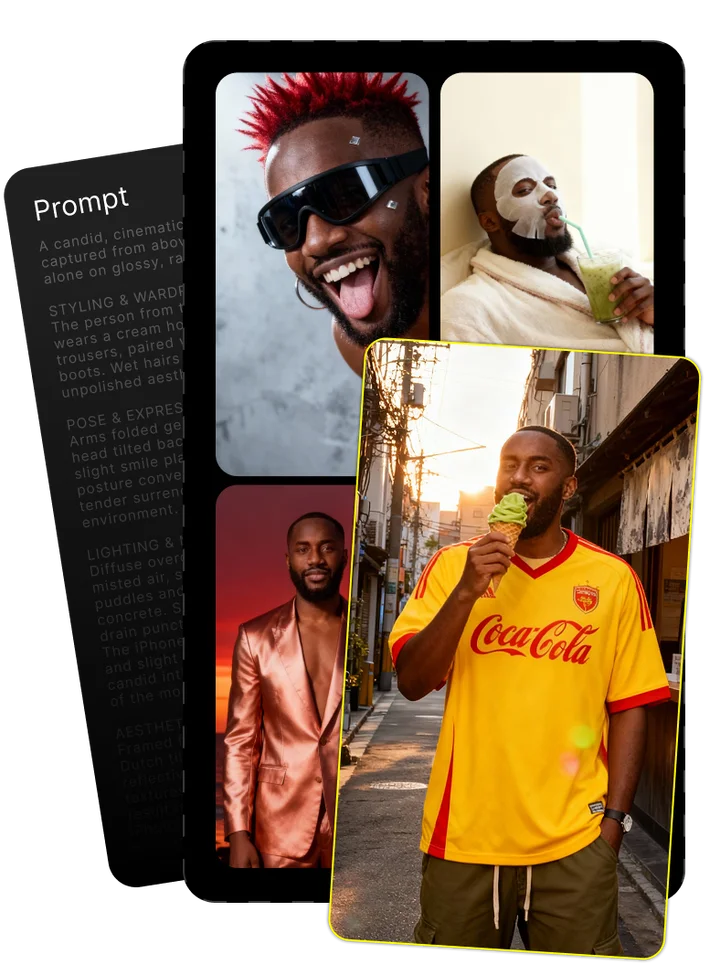
Upload your photo and tell us what you imagine
Combining both gives the best results
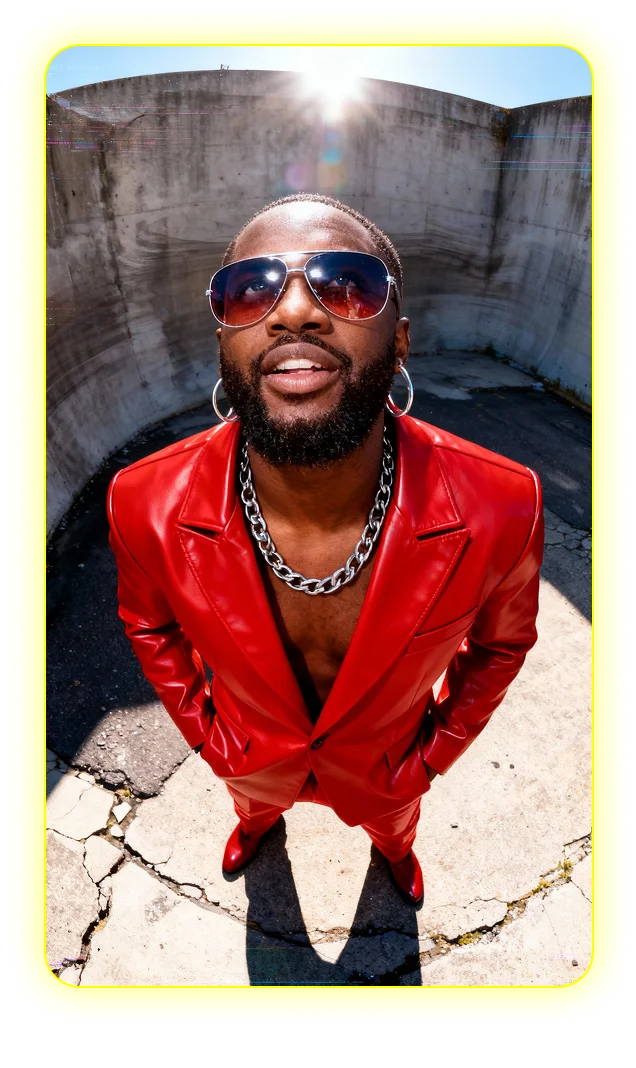
Enjoy your image brought to life by AI
Mastering Flux Kontext Max: A Comprehensive Guide to the Premium AI Image Editor
FLUX.1 Kontext Max is the premium AI image editor in Black Forest Labs' lineup, designed to elevate content creation through advanced AI image editing capabilities. Standing out in the competitive AI image generation space, this model offers exceptional precision, quality, and versatility for professionals. This guide explores everything from technical foundations to practical applications and advanced techniques for optimal results.
Introduction to Flux Kontext Max: The Premium AI Image Editor
FLUX.1 Kontext Max represents Black Forest Labs' flagship offering in the generative AI space. This premium AI model has rapidly gained recognition for its exceptional image editing capabilities, utilizing advanced generative flow matching technology rather than traditional diffusion methods. What initially met industry skepticism has evolved into widespread acknowledgment of Kontext Max's superior output quality.
The model excels at maintaining visual consistency, interpreting complex prompts accurately, and producing remarkably precise text rendering - areas where many competing models fall short. Its ability to preserve specific image elements while transforming others makes it particularly valuable for professional content creators requiring meticulous control.
Technical Foundation: How Kontext Max Works
At its core, FLUX.1 Kontext Max employs generative flow matching technology - a significant departure from diffusion models that dominate the AI image space. This architecture allows for smoother transitions between visual concepts, resulting in more coherent compositions. The multimodal flow model excels at understanding contextual relationships between image elements, particularly valuable for character consistency and text-based editing where semantic connections must be preserved.
The FLUX.1 Kontext Family: Dev, Pro, and Max Versions
Black Forest Labs offers three tiers of their FLUX.1 Kontext model. FLUX.1 Kontext Dev serves as the open-weight alternative, ideal for experimentation and non-commercial projects. FLUX.1 Kontext Pro offers enhanced capabilities with commercial licensing for professional applications. FLUX.1 Kontext Max, the premium tier, delivers superior character consistency, typography rendering, and multi-reference capabilities that justify its higher price point for high-stake commercial projects where quality cannot be compromised.
Core Features That Set Kontext Max Apart
FLUX.1 Kontext Max distinguishes itself through several standout capabilities that justify its premium positioning. The model demonstrates remarkable prompt adherence, interpreting complex instructions with precision that surpasses alternatives. This translates to fewer iterations and more predictable results - crucial for deadline-driven professional workflows.
Three key features particularly stand out: exceptional typography generation, unmatched character consistency across edits, and sophisticated multi-reference support. These capabilities address common pain points in AI image editing that frequently force professionals to resort to manual corrections in traditional design software.
- Image Resolution: Up to 1024×1024 pixels (expandable with third-party upscalers)
- Processing Speed: 3-8 seconds per generation (platform-dependent)
- Input Formats: JPG, PNG, WebP
- Output Formats: PNG (transparent background supported)
- Reference Image Limit: Up to 4 reference images simultaneously
Exceptional Typography Generation
FLUX.1 Kontext Max sets a new standard for AI-generated typography within images. Unlike many models that produce illegible or distorted text, Kontext Max renders clean, properly aligned typography with consistent letter spacing and accurate font styles. The model handles multiple languages, maintains proper text placement, and preserves legibility even with decorative fonts - a game-changer for marketing materials, UI mockups, and social media content where text elements are essential.
Character Consistency Across Edits
Character consistency remains one of the most challenging aspects of AI image editing, yet FLUX.1 Kontext Max excels remarkably in this area. The model maintains facial features, body proportions, clothing details, and overall identity across multiple editing iterations. This proves invaluable for narrative-driven marketing campaigns or character-based content where maintaining recognizable identity through background changes, style transfers, or pose adjustments is crucial for brand continuity.
Performance Comparison with Other Models
When benchmarked against competitors like Midjourney and DALL-E, FLUX.1 Kontext Max demonstrates significant advantages in specific areas. While Midjourney excels in artistic styling and DALL-E offers strong general capabilities, Kontext Max consistently outperforms in typography accuracy, character consistency, and precise local editing. The table below reflects performance metrics from identical editing tasks across platforms:
| Feature | FLUX.1 Kontext Max | FLUX.1 Kontext Dev | Midjourney | DALL-E |
|---|---|---|---|---|
| Prompt Adherence | Excellent | Good | Good | Fair |
| Typography Quality | Excellent | Good | Poor | Fair |
| Character Consistency | Excellent | Good | Fair | Fair |
| Processing Speed | Good | Excellent | Fair | Good |
| Local Editing Precision | Excellent | Good | Fair | Good |
Practical Applications Where Kontext Max Shines
FLUX.1 Kontext Max delivers exceptional value across diverse professional contexts. Graphic designers benefit from its precise typography and composition control, allowing rapid iteration on visual concepts without the text-rendering limitations common in other AI models. AI developers integrate it into creative applications where consistent output quality is paramount. Marketers leverage its character consistency for brand-aligned visual storytelling, while content creators value its ability to maintain visual coherence across multi-image campaigns.
The model particularly excels in scenarios requiring rapid transformation of concept sketches into polished visuals, text-heavy designs where typography quality matters, and character-based content where maintaining consistent identity is essential.
Industry-Specific Use Cases
E-commerce businesses use FLUX.1 Kontext Max to transform basic product photos into lifestyle marketing images by adding contextual backgrounds while preserving product details with perfect accuracy. Marketing teams streamline campaign production by generating consistent visuals featuring brand mascots or characters across multiple scenarios without identity drift. Graphic designers employ it for rapid UI/UX prototyping where text elements and consistent visual language are critical to client presentations.
- Start with standard product photo on white background
- Define target lifestyle context (outdoor adventure, home setting, professional environment)
- Use preservation prompts to maintain exact product appearance
- Apply style references from brand guidelines for visual consistency
- Add typography elements maintaining brand fonts and messaging
Extended Text Semantics for Storytelling
FLUX.1 Kontext Max excels at processing longer text inputs to maintain narrative coherence across image sequences. This capability proves invaluable for visual storytelling where consistent characters, settings, and thematic elements must persist throughout a series. The model interprets contextual relationships between narrative elements, allowing marketers to generate cohesive visual campaigns from a single extended brief rather than disconnected images requiring manual alignment.
Accessing and Setting Up Flux Kontext Max
FLUX.1 Kontext Max can be accessed through several platforms depending on workflow requirements and budget considerations. API access provides the most flexible integration option for developers building custom applications, while ComfyUI offers a node-based visual interface for complex editing workflows without coding knowledge. Your choice depends on factors like technical expertise, budget constraints, and specific workflow requirements.
- Replicate - Pay-per-run pricing with straightforward API
- Together AI - Credit-based system with competitive pricing
- Vercel AI Gateway - Unified API for multiple models including Kontext Max
- Fireworks - Fast inference optimized for production workloads
- RunWare - User-friendly interface for non-technical users
- Fal.ai - Enterprise-grade infrastructure with low latency
- EachLabs - Budget-friendly option for occasional use
- Native platforms (FluxAI, Flux Pro) - Direct access with priority computing
ComfyUI Integration Guide
Setting up FLUX.1 Kontext Max in ComfyUI provides the most customizable editing environment. Start by installing the model checkpoint and required custom nodes through ComfyUI Manager. Create a workflow incorporating KSampler, VAE Decode/Encode, and ControlNet nodes as needed. Configure API connections by adding your access tokens in the configuration panel. Optimize performance by adjusting VAE precision settings to half precision if experiencing memory limitations. For complex edits, structure your workflow with multiple reference processing branches before merging into the final generation.
API Implementation for Developers
AI Developers integrating FLUX.1 Kontext Max via API should focus on proper parameter handling for optimal results. The API accepts standard image inputs alongside text prompts, with additional parameters for controlling reference weight, preservation strength, and style guidance. Error management should include proper handling of rate limits and generation failures. For production applications, implement batch processing with response caching to optimize performance and minimize costs during high-volume operations.
Multi-reference Image Support
FLUX.1 Kontext Max's multi-reference capability allows combining up to four images as simultaneous guidance. This proves invaluable for complex compositions where different references provide content, style, and compositional elements. The system intelligently balances these influences based on specified weights. For optimal results, designate primary references for content structure and secondary references for style elements. This approach enables sophisticated visual merging impossible with single-reference systems.
Crafting Effective Prompts for Optimal Results
The quality of results from FLUX.1 Kontext Max depends significantly on well-structured prompts that leverage its capabilities. Unlike basic text-to-image models, Kontext Max responds to detailed, contextual instructions that specify not just what to generate but how elements should relate to each other. Effective prompts follow a hierarchical structure, beginning with a clear primary instruction followed by supportive details, style guidance, and preservation instructions.
Testing shows specificity matters more than length - precise descriptions of desired elements consistently outperform vague directions with flowery language. For example, "Transform the background to a modern office with blue walls and natural lighting while preserving the person exactly as shown" yields better results than "Make this look more professional and clean."
- Begin with clear action verb (transform, replace, enhance)
- Specify exact elements to change or preserve
- Include concrete visual descriptors over abstract concepts
- Separate style guidance from content instructions
- Place critical preservation instructions at beginning and end of prompt
Advanced Prompting Techniques for Complex Edits
Achieving character consistency with FLUX.1 Kontext Max requires strategic prompting approaches. Start with explicit identity preservation instructions like "maintain exact facial features, hairstyle, and clothing of the person." For challenging edits involving significant scene changes, use multi-stage approaches - first establish character appearance in a neutral setting, then reference that image while making background transformations. For typography generation, specify font characteristics explicitly: "clean sans-serif typography with even letter spacing" yields better results than "nice modern text."
- Generate initial text in simple background with detailed font specification
- Use specific terms like "centered," "right-aligned," or "following the curve"
- Specify letter spacing and weight characteristics explicitly
- Mention desired contrast with background for legibility
- Reference successful text examples when available
Preserving Elements Intentionally
FLUX.1 Kontext Max excels at selective editing when properly instructed. The most effective preservation approach follows the "bookend method" - stating preservation instructions at both the beginning and end of prompts. Use specific identifiers like "the woman in the red dress" rather than generic terms like "the person." When replacing backgrounds, explicitly instruct "maintain perfect cutout of the subject with all details preserved" for clean edges. For partial edits, describe boundaries using natural reference points rather than pixel coordinates.
Text Editing Best Practices
FLUX.1 Kontext Max's typography generation capabilities shine with the right approach. For text replacement, always specify exact wording in quotes and describe desired styling separately. When matching existing typography in an image, use terms like "matching existing font style" rather than attempting to name specific fonts. For multilingual text, explicitly note the language to ensure proper character rendering. Position instructions work best with natural reference points: "place text in upper right corner against the blue wall" rather than abstract positioning.
Understanding Limitations and Troubleshooting Common Issues
Despite its capabilities, FLUX.1 Kontext Max has important limitations users should understand to set appropriate expectations. The model occasionally struggles with extreme perspective changes, intricate patterns like complex jewelry, and unusual lighting conditions. Response time varies significantly across platforms, from 3-15 seconds depending on server load and complexity. While typography handling exceeds other models, extremely decorative or calligraphic fonts may still present challenges.
Users should also recognize that while superior to alternatives, the model is not immune to common AI image generation issues like anatomical inconsistencies in certain poses or occasional prompt misinterpretation.
| Issue | Solution |
|---|---|
| Character facial features changing slightly | Use explicit preservation instructions and reference original image with high weight |
| Text appearing distorted or illegible | Simplify font style request and increase contrast with background |
| Colors shifting from reference | Specify exact color values (RGB/hex) rather than subjective descriptions |
| Inconsistent lighting across edits | Include explicit lighting direction and quality in every prompt |
| Background elements bleeding into subject | Add "with clean edges and perfect separation" to preservation instructions |
Handling Excessive Multi-turn Editing
Extended editing sessions with FLUX.1 Kontext Max can lead to quality degradation after multiple iterations, particularly affecting fine details and color accuracy. To combat this, limit edit chains to 3-4 generations before starting fresh with the original image. For complex projects, segment edits into distinct conceptual changes rather than incremental adjustments. Maintain reference copies of intermediate results to revert when quality issues emerge. This workflow discipline prevents the cumulative degradation that plagues extended AI editing sessions.
World Knowledge Limitations
FLUX.1 Kontext Max occasionally demonstrates limited contextual understanding of specialized concepts, historical references, or technical subjects. When editing images requiring specific domain knowledge, provide explicit reference images rather than relying on the model's internal understanding. For architectural styles, technical equipment, or specialized cultural elements, include clear visual examples alongside descriptive prompts. This augmentation approach bridges knowledge gaps effectively, especially for niche professional fields or regional cultural references.
The Future of Kontext Max and Emerging Alternatives
Black Forest Labs continues active development of FLUX.1 Kontext Max with several anticipated improvements on the horizon. Based on published roadmaps and industry trends, we can expect increased resolution capabilities, expanded multi-reference support, and further typography refinements in upcoming releases. The competitive landscape continues evolving rapidly, with new models challenging specific aspects of Kontext Max's capabilities, though none currently match its comprehensive feature set.
The model's flow-based architecture positions it well for future advances in temporal consistency - potentially extending to video applications as computational efficiency improves. Organizations using Kontext Max should monitor these developments to adapt workflows accordingly while maintaining flexibility to incorporate complementary tools as the ecosystem evolves.
Integrating Kontext Max into Your Creative Workflow
FLUX.1 Kontext Max delivers maximum value when strategically positioned within existing graphic design workflows. Most effective implementations use it early in the creative process for rapid concept visualization and iteration before final polishing in traditional design software. This hybrid approach leverages the model's strengths in generating initial concepts while maintaining precision control through established tools. For typography-heavy projects, create basic layouts in design software first, then use Kontext Max for visual elements while preserving text placement markers for final typesetting.
Conclusion: Is Kontext Max Worth the Investment?
FLUX.1 Kontext Max delivers clear value for professionals working with image editing at scale, particularly those focused on consistent character representation, typography integration, or brand-aligned visual storytelling. The premium pricing finds justification for commercial projects where quality consistency and reduced post-processing time translate to tangible ROI. For occasional users or those with simple editing needs, the Dev or Pro versions might prove more cost-effective. The model particularly shines for marketing teams, content creators with recurring characters, and graphic designers handling text-heavy visuals.
Frequently Asked Questions
What is FLUX.1 Kontext [max] and what are its key capabilities?
FLUX.1 Kontext Max is Black Forest Labs' premium AI image editing model using generative flow matching technology. Its key capabilities include exceptional typography generation, character consistency across edits, precise local editing, and superior multi-reference support for complex image transformations.
How is Flux.1 Kontext Max different from basic text-to-image models?
Unlike basic text-to-image models that generate images from scratch, Flux Kontext Max specializes in context-aware editing of existing images. It excels at preserving specific elements while changing others and maintains consistency across multiple edits - capabilities regular generative models struggle with.
What can I use flux-kontext-max for?
Flux Kontext Max excels at professional image editing tasks including background replacement, character-consistent modifications, typography integration, style transfers, and complex visual storytelling. It's particularly valuable for marketing materials, e-commerce product visualization, and content requiring consistent character representation.
How does flux-kontext-max compare to other AI image editing tools like Midjourney or DALL-E?
Flux Kontext Max outperforms Midjourney and DALL-E specifically in typography quality, character consistency, and precise local editing. While other models may excel in artistic styling or generation speed, Kontext Max provides superior control for professional editing requirements.
How do I create effective prompts for flux-kontext-max?
Effective Kontext Max prompts use specific, concrete descriptions rather than abstract concepts. Start with clear action verbs, explicitly identify elements to preserve, provide specific visual descriptors, and bookend critical preservation instructions at both beginning and end of your prompt.
What are the core features of Flux.1 Kontext Max?
Core features include exceptional typography generation, superior character consistency across edits, advanced multi-reference support, precise local editing capabilities, and improved prompt adherence compared to other models. These features combine to enable professional-quality image editing with minimal post-processing.
How does flux-kontext-max maintain character consistency?
Kontext Max maintains character consistency through its underlying flow matching architecture and contextual understanding capabilities. It preserves facial features, body proportions, clothing details, and overall identity across edits when properly instructed with specific preservation prompts.
What is the difference between FLUX Kontext [dev], [pro] and [max]?
FLUX Kontext Dev is the open-weight model suitable for experimentation and non-commercial use. Kontext Pro offers enhanced capabilities with commercial licensing. Kontext Max, the premium tier, delivers superior typography, character consistency, and multi-reference capabilities for professional production requirements.
How much does flux-kontext-max cost?
Pricing varies by platform, typically following per-generation or credit-based models. Expect $0.10-0.25 per generation on most platforms, with volume discounts available. Subscription options exist on some platforms ranging from $30-100/month depending on usage volume.
What are the limitations of flux-kontext-max?
Kontext Max has limitations including quality degradation during extended editing sessions, occasional struggles with extreme perspective changes, and imperfect handling of very complex patterns or unusual lighting. It also shares common AI limitations regarding anatomical accuracy in certain poses.
How do I access FLUX.1 Kontext [max]?
FLUX.1 Kontext Max is available through multiple platforms including Replicate, Together AI, Vercel AI Gateway, Fireworks, RunWare, Fal.ai, and EachLabs. You can access it via direct API integration or through visual interfaces like ComfyUI depending on technical requirements.
What are the technical specifications of flux-kontext-max?
Flux Kontext Max supports image resolutions up to 1024×1024 pixels, processes images in 3-8 seconds depending on platform, accepts JPG/PNG/WebP inputs, and outputs PNG format (with transparency support). It can process up to 4 simultaneous reference images for complex compositions.
How can I use flux-kontext-max for e-commerce?
E-commerce applications include transforming basic product photos into lifestyle marketing images, creating consistent product visualization across diverse contexts, generating seasonal promotional variations, and producing on-model imagery from flat product shots - all while maintaining perfect product fidelity.
What safety features are included in flux-kontext-max?
Flux Kontext Max includes content filtering to prevent generation of harmful or explicitly inappropriate imagery. The model follows responsible AI guidelines with content policies enforced through both technical measures and platform-specific content monitoring systems.
What is the output resolution of flux-kontext-max?
Flux Kontext Max natively outputs images at 1024×1024 pixel resolution. Some platforms offer integrated upscaling options to 2048×2048 or higher, though these are technically post-processing effects rather than native model capabilities.
How does FLUX.1 Kontext [max] handle typography generation?
FLUX.1 Kontext Max excels at typography generation through specialized training on text rendering. It produces clean, properly aligned text with consistent letter spacing, maintains legibility across various fonts, and supports multiple languages with accurate character formation rarely seen in other AI models.
What kind of editing can I do with flux-kontext-max?
Flux Kontext Max handles diverse editing tasks including background replacement, style transfers, character modifications, text integration, color adjustment, lighting changes, composition alterations, and object addition or removal - all while maintaining precise control over which elements change and which remain preserved.
What are the advantages of Flux.1 Kontext Max?
Key advantages include superior typography rendering, exceptional character consistency, precise local editing control, advanced multi-reference support, and improved prompt adherence compared to alternatives. These translate to time savings, reduced post-processing, and higher quality outputs for professional users.
How does the grounding search integration work in flux-kontext-max?
Grounding search in Kontext Max allows the model to identify and modify specific elements based on textual descriptions. By describing an object or region ("the red chair in the corner"), the model can target changes precisely without affecting surrounding elements.
What is the multi-reference support in flux-kontext-max?
Multi-reference support allows Kontext Max to simultaneously process up to four reference images, intelligently combining their influences based on specified weights. This enables complex compositions where different references provide content structure, style elements, character appearance, and compositional guidance in a single generation.
Is flux-kontext-max available for offline use or only through API?
Flux Kontext Max is primarily available through cloud-based APIs and platforms. While technically possible to run locally with sufficient hardware, the resource requirements make cloud access the practical choice for most users. No official offline distribution currently exists.
What hardware requirements are needed to run flux-kontext-max effectively?
When accessing Kontext Max through cloud APIs, no special hardware is required beyond a standard computer with internet connection. For local deployment (where possible), expect requirements of 24GB+ VRAM GPU, 32GB system RAM, and 50GB storage for model weights and dependencies.
How does flux-kontext-max handle intellectual property concerns?
Intellectual property rights for images created with Flux Kontext Max typically belong to the user, though specific terms vary by platform. The model itself doesn't claim ownership of outputs, but users should review platform-specific terms and consider their input images' copyright status.
Can flux-kontext-max be integrated with other creative software like Photoshop or Figma?
While no official plugins exist, Kontext Max can be integrated with creative software through API-based workflows. Several third-party plugins enable Photoshop integration, and Figma users can incorporate outputs via external automation tools that connect API results to design workflows.
How long does it take to generate an image with flux-kontext-max?
Generation time ranges from 3-8 seconds per image depending on platform, server load, and complexity of the request. Some platforms optimize for speed while others prioritize quality. Complex multi-reference edits typically take longer than simple modifications.
Is flux-kontext-max suitable for beginners with no AI experience?
Beginners can achieve good results with Flux Kontext Max through user-friendly platforms like RunWare that offer simplified interfaces. However, maximizing its capabilities requires understanding prompt engineering principles. The learning curve is moderate but rewarding with practice.
What languages does flux-kontext-max support for text prompts and editing?
Flux Kontext Max primarily supports English for prompt instructions, with limited understanding of other major languages. For typography generation within images, it can render text in numerous languages including English, Spanish, French, German, Italian, Portuguese, Japanese, Chinese, Korean, and Russian.
How often is flux-kontext-max updated with new features?
Black Forest Labs typically releases major Flux Kontext Max updates quarterly, with minor improvements and optimizations deployed more frequently. Update schedules vary by platform, with some implementing new versions immediately while others maintain stable releases for longer periods.
What training data was used to develop flux-kontext-max?
While specific training datasets aren't publicly disclosed, Flux Kontext Max was developed using a combination of publicly available images, licensed content, and synthetic data. The model underwent specialized training for typography rendering and character consistency capabilities that differentiate it from competitors.
How accurate is flux-kontext-max at following complex editing instructions?
Flux Kontext Max demonstrates superior instruction following compared to most alternatives, particularly for complex edits with multiple requirements. Performance varies with prompt quality - specific, well-structured instructions yield approximately 85-90% accuracy for complex edits, significantly higher than competing models.
Can flux-kontext-max be fine-tuned for specific brand styles or industry needs?
Currently, direct fine-tuning of Kontext Max isn't available to end users. However, effective style matching can be achieved through multi-reference support and prompt engineering. For enterprise clients, Black Forest Labs may offer customized implementations tailored to specific industry requirements.
What makes flux-kontext-max "max" compared to other versions?
The "max" designation indicates premium capabilities beyond the Dev and Pro versions, specifically enhanced typography rendering, superior character consistency, advanced multi-reference support, and higher-quality overall outputs. These improvements justify its premium pricing for professional applications with demanding quality requirements.
How does flux-kontext-max handle bias in image generation?
Flux Kontext Max incorporates bias mitigation strategies in its development, though like all AI systems, can't eliminate bias entirely. The model aims for balanced representation across demographics when generic human descriptions are provided, and developers continue working to improve fairness while responding to community feedback.
What sets flux-kontext-max apart from other image generation models?
Flux Kontext Max distinguishes itself through superior typography rendering, exceptional character consistency across edits, advanced multi-reference capabilities, and precise local editing control. Its generative flow matching architecture provides smoother transitions between concepts than traditional diffusion models, resulting in more coherent compositions.
How does Flux Kontext Max work?
Flux Kontext Max employs generative flow matching technology instead of traditional diffusion, creating smoother transitions between visual concepts. The model interprets text instructions alongside reference images, identifying elements to preserve or modify, then generates new pixels that blend seamlessly with preserved regions while implementing requested changes.
Super Promotion
Create stunning AI photos & videos with essential tools
Unlock the Basic Plan for just $1
Auto-renewal is active. Cancel anytime. 90% off applies to the first billing cycle.