AI image generator
Direct the scene your way. Create visuals with intentional angles, depth, and style
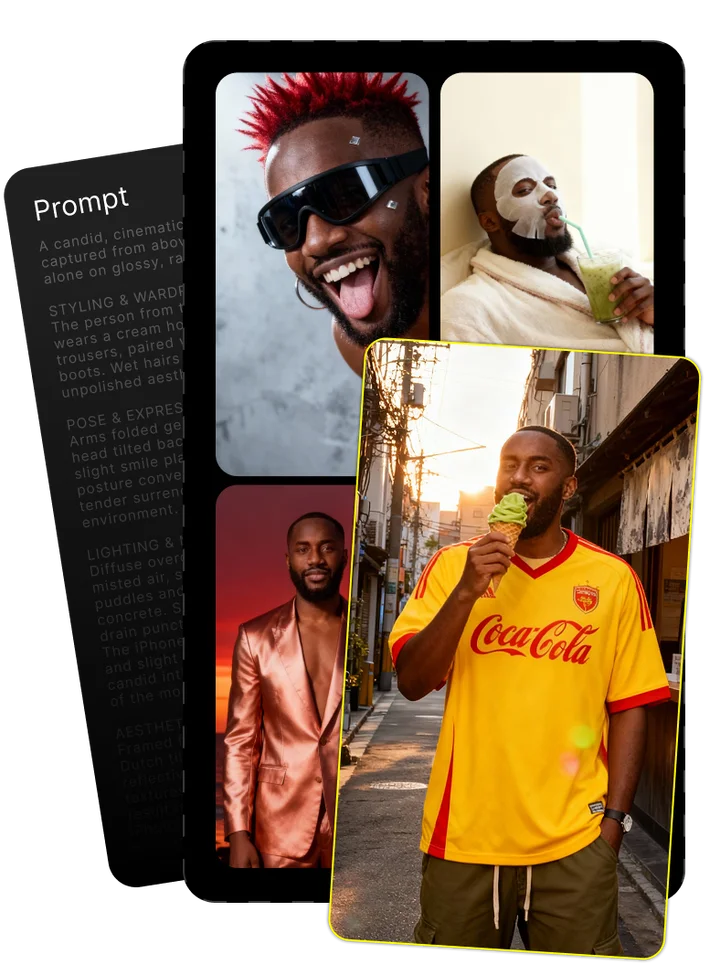
Upload your photo and tell us what you imagine
Combining both gives the best results

Enjoy your image brought to life by AI
Mastering FLUX.1 Kontext Pro: The Ultimate Guide to Context-Aware AI Image Editing
FLUX.1 Kontext Pro represents a major breakthrough in AI image editing. Unlike traditional AI editors that regenerate entire images when making changes, FLUX.1 Kontext Pro preserves the original context while applying precise modifications. Developed by Black Forest Labs, this advanced tool addresses the frustrating issue of context loss during editing, giving content creators unprecedented control over their visual assets.
Introducing FLUX.1 Kontext Pro: The Next Generation of AI Image Editing
FLUX.1 Kontext Pro stands at the forefront of AI image editing technology, solving the fundamental problem that has plagued AI editors since their inception. Where conventional tools like Midjourney or DALL-E must regenerate entire images for even minor changes, FLUX.1 Kontext Pro makes targeted adjustments while maintaining perfect context preservation.
Developed by Black Forest Labs, this revolutionary platform leverages advanced generative flow matching models and diffusion transformer architecture to understand both what to change and—critically—what to preserve. This approach makes FLUX.1 Kontext Pro uniquely suited for professional content creation where maintaining consistency across edits is essential.
The Technology Behind FLUX.1 Kontext Pro
At its core, FLUX.1 Kontext Pro is powered by a sophisticated multimodal flow model that processes both images and text instructions simultaneously. This architecture represents a significant departure from traditional diffusion-based image generators.
While conventional AI image tools build images gradually by removing noise, FLUX.1 Kontext Pro uses generative flow matching to create a direct path between the starting image and desired output. This means the model can identify which elements should change and which should remain intact, all within a unified framework.
The technology enables seamless transitions between the original and edited versions, following a natural path that maintains coherence throughout the transformation process. This approach allows FLUX.1 Kontext Pro to handle both text-to-image generation and precise editing tasks with remarkable accuracy.
Technical Architecture of FLUX.1 Kontext Pro
FLUX.1 Kontext Pro is built on a 12B parameter diffusion transformer that implements flow matching techniques at scale. This architecture maps the transformation process through a rectified flow that connects the input and output states directly.
The multimodal architecture processes both visual content and text instructions simultaneously, allowing the system to understand complex editing requests. Think of it as building a bridge between your starting point and destination, rather than constructing the destination from scratch each time.
By using this approach, the model can perform highly specific edits while maintaining the integrity of unmodified areas, something traditional diffusion models struggle with consistently.
Core Capabilities That Set FLUX.1 Kontext Pro Apart
FLUX.1 Kontext Pro introduces a fundamentally different approach to AI image editing that addresses the most significant pain points faced by creative professionals. Its core strength lies in context preservation—maintaining the integrity of unchanged elements while precisely modifying targeted areas.
Through its instruction-based editing interface, users can simply describe what they want to change without complex masking or selection tools. The system intelligently interprets these instructions, applying changes with remarkable accuracy while preserving character consistency and structural integrity.
Character and Object Consistency
One of FLUX.1 Kontext Pro's most impressive capabilities is maintaining character identity across multiple edits. When modifying a character's outfit, background, or pose, the system preserves facial features, body proportions, and other identifying characteristics that define the subject.
This identity preservation extends to specific visual elements like hairstyles, distinctive features, and accessories. For content creators working on character-based projects, this eliminates the frustrating cycle of regenerating images repeatedly to maintain consistency, saving hours of work and ensuring visual continuity.
Surgical Precision with Local Editing
FLUX.1 Kontext Pro excels at making targeted modifications to specific regions while leaving surrounding elements untouched. Unlike traditional editing approaches that require manual masking or full image regeneration, the system automatically identifies which areas should change based on your instructions.
This precision enables professional-grade editing workflows where you might need to adjust the color of a single object, replace a specific element, or modify a particular region without affecting the rest of the composition. The result is a seamless edit that maintains perfect continuity with the original image.
Text Editing and Typography Preservation
Text editing has long been a weakness for AI image systems, but FLUX.1 Kontext Pro handles typography with remarkable fidelity. When modifying text elements in signage, documents, or marketing materials, the system preserves font styles, alignment, and formatting that other AI editors typically distort or completely regenerate.
This capability proves invaluable for marketing professionals who need to test different messaging within a consistent design, or when adapting signage for various locations while maintaining brand consistency in the surrounding elements.
Style Transfer and Artistic Transformations
FLUX.1 Kontext Pro applies artistic style transfers while maintaining structural integrity—a significant improvement over traditional neural style transfer techniques. The system can transform an image into various artistic styles ranging from oil painting to watercolor to comic book illustration without distorting the fundamental composition.
Unlike conventional AI style transfer methods that often warp or distort key elements, FLUX.1 Kontext Pro preserves spatial relationships, proportions, and critical details while applying artistic transformations. This makes it suitable for professional creative workflows where style experimentation must not compromise structural accuracy.
Iterative Editing Workflow
FLUX.1 Kontext Pro excels at sequential modifications, allowing users to build complex edits through multiple steps without quality degradation. Each edit preserves the context from previous changes, enabling a natural workflow where you can refine and expand upon your initial modifications.
This iterative approach mirrors how human artists work—making incremental improvements rather than trying to achieve the final result in one step. For professional content creators, this means more control, better outcomes, and the ability to explore creative directions without starting over after each adjustment.
The FLUX.1 Kontext Family: Comparing Model Versions
Black Forest Labs offers three distinct versions of FLUX.1 Kontext, each tailored to different use cases and requirements. Understanding the differences between these models helps users select the most appropriate option for their specific needs.
The family includes FLUX.1 Kontext Pro (the professional standard for commercial applications), FLUX.1 Kontext Max (offering enhanced capabilities for demanding enterprise workflows), and FLUX.1 Kontext Dev (an open-weights version for developers and researchers). Each version represents a different balance of accessibility, performance, and licensing flexibility.
Available Models in the FLUX.1 Kontext Family
The FLUX.1 Kontext models form a comprehensive family with options for different requirements:
FLUX.1 Kontext Dev: The open-weight version available for research and personal projects. While it offers the core technology, it runs at lower speed and with slightly reduced quality compared to commercial versions. Ideal for developers testing integrations or researchers exploring the technology.
FLUX.1 Kontext Pro: The commercial standard with optimal balance of performance and cost efficiency. Offers enhanced typography generation, better character consistency, and faster processing than the Dev version. Suitable for most professional applications with commercial licensing.
FLUX.1 Kontext Max: The premium offering with maximum speed optimization, highest consistency ratings, and advanced features for enterprise needs. Designed for high-volume production environments where maximum quality and minimum latency are essential.
Real-World Applications Across Industries
FLUX.1 Kontext Pro's context-preserving capabilities make it valuable across numerous industries and creative fields. Its ability to make precise, targeted modifications while maintaining overall consistency addresses critical workflow challenges that previously required extensive manual work.
From e-commerce product customization to marketing campaign optimization, the applications span virtually any field where visual content needs to be modified efficiently while preserving brand integrity and creative vision.
Industry-Specific Applications
E-commerce Product Imagery: Online retailers use FLUX.1 Kontext Pro to create product variations (different colors, materials, backgrounds) without reshooting. This reduces production costs by up to 80% while maintaining perfect consistency across product lines.
Marketing Campaigns: Agencies leverage FLUX.1 Kontext Pro to test different messaging, visual elements, and audience-specific variations while preserving campaign consistency. This enables rapid A/B testing and localization without complete redesigns.
Fashion Image Editing: Fashion brands use the technology to modify garment colors, textures, and styling elements while maintaining model identity and composition. This allows for virtual "try-ons" and seasonal updates without new photoshoots.
Architectural Visualization: Architects and real estate professionals can modify building materials, lighting conditions, and environmental elements while preserving structural accuracy. This enables client presentations with multiple options without rebuilding complex 3D renders.
Mastering Prompts: The Key to FLUX.1 Kontext Pro Success
Effective prompting is essential to achieving optimal results with FLUX.1 Kontext Pro. The system's instruction-based interface requires clear, specific directions that indicate both what should change and—implicitly—what should remain untouched.
Unlike general text-to-image systems where vague prompts might yield interesting results through randomness, FLUX.1 Kontext Pro works best with precise editing instructions. Mastering prompt engineering techniques specific to this platform dramatically improves outcomes and workflow efficiency.
The Anatomy of Effective Editing Prompts
Successful FLUX.1 Kontext Pro prompts follow a consistent structure that clearly communicates your editing intentions:
- Action Verb: Begin with a clear instruction word like "change," "replace," "modify," or "transform"
- Target Element: Specifically identify what element should be modified
- Desired Change: Describe the new state or appearance in detail
- Preservation Instructions: Optionally specify what must remain unchanged
- Style Guidance: Optionally add style direction if needed
This prompt specificity ensures the system accurately identifies what elements should change while preserving surrounding context. Vague instructions often lead to unpredictable results or excessive changes.
Prompt Templates for Common Editing Tasks
These ready-to-use templates can be adapted for specific editing needs:
- Object Modification: "Change the [object] to [new description] while preserving [important elements]"
- Text Replacement: "Replace the text on [location] with [new text], keeping the same font style and size"
- Style Transfer: "Transform the image into [style] style while maintaining exact composition and details"
- Background Change: "Change the background to [new scene] without modifying the main subject"
- Character Modification: "Modify the character's [attribute] to [new description] while preserving their facial features and identity"
These task-specific prompts follow AI template design principles that balance clarity with sufficient detail, helping the system understand your intent precisely.
Best Practices for Iterative Editing
For complex edits, an iterative approach often yields superior results compared to attempting everything in one step:
- Start with major structural changes before refining details
- Make one significant change per edit cycle
- Verify results before proceeding to the next modification
- Use previous output as input for subsequent changes
- Maintain consistent terminology across related edits
This step-by-step editing workflow mirrors professional creative processes and leverages FLUX.1 Kontext Pro's strength in maintaining consistency across sequential modifications. By building edits incrementally, you maintain greater control over the outcome and reduce the risk of unexpected results.
Troubleshooting Prompt Issues
Common problems and solutions when using FLUX.1 Kontext Pro:
- Too Much Changing: Make instructions more specific by naming exact elements to modify
- Character Identity Drift: Add explicit preservation instructions for facial features and identifying characteristics
- Text Style Changes: Specify "keep the same font style and size" in your replacement instructions
- Unwanted Style Shifts: Add "while maintaining the current artistic style" to your prompt
- Subject Repositioning: Include "keeping the same composition and positioning" when changing backgrounds
Prompt refinement is an iterative process. When results don't match expectations, analyze what changed unexpectedly and modify your instructions to be more precise about both what should change and what should remain consistent.
Performance Benchmarks: How FLUX.1 Kontext Pro Compares
Objective performance comparisons reveal FLUX.1 Kontext Pro's strengths and limitations relative to competing AI image editing systems. These benchmarks evaluate speed, quality, consistency, and accuracy across standardized editing tasks.
While all AI image editors have specific strengths, FLUX.1 Kontext Pro consistently outperforms competitors in context preservation and character consistency—the areas most critical for professional workflows where maintaining visual continuity is essential.
Performance testing also reveals efficiency advantages in processing time and resource requirements, making FLUX.1 Kontext Pro particularly valuable for production environments where throughput and reliability are priorities.
Competitive Analysis: FLUX.1 Kontext Pro vs. Other AI Image Editors
When compared directly with other leading AI image editors on identical editing tasks, FLUX.1 Kontext Pro demonstrates clear advantages in several key areas:
Against GPT-4o's image editing capabilities, FLUX.1 Kontext Pro shows superior preservation of character identity across multiple edits and more precise control over specific elements. While GPT-4o excels at understanding complex instructions, it frequently regenerates more of the image than necessary, leading to unwanted changes.
Compared to Google Gemini, FLUX.1 Kontext Pro maintains significantly better text formatting when editing typography elements. Gemini often struggles with preserving font styles and positioning during text replacement tasks.
When tested against ByteDance BAGEL and other flow-matching models, FLUX.1 Kontext Pro demonstrates more consistent results across diverse image types and editing scenarios, suggesting more robust training and better generalization capabilities.
Getting Started with FLUX.1 Kontext Pro
Accessing and implementing FLUX.1 Kontext Pro requires choosing the appropriate platform based on your specific workflow needs and technical requirements. Multiple access options exist, from direct API integration to platform-specific implementations.
For most users, the fastest path to getting started involves using one of the supported service providers that offer FLUX.1 Kontext Pro as part of their platform. This approach eliminates the need for complex technical setup while providing immediate access to the technology.
Step-by-Step Guide to the FLUX.1 Kontext Pro Workflow
The typical FLUX.1 Kontext Pro workflow involves these key steps:
- Image Preparation: Select a high-quality input image (ideally 1024×1024 pixels for optimal results)
- Platform Access: Log into your chosen platform (BFL Playground, Replicate, Together.ai, etc.)
- Model Selection: Choose FLUX.1 Kontext Pro from the available models
- Image Upload: Upload your prepared image
- Prompt Creation: Write a clear, specific editing instruction following the prompt guidelines
- Parameter Adjustment: Set appropriate parameters for your specific edit (if available on your platform)
- Processing: Submit your request and wait for processing (typically 3-10 seconds)
- Refinement: Download the result and repeat if needed for additional modifications
This AI image editing process follows standard AI editing workflow best practices while leveraging FLUX.1 Kontext Pro's specific strengths in context preservation.
API Options and Platforms
FLUX.1 Kontext Pro is available through several service providers, each offering different integration options and pricing models:
- Black Forest Labs API (bfl.ai): The official API with most consistent performance and latest updates
- Replicate: User-friendly platform with notebooks and simple API access
- Together.ai: High-performance cloud platform with flexible usage options
- Runware: Specialized AI deployment platform with optimized inference
- Azure AI Foundry: Enterprise integration with Microsoft ecosystem
- Fal.ai: Low-latency deployment option for production workflows
- DataCrunch: Cost-effective GPU access for high-volume processing
- ComfyUI: Advanced custom workflow creation via extensions
Platform comparison should consider factors like pricing structure, API reliability, support for batch processing, and integration options for your existing tools.
ComfyUI Integration and API Node Setup
For advanced users requiring custom workflows, ComfyUI provides powerful integration options for FLUX.1 Kontext Pro:
- Install ComfyUI following the standard installation guide
- Download the FLUX.1 Kontext Pro node extension from the official repository
- Place the extension files in your ComfyUI/custom_nodes directory
- Restart ComfyUI to load the new nodes
- Add the API node to your workflow canvas
- Connect your API key in the node settings
- Link the image input and prompt input to the node
- Configure output connections to preview or save results
This setup enables custom workflows where FLUX.1 Kontext Pro can be combined with other image generation and processing tools. The image API node supports both simple edits and complex multi-step operations through workflow file setup that can be saved and shared.
Setting Up FLUX.1 Kontext Dev Locally
For researchers and developers who need local processing capabilities, FLUX.1 Kontext Dev can be installed on compatible hardware:
- Hardware Requirements: NVIDIA GPU with 16GB+ VRAM (24GB+ recommended), 32GB+ system RAM, 50GB free storage
- Environment Setup: Install Python 3.10+, CUDA toolkit, and PyTorch
- Model Download: Clone the official repository and download open weights model files (approximately 25GB)
- Configuration: Set environment variables for GPU optimization
- Testing: Run verification script to confirm proper installation
Local setup provides complete control over the open weights model without API costs, but requires suitable hardware and technical expertise for AI model installation. Performance will typically be slower than cloud-based options unless running on high-end GPU hardware.
Current Limitations and Future Development
While FLUX.1 Kontext Pro represents a significant advance in AI image editing, understanding its current limitations helps set appropriate expectations and develop effective workarounds.
- Multi-turn Editing Artifacts: After many sequential edits, subtle artifacts may accumulate, particularly in complex scenes
- Prompt Misinterpretation: Very complex or ambiguous instructions can occasionally be misinterpreted
- Limited World Knowledge: The model may struggle with specialized domain knowledge affecting contextual accuracy
- Distillation Artifacts: Certain scenarios may reveal minor quality differences compared to larger foundation models
- Competitive Gaps: Some specific tasks might still be better handled by specialized competing models
The technology roadmap suggests future development will address many of these model limitations through expanded training data, architectural improvements, and domain-specific optimization. Near-term updates are expected to improve typography handling and further reduce artifacts in multi-step editing.
Conclusion: The Future of Creative AI Editing
FLUX.1 Kontext Pro signals a fundamental shift in AI image editing from regenerative approaches to context-aware transformation. This transition enables creative workflows that were previously impossible, reducing friction between imagination and execution.
As these technologies mature, the most valuable skills will shift from technical manipulation to creative direction and prompt crafting. The AI transformation of image editing doesn't replace human creativity but amplifies it by removing technical barriers and expanding possibilities.
Creative professionals who embrace these tools while developing expertise in effective prompting will find themselves with unprecedented capabilities to express their vision quickly and accurately.
Frequently Asked Questions
What is FLUX.1 Kontext Pro?
FLUX.1 Kontext Pro is an AI image editing tool developed by Black Forest Labs that preserves context during edits. Unlike traditional AI editors that regenerate entire images, it makes precise modifications while maintaining the integrity of unchanged elements.
How does FLUX.1 Kontext Pro work?
It uses a multimodal flow model with generative flow matching techniques to create a direct path between your original image and the edited version. This approach allows it to identify which elements should change while preserving everything else.
What can you do with FLUX.1 Kontext Pro?
You can perform precise edits including object modification, background replacement, style transfer, text editing, and character attribute changes—all while maintaining perfect context preservation and without unwanted regeneration of unchanged elements.
How does FLUX.1 Kontext Pro differ from other AI image editors?
Unlike tools like Midjourney or DALL-E that regenerate entire images, FLUX.1 Kontext Pro modifies only what you specify. This preserves character identity, composition, and context across multiple edits with significantly better consistency.
What are the best practices for prompting in FLUX.1 Kontext Pro?
Start with a clear action verb, specify the exact element to change, describe the desired modification in detail, and optionally include preservation instructions. Being specific about what should change implicitly preserves everything else.
How much does FLUX.1 Kontext Pro cost?
Pricing varies by platform. API access typically ranges from $0.05-$0.15 per image depending on volume and subscription type. The Dev version is available as open weights for free non-commercial use with appropriate hardware.
How does FLUX.1 Kontext Pro maintain character consistency?
Its flow matching architecture tracks visual identity markers throughout the editing process, preserving facial features, body proportions, and distinguishing characteristics even when modifying outfits, poses, or surroundings.
Can FLUX.1 Kontext Pro be used for commercial projects?
Yes, FLUX.1 Kontext Pro and Max versions include commercial licenses. The Dev version is limited to non-commercial use. Specific licensing terms vary by platform and implementation.
What is the difference between FLUX.1 Kontext Pro and FLUX.1 Kontext Max?
FLUX.1 Kontext Max offers enhanced performance with faster processing speed, higher consistency ratings for character identity preservation, and improved typography handling compared to the standard Pro version.
Can I run FLUX.1 Kontext Pro locally on my computer?
The Pro version requires API access, but FLUX.1 Kontext Dev can be run locally with appropriate hardware (NVIDIA GPU with 16GB+ VRAM, 32GB+ RAM). Performance will typically be slower than cloud options.
What are the key features of FLUX.1 Kontext Pro?
Key features include character consistency maintenance, surgical precision with local editing, text and typography preservation, style transfer with structural integrity, and iterative editing without quality degradation.
What versions of FLUX.1 Kontext are available?
Three versions are available: FLUX.1 Kontext Dev (open weights for non-commercial use), FLUX.1 Kontext Pro (standard commercial version), and FLUX.1 Kontext Max (premium version with enhanced performance).
What are the system requirements for FLUX.1 Kontext Pro?
When using cloud platforms, only a web browser is needed. For local deployment of the Dev version, an NVIDIA GPU with 16GB+ VRAM, 32GB+ system RAM, and 50GB storage space are recommended.
How do you use FLUX.1 Kontext Pro effectively?
Select a high-quality input image, write specific editing instructions, make one significant change per edit cycle, and build complex modifications incrementally through multiple steps rather than attempting everything at once.
Can FLUX.1 Kontext Pro edit text within images?
Yes, it excels at text editing while preserving font styles, sizes, and formatting. This makes it particularly valuable for updating signage, documents, or marketing materials without distorting typography.
How fast is FLUX.1 Kontext Pro compared to other models?
FLUX.1 Kontext Pro typically processes edits in 3-10 seconds on cloud platforms. This is comparable to or faster than most competing AI image editors for similar quality results.
What are the limitations of FLUX.1 Kontext Pro?
Current limitations include potential artifacts after many sequential edits, occasional misinterpretation of complex instructions, limited domain-specific knowledge, and some distillation artifacts in certain scenarios.
Where can I access FLUX.1 Kontext Pro?
FLUX.1 Kontext Pro is available through multiple platforms including Black Forest Labs API (bfl.ai), Replicate, Together.ai, Runware, Azure AI Foundry, Fal.ai, and DataCrunch.
What is the BFL Playground?
BFL Playground is Black Forest Labs' official web interface for testing FLUX.1 Kontext Pro without coding. It provides a simple way to upload images, enter prompts, and download results with various parameter adjustments.
How does FLUX.1 Kontext Pro handle style transfer?
It applies artistic style transformations while maintaining structural integrity and spatial relationships. Unlike traditional style transfer, it preserves composition accuracy while changing the rendering style.
How does iterative editing work in FLUX.1 Kontext Pro?
You can use the output from one edit as input for the next, building complex modifications step by step. Each edit maintains context from previous changes, allowing for sophisticated transformations without quality degradation.
Is FLUX.1 Kontext Pro available as an open-source model?
FLUX.1 Kontext Dev is available as an open-weights model for non-commercial use. The Pro and Max versions are proprietary commercial models accessible through official APIs.
How does FLUX.1 Kontext Pro compare to OpenAI's image editing tools?
FLUX.1 Kontext Pro offers superior context preservation and more precise control over what changes. While OpenAI's tools excel at understanding complex instructions, they typically regenerate more of the image than necessary.
What types of businesses would benefit most from FLUX.1 Kontext Pro?
E-commerce companies, marketing agencies, fashion brands, architectural firms, and content creation studios benefit most due to their frequent need for image variations with consistent brand elements and character identity.
Does FLUX.1 Kontext Pro work with all image formats?
It works best with PNG and JPG formats. Input resolution is typically optimized for 1024×1024 pixels, though some platforms support higher resolutions with the Max version.
How does FLUX.1 Kontext Pro handle copyright concerns?
The commercial versions (Pro and Max) include appropriate licensing for commercial use of the model itself. However, users remain responsible for having proper rights to the images they upload and edit.
What is the maximum resolution supported by FLUX.1 Kontext Pro?
Standard implementation supports 1024×1024 pixels. Some platforms offer higher resolution outputs with FLUX.1 Kontext Max, typically up to 2048×2048 pixels depending on the specific implementation.
Can FLUX.1 Kontext Pro be integrated into existing workflows or applications?
Yes, all platforms offering FLUX.1 Kontext Pro provide API access for integration into existing applications, websites, or automation workflows. ComfyUI also supports custom node integration.
What kind of training data was used to develop FLUX.1 Kontext Pro?
Black Forest Labs has not disclosed specific training datasets, but the model demonstrates knowledge of diverse image types, artistic styles, and editing conventions consistent with broad training on visual and instruction data.
Is there a free trial available for FLUX.1 Kontext Pro?
Several platforms offer limited free credits or trial periods for testing FLUX.1 Kontext Pro. Replicate and Together.ai typically provide new users with sample credits sufficient for testing the technology.
How does FLUX.1 Kontext Pro ensure privacy and security of uploaded images?
Privacy policies vary by platform, but most commercial implementations have standard data protection measures. For sensitive content, the locally installable Dev version offers complete privacy control.
Does FLUX.1 Kontext Pro require an internet connection to function?
The Pro and Max versions require internet connection to access cloud APIs. Only the Dev version can run offline after initial setup, provided you have compatible local hardware.
Can FLUX.1 Kontext Pro generate images from scratch or only edit existing images?
While primarily designed for editing, FLUX.1 Kontext Pro can generate images from scratch using text prompts. However, its standout capabilities are most evident when performing context-preserving edits on existing images.
How does FLUX.1 Kontext Pro handle batch processing of multiple images?
Batch processing capabilities vary by platform. Most API implementations support queuing multiple editing tasks, while some specialized platforms like Fal.ai and enterprise solutions offer dedicated batch processing workflows.
Super Promotion
Create stunning AI photos & videos with essential tools
Unlock the Basic Plan for just $1
Auto-renewal is active. Cancel anytime. 90% off applies to the first billing cycle.