AI image generator
Direct the scene your way. Create visuals with intentional angles, depth, and style
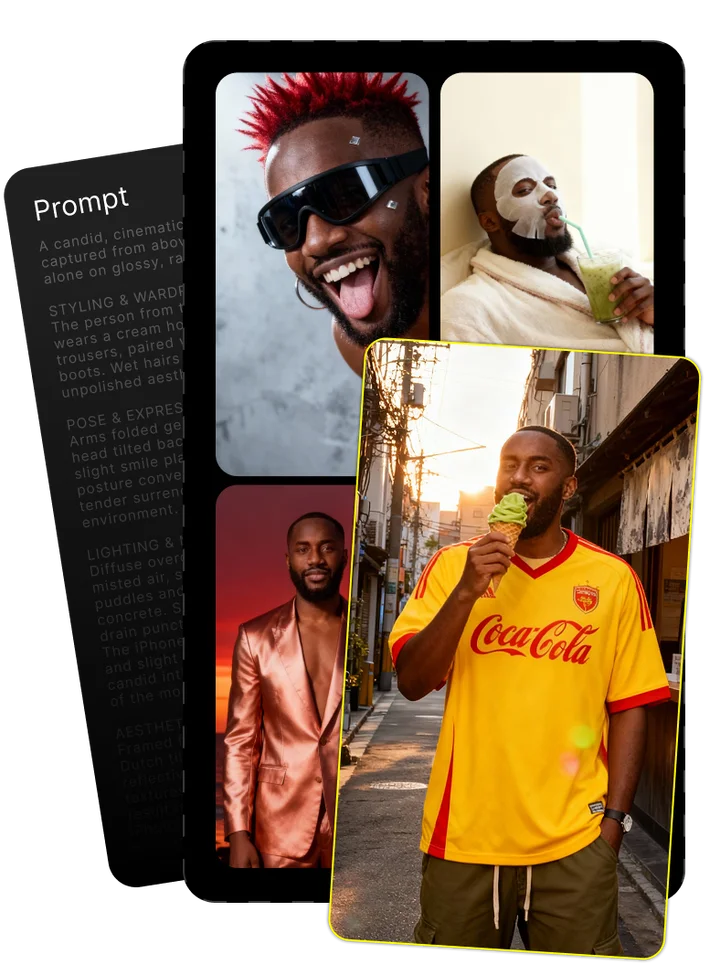
Upload your photo and tell us what you imagine
Combining both gives the best results

Enjoy your image brought to life by AI
Krea AI Review: The Ultimate Creative Suite for Designers in 2025
What Is Krea AI?
Krea AI stands as a unified creative platform that combines multiple AI-powered tools for both image generation and video creation. At its core, the platform leverages advanced artificial intelligence and machine learning technologies to transform text prompts into stunning digital art in seconds.
What sets Krea apart is its implementation of the FLUX model, delivering real-time generation that responds instantly to user input. Unlike traditional AI tools that require lengthy processing times, Krea provides immediate visual feedback as you type or adjust parameters.
The platform serves as a comprehensive creative suite, offering not just basic image generation but also sophisticated video creation tools, 3D modeling capabilities, and real-time editing functions – all accessible through a streamlined interface designed for professional creative workflows.
The Evolution of Krea AI
Krea AI has undergone significant development since its inception, with the integration of the WAN 2.2 model marking a major milestone in image quality. The introduction of the FLUX.1 model revolutionized the platform by enabling instant feedback and real-time generation – features that were previously unthinkable in AI image creation.
This evolution reflects broader trends in AI model development, with each iteration bringing substantial improvements in generation quality, speed, and versatility. The platform continues to refine its core technologies while expanding into new creative domains.
The Story Behind Krea AI
Founded in Barcelona by Victor Perez and Diego Rodriguez, Krea AI emerged from the vibrant European artificial intelligence startup ecosystem. The founders, both experienced AI researchers, identified a gap in the market for real-time creative tools that could match the speed of human thought.
With backgrounds spanning computer vision and generative models, Perez and Rodriguez assembled a team of specialists focused on reducing the latency that plagued other AI creative tools. Their Barcelona headquarters became the development center for what would eventually be valued at over $500 million following several rounds of AI funding.
Unlike many AI startups that began with limited scope, Krea's founders envisioned a comprehensive creative ecosystem from the beginning – one that would eventually challenge established players in both image and video generation spaces.
Key Features and Capabilities
Krea AI functions as a comprehensive creative suite powered by multiple generative AI technologies. The platform integrates various AI-powered tools to support different stages of digital content creation, from initial concept to final output.
What distinguishes Krea is its focus on workflow integration rather than standalone tools. Each feature connects seamlessly with others, allowing creative professionals to move fluidly between image generation, editing, video creation, and 3D modeling without switching platforms or losing creative momentum.
Image Generation and Editing
Krea's image generation capabilities are built on the powerful WAN 2.2 and FLUX.1 models, enabling sophisticated text-to-image generation with remarkable accuracy and artistic quality. The FLUX.1 model in particular has revolutionized the creation process by providing real-time feedback – images materialize instantly as you type, allowing for intuitive refinement of prompts.
The platform excels at generating diverse styles of AI art, from photorealistic scenes to stylized illustrations. Users can specify artistic influences, lighting conditions, and composition details through natural language prompts, with the system intelligently interpreting these instructions to produce matching visual outputs.
Key image features include:
- Multi-concept blending for complex compositions
- Style transfer capabilities for artistic renderings
- Advanced color management and lighting controls
- Inpainting and outpainting for image extension
- High-resolution output options up to 4K
Understanding Krea's AI Models
Krea employs three primary AI models, each serving different creative needs. The FLUX.1 model powers real-time generation, responding instantly to prompt changes and enabling fluid creative exploration. It uses a specialized architecture that prioritizes speed without sacrificing quality.
WAN 2.2 focuses on high-quality image generation with exceptional detail rendering and concept understanding. This model excels at complex compositions and realistic textures, though at the cost of generation speed.
The newer Krea Realtime 14B model bridges these approaches, incorporating elements of diffusion models with transformer architecture to navigate latent space more efficiently. This allows for both speed and quality, particularly for specific creative applications like character design and environmental rendering.
Open-Source FLUX.1 Model
Unlike many proprietary AI systems, Krea made the bold decision to release FLUX.1 as an open source AI model. Available through both Hugging Face and GitHub repositories, this gives developers access to the underlying technology for local AI deployment and customization.
The open-source nature enables AI model customization for specific creative needs – developers can fine-tune the model for specialized applications or integrate it into existing workflows. Local deployment options also benefit users with privacy requirements or those working in areas with limited connectivity.
```python
import torch
from transformers import AutoModelForCausalLM
model = AutoModelForCausalLM.from_pretrained("krea/flux-1")
```
Video Creation and Enhancement
Krea's AI video generation capabilities stand out in a crowded market, offering intuitive tools for creating moving images from still photos or text prompts. The platform excels at motion transfer – the ability to apply realistic movement to static images – creating fluid animations from single frames.
Unlike competitors like Runway, Kling, or Hailuo, Krea maintains exceptional frame consistency throughout video sequences. This eliminates the flickering and unexpected scene shifts that plague many AI video tools.
Steps to create a video from a static image:
- Upload or generate a base image
- Add motion vectors to indicate movement direction
- Specify duration and frame rate
- Apply video enhancement filters for quality
- Render and export in your preferred format
Video enhancement tools allow users to upscale footage, remove artifacts, and stabilize shaky clips – all processed through specialized AI algorithms trained specifically for video improvement.
Real-time Editing and Processing
The integration of real-time AI processing sets Krea apart from slower alternatives. Powered by the FLUX.1 model, the platform achieves remarkably low latency – often under 100 milliseconds from prompt change to visual update, compared to seconds or minutes with other platforms.
This speed enables truly interactive editing, letting users adjust parameters and see immediate results. The immediate feedback loop dramatically changes how creators work with AI, making the process feel more like traditional drawing or painting rather than waiting for batch processing.
Krea achieves this speed through innovative latency optimization techniques, including predictive processing that anticipates likely user inputs and parallel computation that utilizes GPU resources more efficiently. The result is a fluid creative experience that maintains connection between artist intent and AI output.
3D Model Generation
Krea's 3D generation capabilities enable users to create textured 3D models from text descriptions or reference images. The system handles the complex process of mesh creation automatically, generating appropriate geometry based on the input prompt.
The platform excels at producing detailed 3D assets for games, visualization, and virtual environments. The texture generation system creates surface details that match the requested style, while maintaining consistency across the model.
These 3D models can be exported in standard formats compatible with major 3D software, making Krea a valuable first step in professional 3D workflows for architectural visualization, product design, and entertainment applications.
User Experience and Interface
Krea's user interface strikes a balance between power and accessibility, organizing complex AI tools into an intuitive layout that supports professional creative workflows. The design emphasizes visual feedback, with large preview areas and minimal text interruption to maintain creative focus.
The learning curve varies depending on prior experience – users familiar with design software will find themselves productive within minutes, while those new to creative tools may need a few hours to become comfortable with the various options and capabilities.
Navigation follows logical creative processes, with tools grouped by function rather than technology. This user experience design choice helps maintain creative flow, allowing users to focus on their vision rather than the underlying AI mechanics.
Pros of the user interface:
- Clean workspace with minimal distractions
- Logical tool organization by creative function
- Responsive controls with immediate visual feedback
- Customizable workspaces for different creative tasks
- Comprehensive but unobtrusive help resources
Cons of the user interface:
- Advanced options sometimes buried in submenus
- Limited keyboard shortcut customization
- Occasional performance issues with multiple projects open
- Some features lack sufficient on-screen explanation
Accessibility features include screen reader support, adjustable text sizing, and alternative input methods, though these areas still show room for improvement compared to more mature creative software.
Mobile and Web Experience
Krea offers dedicated mobile apps for both iOS and Android devices, along with a comprehensive web application. The mobile apps provide surprisingly capable creative tools despite the screen size limitations, with thoughtful interface adaptations that maintain core functionality.
The iOS app takes particular advantage of Apple's Neural Engine for on-device processing, while the Android version optimizes performance across the diverse hardware ecosystem. Both mobile apps support offline creation with synchronization when connectivity returns.
Feature comparison across platforms:
| Feature | iOS | Android | Web |
|---|---|---|---|
| Real-time generation | Yes | Yes | Yes |
| Video creation | Limited | Limited | Full |
| Offline usage | Yes | Yes | No |
| Maximum resolution | 2K | 2K | 4K |
| Custom brushes | Basic | Basic | Advanced |
| Project library | Local + Cloud | Local + Cloud | Cloud only |
Cross-platform compatibility ensures projects started on one device can be continued on another, with the web application serving as the most feature-complete version. Mobile AI tools focus on iteration and refinement rather than initial creation, complementing rather than replacing the desktop experience.
Customer Support Evaluation
Krea's customer support system offers multiple assistance channels, with response times averaging 6-12 hours for email queries and faster resolution through their active Discord community. Technical support shows particular strength in addressing specific creative challenges rather than just technical issues.
Problem resolution effectiveness varies by issue type – technical problems see high resolution rates, while questions about specific creative techniques may receive more general guidance. The user assistance documentation includes detailed tutorials, though some advanced features lack comprehensive explanation.
For fastest support response, try:
- Check the knowledge base first for common questions
- Include specific error messages and steps to reproduce
- Join the Discord for peer assistance on creative techniques
- Schedule support calls for complex workflow questions
Pricing Plans and Value Assessment
Krea AI employs a tiered subscription model that includes a surprisingly capable free tier alongside various premium plans. The free option provides access to basic image generation with the WAN 2.2 model, though with daily usage limits and standard resolution outputs.
Premium plans start at $9.99 monthly, unlocking higher resolution outputs, priority processing, and access to the FLUX.1 model for real-time generation. Higher tiers ($19.99 and $39.99) progressively add video generation capabilities, 3D model creation, and increased usage allowances.
The platform also offers enterprise solutions with custom pricing for businesses requiring dedicated resources, team management features, and specialized models. These enterprise packages include API access and custom model training.
When analyzing the SaaS pricing structure against competitors, Krea positions itself in the mid-range – more affordable than Midjourney's subscription-only approach, but slightly higher than open-source alternatives that require technical setup. The value proposition centers on the integration of multiple creative tools rather than raw generation capability alone.
Free vs. Premium Features
Krea's freemium model provides surprisingly robust capabilities even without payment, including basic image generation with the WAN 2.2 model and limited video creation. Free users receive 25 daily credits refreshed every 24 hours.
Premium features unlock significantly more creative potential with access to the FLUX.1 real-time model, higher resolution outputs, removal of watermarks, and commercial usage rights. Paid tiers also receive substantially higher generation limits – up to 500 daily credits at the highest standard tier.
All new users receive a 7-day free trial of premium features, allowing full evaluation before commitment. This approach lets users experience subscription benefits including priority processing and advanced editing tools without immediate payment.
Krea AI vs. Competitors
In the crowded AI creative tools landscape, Krea positions itself between the polished consumer experience of Midjourney and the technical flexibility of Stable Diffusion. Direct comparison testing reveals distinct advantages and limitations against each competitor.
Against Midjourney, Krea offers faster generation times and more intuitive editing tools, though Midjourney still holds a slight edge in photorealistic image quality. The real-time interface gives Krea a significant workflow advantage for rapid iteration and exploration.
Compared to Stable Diffusion, Krea sacrifices some customization options but delivers a much more accessible user experience. The integrated platform approach eliminates the technical setup that Stable Diffusion requires, though at the cost of some advanced configuration options.
RunwayAI remains the stronger competitor for professional video generation, with more sophisticated motion control and editing capabilities. However, Krea's integrated approach offers more seamless transitions between still and motion content.
DALL-E provides comparable image quality but lacks Krea's real-time feedback system and integrated video tools. Leonardo AI offers similar functionality but with less refined real-time capabilities and a more complex pricing structure.
| Feature | Krea | Midjourney | Stable Diffusion | RunwayAI | DALL-E |
|---|---|---|---|---|---|
| Real-time generation | Excellent | None | Limited | Limited | None |
| Image quality | Very Good | Excellent | Good | Good | Very Good |
| Video creation | Good | None | Limited | Excellent | None |
| Ease of use | Very Good | Good | Poor | Good | Very Good |
| Customization | Good | Limited | Excellent | Good | Limited |
| Free tier | Yes | No | Yes | Limited | Limited |
Output Quality Comparison
Testing identical prompts across platforms reveals meaningful quality differences in AI output. Krea delivers consistently strong image quality with particular excellence in lighting effects and texture rendering, though occasionally struggling with complex human anatomy.
When generating identical prompts, Krea produces results with better stylistic consistency than RunwayAI and DALL-E, maintaining artistic coherence across multiple generations. This makes it particularly valuable for projects requiring visual continuity.
Rendering quality shows strong performance on architectural and landscape prompts, with fine details and spatial relationships accurately represented. Midjourney still holds a slight edge in photorealistic rendering, while Stable Diffusion offers more precise control over specific stylistic parameters at the cost of accessibility.
Limitations and Considerations
Despite its strengths, Krea AI faces several technical limitations worth considering. The platform requires continuous internet connectivity for most functions, with limited offline capabilities even in the mobile apps. Processing complex prompts can occasionally trigger timeouts, requiring simplified requests or multiple attempts.
Content moderation policies restrict generation of explicit content, political figures, and copyrighted characters. These restrictions implement standard AI constraints but occasionally flag innocent prompts containing ambiguous terminology. The moderation system tends toward over-caution, sometimes blocking legitimate creative requests.
Platform limitations include maximum output resolutions (4K for images, 1080p for video), rendering time constraints for complex video sequences, and occasional sync issues between devices. Free tier users face more significant constraints with daily credit limits that can be quickly exhausted during active creative sessions.
Additional limitations include:
- Text rendering within images remains inconsistent
- Complex prompts sometimes produce unexpected results
- Video generation requires substantial processing time
- 3D model complexity is limited compared to dedicated tools
- Limited format export options for specialized applications
Technical Requirements and Performance
Krea operates primarily as a cloud-based service with relatively modest system requirements. For optimal performance, a modern browser (Chrome, Firefox, Safari) and stable internet connection (10+ Mbps) are recommended.
Mobile apps run effectively on iPhone 11+ or Android devices with 6GB+ RAM. Performance optimization benefits from GPU acceleration on desktop systems, though this primarily affects local preview rendering rather than cloud processing.
Dedicated GPU requirements become relevant only for local installation of open-source components, where NVIDIA cards with 8GB+ VRAM deliver significantly better performance than integrated graphics.
Content Policies and Ethical Guidelines
Krea implements multi-layered content moderation systems that balance creative freedom with ethical AI usage. The platform prohibits generation of explicit sexual content, violent imagery, defamatory representations, and content that could enable deception or harm.
NSFW restrictions block prompts containing explicit terminology, though artistic nude imagery may be permitted in specific contexts. These restrictions align with broader AI ethics concerns about misuse of generative technologies.
The terms of service clearly establish that users retain copyright to their AI generated content, provided it was created within platform guidelines. However, the platform retains the right to use generated content for service improvement and promotional purposes unless users opt out.
Key policy points to remember:
- Adult content, violence, and deception attempts are prohibited
- Personal data should not be included in prompts
- Political figures and current events may be restricted
- Commercial usage rights require a paid subscription
- Training images cannot violate others' copyright
Who Is Krea AI Best For?
Based on extensive testing across user profiles, Krea AI proves most valuable for designers and content creators who prioritize speed and workflow integration over maximum customization. The platform particularly benefits professionals who need to generate and iterate on visual concepts quickly during client meetings or brainstorming sessions.
Digital artists find particular value in the real-time feedback system, which allows for intuitive exploration of visual ideas without the disconnected waiting periods common in other platforms. This makes Krea feel more like a traditional creative tool while leveraging AI capabilities.
Social media marketers benefit from the integrated image and video generation, allowing rapid creation of visual content across multiple formats. The ability to quickly adapt and resize outputs for different platforms streamlines content production workflows.
Ideal uses for different creators:
- Designers: Rapid concept visualization and client presentations
- Content creators: Integrated image and video production for multi-channel content
- Digital artists: Style exploration and creative asset generation
- Social media marketers: Batch creation of platform-specific visual content
- Hobbyists: Accessible creative expression without technical barriers
Hobbyists with limited technical background will appreciate the intuitive interface and free tier access, though may find the daily usage limits restrictive for extended creative sessions.
Professional Use Cases
Professional designers integrate Krea most effectively at the concept development and visualization stages of projects. The platform excels at rapidly generating mood boards, style explorations, and visual references that can inform later detailed design work.
Content production teams use Krea to accelerate asset creation across marketing campaigns, with the ability to maintain visual consistency while generating numerous variations. This significantly compresses production timelines for multi-channel campaigns.
Creative workflow integration is most successful when Krea serves as the ideation and rough visualization tool, with outputs then refined in specialized software like Photoshop or After Effects. The business applications extend beyond pure creation to include client presentations, where real-time generation can visualize concepts during meetings.
Real-World Creative Workflows
Architectural visualization firms have developed efficient creative processes using Krea to generate concept imagery from floor plans and reference photos. These teams follow a structured workflow: generating exterior visualizations, refining materials and lighting, then producing interior views – all before detailed 3D modeling begins.
Pattern animation workflows demonstrate effective workflow integration between static design and motion. Designers create base patterns in Krea, export to vector formats for refinement, then return to Krea's video tools to add motion effects and transitions – creating dynamic branded content in hours rather than days.
Character design processes benefit from Krea's ability to rapidly iterate on concepts. Designers start with text descriptions, generate multiple variations, refine through prompt adjustments, then export selected concepts for detailed development in traditional tools.
Content creation pipelines for social media teams typically follow this structure:
- Generate core campaign imagery
- Create variations for different platforms
- Develop short video content from still assets
- Batch export in multiple formats and aspect ratios
- Schedule distribution through marketing platforms
Final Verdict
After thorough testing across multiple use cases, Krea AI emerges as an impressively versatile creative platform that balances power with accessibility. The real-time generation capabilities fundamentally change how creators interact with AI tools, making the technology feel more like a creative partner than a black-box processor.
For designers and content creators who value speed and workflow integration, Krea represents one of the most compelling options in the current AI tools landscape. The unified platform approach eliminates the need to switch between separate applications for different creative tasks, though specialized tools still offer deeper capabilities in specific domains.
The tiered pricing structure provides appropriate options for both casual and professional users, though high-volume creative teams may find the credit limits restrictive. When positioned within the broader creative software market, Krea represents excellent value for teams producing diverse visual content across multiple channels.
While not without limitations – particularly in highly specialized areas like 3D modeling and character animation – Krea AI delivers on its core promise of making powerful generative AI accessible and productive within professional creative workflows.
Frequently Asked Questions
What is Krea AI?
Krea AI is a unified creative platform that combines multiple AI tools for generating and editing images, videos, and 3D models. It's distinguished by its real-time generation capabilities powered by the FLUX model, allowing immediate visual feedback as you create.
What features does Krea AI offer?
Krea offers real-time image generation, video creation, 3D model generation, and comprehensive editing tools. The platform includes models like FLUX.1 and WAN 2.2, supports various artistic styles, and provides both mobile and web interfaces with cross-platform project compatibility.
How does Krea AI compare to other AI image generators like Midjourney and Stable Diffusion?
Krea offers faster generation times than Midjourney with more intuitive editing, though Midjourney has slightly better photorealistic quality. Compared to Stable Diffusion, Krea provides a much more accessible experience but with fewer customization options. Krea's real-time feedback system is its main competitive advantage.
What are the pricing plans for Krea?
Krea offers a free tier with basic capabilities and daily limits. Premium plans start at $9.99 monthly for higher resolution and FLUX model access, with higher tiers ($19.99, $39.99) adding video generation and increased usage allowances. Enterprise solutions with custom pricing are available for businesses.
How fast is Krea AI's Flux model and real-time editing capabilities?
The FLUX.1 model delivers remarkably low latency, often under 100ms from prompt change to visual update. This real-time performance enables truly interactive editing, making the creative process feel like traditional drawing rather than waiting for processing as with other AI tools.
Can I use Krea AI for free?
Yes, Krea offers a free tier that provides access to basic image generation using the WAN 2.2 model. Free users receive 25 daily credits refreshed every 24 hours, though with resolution limitations and standard processing priority.
How can I generate videos with Krea AI?
To create videos in Krea, you can either start with a static image and add motion vectors to animate it, or use text prompts to generate video directly. The process involves specifying duration, frame rate, and motion parameters, then applying optional enhancement filters before rendering.
Is Krea AI available on mobile devices?
Yes, Krea offers dedicated apps for both iOS and Android. The iOS app leverages Apple's Neural Engine, while the Android version optimizes for diverse hardware. Both support offline creation with cloud synchronization, though with some feature limitations compared to the web version.
How can I train my own AI model with Krea?
Krea supports LoRA fine-tuning that allows you to train the system on your own visual style or subject matter. Upload 10-20 reference images, define your training parameters, and the platform will create a specialized model that can be applied to future generations.
Can I use Krea AI for commercial projects?
Yes, but commercial usage rights require a paid subscription. Free tier users can create content for personal projects, while paid subscribers receive full commercial rights to their generated content, provided it follows the platform's content guidelines.
Is Krea AI suitable for beginners?
Yes, Krea's interface is designed for accessibility across skill levels. Beginners benefit from the intuitive prompt system and real-time feedback. While advanced features exist, the core functionality can be learned within minutes, making it suitable for newcomers to AI creative tools.
What is Krea Realtime 14B?
Krea Realtime 14B is an advanced model that combines elements of diffusion technology with transformer architecture for both speed and quality. This 14-billion parameter model specializes in specific creative applications like character design and environmental rendering, with optimized latent space navigation.
How do I use Krea for architecture visualization?
Start by entering detailed architectural prompts including style, materials and lighting conditions. Upload reference images or floor plans to guide generation. Use the real-time tools to refine exterior visualizations first, then create matching interiors. Export for further refinement in specialized 3D software.
Can I upscale videos with Krea?
Yes, Krea includes video enhancement tools that can upscale footage to higher resolutions. The system also removes artifacts, improves frame consistency, and stabilizes shaky clips using specialized AI algorithms trained specifically for video improvement.
What are compute units in Krea?
Compute units are Krea's internal credit system that measures processing usage. Different operations consume varying amounts of units based on complexity and resource requirements. Free accounts receive daily unit allowances, while paid tiers get larger allocations refreshed on billing cycles.
How does Krea handle billing and subscriptions?
Krea uses a straightforward monthly subscription model with automatic renewal. Users can upgrade, downgrade or cancel at any time through the account settings page. Unused compute units don't roll over between billing cycles, and subscription changes take effect immediately.
What is Krea One?
Krea One is the platform's all-access subscription tier that combines all available features and models. It includes unlimited access to image generation, video creation, 3D modeling, and priority processing across all current and future models within the Krea ecosystem.
What hardware requirements are needed to run Krea effectively?
As a cloud-based service, Krea has modest requirements: a modern browser and stable 10+ Mbps internet connection. Mobile apps run well on iPhone 11+ or Android devices with 6GB+ RAM. GPU acceleration benefits local preview rendering but isn't essential for core functionality.
How accurate is Krea's text-to-image generation?
Krea demonstrates strong prompt accuracy for most concepts, particularly excelling with landscapes, architecture, and stylistic references. Abstract concepts and specific human poses may require more detailed prompting. The real-time feedback allows immediate refinement when results don't match expectations.
What types of creative professionals benefit most from Krea?
Designers who need rapid concept visualization, content creators producing multi-channel assets, and digital artists exploring visual styles benefit most from Krea. The platform is particularly valuable for professionals who present creative concepts to clients and need real-time visualization capabilities.
How often does Krea AI release new models and updates?
Krea typically releases major model updates quarterly, with smaller feature improvements and bug fixes deployed every 2-3 weeks. The development team maintains an active release schedule, with model improvements focused on generation quality, speed optimization, and new creative capabilities.
Can I collaborate with team members using Krea AI?
Yes, premium tiers include basic collaboration features that allow project sharing and handoff between team members. The platform supports shared workspaces with permission controls, though real-time collaborative editing is currently limited. Enterprise plans offer more robust team management tools.
What is Krea's approach to AI ethics and content moderation?
Krea employs multi-layered content moderation that balances creative freedom with responsible AI usage. The platform prohibits explicit sexual content, violence, defamation, and deceptive media. The moderation system tends toward caution, sometimes blocking ambiguous but legitimate requests that contain flagged terminology.
Super Promotion
Create stunning AI photos & videos with essential tools
Unlock the Basic Plan for just $1
Auto-renewal is active. Cancel anytime. 90% off applies to the first billing cycle.