AI image generator
Direct the scene your way. Create visuals with intentional angles, depth, and style
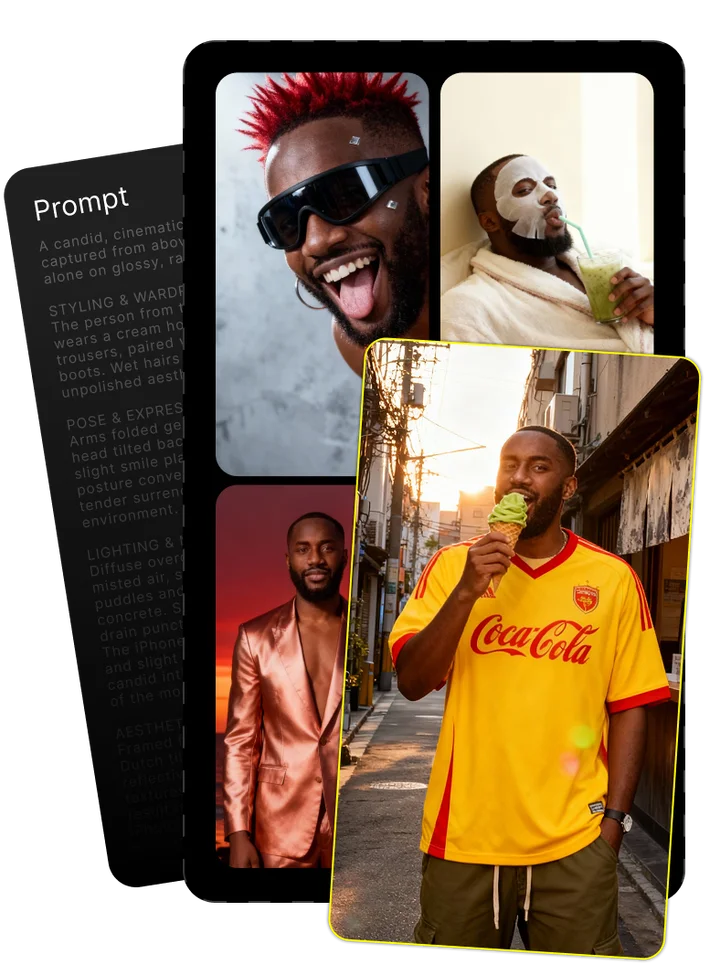
Upload your photo and tell us what you imagine
Combining both gives the best results
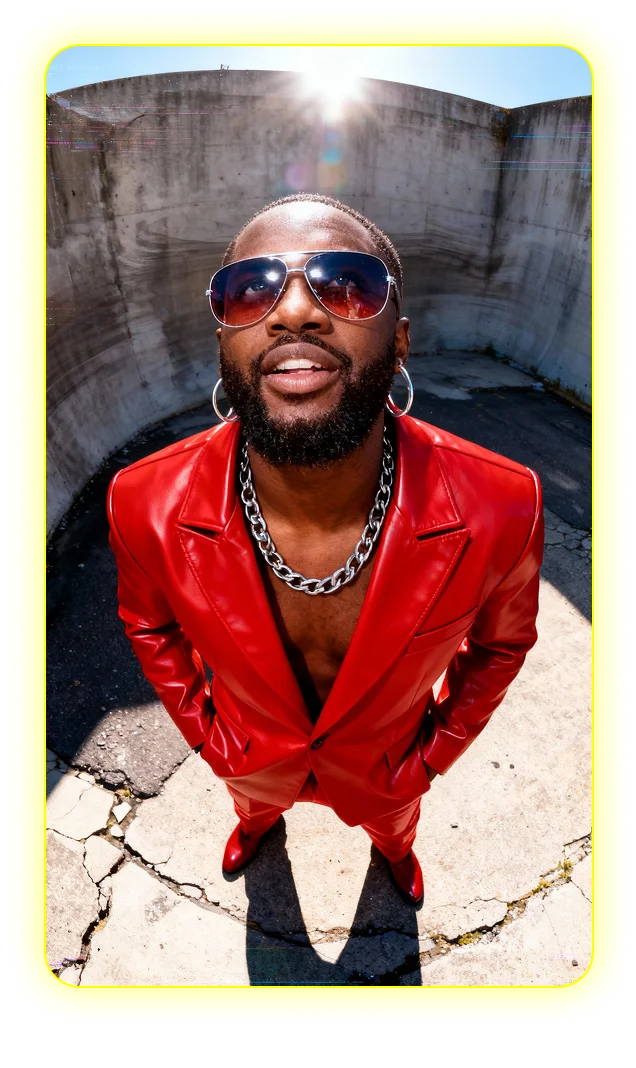
Enjoy your image brought to life by AI
Nano Banana Unleashed: A Professional's Guide to Google's Game-Changing AI Image Generator
What Is Nano Banana? Understanding the Technology
Nano Banana is Google's innovative AI image generation system, representing the latest advancement from Google AI and DeepMind's research teams. Despite its playful codename (following Google's tradition of quirky internal project names), Nano Banana is a sophisticated image creation platform built on the foundation of the Gemini Series large language models.
At its core, Nano Banana transforms text descriptions into high-quality images, but its capabilities extend far beyond simple text-to-image conversion. The technology represents Google's official entry into the competitive AI image generation market, bringing unique advantages through its integration with the broader Google ecosystem.
- Text-to-image generation: Creates detailed visuals from text prompts
- Image editing: Modifies existing images through natural language instructions
- Visual reasoning: Understands spatial relationships and complex composition requirements
- Multi-image reference: Maintains consistency across multiple generated images
- High-resolution output: Produces detailed images suitable for professional applications
Nano Banana is available in two versions: the standard version powered by Gemini 2.5 Flash Image, optimized for speed and efficiency, and Nano Banana Pro, which uses Gemini 3 Pro Image for enhanced quality and more advanced capabilities. Both are embedded within Google's AI infrastructure, making them accessible across multiple Google platforms.
Nano Banana vs. Nano Banana Pro: Key Differences
Understanding the distinctions between Nano Banana and Nano Banana Pro is essential for choosing the right tool for your specific needs. These versions differ in their underlying technology, capabilities, and ideal use cases.
| Feature | Nano Banana | Nano Banana Pro |
|---|---|---|
| Underlying technology | Gemini 2.5 Flash Image | Gemini 3 Pro Image |
| Generation speed | Faster (1-3 seconds) | Slower (5-10 seconds) |
| Resolution | Up to 1024×1024 | Up to 4096×4096 |
| Text rendering | Basic (often with errors) | Advanced (clear, readable) |
| Reference images | Up to 4 | Up to 14 |
| Google Search integration | Basic | Enhanced grounding |
| Ideal use cases | Social media, quick concepts | Marketing, design, professional work |
The standard Nano Banana excels at rapid image generation, making it perfect for ideation and casual content creation. Meanwhile, Nano Banana Pro delivers superior text rendering, more detailed compositions, and better handling of complex scenes, making it the preferred choice for commercial projects and professional creative work.
The "Brain and Hand" Technology Behind Nano Banana Pro
Nano Banana Pro employs an innovative architectural approach called "Brain and Hand" topology, which separates the image generation process into two distinct but complementary systems.
The "Brain" component is powered by the Gemini 3 Pro cognitive backbone, which handles the reasoning aspects of image creation. It analyzes the prompt, plans the composition, and makes decisions about how elements should interact. This reasoning model understands concepts like physics, spatial relationships, and visual semantics.
The "Hand" component is the rendering engine that executes the Brain's instructions. This specialized image synthesis model translates the abstract plan into pixels, handling details like lighting, textures, and fine visual elements.
This separation of reasoning and rendering allows for more physics-compliant imagery with better spatial coherence. Unlike traditional diffusion models that operate as single black-box systems, the Brain and Hand approach gives the AI a more human-like process for planning and executing visual creations.
This architecture also helps Nano Banana Pro excel at complex tasks like text rendering, where the Brain can plan the text layout and content while the Hand focuses on creating legible, properly formatted characters.
Getting Started with Nano Banana
Using Nano Banana is straightforward, especially if you're already familiar with other Google services. The system is designed with accessibility in mind while offering powerful features for more advanced users.
- Access Nano Banana through your preferred Google platform (Gemini app, Google AI Studio, etc.)
- Select either standard Nano Banana or Nano Banana Pro based on your needs
- Enter a detailed prompt describing your desired image or upload reference images
- Review the generated results and provide feedback for refinements
- Download your final image or continue the conversation for further edits
For first-time users, start with simple, descriptive prompts before attempting more complex compositions. The system works best with clear, detailed instructions rather than vague concepts. As you become more familiar with the platform, you can begin to experiment with more sophisticated techniques like reference images and multi-turn editing.
How to Access Nano Banana Across Google's Ecosystem
Google has integrated Nano Banana across multiple platforms, giving users several ways to access the technology based on their specific needs and existing workflows.
- Gemini App: The most direct access point for mobile users, available on iOS and Android with basic Nano Banana features
- Google AI Studio: Web-based platform offering both Nano Banana and Nano Banana Pro with developer-focused controls
- Google Workspace: Integrated within Docs, Slides and other Workspace apps for seamless content creation
- Google AI Plus: Subscription service providing enhanced access to Nano Banana Pro with higher usage limits
- NotebookLM: Research-focused platform with Nano Banana integration for generating explanatory visuals
- Flow: Automation platform allowing Nano Banana to be triggered by workflow events
- Third-party integrations: Growing ecosystem of apps and services connecting to Nano Banana via API
Most users will find the Gemini App or Google AI Studio sufficient for getting started, while professional teams may prefer the enhanced capabilities available through Google Workspace integration or dedicated API access for custom implementations.
Pricing, Availability and Privacy Considerations
Nano Banana follows a tiered pricing model that balances accessibility with premium features for professional users.
| Tier | Access Level | Features | Cost |
|---|---|---|---|
| Free | Basic Nano Banana | Limited daily generations, 1024px max resolution | Free |
| Google AI Plus | Enhanced Nano Banana | More daily generations, priority processing | $19.99/month |
| Pro | Nano Banana Pro | Higher resolution, advanced features, better text rendering | $29.99/month |
| Ultra | Full commercial license | Unlimited generations, API access, priority support | Custom pricing |
Regarding privacy, images generated with Nano Banana are subject to Google's standard AI privacy policy. This means your prompts and generated images may be used to improve the service, though you can opt out of this data collection in your Google account settings.
For commercial use, Google permits using Nano Banana-generated images in products and services, provided you comply with their prohibited use policy, which restricts creating deceptive, harmful, or explicitly adult content. Commercial licensing is available for business users who need enhanced rights and support for large-scale implementations.
Standout Features that Make Nano Banana Exceptional
While many AI image generators offer similar core functionality, Nano Banana distinguishes itself through several innovative capabilities that set it apart from competitors. These features address common pain points in AI image generation and open new creative possibilities for professionals.
The technology's integration with Google's broader AI ecosystem creates unique synergies that other standalone image generators can't match. For example, the ability to leverage Google Search for factual grounding provides a level of accuracy that's particularly valuable for educational and informational content.
What truly elevates Nano Banana beyond comparable tools is its cohesive workflow approach. Rather than treating image generation as an isolated task, the platform connects ideation, creation, editing, and refinement in a continuous conversation. This multi-turn capability allows for progressive improvements without starting from scratch, significantly enhancing creative efficiency.
Professional users will particularly appreciate the attention to detail in areas like spatial coherence, lighting consistency, and the handling of complex compositions. These elements may seem subtle individually, but collectively they create a more reliable and useful tool for serious creative work.
Perfect Text Rendering: A Game-Changing Breakthrough
Text rendering has long been the Achilles' heel of AI image generators, with most systems producing garbled, inconsistent, or completely illegible text. Nano Banana Pro changes this paradigm with its revolutionary text rendering capabilities, powered by the Gemini 3 Pro Image model.
Unlike previous approaches that treat text as just another visual element, Nano Banana Pro's architecture specifically handles text as a distinct component requiring special processing. The "Brain and Hand" system plans the text placement and content separately from the visual rendering, ensuring consistency and readability.
This breakthrough enables practical applications that were previously impossible with AI image generation:
- Creating infographics with readable data labels and explanations
- Designing mockups for websites and apps with actual functional text
- Producing marketing materials with clear messaging and calls to action
- Developing educational content where text legibility is essential
- Generating multilingual content with proper character rendering
For designers and marketers, this capability dramatically expands what's possible with AI-generated imagery, eliminating the need to add text separately in post-processing tools.
Character Consistency and Reference Images
Maintaining visual consistency across multiple images has been another persistent challenge in AI image generation. Nano Banana Pro addresses this through its advanced reference image system, which can process up to 14 reference images simultaneously.
This capability is particularly valuable for brand development, character design, and multi-image projects where visual continuity is essential. By uploading reference images of your character, product, or brand elements, you can ensure they appear consistently across multiple generated images.
For optimal results, provide references from multiple angles and in various contexts. The system works best when the reference images have clear visibility of the subject without busy backgrounds. When writing your prompt, explicitly mention which elements from the references you want to preserve.
If consistency issues occur, try adjusting your prompt to be more specific about the characteristics you want maintained, or provide additional reference images that highlight those particular features.
Advanced Composition and Multi-image Fusion
Nano Banana Pro excels at combining elements from multiple reference images into cohesive new compositions, opening creative possibilities beyond what's possible with text prompts alone.
This multi-image fusion capability allows you to pull specific elements from different sources – the lighting from one image, the composition from another, and the subject from a third – and blend them seamlessly. The process works through Nano Banana's multi-turn editing framework, which maintains context across multiple interactions.
To achieve the best results with multi-image fusion:
- Start by uploading your reference images (up to 14 with Nano Banana Pro)
- Write a prompt that clearly identifies which elements you want from each reference
- Use specific directional language: "Take the lighting from image 3, the pose from image 1..."
- Refine through conversation, addressing one aspect at a time
- Save intermediate results to use as new references if needed
This approach is particularly powerful for creating conceptual compositions, mood boards, and visual explorations that would be difficult to describe in text alone.
Grounding with Google Search
Nano Banana Pro's integration with Google Search creates a unique capability that significantly improves the factual accuracy of generated images. This feature, called Google Search Grounding, allows the AI to reference real-time information when creating informational or educational content.
When you enable this feature, Nano Banana Pro can verify factual elements mentioned in your prompt against Google Search results. This is particularly valuable when creating:
- Data visualizations based on current statistics
- Educational diagrams that need to represent accurate information
- Visual explanations of real-world concepts or systems
- Comparative imagery that requires factual precision
- Visual content about current events or trending topics
To use this feature effectively, include specific factual claims in your prompt and enable the Search Grounding option. The system will then check those claims and incorporate accurate information into the generated image. This capability significantly reduces the risk of generating misleading or outdated visual information.
Real-World Applications for Creators and Businesses
Nano Banana's practical applications extend across numerous industries and creative disciplines. Its versatility makes it valuable for both individual creators and enterprise teams looking to streamline visual content production.
For businesses, the technology offers significant efficiency gains in areas that traditionally require extensive resources. Product visualization, for instance, can be accelerated from weeks to minutes, allowing companies to explore design variations and market opportunities more rapidly.
- Product visualization: Creating realistic product renders and mockups
- Marketing assets: Generating campaign visuals, social media content, and advertising materials
- Concept development: Visualizing ideas quickly for client presentations and internal reviews
- Storyboarding: Creating visual sequences for videos and animations
- Educational content: Developing explanatory visuals and instructional materials
- Brand assets: Producing consistent visual elements across brand touchpoints
- Digital content: Creating thumbnails, headers, and featured images for online platforms
While Nano Banana excels in these areas, it's important to recognize its current limitations. The technology works best as a complementary tool within existing creative workflows rather than a complete replacement for professional design processes, especially for highly specialized or technical visual requirements.
Marketing and Brand Asset Creation
Nano Banana offers marketing teams a powerful tool for rapidly producing brand-aligned visual content across multiple channels and campaigns.
For brand consistency, the reference image capability is particularly valuable. By uploading brand guidelines, logo variations, and examples of previous brand imagery, marketing teams can ensure that all AI-generated assets maintain proper brand standards. This approach works well for creating variations on established themes while preserving core brand identity.
Typical marketing applications include:
- Social media content calendars with platform-specific formats
- Campaign variations for A/B testing different visual approaches
- Seasonal adaptations of evergreen brand content
- Product lifestyle imagery showing items in various contexts
- Event promotion graphics customized for different audiences
- Email marketing visuals that maintain brand consistency
The technology is most effective when used to scale existing brand frameworks rather than establishing new visual identities from scratch. For best results, marketing teams should establish clear prompt templates that incorporate key brand terminology and visual requirements.
Content Creation and Social Media
For content creators, Nano Banana offers a way to significantly increase visual production capacity without corresponding increases in time or budget. This is especially valuable in today's multi-platform environment where each channel demands unique visual formats.
YouTube creators can quickly generate custom thumbnails that stand out in search results and recommendation feeds. By providing consistent branding elements as reference images, creators can maintain channel identity while creating eye-catching variations for each video.
Instagram and TikTok content benefits from Nano Banana's ability to create visually striking imagery that captures attention in crowded feeds. The technology excels at producing the kind of bold, colorful compositions that perform well on these platforms.
Blog and website content creation becomes more efficient when writers can generate relevant featured images without switching to dedicated design software. This integrated approach helps maintain visual consistency throughout content libraries.
For maximum efficiency, content creators should develop platform-specific prompt templates that account for the unique requirements and performance factors of each social channel.
Professional Design and Visualization
Nano Banana Pro provides professional designers with a powerful ideation and visualization tool that can significantly accelerate the early stages of the design process.
In product design, the technology enables rapid exploration of form factors, color schemes, and material finishes. Designers can generate dozens of visual concepts in minutes, allowing for broader creative exploration before committing resources to detailed development.
For data visualization, Nano Banana Pro's text rendering capabilities make it uniquely suited to creating information-rich graphics with proper labeling and annotation. The Google Search grounding feature further enhances this use case by incorporating accurate data into visualizations.
UI/UX designers benefit from the ability to quickly generate mockups showing interface elements in different arrangements and contexts. While the results require refinement in dedicated design software, the AI provides a valuable starting point that captures the essence of the design direction.
Architecture and environmental design teams can use the technology to visualize spaces and concepts from different perspectives, helping clients understand proposed designs more intuitively than through technical drawings alone.
Mastering Prompt Engineering for Nano Banana
Effective prompts are the key to unlocking Nano Banana's full potential. Unlike general AI systems, Nano Banana's image generation requires a specialized approach to prompt engineering that accounts for its Gemini Series architecture and visual processing capabilities.
The most successful prompts typically share five key characteristics:
- Specificity about visual details: Include clear information about composition, lighting, perspective, and style
- Context and intent explanation: Briefly explain the purpose of the image to guide the AI's understanding
- Photographic or cinematic language: Use terms from visual arts to communicate aesthetic goals
- Structural guidance: Provide information about foreground/background relationships and element positioning
- Technical specifications: When relevant, include aspect ratio, resolution, or style references
For example, instead of writing "a mountain landscape," a more effective prompt might be: "A dramatic mountain landscape shot from a low angle during golden hour, with snow-capped peaks reflected in a clear alpine lake. The composition should follow the rule of thirds with warm directional lighting creating long shadows. Style similar to National Geographic photography."
Nano Banana's multi-turn capability also allows for iterative refinement, which is particularly valuable for complex images. Start with a foundational prompt establishing the basic elements, then use follow-up prompts to refine specific aspects of the image.
The system also responds well to specific artistic and technical references. Mentioning photography styles, film genres, or specific artists can provide valuable shorthand for complex visual concepts without requiring exhaustive descriptions.
Best Practices for Text-to-Image Generation
For optimal results with basic text-to-image generation in Nano Banana, structure your prompts using this framework:
- Subject description: Clearly define the main subject(s) of your image
- Environment/setting: Describe where the subject is located
- Action/scene: Explain what's happening in the image
- Lighting/atmosphere: Specify the mood through lighting details
- Style/aesthetic: Reference visual styles or artists that inform the look
- Technical parameters: Include specific composition or technical requirements
When results don't match your expectations, troubleshoot by addressing these common issues:
- Competing concepts: If your prompt contains conflicting ideas, separate them into multiple generations
- Vague terminology: Replace subjective terms with specific visual descriptors
- Overloaded prompts: Break complex images into simpler components, then use editing for integration
- Missing context: Add a brief explanation of the image's purpose or intended use
Remember that Nano Banana interprets prompts sequentially, so the order of information matters. Put the most important elements at the beginning of your prompt, and use clear transitions between different aspects of your description.
Advanced Image Editing Techniques
Nano Banana's editing capabilities allow for selective modifications while preserving desired elements of an existing image. This is managed through the platform's Multi-turn Image Editing framework, which maintains context across conversation turns.
For effective selective editing:
- Be specific about what to keep: "Maintain the person and their pose, but change the background to a beach scene."
- Use spatial language: "Replace the object on the left side with a vase of flowers."
- Refer to elements by description: "Keep the red car but change its color to blue."
- Preserve composition: "Maintain the overall composition but change the lighting to evening."
Different types of edits require specific approaches:
- Background modifications: Specify "keeping the main subject intact" while describing new background elements
- Object replacement: Clearly identify the object by location and appearance before describing its replacement
- Style transfer: Maintain "the same content and composition" while specifying new artistic styles
- Lighting adjustments: Request specific lighting changes while "preserving all existing elements"
When edits produce unexpected results, try breaking complex changes into a series of simpler modifications across multiple turns. This incremental approach often yields better results than attempting dramatic changes in a single step.
Leveraging Multi-turn Conversations for Iterative Refinement
Nano Banana's Multi-turn Image Editing capability enables a conversational approach to image refinement that mirrors the natural way creative professionals discuss and revise visual work.
To make the most of this iterative process:
- Start with a foundational prompt establishing the basic scene or composition
- Evaluate the result and identify 1-2 specific aspects to improve
- Address those aspects with focused follow-up prompts
- Build on successful elements by acknowledging what works well
- Use branching approaches for exploring different directions from the same starting point
The system maintains context across turns, so you can refer to previous versions or build on prior instructions. This allows for progressive refinement without repeating all requirements in each prompt.
For complex projects, establish a clear refinement hierarchy. Start with major structural elements, then address composition and lighting, followed by details and stylistic elements. This approach prevents minor refinements from disrupting fundamental aspects of the image.
When the conversation reaches diminishing returns (typically after 4-6 turns), it's often more efficient to start a new generation with a comprehensive prompt incorporating all the successful elements from your refinement process.
The Future of AI Image Generation
As Nano Banana continues to evolve, several key developments are likely to shape its future capabilities and applications. These advancements will build on the foundation established by Google AI through the Gemini Series and respond to the growing demands of professional users.
Looking ahead, we can expect significant improvements in several areas:
- Enhanced consistency: Better maintenance of elements across multiple images and editing sessions
- Advanced animation capabilities: Moving from static images to simple animations and video generation
- Customization options: Personal fine-tuning to match specific brand styles or artistic preferences
- Deeper creative tool integration: More seamless workflows with professional design software
- Expanded media types: Beyond 2D images to 3D assets and interactive elements
- Improved collaborative features: Better team workflows for enterprise environments
Google's strategic focus on responsible AI development suggests that future versions of Nano Banana will balance these new capabilities with enhanced safety measures and ethical guardrails. The company's investment in explainable AI also points toward more transparent systems that provide better insight into the image generation process.
For professionals already using Nano Banana, staying current with these developments while building expertise in prompt engineering and workflow integration will maximize the technology's value as it continues to mature.
Ethical Considerations and SynthID
As AI-generated imagery becomes increasingly realistic and widespread, ethical considerations around transparency and authenticity grow more important. Google AI and DeepMind have addressed this challenge through SynthID, a digital watermarking technology integrated into Nano Banana.
SynthID embeds an invisible watermark directly into the pixel data of generated images. This watermark is designed to be resilient against common modifications like cropping, color adjustments, and compression, while remaining imperceptible to human viewers.
The technology works through a two-part system:
- During image generation, Nano Banana embeds the SynthID signature
- A separate verification tool can later detect this signature, confirming AI origin
For professional users, SynthID provides several benefits:
- Transparency when sharing AI-generated content with clients or audiences
- Protection against misleading use of AI imagery
- Clear attribution of creative source
- Compliance with emerging disclosure requirements
While SynthID addresses many concerns about AI image attribution, responsible usage ultimately depends on human decisions about how and where AI-generated content is deployed.
Balancing Power with Responsibility
Nano Banana's ability to create photorealistic imagery presents both creative opportunities and ethical challenges for professional users. This dual nature requires thoughtful consideration of how the technology is applied, particularly in contexts where visual information is presented as factual or documentary.
Responsible usage guidelines for professionals include:
- Clear disclosure when AI-generated images are used in informational contexts
- Appropriate attribution of AI assistance in creative work
- Verification of factual elements when creating educational or journalistic content
- Respect for intellectual property and creative originality
- Consideration of potential impacts on represented individuals or groups
- Compliance with platform-specific policies regarding AI-generated content
Google AI's approach emphasizes user responsibility alongside technical safeguards. While the system includes built-in filters to prevent generation of harmful content, professionals should develop their own ethical frameworks for appropriate application of the technology.
The growing power of AI image generation calls for ongoing dialogue about best practices across different industries and use cases. Professional standards bodies and industry groups are beginning to develop specific guidelines for AI-assisted visual content that balance innovation with ethical considerations.
Conclusion
Nano Banana represents a significant advancement in AI image generation, bringing Google AI's capabilities and the power of the Gemini Series to creative professionals across industries. Its standout features – particularly multi-turn editing, reference image handling, and text rendering – address longstanding pain points in AI-assisted visual creation.
For content creators, marketers, and design professionals, the technology offers substantial workflow efficiencies while opening new creative possibilities. The ability to rapidly generate and refine high-quality visual content allows teams to explore more concepts and iterate more quickly than traditional approaches permit.
At the same time, Nano Banana should be viewed as a complementary tool within existing creative processes rather than a wholesale replacement for human creativity. Its greatest value comes from augmenting professional skills and judgment, not substituting for them.
As AI image generation continues to evolve, the distinction between different platforms will increasingly focus on integration capabilities, workflow efficiency, and specialized features rather than basic image quality. Nano Banana's position within Google's ecosystem gives it unique advantages in these areas that will likely become more pronounced as the technology matures.
By understanding both the capabilities and limitations of this powerful tool, professionals can leverage Nano Banana to enhance their creative output while maintaining the human insight and judgment that remain essential to meaningful visual communication.
Frequently Asked Questions
What is Nano Banana and how does it work?
Nano Banana is Google AI's image generation system that transforms text descriptions into visual content. It uses the Gemini Series models to understand prompts and create corresponding images. The technology processes your text input through specialized neural networks that have been trained on diverse visual data.
What makes Nano Banana different from other AI image generators?
Nano Banana stands out through its Google Search grounding for factual accuracy, multi-turn editing for iterative refinement, and superior text rendering (in Pro version). Its integration with Google's ecosystem and the "Brain and Hand" architecture also provide unique advantages in handling complex compositions.
How do I access and use Nano Banana?
You can access Nano Banana through multiple Google platforms including the Gemini app, Google AI Studio, and Google Workspace. Simply select Nano Banana from the available tools, enter your prompt describing the desired image, and refine through conversation for best results.
What can I create with Nano Banana?
Nano Banana can create diverse visual content including product visualizations, marketing materials, social media graphics, concept art, storyboards, educational illustrations, and brand assets. It excels at both photorealistic imagery and stylized creative compositions based on your prompt guidance.
How does Nano Banana Pro differ from the original Nano Banana?
Nano Banana Pro uses the more advanced Gemini 3 Pro Image model, offering higher resolution (up to 4096×4096), superior text rendering, support for up to 14 reference images, and enhanced Google Search grounding. It's optimized for professional work but processes images somewhat slower than standard Nano Banana.
Can Nano Banana generate text within images?
Yes, both versions can generate text in images, but Nano Banana Pro excels at this task. The standard version often produces garbled or illegible text, while Pro delivers clear, consistent typography suitable for designs requiring readable text like infographics and marketing materials.
How accurate is the text rendering in Nano Banana Pro?
Nano Banana Pro's text rendering is significantly more accurate than previous AI systems, capable of producing legible words, phrases, and even paragraphs. It handles different fonts and text styles effectively, though very small text or unusual typographic treatments can still present challenges.
What are the limitations of Nano Banana?
Current limitations include occasional spatial inconsistencies, challenges with very complex scenes, some difficulties with hands and fine details, and limitations in animation capabilities. The system also has built-in content filters that restrict certain types of imagery for safety reasons.
How can I improve my prompts for Nano Banana?
Structure prompts with specific visual details, clear subject descriptions, and explicit style references. Include information about composition, lighting, and atmosphere. Use photography or cinema terminology when applicable, and leverage multi-turn conversations to refine results iteratively rather than trying to perfect everything in one prompt.
Is Nano Banana free to use?
The basic version of Nano Banana is available free with limited daily generations. More extensive access requires a subscription to Google AI Plus ($19.99/month) or the Pro tier ($29.99/month) for advanced features. Enterprise users can access custom pricing for unlimited usage.
Can I use Nano Banana for commercial projects?
Yes, Google permits using Nano Banana-generated images for commercial projects under their standard terms. The Pro and Ultra tiers offer enhanced commercial licenses with additional rights. All usage must comply with Google's prohibited use policy, which restricts harmful or deceptive applications.
How does Google Search grounding work with Nano Banana Pro?
Google Search grounding connects Nano Banana Pro to real-time search data, allowing the system to verify factual elements in your prompt against current information. This helps create more accurate educational content, data visualizations, and informational graphics by incorporating verified facts into the generated imagery.
Super Promotion
Create stunning AI photos & videos with essential tools
Unlock the Basic Plan for just $1
Auto-renewal is active. Cancel anytime. 90% off applies to the first billing cycle.