AI image generator
Direct the scene your way. Create visuals with intentional angles, depth, and style
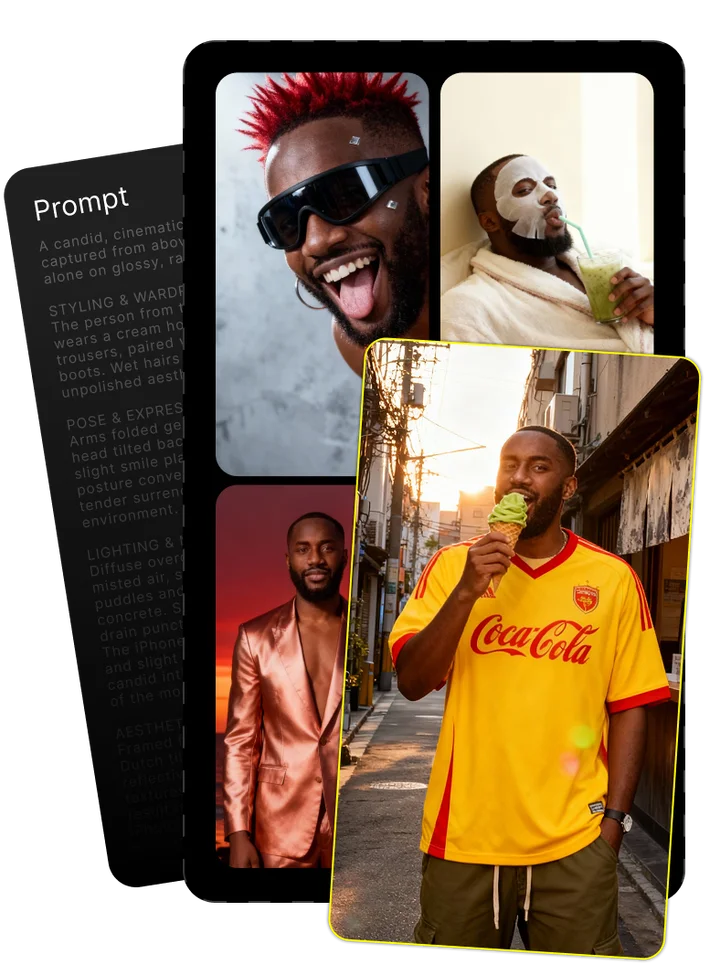
Upload your photo and tell us what you imagine
Combining both gives the best results
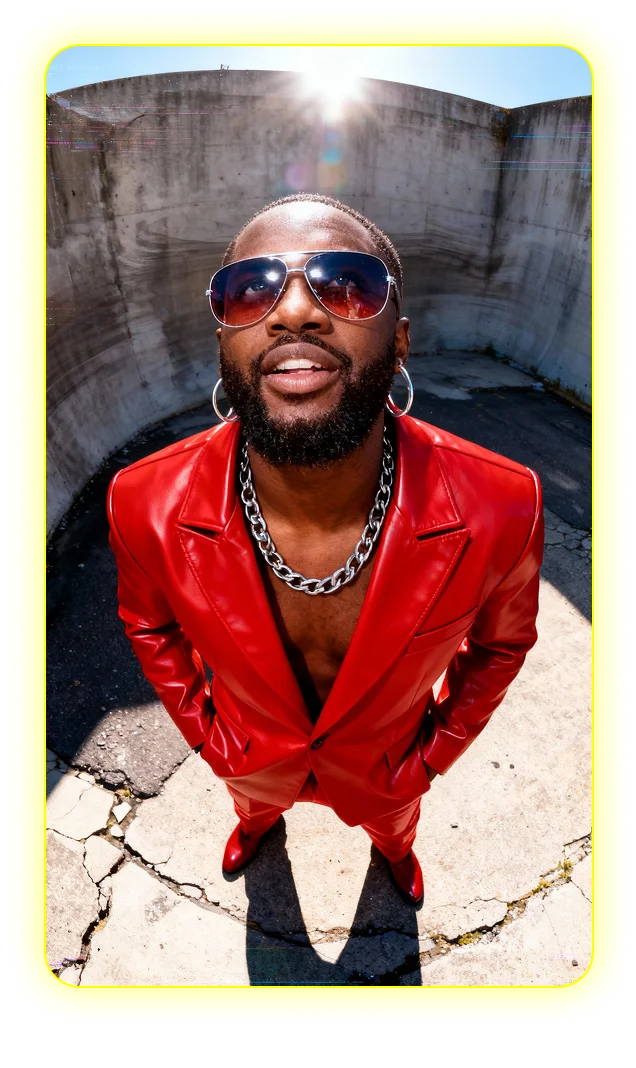
Enjoy your image brought to life by AI
Mastering Reve AI: A Guide to Creating Stunning AI-Generated Images
Reve AI has emerged as a powerful platform in the world of AI image generation, setting itself apart with exceptional text rendering capabilities. For creative professionals seeking high-quality AI-generated visuals, Reve AI offers practical solutions that blend artistic potential with technical precision. This comprehensive guide will walk you through mastering this cutting-edge artificial intelligence tool.
Key Takeaways
- Reve AI excels at text rendering, producing readable text in images where other AI generators typically fail – making it ideal for logos, advertisements, and book covers.
- The platform demonstrates exceptional prompt adherence, accurately following your instructions to deliver precisely what you ask for with minimal deviation.
- Reve AI's References feature provides unparalleled control over visual style and character consistency, allowing for cohesive image series creation.
- For creative professionals, Reve AI offers significant workflow advantages through its intuitive interface and specialized AI models tailored to different visual styles.
What is Reve AI? The New Benchmark in AI Image Generation
Reve AI is a sophisticated AI image generator that converts text prompts into high-quality visuals using advanced machine learning algorithms. Unlike generic text-to-image converters, Reve AI has been specifically designed to address common pain points in professional creative workflows. The platform stands out in the crowded generative AI space by focusing on precision, consistency, and text handling capabilities.
Released in early 2023, Reve AI quickly gained attention for its ability to interpret complex prompts with remarkable accuracy. What sets it apart from a user perspective is not just the quality of its output but the predictability and reliability of its results. While many AI image generators produce stunning visuals, Reve AI delivers stunning visuals that actually match what users requested – a distinction that's particularly valuable for professional applications.
How Reve AI Fits into the Current AI Generation Landscape
The AI image generation market has exploded in recent years, with several major players establishing themselves as household names. Midjourney, released in mid-2022, became known for its artistic flair and dramatic compositions. DALL-E 2, OpenAI's offering, brought accessibility and versatility to mainstream users in April 2022. Stable Diffusion, with its open-source approach, created a robust community of developers and customizers since its August 2022 release.
Reve AI entered this competitive landscape with a clear focus on addressing specific shortcomings of these established platforms. While Midjourney excels at artistic interpretation, it often takes significant creative liberties with prompts. DALL-E offers impressive versatility but struggles with text rendering. Stable Diffusion provides unmatched customization but requires technical expertise to achieve optimal results. Reve AI positioned itself as the professional's choice – offering precision, reliability, and exceptional text handling without requiring advanced technical knowledge.
Why Creators Are Switching to Reve AI
Content creators across various disciplines have increasingly adopted Reve AI as their preferred image generation tool. Digital designers who previously struggled with AI tools that misinterpreted their detailed requests now find Reve AI's prompt adherence refreshingly accurate. Marketing teams creating visual content can now generate multiple consistent assets for campaigns without extensive post-processing.
- Superior text rendering for promotional materials and branding assets
- Consistent character and style generation across multiple images
- More predictable results requiring fewer iterations
- High-resolution output suitable for professional publication
- User interface designed for creative workflows rather than technical users
Graphic designers use Reve AI to quickly generate concept mock-ups that clients can easily understand, while content marketers create custom blog imagery that maintains brand consistency across articles. Social media creators particularly value the platform's ability to generate visuals with readable text overlay – a significant time-saver compared to the traditional process of creating base images and adding text separately.
Understanding Reve AI: Core Features and Capabilities
Reve AI combines cutting-edge generative AI technology with a thoughtful feature set designed specifically for creative professionals. While many AI image generators offer similar basic functionality, Reve AI distinguishes itself through capabilities that address real-world production challenges. These aren't merely technical novelties but practical solutions to common frustrations experienced with other platforms.
The core strength of Reve AI lies in its image generation capabilities, which have been fine-tuned for professional use cases. The platform processes text prompts with remarkable attention to detail, maintaining the integrity of complex concepts while adding appropriate artistic interpretation. This balance between creativity and control makes it particularly suitable for commercial projects where specific outcomes are required.
Beyond the baseline functionality, Reve AI offers several features that significantly improve workflow efficiency for regular users. From specialized models to reference-based generation, these tools represent substantial improvements over the first generation of AI image generators.
Available AI Models in Reve
Reve AI offers a selection of specialized AI models, each optimized for different types of image generation. Reve Image 1.0, the platform's foundation model, provides versatile image generation with solid overall performance across most common use cases. This model excels at compositional balance and general prompt interpretation.
Reve Image 2.0 represents a significant advancement, particularly in areas where the original model showed limitations. This newer model demonstrates vastly improved text rendering, better anatomical accuracy, and more precise prompt adherence. The 2.0 model also handles complex scenes with multiple elements more effectively.
Within these main model categories, Reve AI offers specialized variants optimized for specific styles:
- Photorealistic models that excel at creating images indistinguishable from photographs
- Artistic models that generate content resembling traditional painting techniques
- Concept models focused on architectural and product design visualization
- Character models specialized in consistent human and creature representation
Exceptional Text Rendering: Why Reve Excels Where Others Fail
Text rendering has long been the Achilles' heel of AI image generators. Most platforms struggle to produce readable text, instead creating warped, inconsistent letterforms that vaguely resemble the requested words. This limitation has forced users to add text in post-processing, creating additional work and breaking the creative flow.
Reve AI fundamentally changes this dynamic through advanced typography handling. The platform can generate clean, readable text directly within images – making it suitable for creating logos, book covers, advertisements, and social media graphics without additional editing. This capability stems from specific modifications to the underlying AI architecture that prioritize text pattern recognition.
The practical applications are substantial. Designers can now generate book cover concepts with accurate titles and author names. Marketing teams can create social posts with readable headlines directly in the image. Product developers can visualize packaging with proper labeling. This seemingly simple advancement eliminates a major friction point in the professional use of AI-generated imagery.
Prompt Adherence: Getting Exactly What You Ask For
One of the most frustrating aspects of working with AI image generators is the frequent disconnect between what you request and what you receive. Many platforms treat prompts as loose suggestions rather than specific instructions, leading to unpredictable results and numerous iterations before achieving the desired outcome.
Reve AI approaches prompt interpretation with remarkable precision. The platform's AI interpretation layer breaks down complex prompts into component parts, ensuring that each element receives appropriate attention in the final image. This results in significantly higher image accuracy, with the generated content faithfully reflecting the specified subject matter, style, composition, and details.
For example, requesting "a red-haired woman in a blue business suit holding a tablet computer on a city street at sunset" will reliably produce exactly that combination of elements. The woman will have red hair, wear a blue suit, hold a tablet, and appear on a street at sunset. This level of prompt adherence drastically reduces the time spent refining prompts and regenerating images.
Effective prompt engineering still improves results, but Reve AI requires far less technical prompt crafting than most alternatives. The platform understands natural language instructions without requiring special syntax or keyword stacking, making it more accessible to creative professionals without technical backgrounds.
Style Control and Consistency
Maintaining visual cohesion across multiple AI-generated images has traditionally been challenging. Even with identical prompt structures, most generators produce variations that lack consistent style, making it difficult to create unified visual narratives or brand-consistent image sets.
Reve AI addresses this challenge through advanced style consistency controls. Users can define specific visual parameters that remain constant across multiple generations, ensuring coherent image series even when subject matter changes. This capability proves invaluable for maintaining brand identity across marketing materials, creating consistent character appearances in narrative projects, or developing cohesive visual languages for presentations.
The platform achieves this through several mechanisms:
- Style anchoring that preserves defined visual characteristics
- Visual DNA tracking that maintains consistent artistic interpretation
- Optional "memory" features that reference previous generations
- Style strength sliders for fine-tuned consistency control
For creative teams working on multi-asset projects, these features eliminate hours of post-processing work previously needed to create visual consistency between AI-generated images.
Image Resolution and Quality Options
Reve AI supports flexible image resolution options to accommodate different use cases, from social media thumbnails to large-format prints. Base generation sizes include standard dimensions like 1024×1024, 1536×1024, and 1024×1536, with custom aspect ratios available for specialized applications.
The platform includes integrated upscaling technology that can increase image dimensions up to 4x while preserving detail and sharpness. Unlike generic enlargement tools, Reve's upscaling analyzes image content to intelligently enhance details, resulting in high-quality output suitable for professional publication.
Image quality settings allow users to balance generation speed against detail level, with options for draft previews through production-ready outputs. The platform supports standard file formats including PNG, JPEG, and WEBP, with adjustable compression settings for different delivery requirements.
For print applications, the upscaled outputs regularly produce crisp images at 300dpi up to 24×36 inches, making them suitable for most commercial printing needs without additional processing.
Reve References: A Game-Changing Approach to Visual Prompting
Reve References represents one of the platform's most powerful differentiators – a sophisticated system for using visual examples to guide image generation. Unlike the simple image-to-image tools found in some platforms, Reve References provides granular control over how reference images influence the generation process.
The feature allows users to upload existing images as style or content references, then specify exactly which attributes should be extracted and applied to new generations. This visual prompting approach offers more intuitive control than text descriptions alone, especially for complex visual concepts that are difficult to articulate.
Setting up a reference-based generation involves a straightforward process:
- Upload one or more reference images to the project workspace
- Select which attributes to extract (style, composition, color palette, subject features)
- Set influence strength for each attribute
- Write a text prompt to guide content generation
- Generate images that blend prompt instructions with reference attributes
This capability proves particularly valuable for maintaining consistent characters across multiple scenes, matching existing brand aesthetics, or recreating specific artistic styles without extensive prompt engineering. The system effectively bridges the gap between AI generation and traditional design workflows, allowing for more predictable and controlled creative outcomes.
Comparing Reve AI with Other Top Image Generators
When evaluating AI image generators for professional use, understanding the relative strengths and weaknesses of each platform is crucial. Reve AI, Midjourney, DALL-E, and Stable Diffusion each approach image generation with different priorities and underlying technologies, resulting in distinct user experiences and output characteristics.
This comparison focuses on practical considerations for regular users rather than technical implementations. While all four platforms use variations of diffusion models, their real-world performance differs significantly in ways that impact workflow efficiency and output quality.
The major platforms primarily differ in four key areas: interface accessibility, prompt interpretation approach, output customization options, and text handling capabilities. Secondary differences include pricing models, community support, and specialized features for specific use cases.
Reve AI positions itself as a precision tool for professional users, with particular emphasis on accuracy and reliability. Midjourney excels at artistic interpretation and aesthetic quality but sacrifices some control. DALL-E offers user-friendly accessibility and good overall performance but lacks some advanced features. Stable Diffusion provides unmatched customization potential but requires more technical expertise.
For most professional users, the choice between platforms will depend on specific project requirements, technical comfort level, and desired workflow integration.
Strengths and Limitations: An Objective Assessment
Reve AI's primary strengths lie in its text rendering capabilities, prompt adherence precision, and consistent style control. The platform particularly shines for projects requiring text integration, such as marketing materials, book covers, and branded content. Its user interface strikes a good balance between accessibility and control, making it suitable for both beginners and experienced users.
However, Reve AI does have limitations. The platform currently offers fewer artistic style variations than Midjourney, which might restrict users seeking highly experimental aesthetics. Its image generation speed, while reasonable, doesn't match the rapid iteration capabilities of some alternatives. The platform also lacks some of the community features found in more established generators.
Midjourney excels at creating visually striking, artistic images with minimal prompt engineering but struggles with precise control and text rendering. DALL-E offers excellent accessibility and versatility but falls short on text handling and fine-grained control. Stable Diffusion provides unmatched customization through its open architecture but requires technical knowledge to achieve optimal results.
When evaluating AI generators, it's important to recognize that current limitations often reflect development priorities rather than technical impossibilities. Each platform continues to evolve, with new capabilities regularly addressing previous shortcomings.
Which AI Generator is Right for Your Needs?
Selecting the right AI image generator depends on your specific requirements, technical comfort level, and intended applications. Consider these key decision factors when choosing between platforms:
Choose Reve AI if you:
- Need accurate text rendering for marketing materials, book covers, or instructional content
- Value precise prompt adherence and predictable results
- Require consistent characters or style elements across multiple images
- Want a balance of control and accessibility without extensive technical knowledge
Consider Midjourney if you:
- Prioritize artistic quality and aesthetic "wow factor" over precise control
- Create primarily artistic images where text isn't required
- Value community inspiration and collaboration features
- Prefer a more interpretative approach to prompting
DALL-E might be your best option if you:
- Need the most user-friendly, accessible interface
- Value versatility across different styles and subjects
- Want simple inpainting and editing capabilities
- Prefer a straightforward credit-based pricing model
Stable Diffusion could be ideal if you:
- Have technical experience or willingness to learn
- Need complete customization control over the generation process
- Want to run the system locally on your own hardware
- Plan to integrate AI generation into custom workflows or applications
Getting Started with Reve AI: A Step-by-Step Guide
Beginning your journey with Reve AI involves a straightforward setup process followed by a simple workflow for creating your first images. The platform balances power with accessibility, making it approachable for newcomers while offering depth for experienced users.
This getting started guide walks through the essential steps to begin generating images, from account creation to basic image generation. While the initial setup process is quick, taking time to understand the interface fundamentals will significantly improve your early results.
Reve AI offers a web-based interface accessible from most modern browsers without requiring special software installation. The platform maintains consistent functionality across devices, though the desktop experience provides more screen space for the workspace and controls.
Before diving into complex projects, we recommend spending time experimenting with basic prompts to develop an intuitive feel for how the system responds. Understanding the relationship between prompt phrasing and generated output will form the foundation for more advanced work later.
Creating Your First Image: A Beginner's Walkthrough
Getting started with Reve AI involves a simple process from account setup to your first generated image:
- Create an account: Visit the Reve AI website and sign up using email or social login options. New accounts typically include some free generation credits to explore the platform.
- Navigate to the workspace: After logging in, you'll see the main dashboard. Click "Create" or "New Project" to open the image generation interface.
- Select your model: From the dropdown menu, choose "Reve Image 2.0" for the best overall performance. Specialized models are available for specific styles, but the main model works well for initial exploration.
- Enter your prompt: In the text field, type a description of what you want to create. Start with something straightforward like "A mountain landscape with pine trees and a small cabin, digital art style."
- Adjust basic settings: Set dimensions to 1024×1024 for your first image. Leave other settings at default values for now.
- Generate your image: Click the "Generate" button to create your first image. Processing typically takes 15-30 seconds depending on server load.
- Review and iterate: Once the image appears, you can save it, make adjustments to your prompt, or try different variations.
For best first-time results, use descriptive but straightforward prompts without overly complex instructions. The system handles natural language well, so phrases like "A photo of a golden retriever puppy playing in autumn leaves" will produce better results than keyword-heavy approaches.
Don't be discouraged if your first few images don't match your vision perfectly. Each iteration provides insight into how the AI interprets different phrases, helping you build intuition for effective prompting.
Understanding the Interface and Key Controls
The Reve AI user interface follows a logical layout designed to balance simplicity with functionality. Familiarizing yourself with these key areas will help you navigate the platform efficiently:
Prompt Field: The central text input area where you describe your desired image. This supports natural language descriptions and offers auto-complete suggestions for common terms.
Model Selector: Dropdown menu for choosing between available AI models. Different models excel at different styles and subject matter.
Generation Controls: Panel containing settings that influence the generation process:
- Dimensions: Set output size (1024×1024 is standard; other aspect ratios available)
- Quality: Balance between speed and detail (Standard works well for most uses)
- Guidance Scale: How closely the AI should follow your prompt (higher values = more literal interpretation)
- Seed Value: Optional numerical value to make generations repeatable
References Panel: Area for uploading and configuring reference images to guide style and content.
History Timeline: Shows previous generations within your current session for easy comparison and iteration.
Output Gallery: Displays your generated images with options to download, upscale, or use as references for future generations.
The interface includes several non-obvious features worth exploring, including the ability to save prompt templates, create project collections, and access advanced settings for fine-tuned control. Hovering over most interface elements reveals helpful tooltips explaining their function.
Mobile Access and Cross-Platform Use
Reve AI offers a responsive browser-based application optimized for various devices. The mobile interface maintains core functionality while adapting to smaller screens, making it possible to generate images from virtually anywhere with internet access.
On smartphones, the interface reorganizes into a vertical layout with collapsible panels to maximize workspace visibility. While the mobile experience works well for basic generation and prompt testing, the desktop interface provides more screen space for detailed work and side-by-side comparisons.
For cross-platform workflows, Reve AI synchronizes projects and settings across devices through your account. Images generated on one device are immediately available in your gallery on all others. This seamless integration allows for flexible workflows – start concepts on mobile while commuting, then refine them later on desktop.
Mobile-specific tips to improve your experience:
- Use landscape orientation on tablets for more workspace visibility
- Leverage voice dictation for entering complex prompts on smartphones
- Save frequent prompts as templates for easier mobile access
- Use the simplified mobile controls for quick iterations
Common First-Time User Mistakes and How to Avoid Them
New users often encounter similar challenges when starting with Reve AI. Being aware of these common pitfalls can help you avoid frustration and achieve better results faster:
- Overly complex prompts: Beginning with extremely detailed instructions often leads to confused results. Start simple and add complexity gradually as you learn how the system responds.
- Contradictory instructions: Avoid conflicting elements in your prompts, such as "realistic photo of a cartoon character." The AI will struggle to reconcile opposing concepts.
- Ignoring guidance scale: The default setting works for most cases, but adjusting this value significantly impacts how literally the AI interprets your prompt. Lower values allow more creative interpretation; higher values enforce stricter adherence.
- Overlooking aspect ratio: Using the wrong dimensions for your intended use leads to stretching or cropping later. Consider your final application when selecting image size.
- Discarding promising results too quickly: Sometimes a "failed" image contains elements worth refining. Use these as references or starting points rather than starting over.
Perhaps the most common mistake is expecting perfect results immediately. Even experienced users typically go through several iterations to achieve their vision. The learning curve involves understanding how different phrasings influence the output and developing an intuitive feel for the platform's interpretation patterns.
When troubleshooting problematic results, try changing one element at a time rather than completely rewriting your prompt. This methodical approach helps identify which specific instructions are causing issues.
Mastering Prompt Engineering for Reve AI
Prompt engineering – the art and science of crafting effective text instructions for AI image generation – forms the foundation of successful work with Reve AI. While the platform's exceptional prompt adherence reduces the need for technical keyword stacking found in other systems, understanding prompt structure principles still significantly improves your results.
Effective prompts for Reve AI balance descriptive clarity with creative direction. The platform's text-to-image optimization excels when provided with structured information about subject, style, environment, and technical parameters. This doesn't require specialized coding knowledge but rather an understanding of how to communicate visual concepts clearly.
The approach to prompt engineering for Reve AI differs somewhat from other platforms. While Midjourney often performs best with artistic references and stylistic emphasis, and Stable Diffusion responds well to technical parameter stacking, Reve AI excels with clear, descriptive language focusing on the desired outcome rather than the process to achieve it.
Developing your prompt engineering skills requires practice and observation, but following established frameworks will accelerate your learning curve. The techniques outlined below represent approaches tested extensively with Reve AI's specific interpretation patterns.
The Anatomy of an Effective Reve AI Prompt
An optimal Reve AI prompt typically contains several key components structured in a logical order. This framework ensures the system receives complete information about your desired output:
1. Subject Description: Clearly define the main subject(s) of your image. Be specific about key characteristics.
2. Environmental Context: Describe the setting or background where the subject exists.
3. Stylistic Direction: Specify the artistic style, rendering approach, or visual reference.
4. Technical Parameters: Include camera perspective, lighting conditions, and mood indicators.
5. Quality Enhancers: Add terms that signal high-quality output (when appropriate).
A complete prompt following this structure might look like:
"A female astronaut with red hair and freckles (subject) floating outside a space station above Earth (environment) in a photorealistic digital painting style (style) with dramatic side lighting and wide-angle perspective (technical) with intricate details and professional quality (enhancers)."
This structured approach provides comprehensive instructions while maintaining clarity. Each component serves a specific purpose in guiding the AI's interpretation:
- Subject details establish the focal point and key attributes
- Environmental context creates setting and spatial relationships
- Style direction sets the visual language and rendering approach
- Technical parameters define viewpoint and lighting characteristics
- Quality enhancers signal desired level of refinement and detail
Not every prompt requires all components – simpler images may need only subject and style information. However, this framework provides a reliable starting point for crafting effective instructions.
Advanced Techniques Through Experimentation
Beyond basic prompt structure, several advanced techniques can help you achieve more sophisticated results with Reve AI. These approaches have been developed through extensive testing and professional application:
- Weighted Emphasis: Place double colons (::) around terms you want to emphasize more strongly. For example, "forest landscape with ::red autumn leaves:: and morning fog" will emphasize the autumn foliage.
- Style Fusion: Combine multiple artistic references with percentage indicators. "Portrait in the style of 70% Rembrandt / 30% Cyberpunk" creates an interesting hybrid aesthetic.
- Negative Prompting: Use "exclude:" followed by elements you want to avoid. "A mountain cabin exclude: people, vehicles, telephone poles" helps eliminate unwanted elements.
- Sequential Direction: For complex scenes, structure prompts as a sequence: "First: stormy sky with lightning, Then: medieval castle on hillside, Finally: knights on horseback approaching."
- Quality Stacking: Combine specific technical quality terms rather than generic ones: "sharp focus + golden hour lighting + volumetric fog + detailed textures" instead of just "high quality."
Through testing, we've discovered certain terms have outsized impact in Reve AI's interpretation. Words like "cinematic," "dramatic," and "professional photography" trigger specific rendering approaches. Similarly, camera descriptors like "wide-angle lens," "telephoto lens," or "aerial view" consistently influence composition.
The most sophisticated prompt engineers maintain personal libraries of tested prompt components, noting which combinations yield specific effects. This methodical approach turns prompt writing from guesswork into a reliable technical skill.
Using References Feature for Consistent Characters and Styles
The References feature represents one of Reve AI's most powerful tools for professional projects. This system allows you to upload existing images as visual anchors, guiding the AI to maintain consistent elements across multiple generations.
To effectively use references for character consistency:
- Upload a clear image of your character from a neutral angle
- In the references panel, set attribute focus to "Character Features"
- Adjust the influence slider to 70-80% for strong consistency
- Write prompts describing new scenes or actions for the character
- Generate images that maintain the character's appearance across different contexts
For style guides and visual branding, a similar workflow applies:
- Upload 1-3 images exemplifying your target aesthetic
- Set attribute focus to "Style Elements" and "Color Palette"
- Adjust influence to 60-70% to balance consistency with prompt directions
- Write prompts for your specific content needs
- Generate images that maintain consistent visual language
The references system excels at maintaining consistency in ways that text prompts alone cannot achieve. This proves particularly valuable for projects requiring multiple related images, such as character series, brand campaigns, or illustrated narratives.
Unlike traditional LoRA approaches that require technical training processes, Reve AI's reference system works immediately with any uploaded image, making it accessible to non-technical users while delivering professional-grade consistency.
Pricing and Plans: Maximizing Value from Reve AI
Reve AI employs a flexible pricing structure built around a credit system that accommodates different usage patterns. Understanding the various pricing models and subscription plans helps ensure you're getting the most value for your specific needs.
The platform offers three primary access tiers: Free, Standard, and Professional. Each tier provides different monthly credit allocations, feature access levels, and priority in the generation queue. Free accounts offer limited monthly credits but provide full access to core features, making them suitable for occasional users or those evaluating the platform.
Standard subscriptions include a moderate monthly credit allocation with access to all models and faster generation times. Professional plans provide larger credit pools, priority processing, and advanced features like API access and team collaboration tools. Both paid tiers allow purchasing additional credits beyond the monthly allocation.
When comparing value against competitors, Reve AI typically offers more generations per dollar than Midjourney or DALL-E, particularly for professional-tier users. The credit system provides more flexibility than Midjourney's subscription-only approach, while offering better scaling economics than DALL-E's pure pay-per-generation model for frequent users.
For professional creators, the platform's value proposition extends beyond raw generation counts to consider efficiency gains from better prompt adherence and fewer required iterations to achieve desired results.
Understanding the Credit System
Reve AI's credit system functions as a usage-based billing mechanism where different operations consume varying amounts of credits based on computational intensity. Standard image generation typically costs 1 credit per image at 1024×1024 resolution, with higher resolutions or specialized models costing more.
Credit consumption varies across different functions:
- Standard image generation: 1 credit
- High-resolution generation (1536×1536): 2 credits
- Ultra-high-resolution (2048×2048): 4 credits
- Advanced model usage: +0.5 credits
- Upscaling: 0.5 credits per 2x increase
- Reference processing: 0.2 credits per reference
Credits purchased through subscriptions typically cost less per unit than those bought separately. Most subscription plans include monthly credit allocations that reset on your billing date, while separately purchased credits remain available until used.
To maximize credit efficiency:
- Test concepts at standard resolution before generating high-resolution finals
- Use basic models for initial concept exploration, switching to advanced models only for final versions
- Save successful prompts as templates to avoid experimentation costs for similar future projects
- Generate variations in batches rather than individually to benefit from shared computation
Free vs. Paid: Is Upgrading Worth It?
Reve AI's free tier provides genuine access to core functionality, not just a limited demo. Free accounts receive 20 credits monthly, access to standard models, and basic resolution options. This level works well for casual users creating a few images monthly or those evaluating the platform before committing.
Upgrading becomes necessary when you:
- Need more than 20 generations monthly
- Require faster generation times (free tier has lowest queue priority)
- Want access to specialized models for particular styles
- Need higher resolution outputs for professional use
- Utilize advanced features like References system extensively
The Standard subscription ($20/month for 200 credits) offers 10x the generation capacity of the free tier plus access to all models and faster processing. For professionals, this represents strong value when considering the time saved through better results and fewer iterations.
The Professional plan ($50/month for 600 credits) becomes cost-effective for agencies, full-time creators, or teams generating multiple images daily. At this usage level, the per-image cost drops significantly compared to competitors, while priority processing reduces wait times during peak periods.
For commercial users, the upgrade decision often hinges on project economics – when client billing or production efficiency justifies the subscription cost, upgrading becomes an easy business decision.
Cost-Effective Strategies for Maximum Value
Adopting specific workflow habits can substantially improve your credit efficiency and reduce overall costs when using Reve AI:
- Refine prompts in drafts: Test ideas at 512×512 resolution (0.5 credits) before generating final versions at higher resolutions
- Create prompt libraries: Document successful prompts for reuse, reducing experimental iterations
- Batch similar projects: Generate related images in single sessions to leverage shared style understanding
- Use references strategically: When creating multiple images with consistent elements, invest in reference setup to reduce iteration costs later
- Time your subscription: Activate paid plans during high-production periods and downgrade during quieter times
- Purchase credit bundles: Buy larger credit packages for better per-unit pricing when supplementing subscription allocations
Many users also take advantage of periodic promotions, such as the platform's occasional double-credit offers or new feature celebrations that include bonus allocations. The company typically announces these through its newsletter and account notifications.
For teams, the Professional tier's collaboration features allow pooling resources across multiple users, creating additional efficiency through shared libraries and references. This approach is particularly valuable for agencies working on campaigns requiring visual consistency across multiple assets.
Real-World Applications: How to Use Reve AI in Creative Projects
Reve AI has found application across diverse professional contexts, from marketing campaigns to publishing projects. These real-world case studies demonstrate how creative professionals leverage the platform to solve specific challenges and enhance their workflows.
The practical applications extend beyond simply generating attractive images. In professional environments, Reve AI serves as a rapid prototyping tool, a creative ideation partner, and a production asset generator. The key value often lies not in replacing existing workflows entirely but in accelerating certain phases and enabling exploration that would be impractical through traditional methods.
Common threads across successful implementations include effective prompt development processes, integration with existing software tools, and clear communication frameworks between AI operators and other team members. Organizations that establish systematic approaches to AI image generation typically see faster adoption and more consistent results.
The following examples highlight specific industry applications where Reve AI has demonstrated particular utility. While anonymized for confidentiality, these cases represent actual implementation experiences from users across different creative fields.
Marketing and Advertising Visuals
A mid-sized marketing agency recently adopted Reve AI to transform their campaign conceptualization process. Previously, the team relied on stock photography with extensive customization or commissioned photo shoots for original concepts. Both approaches involved significant time and budget constraints.
Using Reve AI, the agency now develops initial campaign concepts through targeted image generation. For a recent sports beverage campaign, they created over 30 concept visuals showing the product in different active lifestyle contexts – all within a single afternoon. These concept images helped the client visualize the campaign direction before committing to expensive photo shoots.
For social media content, the team uses Reve AI to create platform-specific assets maintaining consistent brand identity across formats. The Reference feature ensures all images maintain the campaign's visual language while adapting to different aspect ratios and content needs.
The agency reports three primary benefits:
- Concept approval cycles shortened from weeks to days
- Budget reallocation from concept development to final production
- Increased client satisfaction through more extensive visual exploration
They've established a workflow where strategy teams develop prompt libraries for each client's brand voice, which creative teams then adapt for specific campaign needs. This systematic approach ensures consistent results across different team members.
Product Visualization and E-Commerce
An e-commerce retailer selling home furnishings implemented Reve AI to address their product visualization challenges. With thousands of items and numerous color/material variations, traditional photography became a logistical bottleneck in their merchandising process.
The company now uses Reve AI to generate supplemental product imagery showing items in context rather than isolated studio shots. For example, a dining table can be quickly visualized in different home settings with various styling options – something prohibitively expensive to accomplish through traditional photography for their entire catalog.
Their process involves:
- Photographing core products in studio conditions
- Using these images as references in Reve AI
- Generating contextual lifestyle images showing products in use
- Creating visualization of color/material variants without physical samples
This approach has enabled the company to present products more effectively while reducing photography costs by approximately 40%. Customer feedback indicates the contextual images significantly improve conversion rates compared to studio shots alone.
The implementation required close collaboration between their product photography team and digital merchandising staff. Initial resistance gave way to enthusiastic adoption once the efficiency gains became apparent.
Content Creation and Publishing
A small publishing house specializing in genre fiction has integrated Reve AI into their book cover design process. With tight production schedules and limited design budgets, creating distinctive covers for their monthly releases had become increasingly challenging.
The publisher's design team now uses Reve AI to generate initial cover concepts based on manuscript themes and market positioning. Reve's exceptional text rendering capabilities allow them to include actual book titles and author names in the generated images – a significant advantage over other platforms that typically produce unreadable text.
For a recent mystery series, they created a consistent visual identity across eight books using the References feature to maintain style consistency while varying scene elements for each title. The generated images served as the foundation for final covers, with designers adding refinements and typography adjustments.
Beyond book covers, they've expanded usage to include:
- Chapter heading illustrations for premium editions
- Social media graphics promoting new releases
- Author profile images for writers without professional headshots
- Conceptual images for book trailers and promotional videos
The publisher reports reducing cover design time from 2-3 weeks to 3-5 days while maintaining quality standards that satisfy both authors and retailers.
Artistic and Personal Projects
Individual artists have found creative applications for Reve AI beyond commercial projects. A traditional painter incorporated the platform into her conceptual process, using generated images to explore composition and color schemes before committing to canvas work.
Her approach involves:
- Generating multiple compositional variations of a concept
- Exploring different lighting and color treatments
- Using the outputs as reference material for traditional painting
- Creating preliminary studies that would traditionally take days
This workflow doesn't replace her artistic expression but accelerates the exploratory phase, allowing her to evaluate more possibilities before investing time in final works.
In another example, a novelist uses Reve AI to visualize characters and settings during the writing process. These reference images help maintain consistency in descriptive elements throughout lengthy manuscripts. The author found that seeing visual representations of characters helped avoid contradictory descriptions across different scenes.
Hobbyist creators have established communities sharing specialized prompt techniques for particular genres or styles. These collaborative spaces demonstrate how AI tools can foster rather than replace creative communities, with members building upon each other's discoveries to expand creative possibilities.
Tips and Tricks: Elevating Your Reve AI Results
Experienced users have discovered numerous techniques to extract maximum quality and control from Reve AI. These advanced strategies go beyond basic prompting to achieve specific visual effects and overcome common limitations.
The following optimization techniques represent knowledge gathered from extensive platform usage across various professional contexts. While Reve AI's interface is designed for accessibility, these approaches reveal deeper capabilities not immediately obvious to new users.
Many of these expert tips involve subtle adjustments to default settings or specific prompt structures that trigger particular AI behaviors. Others focus on workflow enhancements that improve efficiency and consistency across multiple generations.
Unlike general advice that applies across all AI image generators, these recommendations are specifically tailored to Reve AI's implementation and interpretation patterns. They exploit particular strengths of the platform while working around occasional limitations.
Achieving Photorealistic Results
Creating truly photorealistic images requires specific approaches that guide the AI toward natural aesthetics and high-fidelity imagery:
- Specify camera details: Include phrases like "photographed with Canon 5D Mark IV, 85mm f/1.4 lens" to trigger realistic rendering patterns.
- Reference professional photographers: Adding "in the style of Annie Leibovitz" or "National Geographic photography" signals specific lighting and composition qualities.
- Describe lighting precisely: Rather than "good lighting," specify "natural window light from the left with soft shadows" or "golden hour sunlight with rim lighting."
- Include technical details: Terms like "photogrammetry," "8K resolution," or "RAW format" push the AI toward higher detail levels.
- Reference real materials: Specify actual materials like "brushed aluminum," "lambskin leather," or "Norwegian spruce wood" rather than generic terms.
The most convincing photorealistic results often combine these approaches with negative prompts excluding AI artifacts: "exclude: painting, illustration, 3D rendering, artificial, digital art style."
For human subjects, adding "photographic portrait, professional headshot, detailed skin texture, subtle facial expression" helps achieve natural results. Including specific details about lighting on skin tones significantly improves realism.
Post-generation, subtle adjustments to contrast and sharpness in external editing software can further enhance photorealism. Many professional users report that minimal adjustments to color grading often push AI-generated images past the "uncanny valley" into convincing photorealism.
Troubleshooting Common Issues
When encountering problems with Reve AI, these targeted solutions address specific issues:
- Problem: Distorted faces
Solution: Add "symmetrical features, realistic facial proportions, professional portrait" to your prompt. Use face-specific references. - Problem: Unnatural hands
Solution: Specify "anatomically correct hands with five fingers, detailed knuckles" or avoid hands entirely by choosing compositions where they're not visible. - Problem: Text rendering errors
Solution: Use quotes around exact text ("Book Title Here"), keep text brief, and specify "clear readable text, professional typography." - Problem: Style inconsistency across images
Solution: Create a dedicated reference image first, then use it with 70-80% influence for subsequent generations. - Problem: Overly saturated colors
Solution: Add "muted color palette, subtle tones, natural colors" or reference photographers known for restrained color work. - Problem: Compositional chaos
Solution: Specify "minimalist composition," "rule of thirds," or "central subject with clean background" depending on desired layout.
For persistent issues, switching between models sometimes resolves problems, as each has different strengths and weaknesses. The 2.0 model generally handles anatomy better, while some specialized models may excel at particular subject matter.
When troubleshooting, change one element at a time rather than completely rewriting prompts. This methodical approach helps identify which specific instructions are causing problems.
Integrating Reve AI into Your Professional Workflow
Professionals who successfully incorporate Reve AI into their creative pipeline typically establish systematic processes that connect AI generation with traditional tools:
- Concept Phase: Use Reve AI to quickly explore visual directions and alternatives
- Refinement: Iterate on promising concepts with increasingly specific prompts
- Production: Export final generations at maximum resolution
- Post-Processing: Import into Adobe Photoshop, Affinity Photo, or similar tools for refinement
- Integration: Combine with other design elements in layout or video applications
Effective workflows often include these practical elements:
- Prompt Libraries: Create categorized collections of proven prompts for different needs
- Reference Banks: Maintain organized collections of reference images for consistent styles
- Template Projects: Set up template projects with optimized settings for common tasks
- Style Guides: Document specific prompt patterns that maintain brand consistency
- Version Control: Establish naming conventions to track iterations and variants
For collaborative environments, shared prompt libraries and style guides ensure consistency across team members. Some studios assign specific team members as "AI specialists" who develop expertise with the platform and support broader team adoption.
Integration with other productivity tools often involves establishing folder structures that mirror project organization, with clear file naming conventions to maintain version control across applications.
API Access and Integration Possibilities
Reve AI offers API access for Professional tier subscribers, enabling deeper integration with custom applications and automated workflows. While the API documentation provides technical details, these practical applications demonstrate its potential:
- Batch Processing: Automatically generate variations based on template prompts
- CMS Integration: Connect to content management systems for on-demand image generation
- E-commerce Systems: Automate product visualization in different contexts
- Custom Interfaces: Create specialized front-ends for specific use cases
Current API capabilities support the full range of browser-based functions, including all generation parameters, reference handling, and output options. Authentication uses standard token-based security, with rate limiting based on subscription level.
For teams without dedicated development resources, several third-party services provide no-code integration options connecting Reve AI with popular platforms through middleware like Zapier or Make. These solutions enable automated workflows without requiring programming expertise.
Before API availability, some teams use browser automation tools to create simple integrations. While less robust than direct API access, this approach can bridge gaps for specific workflow needs.
Ethical Considerations in AI Image Generation
As AI image generation becomes increasingly integrated into professional workflows, considering the ethical dimensions of this technology becomes essential. Responsible use of Reve AI and similar tools involves understanding several key areas of concern.
The primary ethical considerations include intellectual property questions, representation and bias issues, potential misuse for deception, and the economic impact on creative industries. Different organizations and creators approach these issues with varying perspectives, and industry standards continue to evolve.
Reve AI implements certain content guidelines restricting generation of harmful, explicit, or deceptive content. The platform uses both technical filters and review processes to enforce these boundaries. However, ethical usage extends beyond these baseline restrictions to considerations about appropriate attribution, consent, and impact.
From a professional practice standpoint, many organizations establish internal policies addressing:
- Transparency about AI usage in client deliverables
- Attribution practices for stylistic references
- Guidelines for portraying real people or protected intellectual property
- Documentation requirements for AI-generated assets
- Contexts where AI generation is or isn't appropriate
The intellectual property landscape for AI-generated images remains complex. While users generally receive usage rights for content they generate, questions about copyright registration, derivative works, and commercial exploitation continue to evolve through case law and legislation in different jurisdictions.
Responsible practitioners typically err on the side of transparency, explicitly informing clients or audiences when AI tools have been used in creative processes. Many also implement review procedures ensuring AI-generated content aligns with organizational values and ethical standards before publication.
Future Developments and Predictions for Reve AI
Based on announced features, industry trends, and technological trajectories, several developments appear likely for Reve AI in the near to medium term. The platform's product roadmap suggests continued focus on professional use cases, with feature development prioritizing workflow integration and output quality rather than experimental capabilities.
In the immediate future, expected enhancements include expanded resolution options, additional specialized models for specific industries, and improved integration with popular design software. The development team has indicated that text rendering capabilities – already a standout feature – will receive further refinement, potentially achieving near-perfect typography handling.
From a technological evolution perspective, advancements in underlying AI architecture will likely enable more complex scene compositions with improved spatial relationships between elements. This would address one of the few remaining weaknesses in current systems.
User interface improvements appear focused on streamlining professional workflows, with expected additions including:
- Enhanced project management tools for organizing related images
- More sophisticated prompt templates with variable elements
- Expanded collaboration features for team environments
- Advanced filtering and organization for reference libraries
While official announcements remain limited, industry sources suggest significant back-end performance optimizations are underway, potentially reducing generation times by 30-50% for most operations. This would particularly benefit high-volume professional users.
As with most AI platforms, these developments will likely arrive incrementally rather than as dramatic redesigns. The focus appears to be on refinement and reliability rather than flashy but unstable features.
The Future of AI Image Generation: Where the Industry is Headed
Looking at broader industry trends, AI image generation appears to be following a trajectory similar to other creative technologies – moving from novelty to specialized tool to ubiquitous capability. Several patterns suggest how this evolution will unfold:
First, increasing integration with traditional creative software seems inevitable. Rather than standalone platforms, AI generation capabilities will likely become features within established design tools. Adobe's recent integration of generative functions into Photoshop represents an early example of this trend.
Second, specialization across different AI platforms appears to be accelerating. Rather than general-purpose generators, we're seeing tools optimized for specific use cases – product visualization, character design, architectural rendering, etc. This specialization benefits professional users with specific requirements over casual creators seeking variety.
Third, the technical barriers between different approaches (text-to-image, image-to-image, inpainting, outpainting) are dissolving into unified interfaces where users simply express intent without needing to understand the underlying mechanisms. This usability evolution parallels what occurred with earlier creative technologies like 3D modeling and video editing.
The ethical and regulatory landscape will likely see significant development as well. Emerging regulations in various jurisdictions suggest requirements for disclosure of AI-generated content will become standard, particularly for commercial and journalistic uses. Intellectual property frameworks specific to AI-generated assets are gradually taking shape through both legislation and case law.
For creative professionals, these developments suggest a future where AI generation becomes one tool among many rather than a replacement for traditional skills. The most successful practitioners will likely be those who integrate these capabilities into broader creative processes rather than treating them as standalone solutions.
Conclusion: Is Reve AI Right for You?
After examining Reve AI's capabilities, comparing it with alternatives, and exploring real-world applications, we can now assess which users will benefit most from this platform. Your specific needs, workflow, and priorities will determine whether Reve AI represents the optimal solution for your situation.
Reve AI stands out as particularly valuable for:
- Marketing professionals creating branded content requiring text elements and consistent style
- Publishers and editorial teams producing book covers, magazine layouts, or illustrated content
- Product designers needing to visualize concepts across multiple variations
- Content creators maintaining consistent visual identity across platforms
- Small creative agencies seeking to expand capabilities without expanding staff
The platform's emphasis on precision, consistency, and text handling makes it especially suitable for commercial applications where predictable results and efficiency matter more than artistic experimentation. Its interface balances accessibility with depth, accommodating both occasional users and power users without overwhelming either.
However, Reve AI might not be ideal for:
- Artists primarily seeking unexpected creative inspiration rather than controlled outcomes
- Users with extremely limited budgets who prioritize cost over quality and consistency
- Projects requiring highly specialized stylistic approaches not covered by Reve's models
- Teams already heavily invested in alternative platforms with established workflows
Your decision should consider not just current capabilities but how your needs might evolve. If your work increasingly involves professional deliverables, brand consistency, or text integration, Reve AI's strengths align well with that trajectory.
Ultimately, the platform represents a powerful tool for translating concepts into visual assets with unprecedented speed and control. For many creative professionals, it doesn't replace existing skills but amplifies them, allowing more exploration, faster iteration, and expanded creative possibilities.
Frequently Asked Questions
What is Reve AI?
Reve AI is an advanced AI image generator that converts text descriptions into high-quality visuals. It stands out for its exceptional text rendering capabilities and accurate prompt interpretation, making it particularly valuable for professional creative work requiring precision and consistency.
What are the key features of Reve AI?
Reve AI's standout features include superior text rendering, exceptional prompt adherence, the References system for style consistency, multiple specialized AI models, and high-resolution output options. These capabilities make it particularly suited for professional creative work in marketing, publishing, and design.
How does Reve AI compare to other image generators?
Reve AI differentiates itself through superior text rendering and more precise prompt adherence than competitors like Midjourney, DALL-E, and Stable Diffusion. While it may not match Midjourney's artistic flair, it offers more predictable, production-ready results for professional applications.
How much does Reve AI cost?
Reve AI offers a credit-based pricing system with three main tiers: Free (20 credits monthly), Standard ($20/month for 200 credits), and Professional ($50/month for 600 credits). Additional credits can be purchased separately. Each standard image generation typically costs 1 credit.
Is Reve AI free to use?
Yes, Reve AI offers a free tier providing 20 credits monthly. This allows access to core features and standard models with some limitations on resolution options and generation speed. The free tier works well for occasional users or those evaluating the platform before subscribing.
What image styles are available in Reve AI?
Reve AI supports diverse styles including photorealistic, artistic (painting, illustration, sketch), cinematic, conceptual, and stylized renders. Specialized models optimize for particular aesthetics, while the References feature allows importing specific visual styles from example images.
How do I get started with Reve AI?
Getting started involves creating an account, navigating to the creation workspace, entering a descriptive prompt, adjusting basic settings like image dimensions, and clicking generate. New accounts typically include free credits to begin experimenting with the platform immediately.
What makes Reve AI different from other AI image generators?
Reve AI distinguishes itself through exceptional text rendering, superior prompt adherence, the unique References system for style control, and an interface designed for professional workflows. These features address common frustrations with other generators, particularly for commercial applications.
How does Reve AI handle text within generated images?
Reve AI excels at text rendering, producing clean, readable text directly within generated images. This capability makes it ideal for creating book covers, advertisements, logos, and social media graphics without requiring separate text addition in post-processing.
What is Reve References feature and how does it work?
Reve References allows uploading existing images to guide new generations. Users can specify which attributes to extract (style, color palette, composition, character features) and set influence strength. This creates consistency across multiple images or helps match specific visual styles.
Super Promotion
Create stunning AI photos & videos with essential tools
Unlock the Basic Plan for just $1
Auto-renewal is active. Cancel anytime. 90% off applies to the first billing cycle.