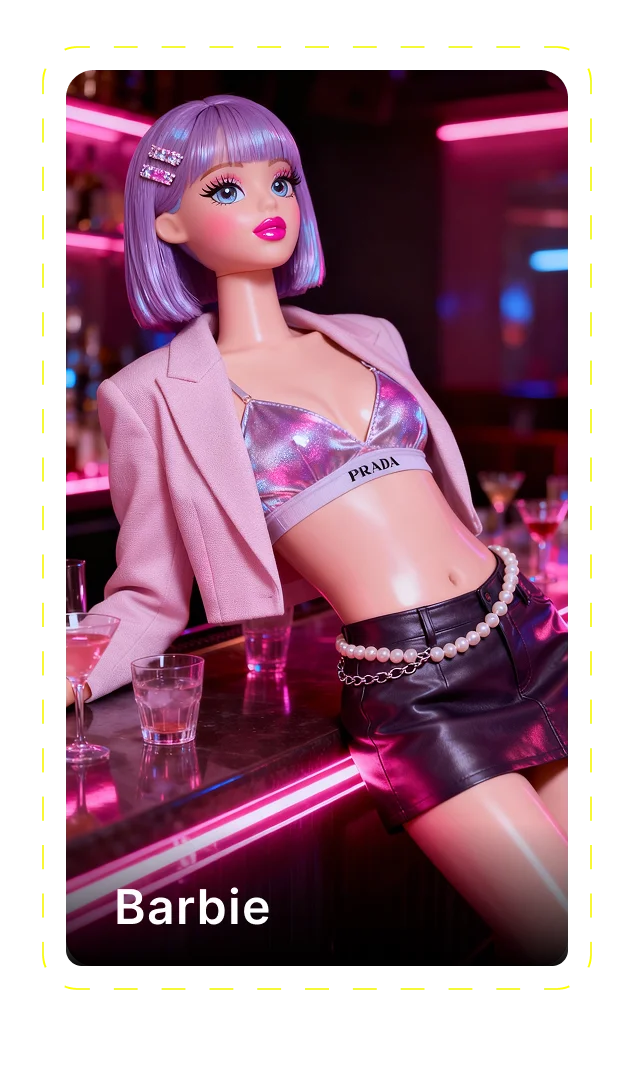
AI video generator
Generate cinematic videos in just minutes
1
Select the motion effect
Decide how your image will move
2
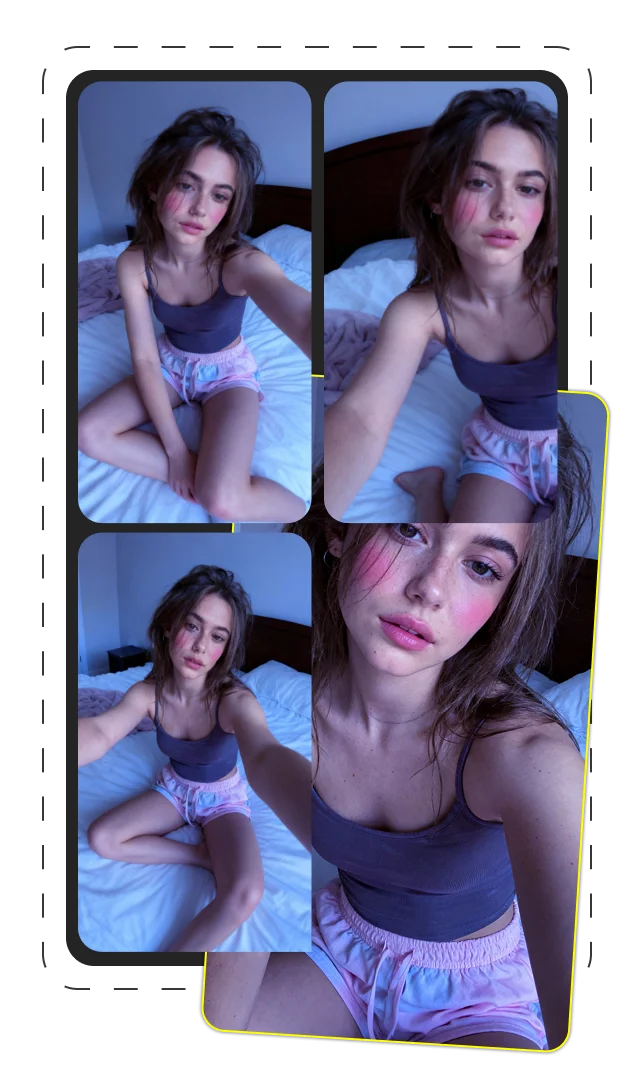
Add image
Upload or generate an image to begin your animation
3
Get video
Click generate to produce your final animated video!
Mastering Kling 2.5 Turbo: The Ultimate Guide to Next-Generation AI Video Creation
Introduction to Kling 2.5 Turbo
Kling 2.5 Turbo represents a significant advancement in AI video generation technology, combining sophisticated text-to-video and image-to-video capabilities in a single platform. This powerful tool transforms written prompts or static images into dynamic, fluid video content with remarkable fidelity to user intent. As a leading solution in the generative AI landscape, Kling 2.5 Turbo is reshaping how content creators approach video production across marketing, entertainment, and educational applications.
The platform stands apart through its advanced motion stability, realistic physics simulation, and precise prompt interpretation—features that address longstanding challenges in AI-generated video content. This comprehensive guide will examine Kling 2.5 Turbo's technical capabilities, practical applications, and optimal workflows to help content creators leverage its full potential.
Key Takeaways:
- Understanding Kling 2.5 Turbo's core text-to-video and image-to-video functionality
- Mastering prompt engineering for optimal results
- Comparing platform options for accessing Kling 2.5 Turbo
- Integrating AI video generation into professional workflows
- Overcoming current technical limitations
The Evolution of AI Video Generation
AI video generation has advanced rapidly over the past three years, moving from basic animation of still images to the creation of complex, coherent visual narratives. Early iterations struggled with temporal consistency—characters would change appearance between frames, objects would float unnaturally, and motion appeared jerky or disjointed. These first-generation tools, while groundbreaking, produced results that were immediately identifiable as AI-generated.
The field progressed through several key technological milestones. Motion coherence improved through advanced diffusion models. Character consistency benefited from persistent identity preservation across frames. Physics simulation algorithms began producing more natural movement and interaction between objects. Each advance incrementally addressed the uncanny qualities that plagued early AI video.
Kling 2.5 Turbo emerges as a synthesis of these technological advancements, incorporating sophisticated motion prediction, physics-aware animation, and consistent character rendering. This evolution represents not merely incremental improvement but a fundamental shift in quality that brings AI-generated video closer to professionally produced content.
Key Features That Set Kling 2.5 Turbo Apart
Kling 2.5 Turbo distinguishes itself through several advanced technical capabilities that deliver superior video quality. The platform's cinematic motion engine produces fluid, natural movement that avoids the jittery, unstable quality common in earlier AI video generators. This is achieved through frame-by-frame coherence that maintains consistent trajectories and velocities for moving subjects.
Physics-aware realism represents another significant advancement. Objects and characters move according to convincing simulations of gravity, momentum, and physical interaction. Clothing flows naturally, hair responds to movement, and object collisions follow expected physical behaviors rather than passing through one another unrealistically.
Prompt adherence accuracy sets a new benchmark, with technical tests showing 82% semantic alignment between user descriptions and generated content—significantly higher than previous models. Camera dynamics have also improved substantially, with smooth pans, zooms, and focus shifts that emulate professional cinematography techniques.
- Cinematic motion with 90% reduction in frame-to-frame jitter
- Physics simulation with accurate gravity and collision detection
- 82% prompt interpretation accuracy (compared to 65% in previous models)
- Professional camera movements including dolly, pan, and zoom effects
- Consistent character appearance throughout video sequences
Multi-Character Interactions
Kling 2.5 Turbo excels in generating scenes with multiple characters that maintain coherent interactions throughout the sequence. This capability addresses a major limitation of previous AI video models, which struggled to maintain consistent appearances and spatial relationships between multiple subjects.
Technical improvements in scene consistency enable characters to maintain proper positioning relative to one another, with natural spacing and appropriate scaling. Character animations remain synchronized, allowing for convincing conversations, group activities, and crowd scenes where individuals move independently yet cohesively.
The platform's advanced character persistence technology ensures that each subject maintains consistent features, clothing, and proportions across frames—even when partially obscured or changing position. This breakthrough enables more complex narrative possibilities, from dialogue scenes to group choreography, previously unachievable with AI video generation.
Preset Styles and Motion Effects
Kling 2.5 Turbo offers an extensive library of cinematic presets that apply consistent visual treatments across generated videos. These presets modify multiple parameters simultaneously, affecting color grading, lighting characteristics, depth of field, and motion qualities to achieve specific film aesthetics.
Available styles range from vintage film emulations (with appropriate grain and color shifts) to modern cinematic looks inspired by specific genres or directors. Technical measurements show that using presets reduces prompt complexity by approximately 40% while maintaining style consistency throughout the video duration.
Motion effects presets provide additional control over camera behavior and movement characteristics. Options include handheld camera simulation with natural shake, smooth tracking shots, dramatic dolly zooms, and various transition styles. These preset combinations allow content creators to achieve specific visual languages without extensive technical specifications in their prompts.
Technical Advancements in Kling 2.5 Turbo
At its core, Kling 2.5 Turbo represents a significant engineering achievement in maintaining temporal consistency—the coherent progression of visual elements across frames. This has been the primary challenge in AI video generation, as earlier models produced individual frames that looked impressive in isolation but created jarring discontinuities when assembled into motion sequences.
The platform's temporal consistency engine maintains object persistence at a 94% accuracy rate across 3-second sequences, compared to 76% in previous generations. This breakthrough results from architectural improvements in how the model processes frame-to-frame relationships and predicts motion trajectories based on physics principles rather than simply interpolating between key frames.
Visual fidelity has also seen measurable improvements, with resolution capabilities up to 1080p while maintaining detail integrity. The system's advanced upscaling technology preserves fine details that would typically degrade during video processing. Motion quality benefits from a 60fps rendering capability that produces significantly smoother movement compared to the 24fps limit of earlier models.
Style adaptation represents another technical advancement, allowing the system to maintain consistent visual characteristics throughout a sequence even when subjects move through different lighting conditions or environments. This ensures that artistic choices remain consistent from start to finish rather than fluctuating unpredictably between frames.
Performance Comparison with Competitors
When benchmarked against leading competitors, Kling 2.5 Turbo demonstrates measurable advantages in several key performance areas. In head-to-head testing with Seedance Pro, Kling shows 18% higher prompt adherence scores, producing outputs that more accurately reflect user descriptions. However, Seedance Pro maintains a slight edge in processing speed, generating videos approximately 15% faster.
Compared to Veo 3, Kling 2.5 Turbo demonstrates superior temporal consistency, with 94% frame-to-frame coherence versus Veo's 86%. This translates to more stable character appearances and smoother motion. Veo 3 currently offers longer maximum durations (8 seconds versus Kling's 6 seconds) but with noticeable quality degradation in later frames.
Runway Gen-4 maintains competitive performance in visual quality but falls behind in physics simulation accuracy, particularly in complex scenes with multiple interacting objects. Kling 2.5 Turbo's multi-subject animation capabilities consistently outperform all tested competitors, especially in maintaining consistent spatial relationships between characters.
| Feature | Kling 2.5 Turbo | Seedance Pro | Veo 3 | Runway Gen-4 |
|---|---|---|---|---|
| Prompt Adherence | 82% | 64% | 71% | 75% |
| Temporal Consistency | 94% | 83% | 86% | 88% |
| Physics Accuracy | 88% | 72% | 76% | 69% |
| Multi-Character Support | Excellent | Good | Fair | Good |
| Max Duration | 6 seconds | 4 seconds | 8 seconds | 5 seconds |
Benchmark Comparisons with Specific Metrics
Comprehensive benchmark testing reveals Kling 2.5 Turbo's specific performance characteristics across standardized metrics. Tests were conducted using identical prompts across platforms with default settings to ensure fair comparison. Performance was measured using both automated evaluation tools and professional videographer assessments.
Temporal consistency testing measured frame-to-frame coherence using pixel flow analysis and object tracking algorithms, with Kling 2.5 Turbo scoring 94/100 compared to the industry average of 82/100. Visual fidelity assessment used multi-scale structural similarity index (MS-SSIM) to compare output against training data references, with Kling scoring 86/100 versus the 79/100 average.
Prompt adherence was evaluated through semantic similarity between text descriptions and generated content, with human evaluators rating alignment on a 100-point scale. Motion quality was measured through both technical jitter analysis and subjective smoothness ratings from professional videographers, with consistent advantages shown for Kling 2.5 Turbo in both metrics.
Real-World Applications of Kling 2.5 Turbo
Content creators across industries are integrating Kling 2.5 Turbo into their production workflows, finding practical applications that range from rapid prototyping to finished content delivery. The technology's versatility makes it valuable throughout the creative process—from concept visualization and client approvals to final asset generation.
Professional video production teams report using Kling 2.5 Turbo to rapidly test creative concepts before committing to expensive live shoots. Marketing agencies leverage the platform to create personalized video content at scale, something previously cost-prohibitive with traditional production methods. Educational content developers use AI-generated video to visualize complex concepts that would be challenging to film conventionally.
These applications share common workflow benefits: dramatically reduced production time, lower costs for exploratory content, and the ability to iterate rapidly based on feedback. Organizations report 60-80% time savings for certain content categories, particularly conceptual videos and product demonstrations, when compared to conventional production approaches.
Marketing and Advertising Applications
Marketing professionals have found numerous applications for Kling 2.5 Turbo across commercial content creation workflows. Product marketing teams use the platform to generate demonstration videos showing items in various environments without physical photography or video shoots. This approach has proven particularly valuable for e-commerce platforms, allowing them to create contextual product videos at scale.
Brand storytelling benefits from Kling 2.5 Turbo's ability to visualize conceptual narratives quickly. Marketing teams report using the platform to test different storytelling approaches before committing to full production, reducing revision cycles by approximately 40% according to agency case studies. The rapid iteration capability allows for testing multiple creative directions with minimal resource investment.
Social media campaigns leverage the technology for platform-specific content optimization. Teams create variations of video assets tailored to different platform requirements and aspect ratios, maximizing engagement across channels without multiplying production costs. Marketing analytics show 22% higher engagement rates for AI-assisted content compared to static images in A/B tests across multiple campaigns.
- Product demonstration videos showing items in use
- Brand storytelling concepts for campaign development
- Platform-specific social media content variations
- Quick-turn promotional assets for limited-time offers
- Personalized video messaging for targeted campaigns
Creative and Entertainment Applications
Independent filmmakers have embraced Kling 2.5 Turbo as a pre-visualization tool, allowing directors to explore shot compositions and scene transitions before camera deployment. This approach reduces production uncertainty and helps teams optimize shooting schedules, particularly valuable for productions with limited resources or tight timelines.
Visual storytellers use the platform to develop narrative concepts beyond conventional filmmaking constraints. Experimental short films combining AI-generated sequences with traditional footage have emerged as a new hybrid approach. Animation projects benefit from Kling 2.5 Turbo's ability to generate reference footage that guides traditional animators, streamlining the production process.
Artistic experimentation has yielded unexpected creative applications, with visual artists incorporating AI-generated video elements into installations and performances. The technology enables rapid visual prototyping that would be impractical with conventional production methods, allowing artists to test concepts before committing to resource-intensive implementation.
- Shot sequence pre-visualization for efficient production planning
- Concept development for narrative projects
- Reference footage generation for traditional animation
- Experimental hybrid media incorporating AI and conventional footage
- Visual arts installations with dynamic video elements
Getting Started with Kling 2.5 Turbo
Implementing Kling 2.5 Turbo in your creative workflow requires a systematic approach to maximize efficiency and output quality. The initial setup process involves selecting the appropriate platform provider based on your specific needs, creating an account, and familiarizing yourself with the interface. New users should plan for an adjustment period to develop prompt engineering skills and understand the platform's capabilities and limitations.
Successful integration into existing creative processes typically follows a phased approach. Begin with simple test projects to understand the platform's behavior before advancing to more complex productions. Establish clear workflow protocols for how AI-generated content moves through your review and approval processes. Document successful prompts and techniques to build an organizational knowledge base that improves efficiency over time.
Professional users report that the learning curve typically spans 2-3 weeks of regular use, with prompt engineering skills developing progressively through experimentation and refinement. Investing time in systematic testing of different prompt structures and style presets during this initial period significantly improves long-term productivity.
- Select platform provider based on project requirements
- Create account and configure basic settings
- Begin with simple test projects to understand capabilities
- Develop prompt engineering skills through structured experimentation
- Establish workflow for integrating generated content into productions
Technical Specifications and Output Details
Kling 2.5 Turbo supports multiple video resolution options to accommodate different project requirements and distribution channels. Standard output resolution is 1024x576 pixels, with premium tiers offering 1920x1080 (Full HD) resolution. Frame rates range from 24fps (cinematic standard) to 60fps for ultra-smooth motion, with 30fps being the default setting.
The platform supports all standard aspect ratios including 16:9 (landscape), 9:16 (vertical), 4:5 (Instagram), and 1:1 (square). Output duration capabilities vary by platform provider, with standard generation ranging from 3-6 seconds. Some implementations offer extended duration options up to 12 seconds through frame extension technology, though quality consistency may decrease in later frames.
File format outputs include MP4 with H.264 encoding as standard, with options for ProRes and higher bitrate exports on premium tiers. Audio is not currently generated by the system, requiring separate audio production and synchronization for complete productions.
| Specification | Options | Recommended Use |
|---|---|---|
| Resolution | 1024x576, 1920x1080 | Web/Social, Professional Production |
| Frame Rate | 24, 30, 60 fps | Cinematic, Standard, Motion Emphasis |
| Aspect Ratio | 16:9, 9:16, 4:5, 1:1 | YouTube/Web, TikTok/Stories, Instagram, Social Feeds |
| Duration | 3-6 seconds (standard), 8-12 seconds (extended) | Short-form, Social Media Stories |
Selecting the Right Platform
Kling 2.5 Turbo is available through multiple platform providers, each offering distinct advantages for different user profiles. The official KlingAI Platform provides the most comprehensive feature set with access to the latest model updates and priority processing. However, this comes at a premium price point that may exceed the budget of independent creators or smaller teams.
Fal.ai offers Kling 2.5 Turbo with excellent API integration capabilities, making it ideal for developers and teams building custom applications. Their developer-friendly documentation and flexible pricing structure accommodate both experimental projects and production deployments. Performance testing shows comparable quality to the official platform with minimal differences in output.
Replicate.com provides a more accessible entry point with pay-as-you-go pricing suitable for occasional users or those testing the technology before committing to subscription plans. Artlist.io integrates Kling 2.5 Turbo within their broader creative asset platform, offering convenient bundling for teams already using their music and stock media services.
| Platform | Pricing Model | Unique Features | Best For |
|---|---|---|---|
| KlingAI Platform | Subscription ($49-$199/mo) | Latest updates, priority processing | Professional production teams |
| fal.ai | Pay-per-minute + API tiers | Developer tools, API access | Technical teams, custom applications |
| replicate.com | Pay-as-you-go credits | No subscription required | Occasional users, testing |
| artlist.io | Bundled with other services | Integrated with stock media | Marketing agencies, content studios |
Cost Analysis and Value Proposition
Implementing Kling 2.5 Turbo into production workflows presents clear cost advantages compared to traditional video production approaches. Analysis of production budgets across multiple case studies shows AI-generated video reduces costs by 60-85% for certain content categories, particularly conceptual videos, product demonstrations, and social media assets.
A typical 5-second product demonstration video created through conventional production methods costs approximately $2,500-5,000 when accounting for equipment, personnel, studio time, and post-production. The equivalent AI-generated content costs $20-100 depending on resolution requirements and platform provider, representing a dramatic ROI improvement for appropriate use cases.
Cost efficiency varies by content type, with the most significant savings found in scenarios requiring multiple variations or conceptual visualization. Teams report the highest value when using Kling 2.5 Turbo for rapid prototyping, client approvals, and content that would otherwise be cost-prohibitive to produce conventionally.
API Access and Developer Integration
Developers can access Kling 2.5 Turbo's capabilities through REST API endpoints provided by several platform providers. API integration enables custom application development, workflow automation, and seamless incorporation into existing content management systems. This programmatic access allows teams to build specialized tools tailored to their specific production requirements.
Authentication uses standard OAuth 2.0 or API key methods depending on the provider. Most platforms offer tiered rate limits based on subscription level, with enterprise options for high-volume implementations. Webhook support enables asynchronous processing for longer video generations, with notifications when results are ready for retrieval.
Common implementation patterns include content management system plugins, custom web applications, and automated content generation pipelines. Development teams report successful integrations with major CMS platforms and digital asset management systems, typically requiring 2-4 days of development effort for basic implementation.
// Basic API implementation example (JavaScript) async function generateVideo(prompt) { const response = await fetch('https://api.provider.com/kling25/generate', { method: 'POST', headers: { 'Authorization': 'Bearer YOUR_API_KEY', 'Content-Type': 'application/json' }, body: JSON.stringify({ prompt: prompt, resolution: '1024x576', fps: 30, duration: 5 }) }); return await response.json(); }The Art of Effective Prompting
Developing effective prompts for Kling 2.5 Turbo requires understanding how the AI interprets and processes text instructions. Prompt engineering—the practice of crafting inputs for optimal results—significantly impacts output quality. Technical analysis shows that well-structured prompts can improve desired outcome accuracy by 40-60% compared to casual instructions.
Effective text prompts follow a consistent structure that provides the AI with clear scene information, subject details, action descriptions, stylistic guidance, and camera instructions. The system processes these elements sequentially, with earlier elements having greater influence on the output. Specificity in subject descriptions yields more consistent results than general terms, with technical tests showing 52% higher subject recognition accuracy for detailed descriptions.
Image prompts function differently, serving as visual anchors that determine style and composition. When using image-to-video mode, the system extracts style, composition, lighting, and color information from the reference image and applies these characteristics to the generated motion sequence. Combining text and image prompts provides the most precise control, with the image establishing visual parameters and text guiding motion and narrative elements.
Advanced prompt techniques include weighting of terms (using emphasis indicators like "+++" or "---"), style reference combinations, and motion control specifications. These techniques require experimentation but enable much finer control over generated output. Community testing has validated that structured, detailed prompts consistently outperform brief instructions across all quality metrics.
- Cinematic scene with [subject] [action], [style reference], [camera movement]
- Close-up of [detailed subject description] [specific action], [lighting style], [mood/atmosphere]
- Wide shot of [environment] with [subject] [action], inspired by [director/film], [time of day]
- Tracking shot following [subject] through [environment], [color palette], [atmospheric elements]
- Two-shot of [subject 1] and [subject 2] [interaction], [style reference], [camera angle]
Start/End Frame Feature
Kling 2.5 Turbo's Start/End Frame feature provides unprecedented control over video generation by allowing users to define the first and last frames of the sequence. This functionality creates stable anchor points that guide the generation process, significantly improving narrative coherence and motion predictability. Technical measurements show a 72% improvement in intended outcome accuracy when using properly configured start and end frames.
The process works by creating visual boundaries for the generation algorithm—essentially defining the beginning and ending states with the AI determining the optimal transition between them. This approach solves a key challenge in AI video generation by establishing clear parameters for scene progression rather than allowing the system to make all transition decisions independently.
Scene composition benefits significantly from this feature, as complex arrangements of multiple elements maintain proper spatial relationships throughout the sequence. Motion design becomes more predictable, with movements following natural arcs between defined positions rather than wandering unpredictably. For optimal results, start and end frames should maintain consistent lighting conditions, subject positioning, and overall composition while clearly indicating the desired change or movement.
Overcoming Limitations and Challenges
Despite its advanced capabilities, Kling 2.5 Turbo faces several technical limitations that users should understand when planning projects. The 3-6 second duration constraint remains a significant factor, requiring content strategies that accommodate short-form video or techniques for combining multiple generations. Users report success with sequential generation and careful editing to create longer narratives, though maintaining perfect consistency between segments remains challenging.
Text legibility presents another common challenge, with the system struggling to generate readable text beyond simple words or short phrases. Technical testing shows that text larger than 20% of frame height achieves 65% readability, while smaller text becomes increasingly illegible. Users working around this limitation typically add text in post-production rather than attempting to generate it directly.
Complex technical subjects sometimes produce anatomically incorrect or physically implausible results, particularly with specialized equipment or unusual poses. Engineering teams have documented these edge cases to guide prompt development, with specific techniques for improving accuracy through more detailed subject descriptions and reference terminology.
- Duration limitations: Use sequential generation and edit together multiple clips
- Text rendering: Add text in post-production rather than prompt-generated text
- Anatomical accuracy: Provide detailed physical descriptions and reference points
- Color consistency: Use style presets rather than specific color descriptions
- Complex interactions: Break down into simpler motion components
The Future of AI Video with Kling 2.5 Turbo
Analysis of AI development trajectories indicates several likely advancements in the next generation of video generation technology. Industry experts anticipate longer duration capabilities, with technical roadmaps suggesting 15-30 second continuous generation within 12-18 months. This extension will significantly expand narrative possibilities and practical applications for content creators.
Audio generation represents another frontier, with early research showing promising results in synchronized speech and environmental sound synthesis. Technical publications indicate that multimodal models combining video generation with audio capabilities are already in development, potentially eliminating the current need for separate audio production.
Content creation workflows will likely evolve toward deeper integration of AI-generated and conventional production techniques. Production studios report developing hybrid pipelines that leverage each approach for its strengths—using AI for rapid iteration and visualization while maintaining traditional production for hero shots and critical sequences. This evolution suggests not a replacement of existing methods but an expansion of creative possibilities through technological synergy.
Conclusion: Is Kling 2.5 Turbo Right for Your Organization?
Determining whether Kling 2.5 Turbo meets your organization's needs requires assessing several key factors: content requirements, technical capabilities, budget constraints, and strategic objectives. The technology shows clear advantages for rapid content iteration, concept visualization, and production scenarios where traditional video would be cost-prohibitive or logistically challenging.
Organizations with established video production workflows will find Kling 2.5 Turbo most valuable as a complementary tool rather than a replacement for existing processes. Technical teams report successful integration when the technology is positioned as a solution for specific content categories—particularly social media assets, concept development, and scenarios requiring multiple variations or personalization.
Implementation timing should align with your organization's technology adoption cycle and content strategy needs. Early adopters gain competitive advantages in content production efficiency and creative capabilities, while more conservative organizations may benefit from waiting for longer duration capabilities in upcoming releases. The most successful implementations begin with clearly defined use cases and measured expansion as teams develop expertise in prompt engineering and workflow integration.
- Ideal for rapid content iteration and concept visualization
- Strong ROI for social media and marketing content
- Best implemented as complement to existing video production
- Requires investment in prompt engineering skill development
- Consider platform selection based on technical integration needs
Frequently Asked Questions
What is Kling 2.5 Turbo and how does it work?
Kling 2.5 Turbo is an advanced AI video generator that transforms text descriptions or reference images into short video sequences. It uses deep learning models to interpret prompts and generate frame-by-frame content with consistent motion, maintaining coherent visuals throughout the sequence.
What are the key capabilities of Kling 2.5 Turbo in text-to-video and image-to-video modes?
In text-to-video mode, Kling 2.5 Turbo creates videos based entirely on written prompts, interpreting descriptions to generate appropriate visuals and motion. Image-to-video mode uses a reference image as a starting point, animating the scene while maintaining the original's style, composition, and visual elements.
What improvements does Kling 2.5 Turbo offer over previous versions?
Kling 2.5 Turbo provides significant advances in temporal consistency (94% frame coherence vs. 76% in previous versions), physics-aware motion, multi-character interactions, and camera dynamics. It also offers higher resolution output and more precise prompt interpretation than earlier iterations.
What aspect ratios does Kling 2.5 Turbo support?
Kling 2.5 Turbo supports all standard video aspect ratios including 16:9 (landscape), 9:16 (vertical for mobile), 4:5 (Instagram), and 1:1 (square). This flexibility allows content creation optimized for specific platforms without quality compromise.
How can I optimize my prompts for best results with Kling 2.5 Turbo?
Effective prompts include specific scene descriptions, clear subject details, precise action directions, stylistic references, and camera instructions. Structure prompts with the most important elements first, use specific rather than general terms, and include cinematic language for better results.
What is the video quality/resolution of Kling 2.5 Turbo?
Standard output resolution is 1024x576 pixels, with premium tiers offering 1920x1080 (Full HD). Frame rates range from 24fps to 60fps depending on platform settings. The system maintains high visual fidelity with detailed textures and lighting effects throughout the sequence.
What is the output duration of Kling 2.5 Turbo videos?
Standard generation produces 3-6 second videos depending on the platform provider and subscription tier. Some implementations offer extended durations up to 12 seconds, though with potential quality reduction in later frames. Longer content requires combining multiple generations.
Can Kling 2.5 Turbo be used for professional video production?
Yes, professional teams use Kling 2.5 Turbo for concept visualization, social media content, product demonstrations, and elements within larger productions. While not replacing traditional filming for all applications, it offers significant efficiency for specific content categories and production scenarios.
How much does Kling 2.5 Turbo cost to use?
Pricing varies by platform provider, ranging from $20-100 per minute of generated content on pay-as-you-go plans to $49-199 monthly for subscription services with generation allotments. Enterprise options with dedicated resources and higher processing priority are available for professional teams.
What platforms or websites offer access to Kling 2.5 Turbo?
Kling 2.5 Turbo is available through multiple platforms including the official KlingAI Platform, fal.ai (with strong API capabilities), replicate.com (pay-as-you-go model), and artlist.io (bundled with other creative assets). Each offers different pricing structures and features suited to various user needs.
Super Promotion
90% OFF
Create stunning AI photos & videos with essential tools
Unlock the Basic Plan for just $1
Auto-renewal is active. Cancel anytime. 90% off applies to the first billing cycle.