AI video generator
Generate cinematic videos in just minutes
1
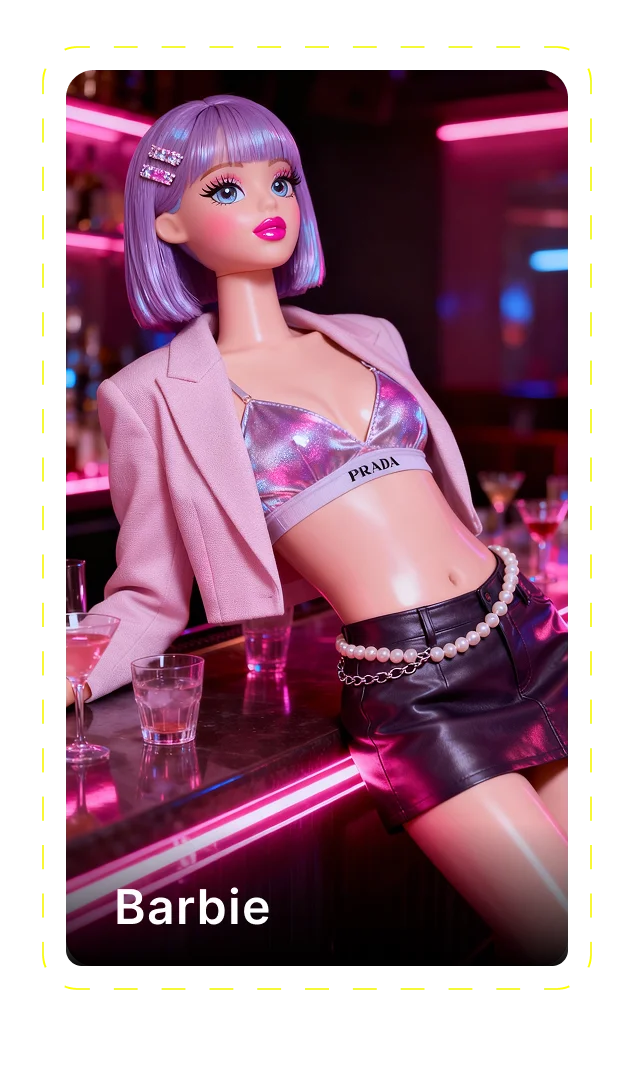
Select the motion effect
Decide how your image will move
2
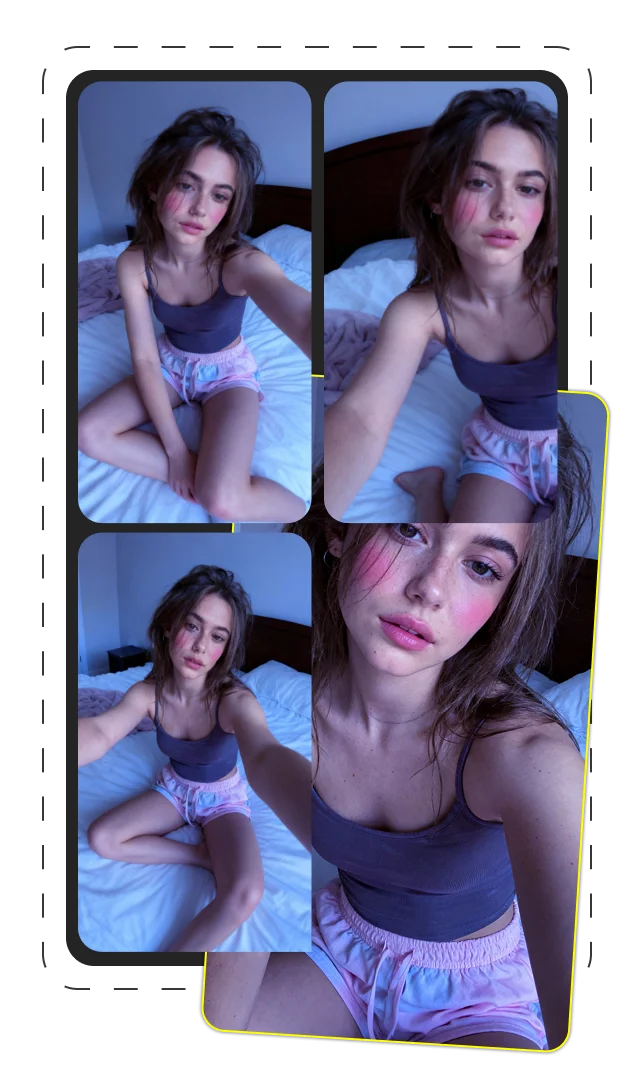
Add image
Upload or generate an image to begin your animation
3
Get video
Click generate to produce your final animated video!
Seedance Pro: The Ultimate Guide to ByteDance's Revolutionary AI Video Generator
What is Seedance Pro and Why It's Changed Video Creation
Seedance Pro represents a significant leap in AI-powered video generation technology. Developed by ByteDance, the tech giant behind TikTok, this cutting-edge tool has rapidly become a standout player in the emerging AI video generation market. At its core, Seedance Pro offers both text-to-video and image-to-video capabilities, allowing users to transform written prompts or static images into dynamic, high-quality video content.
What sets Seedance Pro apart is ByteDance's substantial expertise in AI development. The company has leveraged its experience with content algorithms to create a video generation model that produces remarkably coherent and visually compelling results. Seedance Pro has evolved through various versions, with Seedance 1.0 Pro marking its initial release and Seedance 1.5 Pro introducing significant improvements in visual quality, motion control, and narrative consistency.
Unlike earlier AI video tools that struggled with motion artifacts and visual coherence, Seedance Pro handles complex movements with surprising fluidity. The platform excels at maintaining visual continuity throughout generated videos, a persistent challenge for many competing solutions. ByteDance's investment in advanced machine learning techniques has enabled Seedance Pro to interpret prompts with greater accuracy, resulting in videos that more closely match user intent.
The Technology Behind Seedance Pro
The remarkable capabilities of Seedance Pro stem from its sophisticated Diffusion Transformer architecture. ByteDance has built this foundation model to handle the complex interplay between visual elements, motion, and temporal coherence that effective video generation demands.
At the heart of Seedance Pro's technical prowess is its audio-visual joint generation system. Unlike many competing tools that generate video and audio separately, Seedance Pro creates both simultaneously, ensuring natural synchronization between visual elements and sound. This integrated approach leads to more convincing results, particularly for dialogue-heavy content.
The machine learning framework behind Seedance Pro represents thousands of hours of training across diverse video content. ByteDance has fine-tuned this model to understand cinematic language, allowing it to interpret not just literal prompt elements but also stylistic direction. The system processes input through multiple diffusion stages, gradually refining visual elements from rough patterns to detailed, coherent video sequences.
What's particularly impressive is how the Diffusion Transformer handles temporal consistency—maintaining the same character appearances, settings, and objects throughout a video sequence. This has been a significant challenge for AI video generation, and ByteDance's approach represents a meaningful step forward in solving this complex problem.
Standout Features That Make Seedance Pro Worth Using
Seedance Pro stands apart from other AI video generators through several key features that address longstanding challenges in the field. ByteDance has clearly focused on delivering capabilities that content creators actually need rather than just technical novelties.
For content creators looking to streamline their workflow, Seedance Pro offers a compelling combination of quality and control. The tool excels at producing cinematic quality videos from simple prompts, with particular strength in lighting, camera movement, and visual consistency—elements that have typically required professional video production expertise.
- Native audio-visual generation with synchronized speech
- Multi-shot storytelling with consistent characters and environments
- Advanced motion control and camera movement options
- High-resolution output with cinematic quality lighting and composition
- Flexible input methods (text prompts or reference images)
Native Audio-Visual Synchronization
One of Seedance Pro's most impressive features is its built-in audio-visual synchronization. Unlike many competing tools that generate silent videos requiring separate audio production, Seedance Pro creates synchronized audio alongside video content.
The platform's lip-sync technology is particularly noteworthy, allowing characters to speak with natural mouth movements that match generated dialogue. This capability alone can save hours of post-production work that would otherwise be needed to align audio and video elements.
Native audio generation extends beyond just dialogue to include:
- Character speech with accurate lip movements
- Ambient environmental sounds matching the scene
- Background music that fits the mood and pacing
- Sound effects synchronized with on-screen actions
This integrated approach means creators can generate complete audio-visual packages in a single process, dramatically simplifying workflow compared to piecing together separately generated audio and video components.
Multi-Shot Storytelling Capabilities
Seedance Pro excels at generating coherent sequences of shots that tell a continuous story—a capability that sets it apart from many AI video tools that struggle with anything beyond single-shot clips.
The platform's scene consistency algorithms maintain visual continuity across multiple shots, ensuring that characters, settings, and objects remain recognizable throughout a sequence. This consistency extends to lighting conditions, color palettes, and stylistic elements, creating a cohesive viewing experience.
Narrative cohesion is further enhanced by the platform's ability to interpret sequential prompts as part of a continuous story. Shot transitions can be specified through prompts, allowing for cuts, dissolves, or camera movements between scenes while maintaining the narrative thread.
Perhaps most impressively, Seedance Pro maintains character consistency across multiple shots, ensuring that the same person appears with consistent physical features, clothing, and characteristics throughout a sequence—a challenging task that many AI systems struggle with.
Cinematic Quality and Motion Control
Seedance Pro delivers notably cinematic results through its sophisticated handling of lighting, composition, and camera movement. The platform can interpret cinematic terminology in prompts, allowing users to specify particular styles, movements, or visual approaches.
Camera movement options include tracking shots, pans, zooms, and dolly movements that would typically require physical camera equipment and skilled operators. These movements maintain smooth consistency throughout their execution, avoiding the jittery or warped appearance common in less sophisticated AI video tools.
The platform's lighting effects are equally impressive, with the ability to simulate natural lighting conditions, dramatic cinematic lighting, or stylized approaches. Users can specify lighting direction, quality, and mood through prompts, with the system intelligently applying these parameters across the generated video.
Motion Control features give users precise influence over how subjects move within the frame, allowing for dramatic slow motion, specific character animations, or environmental motion like flowing water or swaying trees. This level of control helps create videos that feel intentionally directed rather than randomly generated.
How to Use Seedance Pro Like a Professional
Getting the most from Seedance Pro requires understanding its AI workflow and adapting your approach to work with the system rather than against it. Professional results come from knowing how to guide the video generation process through effective prompts and settings configuration.
The basic workflow follows a logical progression that will feel familiar to anyone who has used other AI generation tools, but with video-specific considerations at each stage:
- Define your video concept and key visual elements
- Create a precise prompt or select reference images
- Configure video settings (resolution, length, style)
- Generate initial result and evaluate
- Refine prompt and settings based on results
- Generate final video and download
This iterative approach yields the best results, as initial outputs provide valuable feedback on how the system interprets your instructions, allowing for targeted refinements.
Creating Your First Video: A Step-by-Step Guide
Getting started with Seedance Pro is straightforward once you understand the basic process. Here's a complete walkthrough from initial setup to finished video:
- Access the Seedance Pro interface through your account dashboard
- Choose your generation mode: text-to-video or image-to-video
- For text-to-video: Enter a detailed prompt describing your desired scene, style, and action
- For image-to-video: Upload a reference image and add text describing desired motion and duration
- Select video parameters including resolution, aspect ratio, and duration
- Optional: Enable advanced features like Motion Control or fixed camera position
- Generate your video (processing typically takes 1-3 minutes)
- Review the result and note any elements that need adjustment
- Refine your prompt or settings based on the initial output
- Generate your final video and download in your preferred format
The platform supports both text-to-video and image-to-video generation paths, with each offering distinct advantages. Text-to-video provides maximum creative freedom, while image-to-video offers greater control over specific visual elements and style.
Mastering Prompt Engineering for Seedance Pro
The quality of your Seedance Pro results depends heavily on effective prompt engineering. Well-crafted prompts communicate precisely what you want the AI to generate, while poor prompts lead to disappointing or unpredictable results.
When writing prompts for Seedance Pro, be specific about visual elements, motion, and style. For example, rather than simply writing "a man walking," specify "a young man in a blue jacket walking slowly through a sunlit forest path, soft dappled light, cinematic wide shot, shallow depth of field."
Consider including these elements in your prompts:
- Subject details (appearance, clothing, actions)
- Environment specifics (location, time of day, weather)
- Camera perspective (angle, distance, movement)
- Lighting characteristics (quality, direction, color)
- Stylistic references (cinematic, documentary, vintage)
- Motion description (speed, flow, direction)
For more controlled results, use negative prompts to exclude unwanted elements: "No rapid camera movements, no text overlays, no multiple subjects." This guides the AI away from common problematic interpretations.
| Basic Prompt | Advanced Prompt |
|---|---|
| A woman running | A young woman in athletic wear sprinting along a coastal path at golden hour, dynamic tracking shot following her movement, cinematic color grading, natural motion, 35mm film look |
| City street | Bustling Tokyo street at night, neon signs reflecting in rain puddles, slow motion, low angle perspective, atmospheric lighting, cyberpunk aesthetic, smooth camera pan |
Example Prompts for Different Video Styles
Different video styles require specific prompt approaches to get optimal results from Seedance Pro. Here are some tested examples across various categories:
Cinematic Narrative: "A rugged explorer discovers an ancient artifact in a dimly lit cave, dust particles visible in shafts of light, camera slowly dollying in, shallow depth of field, golden color grade, 35mm film look, dramatic orchestral undertones"
Commercial Product: "A sleek smartphone rotating slowly against a minimal white background, soft glamour lighting from above, ultra-sharp details, macro lens perspective showing texture, glossy reflections, smooth continuous rotation, high-end product photography style"
Fashion/Lifestyle: "A stylish woman in a flowing white dress walking through a Mediterranean garden, soft breeze moving fabric, natural morning light, shallow focus, smooth tracking shot, fashion editorial style, warm color palette, 16:9 aspect ratio"
Abstract/Experimental: "Colorful paint liquids mixing and flowing in slow motion, macro perspective, vibrant complementary colors, smooth organic movements, dark background, cinematic lighting from side angles, mesmerizing patterns forming and dissolving"
Social Media Story: "A barista creating latte art in a trendy coffee shop, overhead view, morning sunlight streaming through windows, warm color tones, smooth slow-motion pour, satisfying completion, 9:16 vertical format, lifestyle content style"
Optimizing Settings for Different Video Types
Beyond prompts, adjusting Seedance Pro's technical settings significantly impacts your results. Different project types benefit from specific configurations:
| Video Type | Resolution | Frame Rate | Additional Settings |
|---|---|---|---|
| Social Media Stories | 720p Vertical (9:16) | 30fps | Higher saturation, faster motion |
| Cinematic Scenes | 1080p Widescreen (16:9) | 24fps | Film grain, lower saturation, Motion Control enabled |
| Product Demonstrations | 720p Square (1:1) | 30fps | High sharpness, Fixed Camera option |
| Website Headers | 1080p Ultra-Wide (21:9) | 24fps | Subtle motion, lower contrast |
For optimal video quality, balance resolution against other factors. Higher resolutions provide more detail but may introduce artifacts or consistency issues. For most applications, 720p offers the best balance of quality and reliability, while 1080p works well for showcase pieces where maximum detail matters.
Frame rate selection affects the perceived smoothness and style of your video. Lower frame rates (24fps) create a more cinematic feel, while higher rates (30fps) work better for realistic motion or social media content.
Technical Specifications and API Integration
Seedance Pro offers considerable technical depth beyond its user interface, with comprehensive API capabilities for developers and technical users. Understanding these specifications helps maximize the tool's potential for custom implementations and workflow integration.
The Seedance Pro API provides programmatic access to all core generation features, allowing developers to build custom applications or integrate video generation into existing creative workflows. This opens possibilities for batch processing, automated content creation, and specialized interfaces tailored to specific use cases.
Key technical specifications include support for multiple video resolutions up to 1080p, with frame rates of 24fps and 30fps available. Output formats include MP4 with H.264 encoding, optimized for web delivery while maintaining quality. Video durations typically range from 3 to 15 seconds per generation, with longer sequences possible through multi-shot generation and compositing.
The platform supports various aspect ratios to accommodate different distribution channels:
- 16:9 (widescreen/landscape)
- 9:16 (vertical/stories)
- 1:1 (square/social)
- 21:9 (ultrawide/cinematic)
For developers looking to integrate Seedance Pro into their applications, the REST API accepts JSON payloads with prompt data and generation parameters, returning video URLs and metadata upon completion.
System Requirements and Performance Considerations
While Seedance Pro handles the heavy computational work on ByteDance's servers, optimal use still requires attention to system requirements and performance factors. The web interface runs smoothly on most modern computers, but certain configurations provide better experiences.
For standard usage, recommended system requirements include:
- Modern browser (Chrome, Firefox, Safari, Edge - latest versions)
- 8GB RAM minimum (16GB recommended for smoother performance)
- Broadband internet connection (10+ Mbps download)
- 1080p display or higher for accurate preview
Performance optimization comes primarily through bandwidth management and browser configuration. Clearing cache regularly helps prevent interface sluggishness, while avoiding multiple simultaneous generations reduces the risk of timeouts or errors.
GPU requirements are minimal for the interface itself since processing happens server-side, but a dedicated GPU improves preview playback smoothness. Rendering time varies based on server load and generation complexity, typically ranging from 1-3 minutes per video at standard settings.
For developers implementing the API, performance considerations include managing rate limits, implementing appropriate error handling, and caching results to prevent unnecessary regeneration of identical content.
API Documentation and Integration Examples
The Seedance Pro API offers developers flexible options for integrating AI video generation into custom applications and workflows. The RESTful API structure follows standard conventions, making it accessible to developers familiar with modern web services.
API documentation provides comprehensive coverage of available endpoints, authentication methods, and response formats. Authentication uses API keys with optional OAuth2 integration for enterprise implementations, ensuring secure access while supporting various integration patterns.
Key API endpoints include:
- /v1/generate - Primary generation endpoint accepting text or image inputs
- /v1/status - Check generation status and retrieve results
- /v1/user/credits - Monitor usage and account limits
- /v1/styles - Access available style presets and parameters
Integration examples span various use cases, from simple script-based generation to complex workflow automation. A basic API implementation might look like this:
Example request:
POST /v1/generate
{
"prompt": "A serene mountain lake at sunrise, mist rising from the water, cinematic wide shot",
"duration": 6,
"resolution": "720p",
"aspect_ratio": "16:9",
"frame_rate": 24
}
This standardized structure makes it straightforward to integrate Seedance Pro into content management systems, creative tools, or custom applications with minimal development effort.
Real-World Applications of Seedance Pro
Seedance Pro's capabilities translate into practical applications across numerous industries and content types. Understanding these use cases helps identify where the tool delivers the most value for specific needs.
AI video applications have expanded rapidly as generation quality improves, with Seedance Pro finding implementation across marketing, entertainment, education, and personal content creation. The platform's balance of quality and ease of use makes it accessible to professionals and enthusiasts alike.
Use cases span from quick social media content to sophisticated marketing materials, with creative applications limited primarily by prompt crafting skills rather than technical barriers. For business video content, the tool offers significant time and budget savings compared to traditional production methods.
The most successful implementations typically combine AI generation with thoughtful human curation and editing, using Seedance Pro to create base content that can be refined or incorporated into larger projects.
Content Creation and Social Media
Social media platforms have become the primary battleground for audience attention, with video consistently outperforming static content. Seedance Pro offers content creators a powerful tool for generating engaging short-form videos without extensive production resources.
The platform excels at producing eye-catching content optimized for social formats, including vertical stories, square feeds, and widescreen presentations. Content creators leverage these capabilities to maintain consistent posting schedules without sacrificing quality or visual interest.
Marketing videos generated through Seedance Pro perform particularly well for product teasers, announcements, and brand ambiance content. The ability to quickly produce multiple variations allows for A/B testing different approaches without multiplying production costs.
Common social media applications include:
- Brand mood videos and atmospheric content
- Product showcases and demonstrations
- Travel and lifestyle content
- Educational quick-tips and how-tos
- Abstract visuals for music promotion
The rapid generation capabilities particularly benefit creators working across multiple platforms, enabling content customization for each channel's specific format and audience expectations.
Prototyping and Visualization for Filmmakers
Professional filmmakers and video producers have embraced Seedance Pro as a valuable pre-production tool, using it to visualize concepts before committing to costly production resources.
Film visualization through AI generation allows directors and cinematographers to experiment with different visual approaches, camera movements, and lighting scenarios. This concept development phase benefits from the ability to quickly generate multiple variations of a scene to explore creative possibilities.
In pre-production planning, Seedance Pro helps communicate visual intentions to production teams, investors, and collaborators. These visualization tools bridge the gap between written descriptions and final production, ensuring all stakeholders share a common vision.
Storyboarding with AI-generated video offers several advantages over traditional still storyboards, including the ability to demonstrate timing, camera movement, and scene transitions. This dynamic approach provides more accurate guidance for production teams while remaining far less expensive than shooting test footage.
- Concept testing for different visual styles
- Camera movement and blocking visualization
- Lighting scenario exploration
- Pitch materials for funding or client approval
- Quick previz for complex sequences
Marketing and E-Commerce Applications
Marketing teams have found Seedance Pro particularly valuable for rapidly producing video content that would traditionally require substantial production resources. The platform enables even small businesses to create professional-quality video assets at scale.
Product demonstrations created with Seedance Pro offer visually appealing ways to showcase features and benefits without physical production limitations. This is especially valuable for e-commerce businesses needing to display products in various contexts or scenarios.
E-commerce content benefits from the ability to quickly generate promotional videos for seasonal campaigns, new product launches, or special offers. The speed of generation allows marketing teams to respond to market trends or competitor activities without lengthy production delays.
Effective marketing implementations include:
- Product showcases with dynamic movement
- Lifestyle context videos showing products in use
- Mood-setting brand videos for landing pages
- Social media advertisements with multiple variations
- Seasonal promotional content
Companies report significant ROI when replacing traditional video production with AI-generated content, particularly for recurring content needs and testing multiple creative directions before full campaign deployment.
How Seedance Pro Compares to Competitors
The AI video generation landscape has grown increasingly competitive, with several major players offering different approaches to the same fundamental challenge. Understanding how Seedance Pro compares to these alternatives helps identify which tool best fits specific needs.
When evaluating AI video generators, several key factors determine real-world utility: visual quality, motion coherence, prompt accuracy, generation speed, and creative control. Seedance Pro has established particular strengths in motion quality and multi-shot capabilities, while other tools may excel in different areas.
ByteDance's deep expertise in video-focused AI gives Seedance Pro advantages in certain scenarios, particularly those involving human movement and natural motion. The company's experience with TikTok's video ecosystem has clearly influenced its approach to generation quality and motion fluidity.
Major competitors include Kling AI, with its strength in stylized animation; Veo, which offers robust character consistency; Sora, which excels at longer sequences; and Runway Gen-2, known for its editing capabilities and integration with professional workflows.
| Tool | Strengths | Limitations |
|---|---|---|
| Seedance Pro | Motion quality, multi-shot sequences, audio integration | Limited editing features, fixed duration ranges |
| Runway Gen-2 | Editing tools, workflow integration, style control | Higher cost, less consistent character appearance |
| Kling AI | Stylized animation, character control, unique aesthetic | Less photorealistic options, shorter clips |
| Sora | Longer sequences, complex actions, natural environments | Limited availability, less precise control |
Model Comparison (Seedance 1.0 vs 1.5 Pro)
The evolution from Seedance 1.0 to Seedance 1.5 Pro represents a significant advancement in ByteDance's video generation technology, with several key improvements worth understanding.
Seedance 1.0 established the foundation with capable text-to-video and image-to-video generation, but had limitations in motion smoothness and multi-shot consistency. While impressive for its time, it sometimes produced unnatural movements and struggled with complex scenes.
Seedance 1.5 Pro introduced substantial improvements to both visual quality and technical capabilities:
| Feature | Seedance 1.0 | Seedance 1.5 Pro |
|---|---|---|
| Resolution Options | 720p maximum | Up to 1080p |
| Character Consistency | Variable within shots | Maintained across multiple shots |
| Audio Capabilities | Basic synchronization | Enhanced lip-sync and dialogue |
| Motion Control | Limited parameters | Expanded control options |
| Prompt Accuracy | Good for simple concepts | Improved interpretation of complex prompts |
ByteDance's refinements in Seedance 1.5 Pro focused particularly on motion quality and temporal consistency, addressing the most common criticisms of earlier versions. The improvements reflect both technical advances in the underlying model and more extensive training on diverse video content.
Performance Benchmarks and Quality Assessment
Objective evaluation of AI video generators requires standardized metrics and assessment criteria. The industry has begun developing benchmarks like SeedVideoBench-1.5, which measures performance across multiple quality dimensions.
Visual fidelity metrics assess how closely generated videos match the intended prompt or reference imagery. This includes evaluation of detail preservation, color accuracy, and overall realism. When measured against competitors, Seedance Pro typically scores in the top tier for visual quality, though results vary depending on content type.
Motion quality assessment focuses on the naturalness and smoothness of movement within generated videos. This is an area where Seedance Pro particularly excels, with fewer artifacts and more convincing motion than many alternatives, especially for human subjects and complex camera movements.
Prompt adherence measures how accurately the generated content reflects the input instructions. Seedance Pro demonstrates strong performance in interpreting complex prompts, though like all current AI systems, it occasionally misinterprets ambiguous instructions or struggles with extremely specific requests.
- Visual Quality: 8.5/10 - Strong detail and lighting, occasional minor artifacts
- Motion Coherence: 9/10 - Excellent fluidity and natural movement
- Prompt Accuracy: 8/10 - Good interpretation of most instructions
- Character Consistency: 8.5/10 - Strong within scenes, good across shots
- Audio Integration: 7.5/10 - Effective for basic dialogue, room for improvement
Cost-Benefit Analysis for Different User Needs
Evaluating Seedance Pro's value proposition requires balancing its capabilities against its cost for different user types. AI video pricing models vary significantly across the market, making direct comparisons essential for budget-conscious users.
For individual creators and small teams, Seedance Pro offers competitive pricing relative to its capabilities. When comparing cost per generation, it typically falls in the mid-range of the market—more expensive than basic tools but more affordable than some premium alternatives like Runway Gen-2.
ROI analysis varies significantly by use case. For marketing teams replacing traditional video production, the cost savings can be substantial—potentially 70-90% lower than conventional video shoots for certain content types. For creators producing high-volume content, the time savings often justifies the investment even when factoring in subscription costs.
| User Type | Value Proposition | ROI Considerations |
|---|---|---|
| Individual Creators | Moderate to high, depending on output volume | Best for those posting regular video content |
| Small Businesses | High for marketing and social media needs | Replaces more expensive production services |
| Agencies | Very high for concept development and pitches | Enables presenting more creative options to clients |
| Enterprise | Moderate, best with API integration | Scale and customization offer increasing returns |
Video generation costs must be weighed against both alternatives (traditional production or competitor AI tools) and the specific value derived from the content. For many users, the decision hinges on output quality requirements and volume needs rather than absolute cost.
Limitations and Future Developments
While Seedance Pro represents impressive technology, recognizing its current limitations provides a realistic understanding of where it fits in professional workflows. Like all AI video generators, certain constraints affect what can be achieved with today's technology.
Current AI limitations include challenges with very specific character details, complex narratives requiring precise continuity, and certain types of motion that still appear unnatural. Text rendering within videos remains problematic, with words often appearing garbled or inconsistent—a common issue across all video generation AI.
ByteDance's roadmap for Seedance Pro suggests several areas of ongoing development. Public statements and beta features indicate focus on extended video duration, improved character consistency, and more sophisticated audio generation including multi-speaker conversations and enhanced musical scoring.
The broader AI video technology landscape is evolving rapidly, with each major release pushing capabilities forward. ByteDance's strong position in the social video space provides unique data advantages that may accelerate certain improvements, particularly around natural human movement and expressive animation.
Current limitations to be aware of:
- Maximum video duration constraints (typically 15 seconds per generation)
- Occasional inconsistencies in character appearance across shots
- Text rendering issues (avoid relying on readable text in videos)
- Complex physical interactions sometimes appear unnatural
- Highly specific brand elements may not render precisely
Predictions for Seedance Pro and AI Video
Based on technology trajectories and industry patterns, several developments appear likely for Seedance Pro and the broader AI video generation field over the next 12-24 months.
The AI video future will likely see dramatic improvements in generation quality, with particular advances in temporal consistency and complex motion. Models are rapidly improving at maintaining character and environment consistency throughout longer sequences, a crucial capability for narrative content.
Industry predictions suggest generative AI for video will increasingly integrate with existing production workflows rather than replacing them entirely. We're seeing early signs of this with plugins for standard editing software and API-based integration with content management systems.
For Seedance Pro specifically, ByteDance's development focus appears to be on extending creative control while maintaining ease of use. Beta features suggest upcoming improvements in:
- Extended duration capabilities up to 30-60 seconds
- Enhanced character customization and consistency
- More sophisticated audio generation, including dialogue
- Improved editing and post-generation modification tools
- More precise camera and motion control parameters
- Integration with traditional video editing workflows
Video technology trends point toward convergence between generation and editing capabilities, with tools that allow more manipulation of generated content after initial creation. This hybrid approach will likely define the next phase of AI video development, combining the speed of generation with the precision of traditional editing.
Copyright and Usage Restrictions
Understanding the legal framework around AI-generated content is essential for professional use of Seedance Pro. The rapidly evolving legal landscape creates some uncertainty, but several key principles guide responsible usage.
AI-generated content copyright considerations center on two main aspects: the rights to the generated output and the training data used to create the model. ByteDance's licensing terms generally grant users commercial rights to content they generate, but with certain restrictions and limitations.
Commercial usage rights typically extend to marketing, social media, and other business applications, though specific terms may vary based on subscription tier and intended use. Most business uses are permitted, but it's essential to review the current terms for any restrictions on high-value commercial applications like broadcast advertising.
Content ownership questions become more complex when generating videos based on specific brands, people, or properties. While the generation itself may be technically possible, legal usage rights may be restricted. Users remain responsible for ensuring their prompts and resulting content don't infringe on third-party rights.
Key legal considerations when using AI-generated videos:
- Review current ByteDance licensing terms for specific usage rights
- Avoid generating content depicting identifiable people without appropriate releases
- Exercise caution with branded elements and recognizable properties
- Consider disclosure requirements when using AI-generated content commercially
- Maintain records of prompts and generation settings for important projects
As with all emerging technologies, legal frameworks continue to evolve. Professional users should stay informed about changes to terms of service and relevant case law affecting AI-generated content.
Content Moderation and Ethical Guidelines
Beyond legal requirements, ethical considerations play an important role in responsible use of AI video generation. Seedance Pro implements various AI content moderation systems to prevent certain types of problematic content, but users maintain primary responsibility for their creations.
Ethical AI guidelines generally prohibit generating content that depicts violence, explicit material, or deepfakes of real individuals without consent. ByteDance's content policies align with these principles, with automated systems detecting and blocking attempts to generate potentially harmful content.
Responsible AI use extends beyond avoiding prohibited content to considering the broader societal impact of AI-generated videos. This includes transparency about AI origins when appropriate and avoiding misleading applications that could erode trust in visual media.
Content policies typically restrict generation of:
- Depictions of real individuals without permission (particularly public figures)
- Violent or graphic content
- Explicit or adult-oriented material
- Content that could be used for deception or misinformation
- Material that violates intellectual property rights
Professional users should develop their own ethical frameworks for AI implementation that consider industry-specific standards, audience expectations, and transparency requirements appropriate to their context.
Conclusion: Is Seedance Pro Right for Your Content Strategy?
Determining whether Seedance Pro fits your content strategy requires evaluating your specific needs against its capabilities, limitations, and costs. The tool excels in certain use cases while being less suitable for others.
For content strategies centered on regular social media engagement, Seedance Pro offers compelling advantages. The ability to rapidly generate visually interesting short videos enables consistent posting schedules and visual variety that would be challenging to achieve through traditional production. This application aligns perfectly with the tool's strengths in creating atmospheric, visually-rich content of moderate duration.
AI implementation decisions should consider workflow integration, team capabilities, and output requirements. Organizations with established video production processes may benefit most from using Seedance Pro as a complementary tool for concept development, prototyping, and supplementary content rather than as a complete replacement for traditional production.
Based on this Seedance Pro review, the platform is particularly well-suited for:
- Content creators needing regular social video output
- Marketing teams producing product showcases and promotional content
- Creative professionals developing concepts and visual treatments
- Small businesses without access to traditional video production resources
- Larger organizations looking to supplement their content mix with AI-generated assets
Organizations with very specific brand requirements, complex narrative needs, or requirements for precise control over every visual element may find Seedance Pro valuable but incomplete as a standalone solution.
The most successful implementations typically combine AI generation with thoughtful human curation, editing, and integration into broader content strategies. This balanced approach leverages the tool's strengths while complementing its limitations with traditional skills and workflows.
Frequently Asked Questions
What is Seedance Pro?
Seedance Pro is ByteDance's advanced AI video generator that transforms text prompts or images into high-quality videos. It features motion control, audio synchronization, and multi-shot capabilities that set it apart from basic video generation tools.
How do I use Seedance Pro?
Access the platform, choose between text-to-video or image-to-video modes, write a detailed prompt or upload an image, select your preferred settings, and generate. The process typically takes 1-3 minutes to complete a generation.
What makes Seedance Pro unique?
Seedance Pro excels at natural motion, consistent characters across multiple shots, and synchronized audio generation. ByteDance's expertise in video content gives it advantages in realistic movement and cinematic quality.
What video features are available in Seedance Pro?
Key features include text-to-video and image-to-video generation, multi-shot storytelling, native audio generation with lip-sync, cinematic camera movements, and various resolution and aspect ratio options for different platforms.
How does Seedance Pro handle text-to-video vs. image-to-video generation?
Text-to-video uses written prompts to create videos from scratch, offering maximum creative freedom. Image-to-video uses a reference image as the starting point, ensuring specific visual elements while adding motion and temporal development.
Does it cost money to use Seedance Pro?
Yes, Seedance Pro operates on a subscription model with various tiers based on generation volume and feature access. Pricing structures vary from entry-level plans for individual creators to enterprise options for teams.
What AI models does Seedance support?
Seedance Pro primarily uses ByteDance's proprietary Diffusion Transformer models. The platform currently offers Seedance 1.0 and the enhanced Seedance 1.5 Pro, with each optimized for different generation scenarios.
How long does it typically take to generate a video using Seedance Pro?
Most videos take between 1-3 minutes to generate, depending on complexity, resolution, and current server load. Higher resolutions and more complex prompts generally require longer processing times.
Can I guide Seedance with reference imagery?
Yes, the image-to-video mode allows you to upload reference images that determine the visual style, characters, and environment. You can then add text instructions to specify motion and development.
What is the maximum video length Seedance Pro can generate?
Standard generations typically range from 3-15 seconds. Longer content requires generating multiple segments and potentially combining them in editing. The specific maximum depends on your subscription tier.
What is Seedance Pro I2V 720p?
This refers to the Image-to-Video (I2V) generation at 720p resolution. This mode transforms static images into motion videos while maintaining the visual elements and style of the original reference image.
How is pricing calculated for Seedance Pro?
Pricing typically follows a credit-based or subscription model, with costs determined by resolution, duration, generation type, and volume. Higher resolutions and longer videos consume more credits than shorter, lower-resolution outputs.
What does fixed camera do in Seedance Pro?
The fixed camera option maintains a static camera position throughout the video, preventing automatic camera movements. This is useful for product showcases, detail shots, or when you want subject motion without camera movement.
What image formats are supported by Seedance Pro?
Seedance Pro generally supports standard web formats including JPG, PNG, and WebP for reference images. For optimal results, images should be clear, well-lit, and at resolutions matching your intended output.
What aspect ratios are supported by Seedance Pro?
Seedance Pro supports multiple aspect ratios including 16:9 (landscape), 9:16 (vertical/stories), 1:1 (square), and 21:9 (ultrawide/cinematic) to accommodate different platform requirements and creative needs.
What is the end frame feature in Seedance Pro?
The end frame feature allows you to specify how the video should conclude, either by returning to the starting point for looping content or by defining a specific final composition for narrative progression.
Why is Seedance called an unlimited AI video generator?
The "unlimited" descriptor typically refers to creative flexibility rather than technical limitations. It highlights the wide range of visual styles, subjects, and scenarios that can be generated within the platform's capabilities.
What are the core capabilities of Seedance Pro?
Core capabilities include text-to-video and image-to-video generation, multi-shot sequencing, audio synchronization, cinematic camera movements, character consistency, and various style controls for different visual aesthetics.
Is Seedance Pro copyright cleared?
While ByteDance typically grants users rights to their generated content, users remain responsible for ensuring prompts don't infringe on third-party rights. Always review current terms and consider legal advice for commercial applications.
How does Seedance Pro compare to other AI video tools?
Seedance Pro excels in motion quality and multi-shot storytelling compared to many competitors. It offers strong audio integration but may have fewer editing features than tools like Runway Gen-2 or different stylistic strengths than Kling AI.
Who is Seedance Pro designed for?
The platform targets content creators, marketers, small businesses, and creative professionals who need to produce video content regularly without traditional production resources or who want to quickly visualize concepts.
What native audio capabilities does Seedance Pro have?
Seedance Pro can generate synchronized dialogue with lip movements, ambient environmental sounds, basic music, and sound effects. These are created alongside the visual elements for natural synchronization.
How does Seedance Pro handle motion and visual continuity?
The platform uses advanced motion models to create natural movement while maintaining visual consistency. For multi-shot sequences, it tracks character appearance and environmental elements to ensure continuity between scenes.
What are the system requirements for running Seedance Pro?
As a web-based platform, Seedance Pro requires a modern browser, stable internet connection (10+ Mbps recommended), and at least 8GB RAM. Processing happens on ByteDance's servers, so local GPU requirements are minimal.
Can Seedance Pro be integrated with other video editing software?
Yes, generated videos can be downloaded and imported into standard editing software. For more advanced workflows, the API allows direct integration with custom applications and automated processes.
What's the difference between Seedance Pro and Seedance 1.5 Pro?
Seedance 1.5 Pro represents an upgraded version with improved visual quality, better character consistency, enhanced motion control, and higher resolution options compared to the original Seedance Pro (1.0).
Are there any content restrictions or prohibited uses for Seedance Pro?
Yes, ByteDance prohibits generating content depicting real individuals without permission, explicit material, violent content, or material that could be used deceptively. Always review current terms for specific restrictions.
Is there a trial version available for Seedance Pro before purchasing?
ByteDance occasionally offers limited trial access or demonstration capabilities. Check the official website for current trial availability or sample generation options to test capabilities.
How frequently is Seedance Pro updated with new features?
ByteDance typically releases feature updates every few months, with smaller improvements and fixes more frequently. Major version upgrades (like 1.0 to 1.5) represent substantial capability enhancements.
Can I use Seedance Pro for commercial projects?
Yes, most subscription tiers permit commercial use of generated content for marketing, social media, and business applications. Some restrictions may apply to high-value commercial uses, so review current licensing terms.
What kind of customer support is available for Seedance Pro users?
Support options typically include documentation, tutorials, and email support. Higher-tier subscriptions may offer priority support or dedicated account management for enterprise customers.
Can Seedance Pro generate videos in languages other than English?
The platform can generally create videos based on prompts in various languages, though English typically yields the most predictable results. Audio generation capabilities may vary by language.
How accurate is Seedance Pro's lip-syncing for dialogue?
Lip-syncing is reasonably accurate for short phrases and basic dialogue, though complex conversations may show some misalignment. Performance is best with clear, moderate-paced speech rather than rapid dialogue.
Does Seedance Pro offer any batch processing capabilities?
Advanced users can access batch processing through the API, allowing automated generation of multiple videos with varying prompts or parameters. This feature is particularly valuable for content requiring multiple variations.
Can I customize the video style using Seedance Pro?
Yes, prompt engineering allows extensive style customization. You can specify visual aesthetics (cinematic, vintage, futuristic), color grading, lighting styles, camera techniques, and motion characteristics to achieve your desired look.
Super Promotion
90% OFF
Create stunning AI photos & videos with essential tools
Unlock the Basic Plan for just $1
Auto-renewal is active. Cancel anytime. 90% off applies to the first billing cycle.