1Step 01
Upload Your Photo
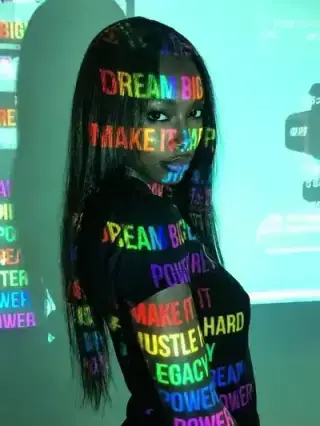
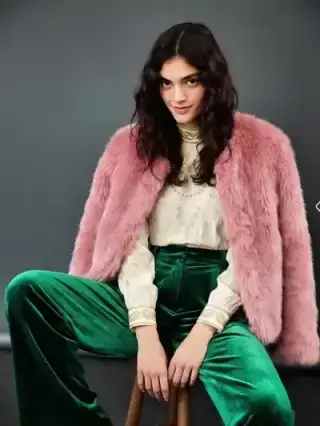
Choose a photo of a person, pet, or scene. The AI reads shapes, colors, and features to plan a clean cartoon style.
modelArticleAnim.uploadImagePNG · JPG

Turn photos or drawings into vibrant, fun cartoons instantly. No animation skills required - just upload, transform, and bring characters to life.
Your Photo
Upload your photo
Upload a photo, turn it into a vibrant cartoon, and export the result — all inside Cleep.ai.
Choose a photo of a person, pet, or scene. The AI reads shapes, colors, and features to plan a clean cartoon style.
Select the aspect ratio that fits where you'll use the image — square for posts, vertical for stories, or wide for banners.
Your photo is restyled into a vibrant cartoon in seconds. Download it, ready to share or post.
Cleep AI’s AI Cartoon Generator starts with a clear face photo (front-facing works best) and produces cartoon-style variations you can compare. After uploading, the tool generates multiple looks so the user can pick a version with the right line weight, color palette, and expression. If a second face photo is added, it can be used to guide an alternate look or help keep facial proportions consistent across attempts.

Cartoon portraits are commonly used for profile photos, creator channel branding, team directories, and event graphics where a friendly look matters. The generator can also produce simplified illustrations that work well as thumbnails, sticker-style images, or a lightweight “poster” visual for announcements. For U.S. audiences, these outputs are especially useful when a real photo feels too formal or too personal for public sharing.

Before saving the final image, the user should zoom in and check key areas that often reveal artifacts: eyes, hairline, glasses edges, and teeth. If the background looks busy, the user can re-run with a different source photo that has stronger subject separation (good lighting and a clean backdrop). The preview step makes it easy to compare variations side-by-side and choose the cleanest face shape and color treatment.

Cleep AI focuses on producing readable, recognizable faces rather than overly abstract effects, which helps when the output is used as an avatar or brand element. The tool supports common web image formats and is designed for quick iteration—upload, generate, compare, and keep the best version. For teams, this makes it easier to create a unified look across multiple people without manually redrawing each portrait.

Upload a photo, generate a set of cartoon-style options, and pick the one you’d actually use on your profile or channel. Cleep AI keeps the process fast so the user can iterate until the face and colors feel right. When the preview looks clean, download the final image and use it across social, email, and content platforms.