1Step 01
Upload Your Portrait
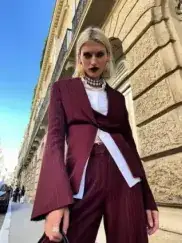
Choose a clear portrait where your hair is visible. The AI detects hair strands and keeps the recolor natural.
modelArticleAnim.uploadImagePNG · JPG

Wondering how you'd look with blonde, brunette, red, or bold colors? AI hair color changer shows you realistic previews before you make any changes!
Your Photo
Upload your photo
Upload a portrait, describe a new hair color, and export the result — all inside Cleep.ai.
Choose a clear portrait where your hair is visible. The AI detects hair strands and keeps the recolor natural.
Write a prompt for the shade you want to try — a natural tone, a bold fashion color, or subtle highlights.
Your new hair color is applied in seconds while keeping a realistic look. Download your result, ready to share.
Cleep AI’s the tool lets you preview a new shade on a real photo in seconds, without committing to dye. Upload a selfie and get an AI hair color try-on that keeps skin tone and lighting consistent for a believable result. It works as a photo hair color changer for quick decisions before a salon visit or at-home coloring.

Start by uploading a clear, front-facing image, then choose a shade and intensity to see the change instantly. Behind the scenes, AI hair color analysis detects the hair region and estimates highlights and shadows so the recolor blends naturally. For best results, avoid heavy motion blur, extreme backlighting, or hair that fully covers the face.

Use it as a hair dye simulator to compare subtle brunette shifts, bold reds, or fantasy colors before you buy a box dye or book a colorist. It’s helpful for balayage and ombré planning, content creators testing aesthetics, and teams preparing consistent looks for shoots. Save multiple versions to review side-by-side and pick the most flattering option.

Review the preview at 100% zoom to confirm edges around bangs, flyaways, and hairlines look clean, then adjust intensity if the shade appears too flat. Only upload photos you own or have permission to edit, and get explicit consent before changing someone else’s appearance for posting or ads. If the hair blends into a similarly colored background, try a different photo with stronger contrast for a cleaner mask.

Studios and ecommerce teams can run the same recolor style across many images using API or batch processing, keeping outputs consistent for catalogs and campaigns. The API can return still images, and you can also generate a short GIF-style preview that flips between shades to speed up approvals. For automation, validate inputs (resolution, face visibility, and hair coverage) before sending jobs to reduce failed renders.