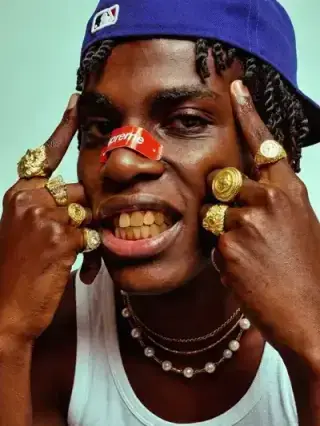
1Step 01
Upload Your Photo
Choose a flat or dull photo you want to enhance. The AI analyzes tones and detail to plan a balanced HDR boost.
modelArticleAnim.uploadImagePNG · JPG

Add depth and vibrancy to your images with HDR effects, perfect for bringing out the full range of colors and details.
Your Photo
Upload your photo
Upload a photo, add HDR depth and vibrancy, and export a richer image — all inside Cleep.ai.
Choose a flat or dull photo you want to enhance. The AI analyzes tones and detail to plan a balanced HDR boost.
Select the aspect ratio that fits where you'll use the image — square for posts, vertical for stories, or wide for banners.
Contrast, color, and detail are enhanced in seconds for a vivid HDR look. Download your photo, ready to share or print.
Start by uploading a single image (JPG, PNG, or WEBP) for fast image enhancement. Cleep AI applies Tone Mapping to balance highlights and shadows and produce a natural HDR-style result. If you shot bracketed exposures, use an HDR Merge Tool first to combine them, then enhance the merged image for a cleaner final export.

For real estate, it helps keep window views visible while brightening interior corners, which is ideal for consistent listing galleries. For product photos, it can reveal texture and label detail without blowing out reflective areas, especially on glossy packaging. For outdoor and travel shots, it evens out harsh midday light so skies, buildings, and faces feel more balanced.

Use a quick before/after review to confirm that highlights (like skies and lamps) keep detail and don’t clip to pure white. Zoom into shadow areas to ensure they’re lifted without turning gray or noisy, and watch for halos along rooflines or tree edges. If skin tones look too warm or cool, re-run with a reference image to keep a consistent look across a set.

Cleep AI focuses on recovering detail while keeping contrast and saturation controlled, so results stay believable across different lighting conditions. The approach is tuned to reduce common HDR artifacts like crunchy micro-contrast and haloing along high-contrast edges, but extremely underexposed files may still show noise after lifting shadows. For best results, start from the highest-quality original you have and avoid heavy compression before processing.

Upload one image and generate a balanced HDR-style output you can confidently share or list. For high-volume workflows, teams can automate processing in batches via the Deep-Image.ai API, then route outputs to a human review step for final approval. If you’re enhancing photos that include identifiable people, make sure you have the right consent to edit and publish the results.