Verification: 234cbc2215f1fb96

Krea AI Image Generator

प्राइसिंगअकाउंट मैनेज करें

AI इमेज जनरेटर

सीन को अपने तरीके से डायरेक्ट करें। जानबूझकर एंगल, डेप्थ और स्टाइल के साथ विज़ुअल बनाएं

Upload your photo
1

अपनी फ़ोटो अपलोड करें और बताएं कि आप क्या कल्पना करते हैं

दोनों को मिलाने से सर्वोत्तम परिणाम मिलते हैं

Enjoy result
2

AI द्वारा जीवंत की गई अपनी इमेज का आनंद लें

Krea AI: स्टाइलिश फोटोरियलिज़्म और तेज़ क्रिएटिव इटरेशन के लिए इमेज जनरेटर

जो लोग Krea खोजते हैं, वे आम तौर पर सिर्फ “एक और AI image generator” नहीं खोज रहे होते। वे ऐसा टूल चाहते हैं जो शुरुआती आउटपुट से ही विज़ुअल दिशा दे, generic AI look में न गिर जाए, और टीम को धीमे प्रोडक्शन चरण में जाने से पहले सही मूड और आर्ट डायरेक्शन चुनने में मदद करे। आधिकारिक Krea Image documentation इसी समझ को सपोर्ट करती है। Krea Image के अंदर Krea खुद Krea 1 से शुरू करने की सलाह देता है, जो उनकी flagship image model है और जिसे generic AI aesthetics से बचने के लिए बनाया गया है.

यही वजह है कि इस पेज को यह दावा नहीं करना चाहिए कि Krea हर तरह के image task के लिए सबसे अच्छा जवाब है। Krea के अपने docs के अनुसार Krea 1 सबसे मजबूत तब है जब आपको artistic photorealism, editorial mood, fast exploration, style references और LoRA-based consistency चाहिए। वहीं docs यह भी साफ कहते हैं कि बहुत precise anatomy, बहुत rigid composition, या लगभग बिना visual interpretation वाले technical literal output के लिए यह सबसे स्वाभाविक first choice नहीं है।

सबसे उपयोगी तरीका यह है: Krea तब खोलें जब पहली image भी art-directed लगे, सिर्फ random AI output नहीं. और असली काम की बात यह है कि अच्छी पहली image के बाद workflow टूटता नहीं है। उसी direction को आप Edit, Enhance या Video तक आगे ले जा सकते हैं।

Quick Answer

Krea को पहले चुनें अगर काम स्टाइलिश photorealism, fashion/editorial feel, product scenes, campaign direction, या तेज़ creative iteration का है जहां output को premium दिखना ही चाहिए।

इस गाइड के मुख्य source हैं आधिकारिक Krea Image, Krea 1, Realtime, Model Overview, और मौजूदा Krea Pricing page.

Krea वास्तव में कहाँ सबसे अच्छा है

Krea तब सबसे उपयोगी लगता है जब आप सिर्फ एक ब्रीफ़ को mechanically follow करने वाली model नहीं चाहते, बल्कि पहली ही generation में visual taste और point of view चाहते हैं। Krea 1 की आधिकारिक page कहती है कि model को soft textures, blown-out contrast और उस sameness से बचने के लिए बनाया गया है जो बहुत सी AI images को तुरंत artificial बना देती है।

यही कारण है कि editorial portraits, fashion and beauty visuals, moody product scenes, atmosphere-heavy architecture/interior, और polished marketing creatives जैसे use cases में Krea का वजन बढ़ जाता है। ऊपर से Krea 1 लगभग 6 सेकंड में 4 तक variations दे सकता है, इसलिए यह reviews, mood exploration और early direction-setting के लिए व्यावहारिक रूप से बहुत काम आता है।

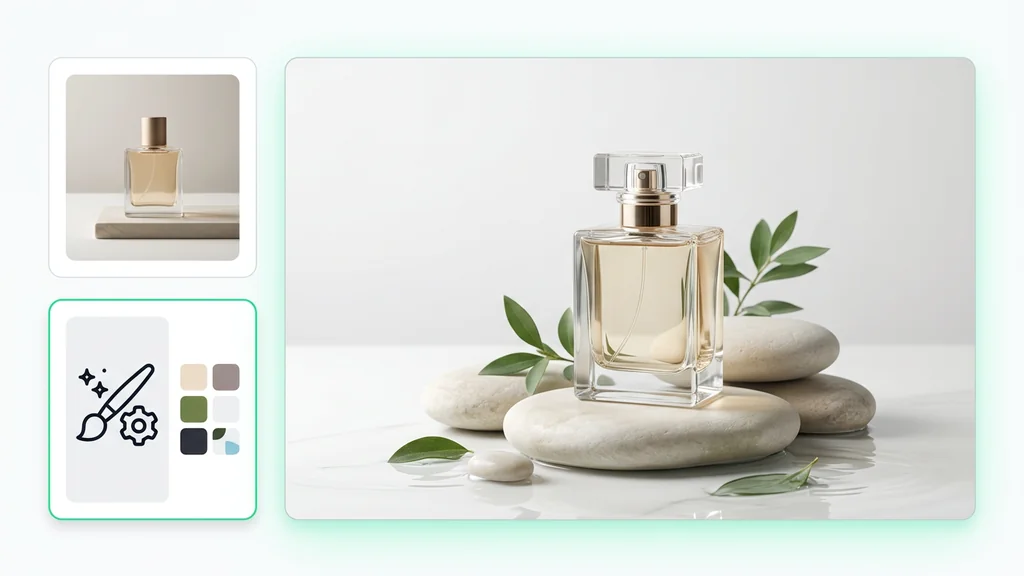
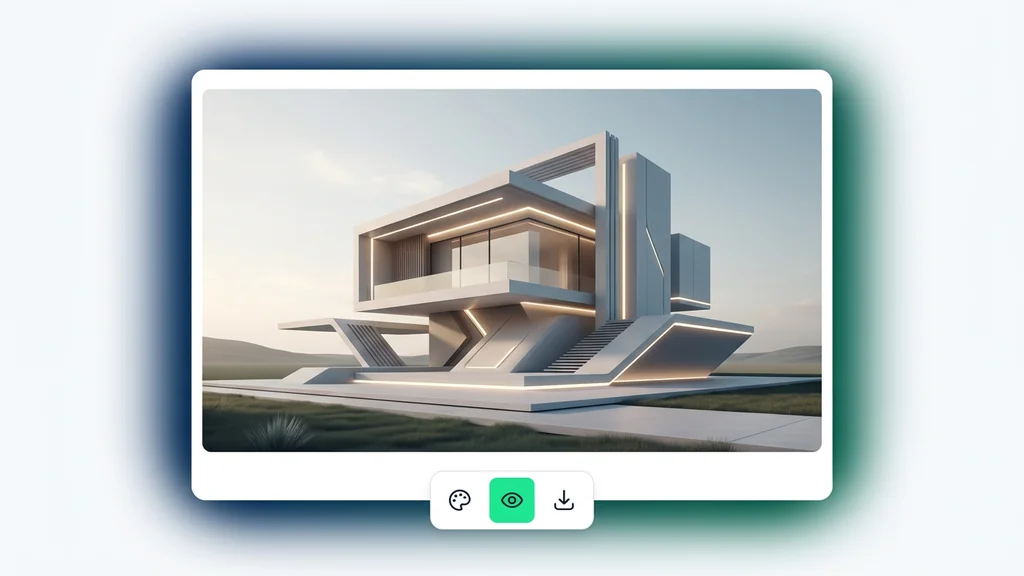
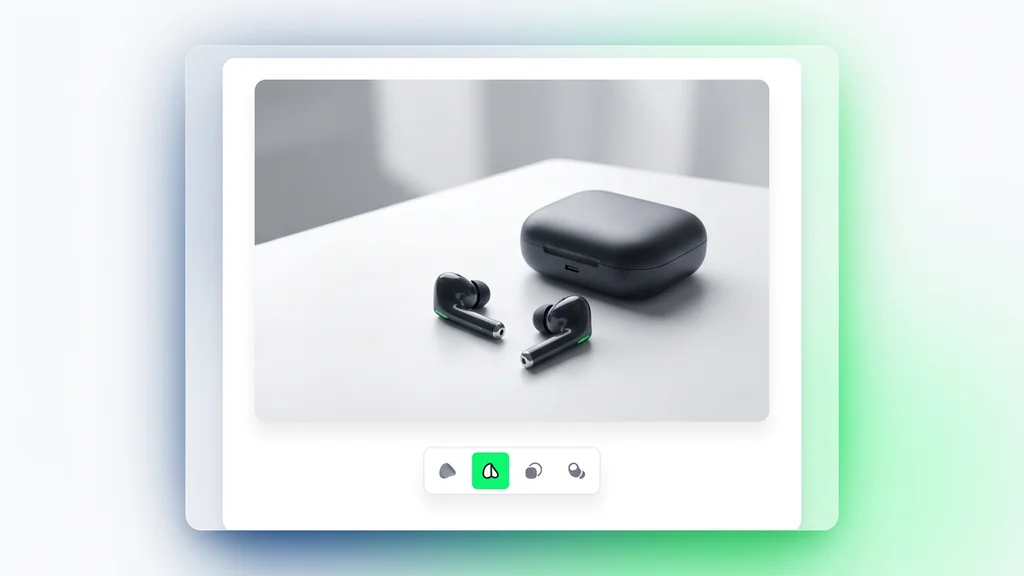
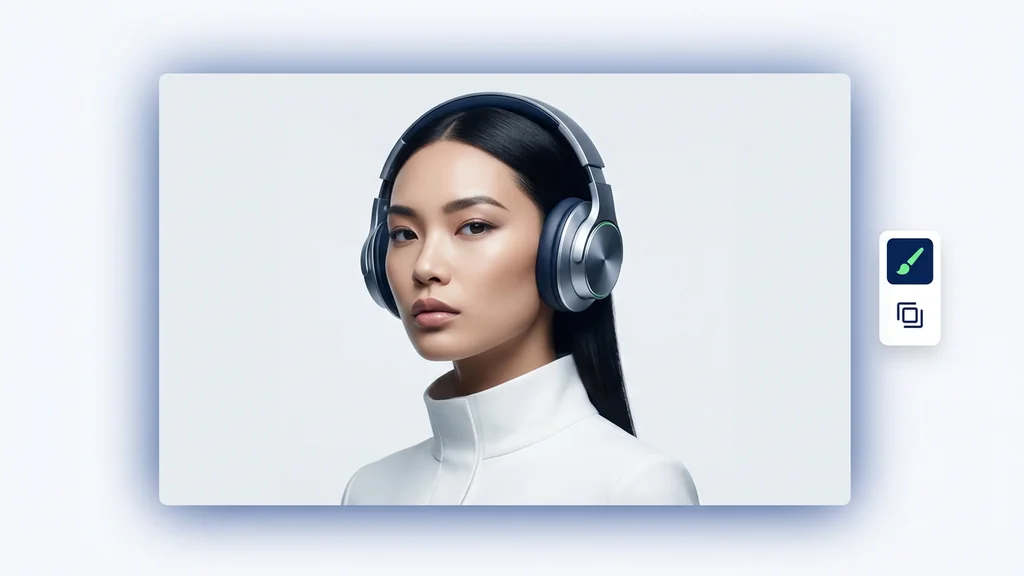
विज़ुअल बोर्ड जो दिखाता है कि Krea किन कामों में मजबूत है: product images, editorial portraits, और atmospheric architecture या interior scenes
Krea तब सबसे उपयोगी है जब requirement सिर्फ subject नहीं, बल्कि light, material, mood और शुरुआती drafts में भी finish का एहसास हो।

सबसे बड़ी ताकत: generic AI look से दूरी

Krea 1 को ऐसे model के रूप में position किया गया है जो repeated और synthetic दिखने वाले image output से बचता है।

Fast batches real work में मदद करते हैं

लगभग 6 सेकंड में कई outputs मिलना review loops और direction comparison के लिए genuine advantage है।

Style references यहाँ core feature हैं

तीन तक style reference और weight control होने से सिर्फ subject नहीं, visual taste भी guide किया जा सकता है।

Krea literal से ज्यादा creative है

Official prompting tips भी mood, atmosphere और visual language पर ज़ोर देती हैं, न कि overly rigid technical specs पर।

Krea Image और Krea Realtime अलग काम करते हैं

कई लोग Krea Image और Krea Realtime को लगभग एक जैसा समझते हैं, लेकिन documentation इन दोनों को स्पष्ट रूप से अलग करती है। Krea Image तब सही starting point है जब आपका prompt, scene और references काफी हद तक स्पष्ट हों। Krea Realtime तब बेहतर लगता है जब आप draw करना चाहते हैं, shapes move करना चाहते हैं, screen input या webcam के साथ live respond करना चाहते हैं।

व्यावहारिक रूप से इसका मतलब सीधा है: अगर subject, lighting, mood और style already clearer हैं, तो Krea Image clean option है। अगर आप अभी composition, color blocks, rhythm और live experimentation के चरण में हैं, तो Realtime ज़्यादा natural है। Krea ecosystem की असली ताकत यही है कि यह एक ही तरह की speed पर अटका नहीं रहता।

Krea के भीतर route Official positioning Best use
Krea Image Core prompt-based image tool जिसमें model choice, style controls, image prompts और post-generation handoff शामिल हैं जब आप text और references से still image बनाकर उसी environment में edit या upscale करना चाहते हैं
Krea Realtime Live image/video generation while drawing, typing, moving elements, या webcam और screen input का इस्तेमाल जब ideation को interactive और immediate feel चाहिए
Krea 1 in Image mode Flagship model for stylish photographic images that avoid generic AI look जब artistic photorealism, editorial direction, style-reference workflow और fast option sets चाहिए

Official docs वास्तव में क्या confirm करती हैं

पुराने version का tone ज़्यादा broad platform review जैसा था। लेकिन user के लिए उपयोगी बात यह है कि Krea अपने docs में क्या साफ़-साफ़ कहता है, और उससे practical decision कैसे निकाला जाए।

Area Officially confirmed User के लिए मतलब
कहाँ से शुरू करें Krea Image docs कहती हैं कि Auto default है, लेकिन manual choice में Krea 1 एक अच्छा starting point है अगर कोई “Krea look” की बात करता है, तो सबसे साफ reference Krea 1 है
Visual positioning Krea 1 को generic AI aesthetics से बचने वाला model बताया गया है, crisp textures और realistic detail के साथ Focus literal output नहीं, बल्कि image quality और visual taste पर है
Speed Official page के अनुसार लगभग 6 सेकंड में 4 तक images Direction comparison और fast review के लिए उपयोगी
Output quality Native output 1.5K है, जिसे Enhancer के जरिए 4K तक ले जाया जा सकता है सिर्फ ideation नहीं, usable assets तक जाने की continuity भी है
Style references तीन तक reference images और adjustable style weight Brand taste और visual consistency को control करना आसान होता है
Limits Very precise structure, exact anatomy और purely literal technical output के लिए avoid करने की सलाह यह art-directed visual work में बेहतर है, engineering-style precision में नहीं
Comparison paths Model Overview Nano Banana Pro, Seedream 5 Lite और Ideogram जैसे alternatives की ओर guide करती है Krea खुद भी यह दावा नहीं करता कि यह हर use case जीतता है

Krea के लिए prompt कैसे लिखें ताकि output generic न लगे

Krea पर आमतौर पर visual direction language बेहतर काम करती है, बनिस्बत dry technical instruction lists के। Official material बार-बार mood, atmosphere, artistic photorealism और style references की बात करता है। इसका practical मतलब है कि अच्छा prompt सिर्फ “क्या दिखना चाहिए” नहीं बताता, बल्कि light, texture, tone, camera feel और brand vibe भी set करता है।

दूसरी ज़रूरी बात: सब कुछ एक ही sentence में मत ठूँसिए। अगर taste को सच में control करना है, तो style references का इस्तेमाल कीजिए। और अगर काम typography-heavy है या ultra-precise instruction adherence मांगता है, तो शुरुआत से ही alternative model comparison पर विचार करना बेहतर है।

Krea prompts के लिए visual board जो mood, lighting, texture और style references को technical checklist से ज्यादा महत्व देता है
Krea में अच्छा prompt अक्सर लंबा नहीं, बल्कि clearer होता है: mood, light, texture और overall visual taste को साफ़ बताइए।
Situation Prompt में क्या शामिल करें क्या avoid करें
Premium product visual Material, key light, background tone, cleanliness, copy space सिर्फ product name लिख देना
Editorial portrait Emotion, skin rendering, wardrobe direction, side/back light, magazine feel Overly rigid anatomical instructions
Architecture / interior Time of day, materials, mood, camera distance, density of space CAD-level exactness expect करना
Campaign ideation Audience, placement, crop, message hierarchy, brand feeling पूरे campaign brief को एक ही prompt में ठूंस देना
  • Subject से पहले world define करें: Krea context और atmosphere पर अच्छा respond करता है
  • Light और texture ज़रूर लिखें: यही elements finish quality तय करते हैं
  • Taste matter करता है तो references जोड़ें: खासकर fashion, beauty और brand campaign में
  • Text-heavy काम के लिए alternate model सोचें: हर काम Krea को देना ज़रूरी नहीं
  • पहले branch करें, फिर polish: Krea की speed का यही सबसे अच्छा उपयोग है

Real work में Krea सबसे ज़्यादा कहाँ काम आता है

Real workflows में Krea की value सिर्फ image generate करने तक सीमित नहीं रहती। यह खास तौर पर तब काम आता है जब टीम अभी visual direction तय कर रही हो। जैसे नया campaign mood lock नहीं हुआ, product hero frame के कई angles देखने हैं, या architecture render में सिर्फ structure नहीं बल्कि atmosphere भी चाहिए। ऐसे moments में Krea की speed और visual taste सीधे productivity में बदलती है।

दूसरे शब्दों में, Krea सिर्फ एक final image नहीं देता, बल्कि decision-making के लिए multiple strong options देता है। यह role उन models से अलग है जो primarily prompt adherence या text rendering के लिए जाने जाते हैं।

Work type Krea क्यों fit बैठता है किस पर extra ध्यान दें
Product hero visuals कई strong frames जल्दी मिलते हैं और lighting/material को premium बनाया जा सकता है Surface quality, background cleanliness, camera angle, copy space
Fashion / beauty concepts Editorial mood और style-reference workflow यहां बहुत अच्छी तरह काम करते हैं Skin rendering, wardrobe, light, pose temperature
Campaign direction boards कई possible directions जल्दी compare किए जा सकते हैं Audience, channel, crop, message hierarchy, brand tone
Architecture / interior mood Technical detailing से पहले space, light और material atmosphere explore किया जा सकता है Material palette, time of day, decor density, framing
Commercial stock-style imagery Commercially plausible visuals के कई routes जल्दी खुलते हैं Audience, placement, copy space, clean / premium / warm tone

पहली अच्छी image के बाद क्या करें

Krea की practical value पहली अच्छी image के बाद और बढ़ जाती है। Official Image generation docs बताती हैं कि generation के बाद आप retry, reuse parameters, share parameters, download all, publish कर सकते हैं, या सीधे Edit, Upscale & Enhance, और Video में जा सकते हैं। इसका मतलब है कि Krea सिर्फ “पहला draft निकालने” वाला tool नहीं है, बल्कि creative continuity बनाए रखने वाला work surface भी है।

बेहतर workflow यह है: कई options generate करें, winner चुनें, उसी setup को save करें, और फिर जरूरत हो तो Edit या Enhance में आगे बढ़ें। टीम के लिए यह इसलिए भी ज़रूरी है क्योंकि सिर्फ image नहीं, पूरा reproducible setup भी share किया जा सकता है।

Krea workflow board जिसमें prompt से multiple outputs, winning frame selection और Edit Enhance Video की ओर handoff दिखाया गया है
Krea को one-click tool की तरह नहीं, बल्कि multiple options से best frame चुनकर आगे बढ़ने वाली sequence की तरह इस्तेमाल करना बेहतर है।
  • पहले small batches बनाइए: Krea 1 तेज़ है, इसलिए कई directions देखना संभव है
  • सिर्फ image नहीं, setup बचाइए: reuse/share parameters future work आसान बनाते हैं
  • Composition सही होने के बाद ही Enhance करें: upscaling decision-making की जगह नहीं लेता
  • Edit तब करें जब image करीब हो लेकिन complete न हो: यही Krea का intended handoff है
  • Video तभी जब still image world build कर चुकी हो: एक strong frame motion workflow की शुरुआत बन सकता है

कब किसी दूसरे model से तुलना करनी चाहिए

Krea पर अच्छा page वही है जो यह भी बताए कि Krea कब सही answer नहीं है। Official model guidance खुद यह संकेत देती है। अगर आपका काम exact prompt adherence, text fidelity, या flat graphic design पर ज़्यादा निर्भर है, तो Krea हमेशा सबसे logical route नहीं होगा।

Krea पर बने रहें

जब output को शुरुआती stage से ही stylish, premium और art-directed feel चाहिए, और style references या LoRAs workflow का हिस्सा हों

Nano Banana Pro से compare करें

जब prompt complex हो और exact adherence Krea की creative looseness से ज़्यादा important हो

Seedream 5 से compare करें

जब image के भीतर का text ही task का core हो; Krea docs खुद high-fidelity text के लिए Seedream 5 Lite की ओर इशारा करती हैं

Ideogram से compare करें

जब काम graphic design, flat illustration, layout और typography के ज्यादा करीब हो

Qwen से compare करें

जब human realism, natural detail और text rendering Krea house aesthetic से ज़्यादा matter करते हों

image model hub पर लौटें

जब अभी भी साफ़ न हो कि काम style-first है, reasoning-first, typography-first, या budget-first

इस गाइड के लिए हमने क्या verify किया

यह rewrite Krea की current official documentation पर आधारित है, किसी third-party summary पर नहीं। मुख्य references हैं Image generation guide, Krea 1 page, Realtime guide, Model Overview, और live Pricing page. पुराने version में मौजूद company history, funding, mobile behavior, latency benchmark, offline support और competitor ranking जैसे दावे हटाए गए हैं क्योंकि वे या तो साफ़ primary sources से supported नहीं थे, या इस page के practical decision value में योगदान नहीं करते थे।

Krea AI के बारे में अक्सर पूछे जाने वाले सवाल

Krea AI किस तरह के काम में सबसे अच्छा है?

Krea सबसे अच्छा तब है जब आपको जल्दी ऐसी images चाहिए जो stylish हों और generic न लगें, खासकर product scenes, editorial portraits, fashion and beauty visuals, concept art, और mood-heavy architecture/interior work के लिए।

Krea 1 क्या है?

Official docs के अनुसार Krea 1, Krea की flagship image model है, जिसे generic AI aesthetics से बचते हुए crisp textures, realistic detail और flexible artistic range देने के लिए बनाया गया है।

क्या Krea photorealistic images के लिए अच्छा है?

हाँ, लेकिन इसका strong side tasteful, art-directed photorealism है, न कि rigid technical rendering.

Krea Image की जगह Krea Realtime कब इस्तेमाल करना चाहिए?

Realtime तब बेहतर है जब आप draw करना, shapes move करना, webcam या screen input से live explore करना चाहते हों। Krea Image तब बेहतर है जब prompt और references पहले से clearer हों।

Krea 1 कितना तेज़ है?

Official Krea 1 page के अनुसार यह लगभग 6 सेकंड में 4 तक images वापस कर सकता है।

क्या Krea style references सपोर्ट करता है?

हाँ। Krea 1 तीन तक style references और style-weight slider सपोर्ट करता है।

क्या Krea को free में आज़माया जा सकता है?

हाँ। 19 अप्रैल 2026 की pricing page के अनुसार Free plan में प्रतिदिन 100 compute units शामिल हैं।

क्या paid plans में commercial rights शामिल हैं?

हाँ। Current pricing page कहती है कि commercial license Basic plan से शामिल है।

Krea किस काम के लिए सही fit नहीं है?

बहुत exact anatomy, very rigid structure, और almost purely literal technical output वाले tasks के लिए Krea पहला विकल्प नहीं होना चाहिए।

अगर image text quality सबसे ज्यादा जरूरी हो, तो किस model से तुलना करनी चाहिए?

Krea की Model Overview high-fidelity text in images के लिए Seedream 5 Lite की ओर इशारा करती है, इसलिए typography-heavy briefs में वही सबसे साफ comparison path है।

सुपर प्रमोशन

90% छूट

आवश्यक टूल्स के साथ शानदार AI फ़ोटो और वीडियो बनाएं

सिर्फ़ इतने में बेसिक प्लान अनलॉक करें $1

ऑटो-रिन्यू ऑनलाइन एक्टिव है। जब तक आप अपना प्लान नहीं बदलते और हमारे AI का उपयोग करके शानदार इमेज बनाते हैं, तब तक प्रमोशन उपलब्ध रहेगा। ऑफ़र 14 फ़रवरी को समाप्त होता है, और केवल इस फ़ीचर को अनलॉक करना आपके लिए 90% छूट के लायक है

अपनी उम्र चुनकर और जारी रखकर आप हमारी शर्तों से सहमत होते हैं उपयोग की शर्तें और प्राइवेसी पॉलिसी
कृपया जारी रखने से पहले समीक्षा करें