Verification: 234cbc2215f1fb96

Nano Banana AI Image Generator

प्राइसिंगअकाउंट मैनेज करें

AI इमेज जनरेटर

सीन को अपने तरीके से डायरेक्ट करें। जानबूझकर एंगल, डेप्थ और स्टाइल के साथ विज़ुअल बनाएं

Upload your photo
1

अपनी फ़ोटो अपलोड करें और बताएं कि आप क्या कल्पना करते हैं

दोनों को मिलाने से सर्वोत्तम परिणाम मिलते हैं

Enjoy result
2

AI द्वारा जीवंत की गई अपनी इमेज का आनंद लें

Nano Banana AI इमेज जनरेटर: तेज़ एडिट, मल्टी-रेफरेंस कम्पोज़िशन और फास्ट इटरेशन के लिए बेहतर मॉडल

Nano Banana पर आने वाले ज़्यादातर लोग सिर्फ एक और “AI इमेज जनरेटर” नहीं ढूंढ रहे होते। उन्हें ऐसा मॉडल चाहिए जो काम को सच में आगे बढ़ाए: जल्दी कई दिशाएं खोल सके, अपलोड की गई इमेज को सामान्य भाषा में एडिट कर सके, कई रेफरेंस इमेज को मिलाकर एक नया सीन बना सके, और लगातार रिव्यू के बीच भी वर्कफ़्लो को धीमा न करे। Google की आधिकारिक Gemini image generation docs भी Nano Banana को इसी तरह पोज़िशन करती हैं। डेवलपर डॉक्यूमेंटेशन में Nano Banana, Gemini 2.5 Flash Image के लिए इस्तेमाल किया गया नाम है, और इसे स्पीड, एफिशिएंसी, तथा high-volume low-latency काम के लिए रखा गया है।

इसीलिए यह पेज Nano Banana को हर काम के लिए “सबसे अच्छा” मॉडल बताकर नहीं बेच सकता। Google खुद इस फैमिली के रोल साफ़ अलग करती है। स्टैंडर्ड Nano Banana स्पीड और एडिटिंग-फर्स्ट वर्कफ़्लो के लिए सही बैठता है, जबकि Nano Banana Pro ज्यादा डिटेल, ज्यादा टेक्स्ट-हेवी इमेज, और ज्यादा सख़्त final asset quality के लिए तुलना में आता है। अगर आपकी टीम को तेज़ concept branches, local edits, multi-image fusion, या conversational image workflow चाहिए, तो स्टैंडर्ड Nano Banana से शुरू करना समझदारी है। अगर काम premium polish, typography control, या ज्यादा exact output की तरफ़ जाने लगे, तो तुलना Pro से शुरू होनी चाहिए।

Cleep पर Nano Banana को समझने का सबसे साफ़ तरीका यह है: जब पहली render से absolute best final image निकालना उतना ज़रूरी न हो, लेकिन speed, editability और process control बहुत ज़रूरी हों, तब Nano Banana चुनें। Google के आधिकारिक नोट्स बार-बार targeted natural-language edits, character consistency, multi-image composition, और production-ready aspect ratios की बात करते हैं। रोज़मर्रा के creative work में यही चीज़ें अक्सर generic “high quality” वादों से ज़्यादा काम की होती हैं।

Quick Answer

Nano Banana पहले खोलें जब काम तेज़ visual branching, natural-language image editing, multi-reference composition, template-driven creative assets, या कुछ ही मिनटों में direction आगे बढ़ाने वाला हो।

इस पेज के मुख्य स्रोत हैं Google की आधिकारिक Nano Banana / Gemini image generation docs, Gemini 2.5 Flash Image का official launch post, GA और नए aspect ratios पर official update, आधिकारिक prompting guide, Gemini pricing page, और standard तथा Pro के practical अंतर समझाने वाला Gemini Apps help

Nano Banana असल में कहाँ सबसे मज़बूत है

Nano Banana तब सबसे ज्यादा समझ में आता है जब आप इसे slow premium renderer की तरह नहीं, बल्कि fast visual operator की तरह पढ़ते हैं। Google के Gemini 2.5 Flash Image launch post में चार capabilities बार-बार सामने आती हैं: multi-image blending, character consistency, natural-language guided edits, और उसी conversation के भीतर scene को आगे बढ़ाते रहना। इससे जो practical use cases साफ़ निकलते हैं, वे हैं तेज़ campaign directions, existing photo edits, reference-based product mockups, template-style assets, और high-volume image work जहाँ responsiveness खुद value का हिस्सा है।

स्टैंडर्ड मॉडल उन टीमों के लिए भी बेहतर है जो हर बार zero से restart नहीं करना चाहतीं। आधिकारिक prompting guide पहले scene सेट करने, फिर light बदलने, फिर एक element बदलने, और उसके बाद alternate direction देखने वाला तरीका सुझाती है। अगर आपकी टीम का काम इसी rhythm पर चलता है, तो Nano Banana एक abstract “professional quality” claim से कहीं ज्यादा practical value देता है।

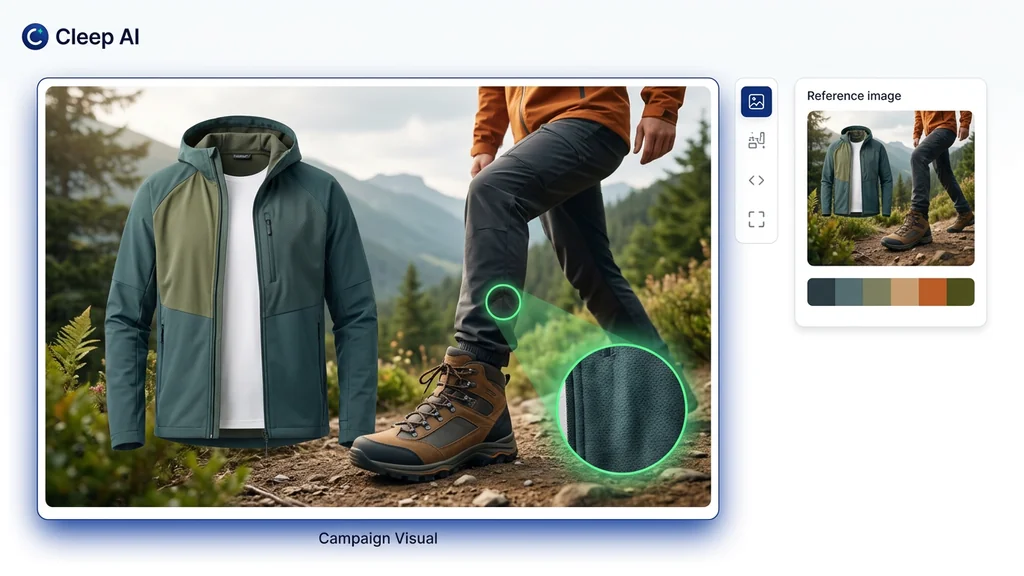
Nano Banana के strongest use cases दिखाने वाला visual board, जिसमें local edits, multi-image fusion, और product या campaign concepts के लिए तेज़ branching शामिल है
Nano Banana सबसे ज़्यादा तब काम आता है जब task सिर्फ “एक इमेज बनाओ” नहीं, बल्कि “तीन directions जल्दी आज़माओ, सबसे अच्छी रखो, और वहीं से आगे एडिट करते जाओ” हो।

स्पीड side benefit नहीं, core product value है

Google Nano Banana को Gemini 2.5 Flash Image की उस route के रूप में पेश करता है जो fast, efficient, और low-latency high-volume काम के लिए बनाई गई है।

एडिटिंग इसकी identity का हिस्सा है

आधिकारिक docs इसे सिर्फ text-to-image endpoint नहीं, बल्कि generation और conversational editing दोनों के लिए इस्तेमाल होने वाला मॉडल बताती हैं।

मल्टी-इमेज काम इसका असली differentiator है

Google के examples बार-बार reference blending, subject consistency, और कई inputs से नए scene बनाने की बात करते हैं।

स्टैंडर्ड Nano Banana premium final lane नहीं है

Google Nano Banana और Nano Banana Pro को साफ़ अलग रखता है। स्टैंडर्ड मॉडल की ताकत speed में है, हर बार final polish में नहीं।

Google के official sources वास्तव में क्या confirm करते हैं

इस पेज के पुराने version की समस्या यह थी कि उसमें सही facts के साथ ऐसे review-style claims भी थे जिनका support साफ़ नहीं था। यही चीज़ programmatic pages को synthetic महसूस कराती है। बेहतर तरीका यह है कि पहले उन facts पर टिकें जिन्हें Google officially confirm करता है, फिर समझाएँ कि Cleep के user के लिए उनका practical मतलब क्या है।

एरिया Officially confirmed User के लिए practical मतलब
मॉडल की पहचान Gemini API docs में Nano Banana, Gemini 2.5 Flash Image (gemini-2.5-flash-image) को refer करता है। मतलब Cleep पर यह route standard fast Nano Banana lane है, Nano Banana Pro नहीं।
Core positioning Google इसे speed, efficiency और high-volume low-latency tasks के लिए design किया गया मॉडल बताता है। इसे fast working model की तरह पढ़ना ज्यादा सही है, max-quality flagship की तरह नहीं।
Generation और editing Google की docs कहती हैं कि Gemini text, image, या दोनों का इस्तेमाल करके conversational image generation और processing कर सकता है। Nano Banana text-to-image, image editing, और iterative refinement को एक ही flow में handle कर सकता है।
Editing strengths Launch materials targeted natural-language edits, multi-image blending, character consistency, और template adherence को highlight करती हैं। इसका मतलब mockups, ad edits, catalog variants, repeatable assets, और composite scenes जैसे काम इसके लिए practical हैं।
Prompting style Official prompt guide का सीधा नियम है: “Describe the scene, don't just list keywords.” Model flat keyword stuffing से बेहतर clear visual direction पर react करता है।
Aspect ratios Official update के अनुसार 10 aspect ratios supported हैं: 21:9, 16:9, 4:3, 3:2, 1:1, 9:16, 3:4, 2:3, 5:4, 4:5। इससे social, product, presentation, portrait और widescreen use cases आसानी से cover हो जाते हैं।
Availability Google Gemini 2.5 Flash Image को Gemini API, Google AI Studio और Vertex AI में उपलब्ध बताता है। यह सिर्फ demo model नहीं, बल्कि developer और production use के लिए official route है।
Watermark Google कहता है कि generated images में SynthID watermark शामिल होता है। Commercial और provenance-aware workflows में यह एक महत्वपूर्ण detail है।
API pricing 19 अप्रैल 2026 तक Gemini pricing page, Gemini 2.5 Flash Image की कीमत $0.039 प्रति इमेज दिखाती है। Pricing भी बताती है कि यह high-volume production model है, slow premium one-off renderer नहीं।
Known limitations Official prompting guide मानती है कि बहुत nuanced requests, complex typography, और लंबी edit chains में absolute consistency के लिए extra iteration लग सकती है। इसलिए text-heavy assets या लंबे edit flow में perfect first pass का वादा करना सही नहीं होगा।

जब speed matter करे, तब Nano Banana को कैसे prompt करें

Gemini 2.5 Flash Image की official prompting guide इसलिए useful है क्योंकि वह इस काम को रहस्यमय नहीं बनाती। इसकी सबसे महत्वपूर्ण सलाह इंटरनेट पर मिलने वाले ज्यादातर generic prompt threads से ज्यादा काम की है: scene describe करो, सिर्फ keywords dump मत करो। Realistic images के लिए photographer की तरह सोचो। Editing में साफ़ बताओ क्या बदलना है और क्या unchanged रखना है। Iterative work में एक overloaded prompt की जगह छोटे follow-up steps लो। Google की recommendation यही है।

यह Nano Banana पर और भी ज़रूरी हो जाता है, क्योंकि इसकी असली value fast control loops में है। पहले clean scene set करो, फिर targeted edit माँगो, ज़रूरत हो तो reference image जोड़ो, फिर refinement करो। अगर prompt disconnected adjectives की list बन जाएगा, तो आप model के खिलाफ़ काम कर रहे होंगे। अगर वह short art direction की तरह लिखा गया है, तो आप model को उसी तरह इस्तेमाल कर रहे हैं जैसा Google सिखाता है।

नीचे के examples मैंने जानबूझकर अंग्रेज़ी में रखे हैं ताकि उन्हें सीधे copy करके test किया जा सके।

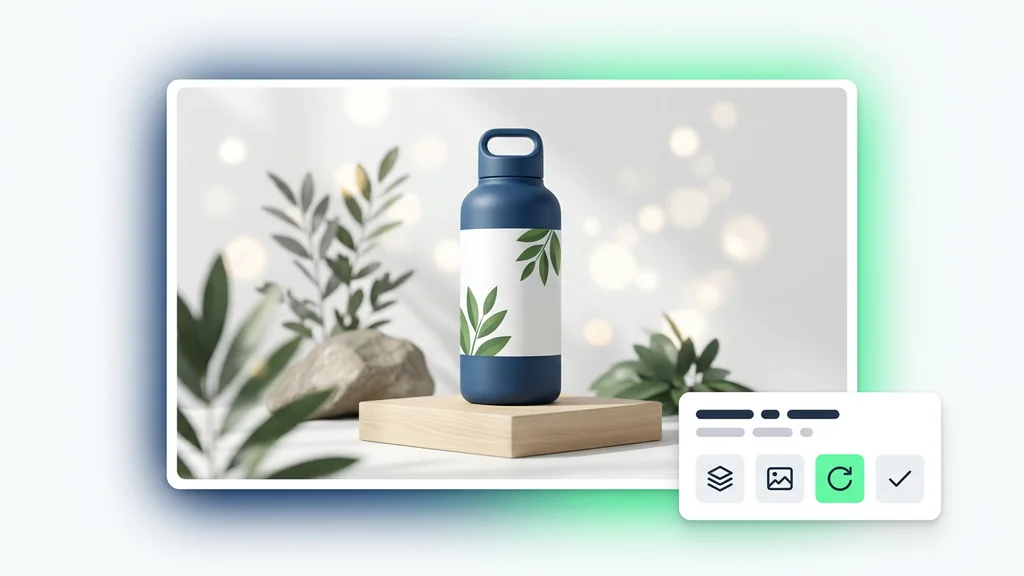
Nano Banana prompt framework board जिसमें scene-first prompting, keep-what-works edit language, और multi-image fusion instructions को समझाया गया है
Nano Banana के लिए सबसे अच्छे prompts आम तौर पर scene, light, purpose और एक clear change को साथ रखते हैं। लंबी keyword list की बजाय focused visual direction ज़्यादा बेहतर काम करती है।
Pattern 1

Fast concept branches के लिए: tags की list नहीं, short scene paragraph लिखें।

Prompt in English: A polished product ad concept for a matte black coffee grinder on a pale stone counter, warm side light, calm premium kitchen atmosphere, realistic metal texture, clean composition with room for headline copy.

Pattern 2

Local edits के लिए: साफ़ बोलें क्या same रहना चाहिए और क्या बदलना है।

Prompt in English: Using the provided image, change only the table surface to brushed oak. Keep the grinder, camera angle, shadows, reflections, and overall composition exactly the same.

Pattern 3

Multi-image fusion के लिए: हर reference को एक role दें, सिर्फ “mix these” मत कहें।

Prompt in English: Create a new image using the bottle from image 1, the bathroom lighting from image 2, and the stone shelf mood from image 3. The final scene should feel premium, clean, and believable for skincare ecommerce.

Pattern 4

Template-based assets के लिए: सिर्फ subject नहीं, asset का purpose भी बताइए।

Prompt in English: Create a clean real-estate listing card using the provided house photo. Keep the house unchanged, place it inside a minimal card layout, and leave clear space for price, location, and one short feature line.

Real work में Nano Banana सबसे ज्यादा कहाँ फिट बैठता है

Google के examples और best-practice guidance को देखें तो Nano Banana का sweet spot साफ़ दिखाई देता है। यह “सब कुछ कर देने” वाला मॉडल नहीं है, बल्कि fast visual operator route है। Product mockups, quick campaign directions, natural-language image edits, multiple references से नया scene बनाना, और repeated variations जहाँ continuity ज़रूरी हो, इसके सबसे practical use cases हैं। Official examples में product ads, listing cards, badges, room restyling, scene compositing, stickers, icons और local edits शामिल हैं।

एक और practical advantage यह है कि iterative branching यहाँ awkward नहीं लगती। आप scene से शुरू कर सकते हैं, फिर light warm करा सकते हैं, फिर एक object हटवा सकते हैं, फिर background बदल सकते हैं, फिर एक और crop test कर सकते हैं। यह उन review-heavy teams के लिए बहुत useful है जिन्हें final answer तुरंत नहीं, बल्कि usable direction जल्दी चाहिए।

Use case Nano Banana क्यों फिट बैठता है क्या specify करना चाहिए
Ads और social के लिए तेज़ concept branching Model speed-first है, इसलिए कई directions टेस्ट करके एक को polish करना practical बनता है। Product, setting, light, crop, target platform, और image का emotional tone।
Prompt-driven local edits Google targeted transformations और natural-language area edits को openly highlight करता है। क्या fixed रहना चाहिए, क्या बदलना है, और change original scene में कैसे blend होना चाहिए।
Multi-image product mockups Official materials कई inputs को मिलाकर एक believable new composition बनाने के examples देती हैं। कौन सा element किस image से आएगा, final commercial context क्या है, और overall mood क्या होना चाहिए।
Character या object consistency Official positioning में same subject को multiple variations में stable रखना एक key value है। कौन-सी traits stable रहनी चाहिए, environment कैसे बदलेगा, और output narrative, catalog या editorial किस तरह का है।
Template-driven creative assets Google listing cards, badges और repeatable layout structures जैसे examples देती है। Template की role, text zones, locked visual elements, और version-to-version क्या बदलेगा।
Icons, stickers और lightweight brand assets Simple और direct visual assets भी official examples का हिस्सा हैं। Background color, shape language, tactile feel, और output कितना simple या decorative होना चाहिए।

पहली usable image के बाद क्या करना चाहिए

अक्सर Nano Banana की असली value पहली image में नहीं, बल्कि उसके बाद के दो-तीन turns में होती है। Google की official guide iterative refinement को encourage करती है: जो काम कर रहा है उसे रखो, एक-दो focused changes जोड़ो, और हर बार restart मत करो। एक तेज़ मॉडल के साथ यह strategy और भी sense बनाती है। हर prompt को नई lottery ticket की तरह treat करने से बेहतर है कि promising image को आगे steer किया जाए।

यही guide drift के बारे में भी ईमानदार है। अगर बहुत सारे edits के बाद character या object बहुत बदलने लगे, तो नई conversation खोलकर ज्यादा साफ़ scene description देना, endless correction loop से बेहतर हो सकता है। Guide यह भी कहती है कि अगर edit के दौरान original aspect ratio बनाए रखना है, तो उसे explicit रूप से कहना मददगार होता है। यही practical details user के लिए सबसे काम की हैं।

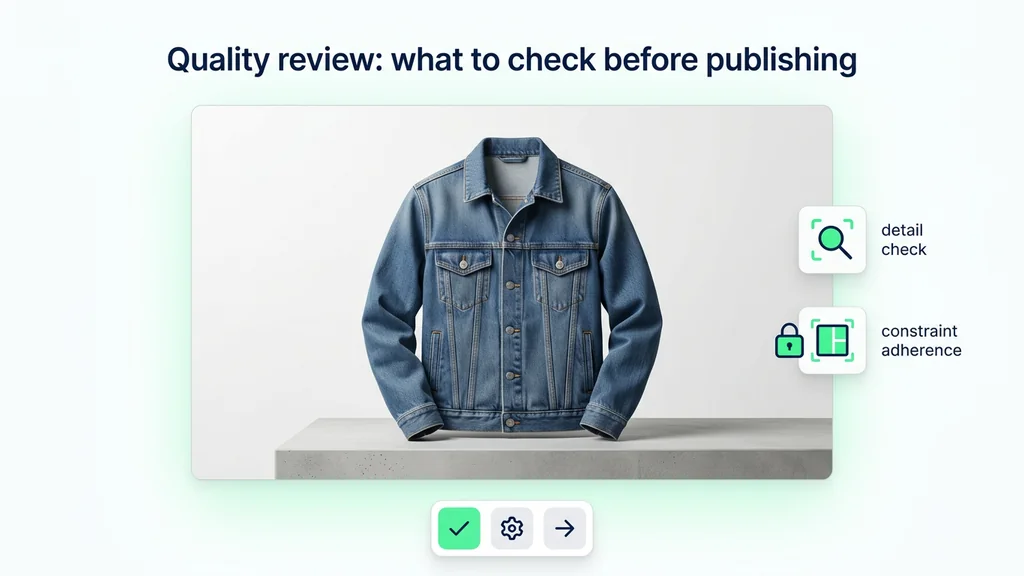
Nano Banana workflow board जिसमें पहली scene prompt से fast branching, local edit, multi-image fusion और ज़रूरत पड़ने पर Pro की तरफ़ move करने का flow दिखाया गया है
एक मज़बूत Nano Banana workflow अक्सर ऐसा दिखता है: scene सेट करो, कुछ directions branch करो, सबसे अच्छी रखो, focused edits करो, फिर तय करो कि standard पर्याप्त है या काम को Pro तक ले जाना चाहिए।
  • एक descriptive scene paragraph से शुरू करें: official guide साफ़ कहती है कि scene description, keyword piles से बेहतर है।
  • एक बार में एक major चीज़ बदलें: इससे frame ज्यादा stable रहता है और drift कम होता है।
  • हर reference को role दें: एक image subject दे सकती है, दूसरी lighting, तीसरी environment।
  • Drift बढ़े तो restart करें: एक fresh conversation, endless corrections से अधिक effective हो सकती है।
  • जब ज़रूरत हो तभी Pro पर जाएँ: अगर text rendering, final polish या ज्यादा strict instruction following ज़रूरी हो जाए, तो Nano Banana Pro से तुलना करें।

कब किसी दूसरे मॉडल से तुलना करनी चाहिए

एक useful Nano Banana page यह भी बताती है कि कब यहाँ रुकना नहीं चाहिए। स्टैंडर्ड मॉडल speed, edits और compositional flexibility में बहुत अच्छा है, लेकिन Google खुद Nano Banana और Nano Banana Pro को अलग रखता है। Gemini Apps help के अनुसार Pro, text-heavy images या infographic जैसे outputs में extra detail दे सकता है। इससे broader picture साफ़ होती है: स्टैंडर्ड Nano Banana fast creative lane है, लेकिन हर deliverable के लिए best final-production layer नहीं।

Nano Banana पर बने रहें

जब काम का मुख्य हिस्सा fast branching, natural-language local edits, multi-image fusion या template-based asset production हो, और speed खुद value हो।

Nano Banana Pro से तुलना करें

जब काम को ज्यादा detail, tighter control, better text-heavy outputs, या ज्यादा premium final asset की ज़रूरत हो।

Ideogram से तुलना करें

जब brief ज़्यादा graphic design, poster logic, flat illustration, या typography-first layouts के करीब हो।

Krea से तुलना करें

जब image को पहले frame से ही ज्यादा editorial, tactile और style-led महसूस होना चाहिए।

Qwen से तुलना करें

जब human realism, cleaner natural detail, या image-text reliability, Nano Banana की fast editing rhythm से ज़्यादा महत्वपूर्ण हों।

image model hub पर लौटें

जब आपको अभी तय करना हो कि task speed-first है, text-first है, premium-style-first है, या layout-first।

इस guide के लिए हमने क्या verify किया

यह rewrite पूरी तरह Google के official product और developer sources पर आधारित है। मुख्य references हैं Nano Banana / Gemini image generation docs, Gemini 2.5 Flash Image launch post, GA और aspect ratios वाला official update, official prompting guide, pricing page, और Gemini Apps help। पहले जो unsupported tier claims, imaginary architecture names, fragile benchmark-style comparisons, और vague integrations थे, उन्हें हटा दिया गया है।

Nano Banana के बारे में अक्सर पूछे जाने वाले सवाल

Nano Banana क्या है?

Gemini API docs के अनुसार Nano Banana, Gemini 2.5 Flash Image के लिए इस्तेमाल किया गया नाम है, यानी तेज़ image generation और image editing के लिए standard route।

Nano Banana किस तरह के काम में सबसे अच्छा है?

यह तेज़ visual branching, natural-language image edits, multi-image composition, character या object consistency, और template-based assets के लिए खास तौर पर मज़बूत है।

क्या यह uploaded images एडिट कर सकता है?

हाँ। Google साफ़ कहता है कि मॉडल text, images, या दोनों को ले सकता है, इसलिए इसे conversational image editing के लिए इस्तेमाल किया जा सकता है।

क्या यह कई images को मिलाकर एक नया scene बना सकता है?

हाँ। Multi-image composition और blending, Google की official materials में सबसे prominently highlighted capabilities में से हैं।

Character या object consistency कैसी है?

Google subject consistency को key strength बताता है, लेकिन साथ ही यह भी मानता है कि लंबी edit chains में restart या extra refinement की ज़रूरत पड़ सकती है।

कौन-कौन से aspect ratios supported हैं?

Official update के अनुसार 21:9, 16:9, 4:3, 3:2, 1:1, 9:16, 3:4, 2:3, 5:4 और 4:5 supported हैं।

क्या generated images में watermark होता है?

हाँ। Google कहता है कि generated images में SynthID watermark शामिल होता है।

Nano Banana और Nano Banana Pro में क्या फ़र्क है?

Nano Banana तेज़ standard route है, जबकि Nano Banana Pro ज्यादा control, text-heavy outputs, और ज्यादा demanding final assets के लिए बना है।

सुपर प्रमोशन

90% छूट

आवश्यक टूल्स के साथ शानदार AI फ़ोटो और वीडियो बनाएं

सिर्फ़ इतने में बेसिक प्लान अनलॉक करें $1

ऑटो-रिन्यू ऑनलाइन एक्टिव है। जब तक आप अपना प्लान नहीं बदलते और हमारे AI का उपयोग करके शानदार इमेज बनाते हैं, तब तक प्रमोशन उपलब्ध रहेगा। ऑफ़र 14 फ़रवरी को समाप्त होता है, और केवल इस फ़ीचर को अनलॉक करना आपके लिए 90% छूट के लायक है

अपनी उम्र चुनकर और जारी रखकर आप हमारी शर्तों से सहमत होते हैं उपयोग की शर्तें और प्राइवेसी पॉलिसी
कृपया जारी रखने से पहले समीक्षा करें