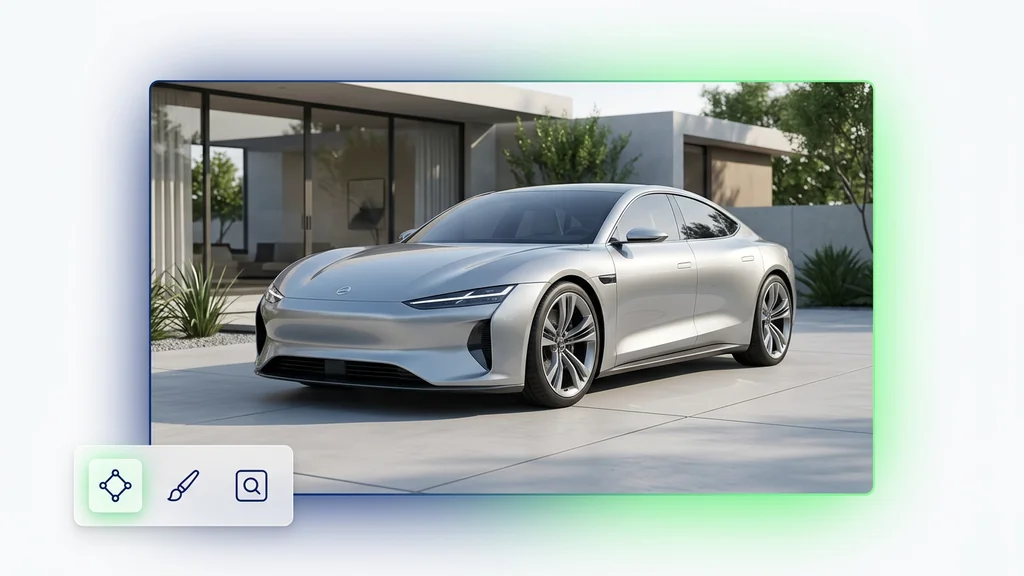
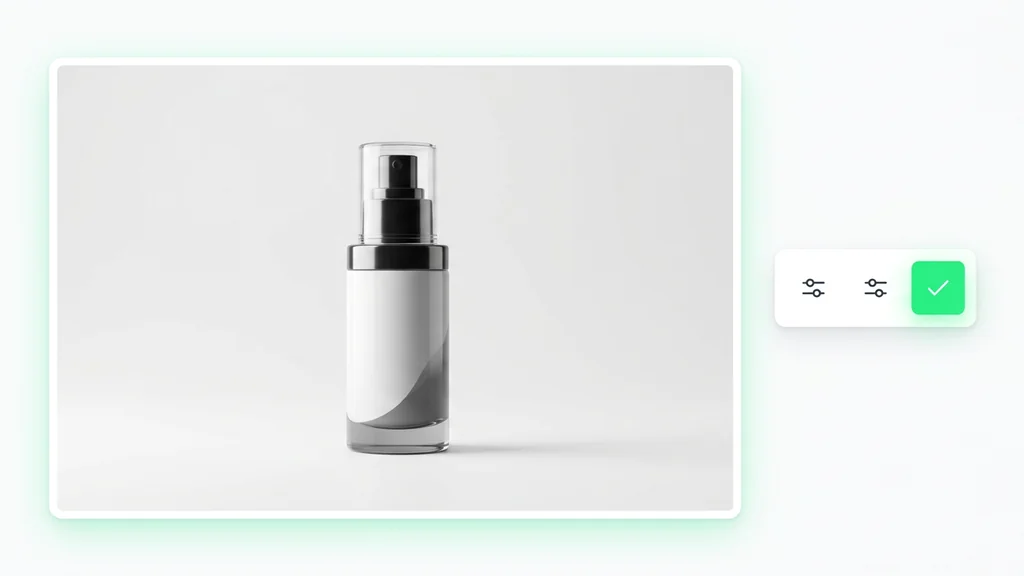
अगर आप Nano Banana Pro को सिर्फ “Nano Banana का paid version” समझते हैं, तो आप इसके असली काम को मिस कर रहे हैं। Google ने standard और Pro को सिर्फ pricing के लिए अलग नहीं किया, बल्कि इसलिए अलग किया है क्योंकि दोनों अलग तरह के कामों के लिए बने हैं। Standard Nano Banana तेज़ edits, हल्की ideation, और fast iteration के लिए बेहतर है। वहीं Nano Banana Pro, जिसे Google Gemini 3 Pro Image के नाम से भी पेश करता है, उन कामों के लिए ज़्यादा सही है जहाँ इमेज के अंदर का टेक्स्ट सचमुच पढ़ा जाना चाहिए, इन्फोग्राफिक या diagrams बनानी हों, brand mockups चाहिए हों, multi-language creatives बनानी हों, या कई references मिलाकर ऐसा composition बनाना हो जो कई review rounds के बाद भी stable रहे।
Google की official materials भी इसी बात को बहुत साफ़ तरीके से रखती हैं। Nano Banana Pro के launch post में stronger reasoning, richer world knowledge, better in-image text readability, और more advanced creative control को highlight किया गया है। Official prompting guide भी इसी दिशा में जाती है: brand consistency, high-resolution outputs, text-heavy visuals, और multi-input compositions पर ज़ोर दिया गया है। और Vertex AI के Gemini 3 Pro Image model page पर तो इसे complex और multi-turn image generation तथा editing के लिए best route तक कहा गया है।
Cleep पर इसका सबसे practical मतलब यह है: जब final image को सिर्फ अच्छा नहीं दिखना, बल्कि पढ़ा जाना, समझा जाना, review होना और दोबारा revise होना भी ज़रूरी हो, तब Nano Banana Pro चुनें। अगर आपको सिर्फ कुछ तेज़ directions चाहिए, हल्का scene exploration करना है, या local edits से काम चल जाता है, तो standard Nano Banana अक्सर ज़्यादा efficient रहता है। लेकिन जैसे ही काम launch poster, storyboard, localized ad set, diagram, product mockup या multi-reference hero visual की तरफ़ जाता है, Pro की value बहुत जल्दी साफ़ हो जाती है।
Nano Banana Pro पहले चुनें जब आपको इमेज के अंदर readable text चाहिए, infographic या diagram logic को संभालना है, brand style को stable रखना है, कई references को tightly control करना है, या ऐसा final asset चाहिए जो polished भी हो और पहली render के बाद भी editable रहे।
इस पेज के मुख्य स्रोत हैं Google का Nano Banana Pro official launch post, official prompting guide, Gemini Apps help, Vertex AI का Gemini 3 Pro Image documentation, और Gemini model catalog।
Nano Banana Pro तब दिलचस्प बनता है जब काम “एक अच्छी इमेज बनाओ” से आगे बढ़कर “एक ऐसी इमेज बनाओ जो असली काम में इस्तेमाल हो सके” बन जाता है। Google के अपने examples इसी दिशा की ओर इशारा करते हैं: notes को visual explainers में बदलना, readable labels के साथ infographics बनाना, multiple languages में packaging या mockups तैयार करना, कई अलग-अलग inputs को एक controlled composition में पिरोना, और कई assets में brand look को consistent रखना। यह standard Nano Banana की स्पीड-फर्स्ट positioning से अलग promise है।
यही अंतर workflow बदल देता है। Standard Nano Banana उन teams के लिए बेहतर है जो जल्दी-जल्दी कई directions खोलना चाहती हैं, low-cost experimentation करना चाहती हैं, या existing materials पर light edits करना चाहती हैं। Pro उस point पर ज्यादा useful है जहाँ direction लगभग तय हो चुकी हो और असली मुश्किल यह हो कि इमेज coherent लगे, readable हो, brand के भीतर रहे, और review या publishing के लिए काफी mature दिखे।
In-image text इसका core use case है
Google का launch post और prompting guide दोनों readable in-image text, multilingual rendering, और poster/mockup style outputs को Pro की बड़ी ताकत बताते हैं।
यह model complex compositions के लिए बनाया गया है
Google Pro को “prettier art model” की तरह नहीं, बल्कि diagrams, infographics, brand systems और many-input compositions की route की तरह position करता है।
Reference-heavy काम में इसका असली edge दिखता है
Official guide surface के हिसाब से 6 से 14 image inputs की बात करती है, जबकि Vertex AI 14 images per prompt का ceiling बताता है।
Human review अभी भी ज़रूरी है
Google खुद लिखता है कि text fidelity, factual accuracy, translation nuance और complex edits में अब भी human verification की ज़रूरत पड़ सकती है।
ऐसे pages की सबसे बड़ी समस्या तब होती है जब वे weak evidence को भी certainty की तरह पेश करते हैं। Made-up benchmarks, सुनने में technical लेकिन source-less jargon, या vague comparative claims programmatic pages को मजबूत नहीं बल्कि robotic बना देते हैं। इसलिए सही तरीका यह है कि पहले उन points पर टिकें जिन्हें Google ने साफ़-साफ़ confirm किया है, फिर बताएँ कि उनका Cleep user के लिए practical मतलब क्या है।
| एरिया | Officially confirmed | Practical meaning |
|---|---|---|
| Model identity | Google Nano Banana Pro को Gemini 3 Pro Image के रूप में पेश करता है, जो Gemini 3 Pro पर बना है। | यह कोई slightly upgraded fast model नहीं, बल्कि Nano Banana family की higher-control premium image route है। |
| Core positioning | Google इसे reasoning, world knowledge और more useful visual outputs पर केंद्रित advanced image generation / editing model कहता है। | इसे speed-only model नहीं, बल्कि precision, information density और review-ready output के लिए पढ़ना चाहिए। |
| Complexity level | Vertex AI, Gemini 3 Pro Image को complex and multi-turn image generation and editing के लिए best model बताता है। | यानी layered instructions, multiple revisions और fragile compositions में Pro ज्यादा natural fit है। |
| Inputs and outputs | Vertex AI में gemini-3-pro-image-preview को text and image inputs और text and image outputs वाला model दिखाया गया है। |
मतलब यह सिर्फ text-to-image endpoint नहीं, बल्कि generation और editing के बीच जाने वाला mixed workflow route है। |
| Text in images | Google in-image text को अधिक accurate और readable बताता है, including multilingual text cases। | इसीलिए posters, product mockups, diagrams और localized creatives इसके natural use cases हैं। |
| Reference composition | Official guide 6–14 images की बात करती है, और Vertex AI 14 images per prompt का limit बताता है। | जब brief कई अलग-अलग source materials को एक controlled scene में combine करने पर निर्भर हो, तब Pro की value बढ़ जाती है। |
| Resolution and format | Google अलग-अलग products में 1K, 2K और 4K outputs का ज़िक्र करता है, जबकि Gemini Apps help कहती है कि app download resolution plan पर depend करती है। | इसलिए “4K” शब्द से ज़्यादा मायने उस actual surface का है जहाँ आप output इस्तेमाल करेंगे। |
| Grounding and world knowledge | Google कहता है कि Pro reasoning और world knowledge की मदद से more context-rich visuals बना सकता है। Vertex AI, Google Search grounding support भी mention करता है। | Explanatory visuals और infographics यहाँ ज्यादा sense बनाते हैं, लेकिन factual checking अब भी user की ज़िम्मेदारी है। |
| Availability | Google के rollout surfaces में Gemini, Ads, Workspace, AI Studio, Vertex AI और दूसरे contexts आते हैं; Gemini Apps help कुछ redo flows भी explain करती है। | Access path surface के हिसाब से बदल सकता है, लेकिन model की role काफी stable रहती है। |
| Watermarking | Google generated media में SynthID होने की बात करता है, और कुछ Gemini surfaces पर visible watermark treatment में फर्क भी बताता है। | अगर watermark आपके workflow में matter करता है, तो model name से ज्यादा actual output surface को देखना होगा। |
| Known limitations | Official guide साफ़ कहती है कि text accuracy, factual correctness, translation nuance और complex edits को अतिरिक्त सुधार की ज़रूरत पड़ सकती है। | Text-heavy, data-heavy या sensitive visuals को बिना review सीधे final नहीं मानना चाहिए। |
Google की official prompting guide इसलिए useful है क्योंकि वह vague advice नहीं देती। Google कहता है कि subject, composition, action, location और style साफ़ लिखो। उसके बाद वे details डालो जो professional output को सच में बदलती हैं: aspect ratio, camera और lighting, इमेज के अंदर आने वाला exact text, diagrams के factual limits, और हर reference image की role।
Pro में यह approach और भी ज़रूरी हो जाती है, क्योंकि यहाँ model को casual AI art toy की तरह नहीं, बल्कि real assets बनाने के लिए इस्तेमाल किया जा रहा होता है। अगर image को headline चाहिए, तो headline लिखो। अगर diagram बनाना है, तो उसकी factual boundary define करो। अगर कई references हैं, तो model को guess करने मत दो कि कौन-सी image किस काम के लिए है। जितना कम guesswork, उतना stable output।
नीचे दिए गए examples मैंने सीधे use करने लायक रखने के लिए अंग्रेज़ी में छोड़े हैं।
Posters और launch visuals के लिए: headline, placement और visual hierarchy साफ़ लिखें।
Prompt: Create a 4:5 product launch poster for a compact espresso machine in brushed steel. Use a dark stone background, controlled studio lighting, and premium reflections. The headline “SMALL MACHINE, SERIOUS SHOT” should appear at the top in bold off-white sans-serif type, with a smaller subhead below it. Leave breathing room for a CTA footer.
Infographics और explainers के लिए: visual format और factual boundary दोनों specify करें।
Prompt: Create a clean infographic that explains how cold brew concentrate is made. Use five numbered steps, simple icons, short readable labels, and a neutral editorial layout. Keep the process scientifically accurate and avoid adding any extra ingredients or unsupported claims.
Brand mockups के लिए: क्या product reference है, क्या brand reference है, और क्या unchanged रहना चाहिए — यह अलग-अलग लिखें।
Prompt: Using the uploaded bottle photo as the product reference and the uploaded logo sheet as the brand reference, create a premium skincare packaging mockup. Keep the bottle shape unchanged, apply the logo naturally to the front label, preserve realistic lighting and texture, and add a matching secondary carton in the same visual system.
Multi-reference composition के लिए: हर input को role दें, सिर्फ “blend it all” मत लिखें।
Prompt: Build one cinematic 16:9 hero image using Image A for the chair silhouette, Image B for the concrete room mood, Image C for the red fabric texture, and Image D for the warm side lighting. The result should feel like a premium furniture campaign, with one clear focal point and enough negative space for copy on the left.
Google के official examples देखें तो Pro का sweet spot काफ़ी साफ़ है। यहाँ केंद्र में abstract AI art नहीं, बल्कि infographics, mockups, translated packaging, storyboards, grouped compositions, और lighting, focus, layout control वाले edits हैं। इसलिए Nano Banana Pro को “ज्यादा सुंदर generator” कहने से बेहतर है कि इसे production route की तरह पढ़ा जाए।
दूसरे शब्दों में, जब image को सिर्फ mood नहीं, information भी carry करनी हो, तब Pro का फर्क दिखता है। जैसे ही brief में text, diagram logic, multiple elements, या brand structure प्रवेश करते हैं, हल्के मॉडल जल्दी बिखरते हैं। Pro उसी zone के लिए बना है।
| Use case | Nano Banana Pro क्यों फिट बैठता है | क्या specify करना चाहिए |
|---|---|---|
| Launch posters और key art | Readable in-image text और layout-aware prompting इसे poster logic वाले काम में speed-first models से बेहतर बनाते हैं। | Headline, subhead, hierarchy, aspect ratio, mood, और copy/CTA के लिए बची हुई जगह। |
| Infographics और educational visuals | Google Pro को diagrams, notes-to-visuals और context-rich explainers के साथ directly जोड़ता है। | Factual scope, number of steps, icon style, और कौन-सी data points या claims manually verify करनी हैं। |
| Packaging और brand mockups | Official guide brand styling consistency और logos/patterns/artwork को realistic surfaces पर correctly apply करने की capability को highlight करती है। | कौन-सा reference product define करता है, कौन brand, और कौन-सी materials या textures believable रहनी चाहिए। |
| Localized marketing variants | Pro को multilingual text और translated in-image copy के लिए explicitly stronger route कहा गया है। | Language, exact copy, font feel, line breaks, और कौन-सी layout zones हर market में same रहनी चाहिए। |
| Storyboards और concept sequences | Google के examples storyboard-like outputs और structured planning-style visuals दिखाते हैं। | Shot order, panel type, monochrome या color treatment, और हर frame क्या communicate करेगा। |
| Large multi-image compositions | Model standard route की तुलना में ज्यादा references और tighter composition control संभालने के लिए designed है। | हर input की role, focal point, balance, और कौन-से visual contradictions avoid करने हैं। |
सबसे common mistakes में से एक है हर काम को Nano Banana Pro पर धकेल देना। इससे आमतौर पर समय भी बढ़ता है और model की role भी धुंधली हो जाती है। ज्यादा healthy workflow यह है कि पहले standard Nano Banana से directions जल्दी और सस्ते में explore करें, फिर direction settle होने के बाद Pro पर जाएँ जब readable text, stronger structure या cleaner final layer की ज़रूरत सच में शुरू हो। यही split Google की product framing से भी मेल खाता है।
Pro prompts को disciplined रखना भी बहुत ज़रूरी है। इसे freeform improvisation machine की तरह नहीं, design review tool की तरह use करना ज़्यादा productive है। Direction lock करें, copy लिखें, references की roles assign करें, और factual content को export से पहले review करें। अगर output drift करने लगे, तो contradictory edits जोड़ते रहने से बेहतर है कि cleaner brief के साथ restart किया जाए।
एक genuinely useful Nano Banana Pro page यह भी बताएगी कि कब इस model को हर problem पर force नहीं करना चाहिए। Pro high-control premium route है, लेकिन हर brief का default answer नहीं। अगर task अभी अस्पष्ट है और speed सबसे ज़रूरी है, तो standard Nano Banana ज्यादा natural choice है। अगर काम का मूल typography-led poster design है, तो Ideogram अभी भी stronger comparison point है। अगर आप ज्यादा editorial, style-forward image चाहते हैं, तो Krea बेहतर fit हो सकता है। और अगर human realism और subtle natural detail ज्यादा matter करते हैं, तो Qwen को भी compare करना चाहिए।
Nano Banana Pro पर बने रहें
जब deliverable को in-image text, multilingual variants, diagrams, brand mockups, या tightly controlled multi-reference composition की ज़रूरत हो।
Standard Nano Banana पर वापस जाएँ
जब काम अभी exploratory, fast-moving और light हो, या speed itself ज़्यादा valuable हो।
Ideogram से तुलना करें
जब brief ज़्यादा graphic design, poster logic और typography-driven structure के करीब हो।
Krea से तुलना करें
जब आपको first frame से ही ज्यादा editorial, style-led और less diagrammatic feel चाहिए।
Qwen से तुलना करें
जब human realism, calmer natural details और reliability, text integration से ज्यादा important हों।
image model hub पर लौटें
जब आपको अभी भी तय करना हो कि समस्या speed-first, text-first, layout-first, या premium-style-first है।
यह rewrite पूरी तरह Google के official product और developer materials पर आधारित है। Core references हैं Nano Banana Pro official launch post, official prompting guide, Gemini Apps help, Vertex AI Gemini 3 Pro Image documentation, और Gemini model catalog। Unsupported benchmark claims, imaginary architecture terms, guaranteed accuracy promises, और weak competitor comparisons हटा दिए गए हैं।
यह Google द्वारा Gemini 3 Pro Image के रूप में पेश की गई advanced image generation और image editing route है, जो higher control और more complex visual work के लिए बनाई गई है।
स्टैंडर्ड route speed और light iteration के लिए है। Pro text-heavy images, infographics, multilingual creatives, complex multi-image compositions और higher-end final assets के लिए है।
हाँ। Google ने in-image text readability और multilingual rendering को Pro के सबसे स्पष्ट advantages में गिना है।
हाँ। Google के official examples में infographics, diagrams और notes-to-visuals शामिल हैं। लेकिन factual correctness की human checking फिर भी ज़रूरी है।
Official guidance के अनुसार surface पर निर्भर करते हुए 6 से 14 inputs, और Vertex AI में maximum 14 images per prompt बताए गए हैं।
Google 1K, 2K और 4K outputs का ज़िक्र करता है, लेकिन exact delivery resolution इस्तेमाल किए जा रहे surface और plan पर depend करती है।
Google generated media में SynthID शामिल होने की बात करता है। Visible watermark treatment surface के हिसाब से बदल सकती है।
Text accuracy, factual correctness, translation nuance और complex edits अब भी human review और additional refinement माँग सकते हैं।
जब काम अभी exploratory, light और speed-first हो। जैसे ही text, layout और brand control भारी हो जाए, Pro ज़्यादा sense बनाता है।
Prompt को short production brief की तरह लिखें: canvas, exact text, factual limits और references की roles साफ़ रखें। यही Google की official advice का practical core है।