Upload image
or generate it PNG, JPG or Paste from clipboard
Loading library...
Super Promotion
Create stunning AI photos & videos with essential tools
Unlock the Basic Plan for just $1
Auto-renewal is active. Cancel anytime. 90% off applies to the first billing cycle.
By choosing your age and continuing you agree to our Terms of Use and Privacy Policy
Please review before continuing
FLUX.1 Kontext Max AI Image Editor
FLUX.1 Kontext Max is the premium route inside the Kontext family, and the official Black Forest Labs overview is refreshingly clear about why it exists. It is positioned as the best-output-quality tier, with industry-leading typography, maximum prompt adherence, premium consistency, and a listed price of $0.08 per image. That makes this page much easier to frame honestly: Kontext Max is not the model you pick just because you saw the word “max.” It is the page to open when the final asset matters enough that you would rather pay more than clean up a mediocre result later.
There is also an important caveat that should not be hidden behind marketing language. As of April 19, 2026, Black Forest Labs recommends FLUX.2 for new image generation and editing projects. So the practical job of this page is not to pretend Kontext Max is the default answer for every new workflow. It is to help the user decide when the premium Kontext route is still the right fit: readable in-image text, cleaner prompt following, higher-end consistency, and edit-or-create workflows where the output is closer to a deliverable asset than a disposable draft.
The shortest useful mental model is this: Kontext Max is for fewer apology passes. If your team keeps losing time because poster copy looks sloppy, product shots drift from one version to the next, or an existing asset needs a premium revision instead of a cheap reroll, Max is easier to justify. If the job is mostly exploration, fast revision loops, or a brand-new BFL integration, another route will usually make more sense.
Use FLUX.1 Kontext Max when the work is premium and close to final: campaign visuals with readable text, polished product heroes, style-controlled revisions, or multi-reference compositions where you want the model to miss less often.
The primary sources behind this page are the official Kontext overview, the official Kontext Max API reference, the official Kontext image-to-image prompting guide, and the official BFL quick start for image generation.
What you are actually paying extra for
The most helpful thing about the official docs is that they do not bury the positioning. Black Forest Labs describes Kontext Max as the premium model for best output quality. The listed reasons are specific: industry-leading typography, maximum prompt adherence, premium consistency, and a higher price point than Kontext Pro. So the real upgrade is not “more AI magic.” The upgrade is that the same kind of Kontext workflow is supposed to land closer to usable output on the first or second pass.
That difference matters most when cleanup is expensive. If you are creating a product hero with readable packaging text, a poster where copy must feel intentional, a set of brand visuals that should stay aligned, or a high-visibility edit to an existing campaign asset, Max earns its premium by reducing the number of places the output can quietly fall apart.
Typography is a first-class reason to choose it
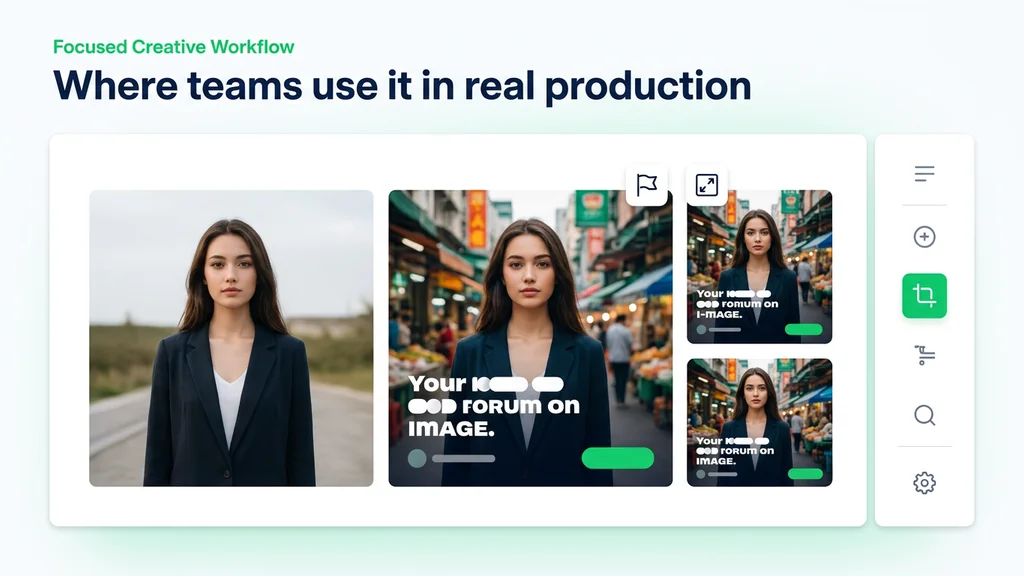
The official overview explicitly highlights industry-leading typography, which makes Max more relevant for posters, labels, ads, and packaging than a generic image model page would suggest.
Prompt adherence is part of the premium promise
Black Forest Labs does not only sell Max as “higher quality.” It also frames it as the route for maximum prompt adherence, which matters when the change request is precise.
Consistency matters more when the asset is nearly final
Premium consistency is one of the official bullets, and that is especially useful when one campaign visual needs multiple safe variants instead of multiple creative surprises.
Experimental multiref is part of the story
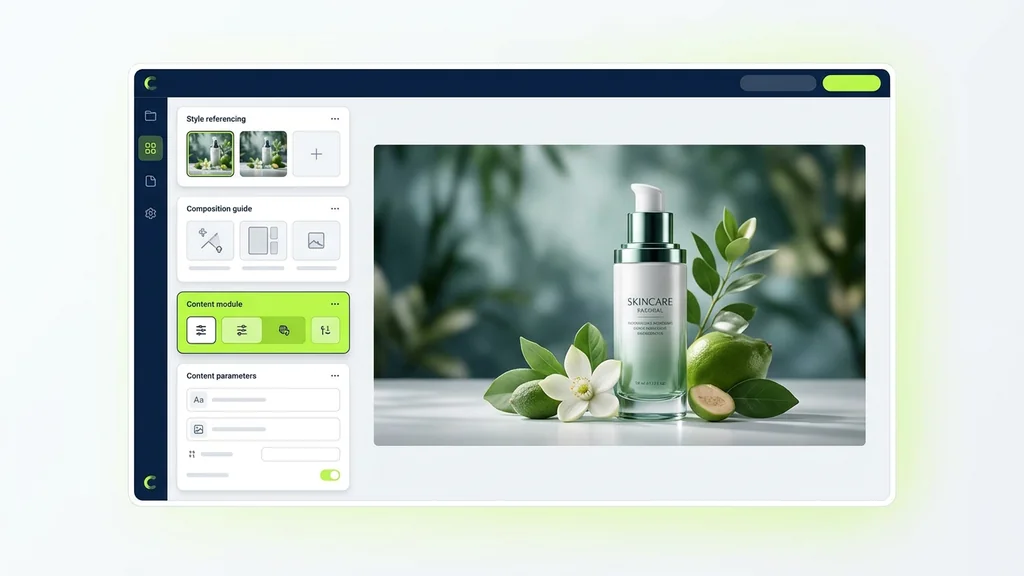
The current Max API reference exposes input_image_2, input_image_3, and input_image_4 as experimental multiref inputs, which gives Max a stronger production workflow angle than a single-reference edit loop.
What the official docs confirm
The previous version of this article mixed real product facts with a lot of claims that did not need to be there: speculative benchmark language, unsupported platform details, vague enterprise promises, and competitor comparisons presented as settled fact. The official BFL documentation already gives enough concrete detail to build a strong page without overreaching.
| Area | Officially confirmed | What it means for the user |
|---|---|---|
| Model family guidance | Black Forest Labs recommends FLUX.2 for new image generation and editing projects | Kontext Max should be chosen deliberately, not treated as the automatic starting point for every new build. |
| Max positioning | The official overview describes Kontext Max as the best-output-quality premium model with industry-leading typography, maximum prompt adherence, premium consistency, and $0.08 per image | The premium case is strongest when output quality and polish matter more than cost efficiency. |
| API role | The Max API reference is explicitly titled Edit or create an image with Flux Kontext Max | This is not a text-only generator endpoint. It is built for both new creation and edit-first workflows. |
| Experimental multiref | The API reference exposes input_image plus input_image_2, input_image_3, and input_image_4, with the additional inputs labeled as experimental multiref |
Max is especially interesting when one asset needs multiple visual anchors such as product, palette, layout, or mood references. |
| Aspect ratio support | The Max API reference allows aspect ratios between 21:9 and 9:21 |
That gives the model more flexibility for wide hero art, vertical ad formats, and social-first layouts. |
| Output settings | Output formats can be jpeg, png, or webp, with png as the default |
Teams can choose cleaner working files or smaller delivery formats depending on the pipeline. |
| Prompt and moderation controls | prompt_upsampling defaults to false; safety_tolerance defaults to 2 and supports values from 0 to 6 |
The endpoint offers lightweight control over creativity and moderation behavior without turning the request into a complex orchestration layer. |
| Operational limits | The quick-start docs say signed result URLs stay valid for 10 minutes, should not be served directly to end users, and that flux-kontext-max is limited to 6 active tasks |
If you build on Max in production, reliability depends on polling correctly, downloading results promptly, and respecting tighter concurrency limits. |
Where Kontext Max still makes the most sense
Max makes sense when the image is already moving toward a deliverable. That can mean a product campaign visual that needs label text to remain clean, a poster revision where the final copy matters, or a brand system where one concept needs multiple polished variants instead of many cheap experiments. In those situations, the value of better typography and premium consistency is not theoretical. It directly changes how much manual cleanup happens after generation.
It is also easier to justify when the workflow is visually constrained. If you already know the product, the composition family, the typographic tone, the mood, or the character identity you want to preserve, Max looks more useful than a model chosen only for speed. That is especially true when the API's experimental multiref inputs can help anchor different parts of the brief.
| If the job is... | Best fit | Why |
|---|---|---|
| Multiple quick revision rounds on an existing asset | Kontext Pro | Pro is positioned as the faster production-ready balance point, so it is usually the better first stop for cheaper iterative edits. |
| A premium campaign image where text and polish are visible to customers | Kontext Max | The official Max positioning is strongest exactly here: typography, prompt adherence, and premium consistency. |
| A new BFL image workflow starting from scratch today | FLUX.2 | Black Forest Labs explicitly recommends FLUX.2 for new image generation and editing projects. |
| An image-heavy page where typography is the whole point | Ideogram or Kontext Max | Ideogram is still worth comparing for text-centric exploration, while Max is stronger when typography quality must live inside a broader edit-or-create workflow. |
| Model research across multiple creative routes | Image model hub | The hub is a better starting point if you have not yet decided whether your workflow is edit-first, text-first, or exploration-first. |
Prompt patterns that suit Max better than generic prompting
Black Forest Labs publishes one Kontext image-to-image prompting guide for the family, and the advice is highly usable for Max. The guide repeatedly pushes toward the same principle: be explicit, keep the edit boundary clear, and say what must stay. That is even more important on a premium model, because the whole reason to pay more is to get deliberate, production-usable control.
The guide is especially useful in four areas that map cleanly to Max: controlled visual revisions, style transfer without losing structure, character consistency across turns, and text editing with quoted replacements. When you combine that with Max's premium positioning, the best prompts tend to sound less like art-school prose and more like a creative director's markup on a real asset.
Use it for premium poster or packaging copy updates: replace wording without sacrificing the feel of the design.
Prompt: Replace 'LATE SUMMER DROP' with 'AUTUMN RELEASE' while maintaining the same font style, spacing rhythm, cream lettering, and centered poster layout.
Use it for polished product hero revisions: keep the product fixed while upgrading the world around it.
Prompt: Keep the bottle shape, label structure, and camera angle exactly the same. Upgrade the scene into a premium studio hero with black stone, controlled rim light, soft reflections, and cleaner luxury contrast.
Use it for character-led campaign variants: preserve the identity, change the environment.
Prompt: Place the same woman with short black hair in a night storefront campaign scene while maintaining the same facial features, hairstyle, expression, coat silhouette, and premium editorial mood.
Use it for multiref-heavy work: treat your references like roles, not decoration.
Workflow idea: use the main image for the subject, a second image for palette, a third for layout mood, and a fourth for material finish. Then write the prompt so the model knows what should remain fixed and what should borrow visual influence.
Typography and multiref are the two premium levers
The official overview's strongest Max claim is typography. That matters because readable text inside images is still one of the easiest ways for AI visuals to look cheap. The Kontext prompting guide adds a practical method on top of that: use quotation marks around the exact text you want to change, and explicitly ask to preserve font style and color when needed. The guide also warns that text replacement works better when the new wording is close in length to the old one.
The second premium lever is the experimental multiref setup in the Max API. The additional image fields do not magically solve every art-direction problem, but they are important because they let one request carry multiple visual anchors. That can make Max more appealing for controlled production work where one reference handles the subject, another handles style, and another handles composition cues.
| Premium lever | What the docs support | How to use it well |
|---|---|---|
| Text editing | The Kontext guide recommends quoted replacement prompts such as Replace 'old text' with 'new text' |
Keep the wording precise and call out typography preservation when the design matters. |
| Layout-safe text changes | The guide says text edits work better with clear fonts and similar text length | Use Max for customer-facing assets where readable type matters, but still respect layout limits. |
| Character consistency | The Kontext guide recommends naming the character clearly and preserving identity markers | Use a stable reference and say exactly what must remain unchanged. |
| Experimental multiref | The Max API reference exposes input_image_2 through input_image_4 as experimental multiref inputs |
Assign each reference a job in your own workflow instead of dropping in extra images without purpose. |
Operational details worth knowing before you build around it
For production teams, Max is not only about output quality. It also comes with practical constraints that affect how you ship. The endpoint is asynchronous, so you submit a request and then poll the returned polling_url. The result image URL is signed and valid for only 10 minutes, and the quick-start docs explicitly say those delivery URLs are not meant to be served directly to users. Black Forest Labs also documents a tighter concurrency limit for Max than for most endpoints: 6 active tasks.
These details matter because they shape the real cost of using a premium model. If your pipeline is sloppy, Max does not feel premium for long. If your queueing, retrieval, and storage are handled properly, the model becomes much easier to use in a serious creative workflow.
- Use the returned
polling_url: BFL's quick-start docs explicitly tell you to use the URL returned in the response for status checks. - Download the result promptly: signed output URLs are valid for 10 minutes only.
- Do not serve delivery URLs directly to users: the docs recommend downloading and re-serving the asset from your own infrastructure.
- Respect Max's tighter concurrency cap: Black Forest Labs documents a limit of 6 active tasks for
flux-kontext-max. - Choose output format intentionally: the endpoint supports
jpeg,png, andwebp, withpngas the default. - Use aspect ratio as part of art direction: Max accepts ratios between
21:9and9:21, which is useful for campaign formats that are not square.
When not to pay for Max
No premium tool page should dodge this question. Max is not the right answer when the job is mostly experimentation, cheap iteration, or a new stack that should simply follow the current BFL recommendation. It is also not the best way to think about every typography problem. Some pages really are better served by a more text-centric model comparison or by a cheaper edit loop.
Choose Kontext Max
when output polish, readable in-image text, and premium consistency matter enough to justify a more expensive generation path.
Choose Kontext Pro
when the real workflow is still edit-first but the main priority is a cheaper, faster revision loop rather than the premium output positioning of Max.
Choose FLUX.2
when you are starting a new BFL image generation or editing project and want to follow the current official recommendation.
Compare with Ideogram
when the whole task revolves around poster text, signage, or type-led exploration and you want a typography-heavy comparison rather than a family-only view.
Compare with Imagen 4 Ultra
when the decision is less about context editing and more about premium image generation quality across a different model family.
Use the image model hub
when you still need to decide whether your workflow is best described as premium editing, premium generation, or text-led design.
What we verified for this guide
This page is grounded in primary Black Forest Labs documentation: the official Kontext overview, the official Flux Kontext Max API reference, the official Kontext prompting guide, and the official BFL quick-start image generation guide. I removed unsupported architecture claims, speculative platform pricing, vague competitor rankings, and “future roadmap” promises that were not necessary to help a real user choose the model.
Frequently Asked Questions About FLUX.1 Kontext Max
What is FLUX.1 Kontext Max?
According to Black Forest Labs, it is the premium best-output-quality model in the Kontext family, positioned around industry-leading typography, maximum prompt adherence, premium consistency, and a listed price of $0.08 per image.
Is Kontext Max mainly for generating new images or editing existing ones?
The official API reference describes it as a route to edit or create an image, so it is built for both. In practice, it is most interesting when either path needs premium-quality control.
Does Black Forest Labs recommend Kontext Max for new projects?
Black Forest Labs recommends FLUX.2 for new image generation and editing projects. Kontext Max should therefore be chosen deliberately for its premium positioning, not assumed to be the default for every new build.
What does the official documentation say Kontext Max is best at?
The overview highlights industry-leading typography, maximum prompt adherence, and premium consistency.
Does Kontext Max support multiple reference images?
Yes. The current API reference exposes input_image_2, input_image_3, and input_image_4 as experimental multiref inputs alongside the main image field.
What aspect ratios does Kontext Max support?
The Max API reference allows aspect ratios between 21:9 and 9:21.
Which output formats are supported?
The official API reference lists jpeg, png, and webp, with png as the default output format.
How should I handle text edits in Kontext Max?
The Kontext prompting guide recommends quoted replacement prompts such as Replace 'old text' with 'new text', and suggests explicitly preserving font style and color when needed.
Are there production limits I should know about?
Yes. BFL documents a limit of 6 active tasks for flux-kontext-max, and signed result URLs are only valid for 10 minutes.
When should I use Kontext Pro instead?
Use Kontext Pro when the job is still edit-first but the main priority is a cheaper, faster revision loop rather than the premium output positioning of Max.