Verification: 234cbc2215f1fb96
Pricing
Upload up to 8 imagesInstead of a prompt
4 / 4

Super Promotion

90% OFF

Create stunning AI photos & videos with essential tools

Unlock the Basic Plan for just $1

Auto-renewal is active. Cancel anytime. 90% off applies to the first billing cycle.

By choosing your age and continuing you agree to our Terms of Use and Privacy Policy
Please review before continuing

Nano Banana AI Image Generator

People usually land on Nano Banana because they want a fast image model that can do more than spit out one pretty picture. They want a tool that can branch ideas quickly, edit an uploaded image with plain language, combine multiple inputs into one new scene, and stay usable inside a real workflow instead of feeling like a slot machine. Google's own Gemini image-generation docs support that reading. In the developer docs, Nano Banana is the Gemini 2.5 Flash Image model, and it is explicitly positioned for speed, efficiency, and high-volume, low-latency work.

That is why this page should not pretend Nano Banana is Google's best image model for every job. The official docs split the family clearly. Nano Banana is the faster standard lane, while Nano Banana Pro is the higher-control route for professional asset production and stronger text-heavy outputs. If your team needs quick concept branches, local edits, multi-image fusion, or iterative image conversations, standard Nano Banana makes sense. If the job is dense typography, maximum polish, or complicated premium deliverables, the right comparison usually starts with Pro.

The cleanest way to think about Nano Banana on Cleep is this: use it when speed, editability, and directional control matter more than squeezing the absolute best final image out of the first render. Google's official product notes talk about targeted natural-language edits, character consistency, multi-image composition, and production-ready aspect-ratio support. Those are exactly the signals that make this route valuable for day-to-day creative work.

Quick Answer

Use Nano Banana first when the job is fast image branching, natural-language image editing, multi-image composition, template-driven creative assets, or quick visual direction work that needs to move in minutes instead of hours.

The main primary sources behind this guide are Google's official Nano Banana image-generation docs, the official launch post for Gemini 2.5 Flash Image, the official production update on new aspect ratios and GA availability, the official prompting guide, the official Gemini pricing page, and the official Gemini Apps help page for the consumer workflow differences between standard and Pro.

What Nano Banana is actually best at

Nano Banana is strongest when you want an image model that behaves like a fast creative operator, not a slow premium renderer. Google's own launch post for Gemini 2.5 Flash Image highlights four capabilities over and over: multi-image blending, character consistency, targeted natural-language transformations, and world-aware image generation. That combination points to the most realistic use cases: quick campaign branches, iterative edits on an existing photo, product mockups built from references, visual template work, and high-volume image generation where responsiveness matters.

The standard model also makes more sense when your team prefers conversation over restart loops. The official prompting guide leans into multi-turn refinement, local edits, and compositional changes made with plain language. Instead of writing one giant prompt and hoping the model guesses right, Nano Banana works better when you build toward the image: first establish the scene, then adjust light, then change one object, then test a second direction. If your work depends on that kind of momentum, this route is far more practical than a page that only promises high quality in the abstract.

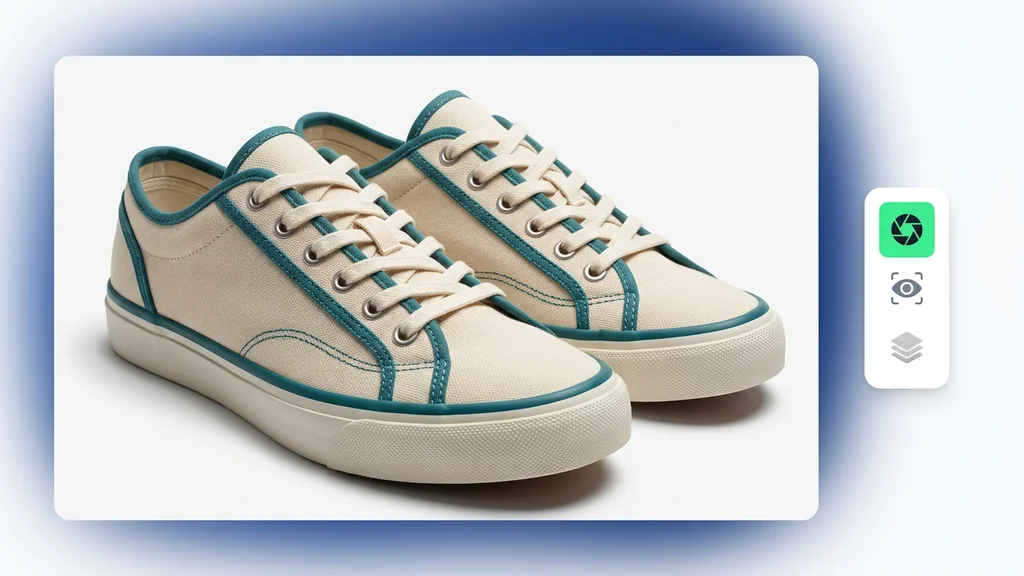
Use-case board showing Nano Banana's strongest areas: local image edits, multi-image fusion, and fast template-based product or campaign concepts
Nano Banana is most useful when the job is not just "make an image," but "try three directions fast, keep the best one, and keep editing without starting from zero."

Speed is the product, not a side benefit

The official docs describe Nano Banana as the Gemini 2.5 Flash Image model optimized for speed, efficiency, and high-volume, low-latency tasks.

Editing is built into the model's identity

Google's image docs and launch materials repeatedly position it as a conversational editing model, not only a text-to-image endpoint.

Multi-image work is a real differentiator

Official examples focus on blending references, preserving subjects, and reusing visual templates, which is much more useful than generic "AI art" promises.

Standard Nano Banana is not the premium lane

Google explicitly separates Nano Banana from Nano Banana Pro, which is why this page should be honest about when speed wins and when Pro is the smarter upgrade.

What the official Google sources confirm

The previous version of this page mixed real model facts with too many unsupported review-style claims. That is exactly how these programmatic pages start to look synthetic. The cleaner approach is to anchor the article in what Google actually confirms, then explain what those facts mean for a user choosing a route on Cleep.

Area Officially confirmed What that means for the user
Model identity In the Gemini API docs, Nano Banana refers to Gemini 2.5 Flash Image (gemini-2.5-flash-image). This route is the standard, faster Nano Banana lane on Cleep, not Nano Banana Pro.
Core positioning The official docs describe Nano Banana as designed for speed and efficiency, optimized for high-volume, low-latency tasks. It is better framed as a fast working model than as a max-quality flagship.
Generation and editing Google's image-generation docs say Gemini can generate and process images conversationally using text, images, or a combination of both. You can use Nano Banana for text-to-image, image editing, and iterative visual refinement in one conversational flow.
Editing strengths The Gemini 2.5 Flash Image launch post highlights targeted natural-language edits, multi-image blending, character consistency, and template adherence. This makes Nano Banana especially useful for mockups, photo edits, story continuity, catalog variants, and quick composite scenes.
Prompting style Google's official prompt guide says: "Describe the scene, don't just list keywords." The model responds better to clear visual direction than to flat keyword stuffing.
Aspect ratios Google's production update says Gemini 2.5 Flash Image supports 10 aspect ratios: 21:9, 16:9, 4:3, 3:2, 1:1, 9:16, 3:4, 2:3, 5:4, and 4:5. You can cover most social, product, presentation, portrait, and widescreen use cases without awkward cropping workarounds.
Availability The official launch materials place Gemini 2.5 Flash Image in the Gemini API, Google AI Studio, and Vertex AI. This is not just a demo model; it is a route Google explicitly positioned for developer and production use.
Watermarking Google says all generated images include a SynthID watermark. There is an official provenance layer, which matters for commercial and policy-aware use.
API pricing As of April 19, 2026, the Gemini pricing page lists Gemini 2.5 Flash Image at $0.039 per image on the standard paid tier. It is priced like a high-volume production model, not like a slow premium one-off renderer.
Known limitations Google's prompting guide says highly nuanced requests, complex typography, and absolute character consistency may still require iterative refinement. You should not expect perfect first-pass text-heavy assets or zero drift across long edit chains.

How to prompt Nano Banana when speed matters

The official prompting guide for Gemini 2.5 Flash Image is refreshingly direct. It starts with one principle that is more useful than almost every generic prompt thread on the internet: describe the scene, do not just dump keywords. For realistic work, Google recommends thinking like a photographer. For edits, it recommends telling the model exactly what to change and what to preserve. For iterative work, it recommends small follow-up changes rather than one overloaded prompt.

This matters even more on Nano Banana than on a slower premium route. The model's value comes from fast control loops. You want a clean initial scene description, then targeted edits, then maybe a second image as a reference, then one more refinement. If you write prompts like a shopping list of disconnected adjectives, you are fighting the model. If you write them like art direction plus intent, you are using the model in the way Google itself teaches.

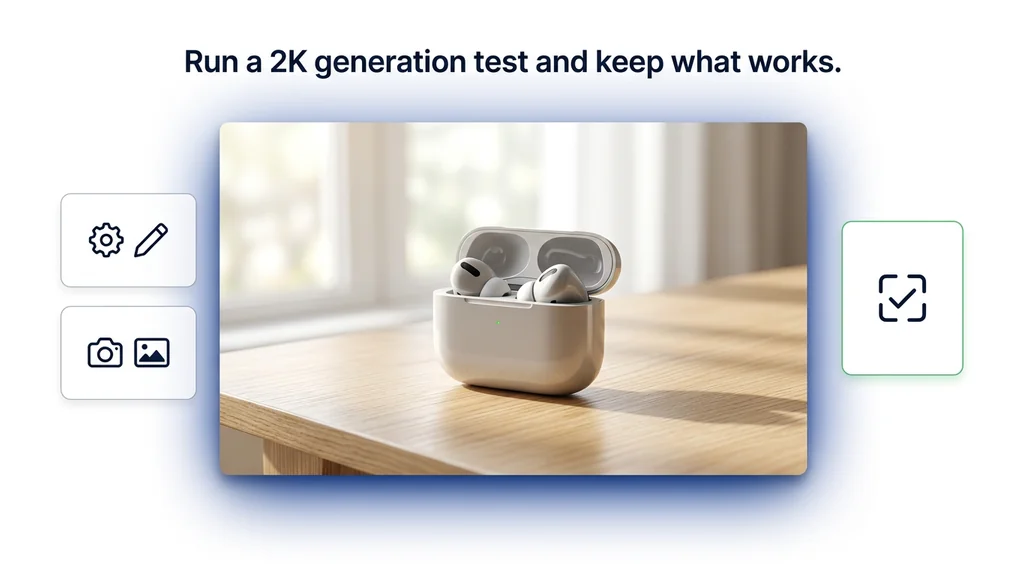
Prompt framework board for Nano Banana showing scene-first prompting, keep-what-works edit language, and multi-image fusion instructions
The strongest Nano Banana prompts usually combine scene, light, purpose, and one clear change. The model works better with focused visual direction than with one giant keyword pile.
Prompt Pattern 1

Use it for fast concept branches: write a short scene paragraph, not a list of tags.

Prompt: A polished product ad concept for a matte black coffee grinder on a pale stone counter, warm side light, quiet premium kitchen atmosphere, realistic metal texture, clean composition with room for headline copy.

Prompt Pattern 2

Use it for local edits: say exactly what must stay and exactly what changes.

Prompt: Using the provided image, change only the table surface to brushed oak. Keep the grinder, camera angle, shadows, reflections, and overall composition exactly the same.

Prompt Pattern 3

Use it for multi-image fusion: assign a role to each reference instead of saying "mix these."

Prompt: Create a new image using the bottle from image 1, the bathroom lighting from image 2, and the stone shelf mood from image 3. The final scene should feel premium, clean, and believable for skincare ecommerce.

Prompt Pattern 4

Use it for template-based assets: give purpose and format, not only subject.

Prompt: Create a clean real-estate listing card using the provided house photo. Keep the house unchanged, place it inside a minimal card layout, and leave clear space for price, location, and one short feature line.

Where Nano Banana feels strongest in real work

Google's own examples and best-practice pages make Nano Banana's sweet spot pretty easy to read. This is the route for fast visual operators: product mockups, quick campaign directions, image edits done with natural language, multiple references combined into one new shot, and repeated variants where continuity matters more than maximum luxury polish. The official examples span product ads, real-estate cards, employee badges, room restyling, scene fusion, stickers, icons, and local edits. That is a much healthier base for this page than broad claims about "professional creative work" in the abstract.

Another practical advantage is that Nano Banana supports branching without becoming awkward. You can start with a scene, then ask for a warmer light, then remove one object, then swap a background, then test one more crop. That makes it strong in review-heavy environments where teams are not looking for the final answer immediately. They are looking for the quickest route to a usable direction.

Use case Why Nano Banana fits What to specify
Fast ad and social concept branches The model is built for speed, so it is practical to test several directions before polishing one. Product, setting, light, crop, intended platform, and the emotional tone of the image.
Prompt-based local edits Google explicitly highlights targeted transformations and specific-area edits in natural language. What must stay fixed, what changes, and how the change should blend into the original scene.
Multi-image product mockups Official materials repeatedly showcase blending multiple inputs into one new photorealistic composition. Which element comes from each image, plus the final commercial context and background mood.
Character or object consistency The launch post explicitly positions the model around preserving the same character or product across variations. Which traits must stay stable, which environment changes, and whether the output should feel narrative, catalog-like, or editorial.
Template-driven creative assets Google's own examples mention listing cards, badges, and dynamic product mockups built from a single design pattern. The template role, text zones, locked visual elements, and what varies from one asset to the next.
Icons, stickers, and lightweight branded assets Official image examples also push Nano Banana toward clean asset creation, especially when the brief is visually direct. Background color, tactile style, shape language, and whether the image must stay simple or decorative.

What to do after the first usable image

The most valuable part of Nano Banana is often not the first output but the next three turns. Google's official prompting guide encourages iterative refinement: keep what works, make one or two focused adjustments, and use the conversational nature of the model instead of restarting every time. That advice is especially important here because the model is built to be fast. You gain more by steering a promising image than by treating every prompt like a fresh lottery ticket.

The same guide is also honest about drift. If a character or object starts changing too much after many edits, restarting a new conversation with a detailed description can work better than forcing more turns. It also notes that aspect ratio handling during edits is easier when you explicitly tell the model not to change the input ratio. Those are practical details a user can actually apply, and they are much more valuable than a page full of vague praise.

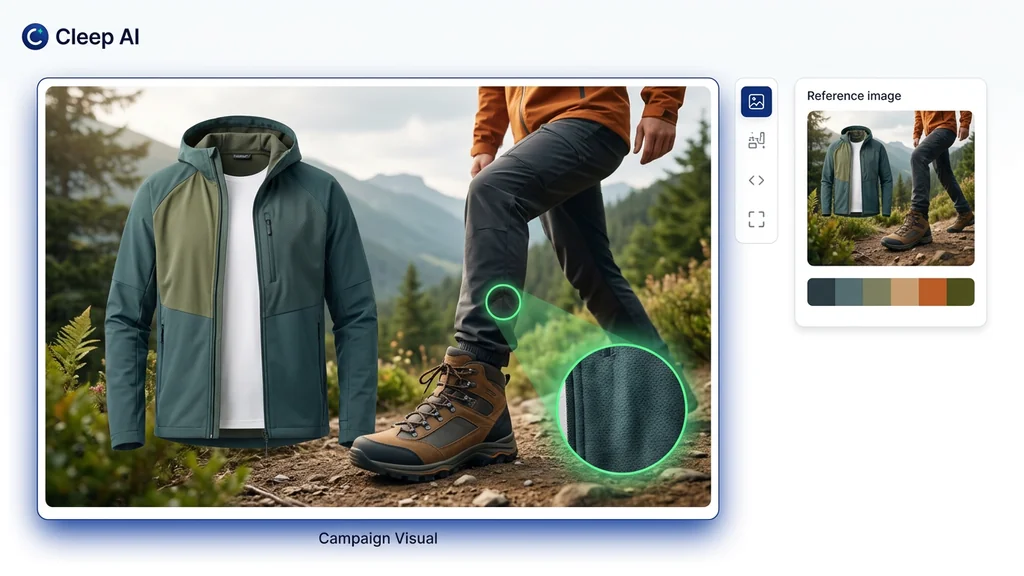
Workflow board showing Nano Banana from first scene prompt to quick branches, local edit, multi-image fusion, and comparison with Pro for higher-detail finals
A strong Nano Banana workflow usually looks like this: set the scene, branch a few directions, keep the best one, make focused edits, then decide whether standard is enough or the job should graduate to Pro.
  • Start with one descriptive scene paragraph: the official prompting guide says scene description beats keyword piles.
  • Edit one thing at a time: tell the model what to keep and what to change, instead of asking for five major revisions at once.
  • Use multiple references with assigned roles: say which image supplies the subject, which one supplies the lighting, and which one supplies the environment.
  • Restart if drift grows: Google's own best-practice notes say a fresh conversation with a detailed description can beat endless correction loops.
  • Upgrade only when the work demands it: if the image starts needing higher-fidelity text or more exact premium finishing, compare with Nano Banana Pro instead of overworking the standard route.

When to compare another model instead

A useful Nano Banana page should also tell you when not to stay here. The standard model is excellent for speed, iterative edits, and compositional flexibility, but Google itself separates Nano Banana from Nano Banana Pro for a reason. The Gemini Apps help page says paid subscribers can redo an image with Pro for additional detail, especially when text rendering or infographics matter. That fits the broader picture from the official docs: standard Nano Banana is the fast creative lane, not the most exact final-production lane.

Stay with Nano Banana

when the job is fast branching, natural-language local edits, multi-image fusion, or template-based asset production where speed is part of the value.

Compare with Nano Banana Pro

when the work needs more detail, tighter instruction following, better text-heavy outputs, or a more premium final-asset standard.

Compare with Ideogram

when the brief is primarily graphic design, flat illustration, poster logic, or typography-first layout work.

Compare with Krea

when the image should feel more editorial, tactile, and style-led from the very first frame rather than edit-first and speed-first.

Compare with Qwen

when human realism, cleaner natural detail, or stronger image-text reliability matter more than Nano Banana's fast compositional workflow.

Use the image model hub

when you still need to decide whether the task is speed-first, text-first, premium-style-first, or layout-first.

What we verified for this guide

This rewrite is grounded in Google's own product and developer documentation. The primary references are the official Nano Banana image-generation docs, the official Gemini 2.5 Flash Image launch post, the official production update with aspect ratios, the official prompting guide, the official Gemini pricing page, and the official Gemini Apps help page. I removed unsupported claims about invented tiers, imaginary architectural codenames, questionable platform integrations, unverified privacy behavior, and overly precise benchmark-style comparisons that were not cleanly supported by those sources.

Frequently Asked Questions About Nano Banana

What is Nano Banana?

In Google's Gemini API docs, Nano Banana is the name used for Gemini 2.5 Flash Image, the standard native image-generation and image-editing model designed for speed and efficiency.

What is Nano Banana best for?

Nano Banana is strongest for fast visual branching, natural-language image edits, multi-image composition, character or object consistency across variations, and template-based creative assets that need to move quickly.

Can Nano Banana edit uploaded images?

Yes. Google's official image-generation docs say the model can take text, images, or a combination of both, which means you can upload an image and ask for changes conversationally.

Can Nano Banana combine multiple images into one new scene?

Yes. Google's launch materials specifically highlight multi-image blending and composition as one of Nano Banana's most useful capabilities.

Does Nano Banana support character consistency?

Yes, within reason. Google explicitly promotes character and subject consistency as a key capability, but its own prompting guide also notes that long iterative chains can still require restarts or refinement.

How many aspect ratios does Nano Banana support?

Google's October 2025 production update says Gemini 2.5 Flash Image supports 10 aspect ratios: 21:9, 16:9, 4:3, 3:2, 1:1, 9:16, 3:4, 2:3, 5:4, and 4:5.

Does Nano Banana include a watermark?

Yes. Google's official docs say all generated images include a SynthID watermark.

How is Nano Banana different from Nano Banana Pro?

Nano Banana is the faster, standard route. Nano Banana Pro is Google's higher-control image model for professional asset production, stronger text-heavy work, and more demanding outputs.

When should I move from Nano Banana to Nano Banana Pro?

Move to Pro when the standard route starts falling short on detail, text rendering, premium final quality, or exact instruction following. Google's Gemini Apps help specifically calls out text-heavy and infographic-like images as cases where Pro can add detail.

How should I write better prompts for Nano Banana?

Google's official advice is to describe the scene instead of listing keywords, provide context and intent, be specific about what should stay the same during edits, and refine the image over multiple turns instead of trying to perfect everything in one prompt.