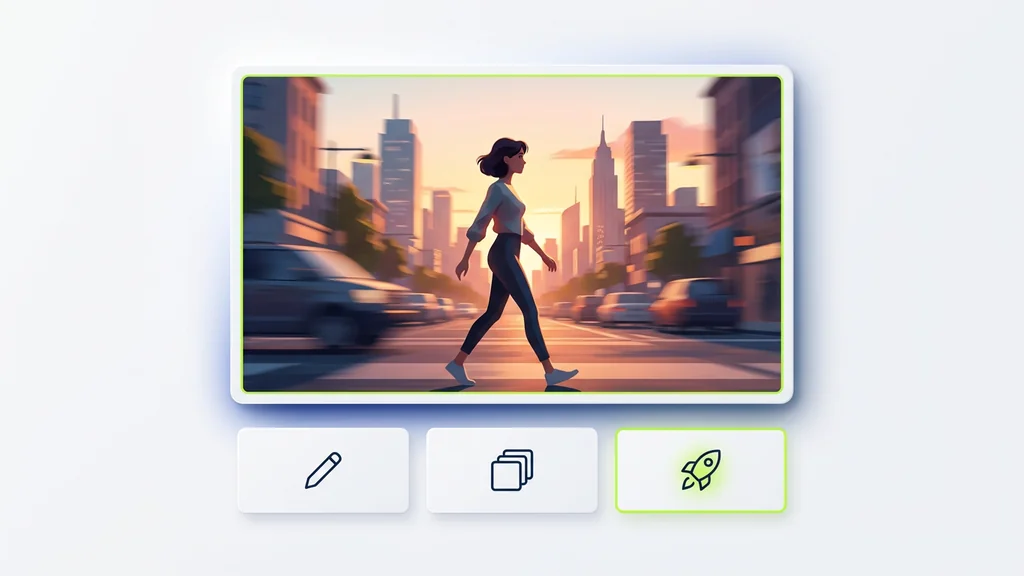
Seedance Lite is a streamlined, cost-effective text-to-video and image-to-video AI model developed by ByteDance, the tech giant behind TikTok. As a lightweight version of ByteDance's more comprehensive video generation technology, Seedance Lite offers creators a practical balance between quality output and processing efficiency.
The model has quickly earned recognition in the AI video generation space for its ability to produce decent quality videos without the processing demands of more resource-intensive alternatives. ByteDance has leveraged its extensive experience in video technology from TikTok to create a tool that prioritizes speed and accessibility while maintaining respectable visual quality.
What sets Seedance Lite apart is its focus on rapid iteration. The model processes prompts quickly, allowing content creators to experiment with multiple concepts in less time than would be possible with higher-end models. This makes it particularly valuable for social media content creation, concept testing, and projects with tight deadlines.
For content creators working in fast-paced environments, Seedance Lite offers a compelling option where speed and cost-effectiveness matter more than absolute premium quality. The technology behind it reflects ByteDance's deep understanding of video processing and AI implementation, making it particularly well-suited for social media content where quick turnaround is essential.
When choosing between Seedance Lite and Seedance Pro, understanding the key differences helps you make the right decision for your specific needs. The most obvious distinction is in output quality—Seedance Lite supports 480p and 720p resolutions, while Seedance Pro can generate videos in full 1080p HD.
Processing time represents another significant difference. Seedance Lite prioritizes speed, generating videos significantly faster than Pro, though with some quality tradeoffs. This makes Lite perfect for rapid prototyping and iterative development, while Pro is better suited for final deliverables where quality can't be compromised.
Price structure also differs substantially, with Lite available at a fraction of Pro's cost, making it accessible to independent creators and smaller teams working with limited budgets.
| Feature | Seedance Lite | Seedance Pro |
|---|---|---|
| Resolution | 480p, 720p | Up to 1080p |
| Processing Time | 30-60 seconds | 2-5 minutes |
| Video Duration | Up to 5 seconds | Up to 8 seconds |
| Price | $0.10-0.25 per generation | $0.50-1.00 per generation |
| Best For | Social media, rapid prototyping | Professional deliverables, client work |
For most social media content and iterative testing, Seedance Lite offers sufficient quality at a much more attractive price point. However, for client-facing presentations or premium marketing materials where visual fidelity is paramount, the investment in Pro becomes more justifiable.
Seedance Lite delivers videos primarily in two resolution options: 480p for quick drafts and mobile-first content, and 720p for higher quality needs. All videos are output in the universally compatible MP4 file format, ensuring they play correctly across virtually all modern platforms and devices.
Video duration is capped at a maximum of 5 seconds, which aligns perfectly with the attention-grabbing requirements of social media platforms. The frame rate typically ranges from 24-30 fps (frames per second), providing smooth motion that strikes a balance between file size and visual fluidity.
| Specification | Details | Notes |
|---|---|---|
| Resolution Options | 480p, 720p | 480p optimal for mobile, 720p for desktop |
| Maximum Duration | 5 seconds | Ideal for social media clips |
| Frame Rate | 24-30 fps | Balances smoothness and file size |
| File Format | MP4 | Universal compatibility |
| Aspect Ratios | 16:9, 9:16, 1:1 | Supports all major social formats |
The 16:9 aspect ratio serves as the standard widescreen format, ideal for platforms like YouTube, while vertical 9:16 caters to TikTok and Instagram Stories. When working with 480p, the reduced resolution is barely noticeable on mobile devices but becomes more apparent on larger screens, making resolution selection an important consideration based on your intended viewing context.
Creating your first video with Seedance Lite is surprisingly straightforward, even for those new to AI generation tools. The process centers around effective prompt engineering—the art of writing clear instructions that guide the AI toward your desired output. With a few simple steps, you'll have your first AI-generated video ready to use.
For your first attempt, try this proven starter prompt that consistently yields good results:
Simple Effective Prompt Example: "A red paper boat floating on calm blue water, gentle ripples, bright sunny day, cinematic lighting, 4K detailed, [camera slowly pans right]"
If your first result isn't exactly what you wanted, don't worry. The key advantage of Seedance Lite is how quickly you can iterate. Try adjusting your prompt with more specific details about lighting, camera angle, or action. For developers needing programmatic access, API options are available though they require additional setup and authentication steps.
Seedance Lite is available across several platforms, each offering slightly different interfaces, pricing structures, and additional features. Most users will find web browser-based platforms most accessible, while developers may prefer API access for integration into custom workflows.
Web browser platforms offer the quickest start, requiring only basic registration before you can begin generating videos. These platforms handle the technical complexity behind the scenes, presenting a straightforward interface for entering prompts and downloading results. Most provide direct URLs to access the service, removing the need for software installation.
For developers and businesses requiring automated video generation, API access provides programmatic control. This approach requires technical knowledge for implementation but enables integration into existing applications or workflows. Authentication is typically handled through API keys, with most platforms offering documentation and code examples to simplify the process.
When choosing a platform, consider factors beyond just price—processing speed, user interface clarity, and customer support can significantly impact your experience. Most platforms offer some form of free trial or credit system for new users, making it easy to test before committing.
Understanding file format requirements is crucial for achieving optimal results with Seedance Lite. For image-to-video transformations, the model accepts standard image formats including JPEG, PNG, and WebP files. Each has slightly different characteristics worth considering.
| Format | Maximum Size | Best For |
|---|---|---|
| JPEG | 4MB | Photographs, complex images |
| PNG | 6MB | Graphics with transparency |
| WebP | 5MB | Web-optimized images |
Image aspect ratio significantly impacts the composition of your generated video. For standard widescreen results, prepare images with 16:9 aspect ratio. Using a 1:1 square or 9:16 vertical image will result in output with matching proportions. Mismatched aspect ratios may cause unexpected cropping or composition issues in the final video.
For output, Seedance Lite consistently delivers videos in MP4 file format, chosen for its excellent balance of quality and file size, plus near-universal compatibility across devices and platforms. This standardization makes the resulting videos immediately usable without conversion for most applications.
When preparing images, aim for resolution that matches or exceeds your target video quality. For 720p output, input images should be at least 1280×720 pixels. Using smaller images may result in blurry or pixelated videos, while excessively large images waste processing resources without quality benefits.
Creating effective prompts for Seedance Lite is part science, part art. Through extensive testing, we've found that prompt engineering dramatically influences output quality, often more than any other factor. The model processes natural language inputs and translates them into visual elements, with certain patterns consistently producing better results.
The most successful Seedance Lite prompts follow a structured approach while maintaining natural language flow. Start with a clear subject, add action description, specify visual style, and include technical parameters. This layered approach helps the AI understand your intent more precisely.
Weak prompt: "A forest scene with deer."
Strong prompt: "A majestic deer standing alert in a misty pine forest, morning sunlight filtering through trees, dew on foliage, atmospheric, cinematic lighting, detailed 4K textures, [camera slowly tracks forward]"
The weak prompt lacks specificity, giving the AI too much freedom to interpret. The strong prompt provides clear guidance on subject, environment, lighting, atmosphere, and camera movement, resulting in more consistent, high-quality output. Each parameter influences specific aspects of the generated video, from visual style to motion characteristics.
Taking your Seedance Lite prompts to the next level requires mastery of camera control and motion description. The model responds remarkably well to specific cinematography terminology, allowing for sophisticated visual storytelling through precise prompt language.
Camera movement instructions have proven particularly effective when placed in brackets at the end of prompts. This syntax signals to the model that these are technical directions rather than content descriptions. Through testing, we've found that Seedance Lite can execute a variety of camera movements with surprising accuracy.
For controlling subject motion, be explicit about speed and direction. "A leaf gently floating down" produces more consistent results than simply "a falling leaf." The description of motion fundamentally shapes how the animation unfolds.
Cinematography terminology significantly enhances results when properly applied. For example, "golden hour lighting" creates warm, directional light, while "film noir style" produces high-contrast, dramatic shadows. These stylistic cues act as shorthand for complex visual parameters.
Complex shot sequences require careful planning. For tracking shots following a subject through an environment, first establish the scene clearly, then specify the tracking movement at the end: "A red fox running through a snowy forest, pine trees, late afternoon, footprints in snow, cinematic, detailed, [camera tracking shot following fox from behind]"
Seedance Lite's ability to interpret camera movement instructions allows creators to produce dynamic, cinematic footage rather than static scenes. Understanding the vocabulary and syntax for camera control unlocks a new dimension of creative possibilities.
| Camera Instruction | Effect | Example Syntax |
|---|---|---|
| Pan | Camera rotates horizontally | [camera pans slowly right] |
| Tilt | Camera rotates vertically | [camera tilts up toward sky] |
| Tracking Shot | Camera follows subject | [tracking shot following runner] |
| Dolly | Camera moves forward/backward | [slow dolly in toward subject] |
| Zoom | Lens zooms in/out | [gradual zoom out revealing scene] |
| Crane/Aerial | Camera moves upward/overhead | [crane shot rising above trees] |
Lens specifications also influence the visual character of your video. Wide-angle instructions create a sense of expansiveness with more visible environment, while telephoto directions compress perspective and focus attention on specific elements. For example: "Mountain landscape, snow-capped peaks, distant valley, [shot with wide-angle lens]" versus "Portrait of elderly man with weathered face, detailed wrinkles, [shot with telephoto lens, shallow depth of field]".
Tracking shots are particularly effective for creating dynamic movement. The model can maintain focus on a subject while the camera follows, creating a sense of immersion. This works best when the tracking direction is clearly specified: "A surfer riding a wave, ocean spray, sunset lighting, [tracking shot following surfer from right side]".
Cinematography professionals will appreciate that Seedance Lite responds well to standard film terminology. Techniques like establishing shots, reaction shots, or rack focus can be specified using industry-standard language: "Busy city street, morning rush hour, [establishing shot, crane down from above]".
Transforming static images into dynamic videos requires thoughtful selection and preparation of source material. Not all images work equally well—certain characteristics make some photos or illustrations more suitable for animation than others.
When selecting images for transformation, look for these qualities:
The motion you specify through your prompt directly impacts how the static elements come alive. Be specific about which elements should move and how: "Gentle ripples spreading across water surface, leaves slowly swaying in breeze" provides clearer direction than simply "add movement to this lake scene."
Photography principles significantly impact transformation quality. Images with strong directional lighting create more dimensional animations as the model better understands the scene's depth. Similarly, photos with foreground, midground, and background elements provide spatial information that helps the AI generate more convincing motion.
Different image types require tailored animation strategies. For portraits, subtle movements like slight head turns or blinking work best. Landscapes benefit from environmental motions like clouds drifting or water flowing. Action scenes require clear motion direction in your prompt: "Continue the sprinter's forward movement toward finish line."
Professional creators have developed sophisticated techniques for using reference images to control specific aspects of Seedance Lite output. These approaches allow for more precise guidance of the generation process, particularly for maintaining consistent characters or visual styles.
Multiple reference images can be used strategically to influence different elements of a single video. For example, using a portrait for character appearance, concept art for overall style, and an illustration for color palette creates a blend that incorporates elements from each reference. This layering approach gives you granular control over the final aesthetic.
For character consistency across multiple generations, portraits serve as anchors that maintain facial features and identity. This is especially valuable for creating a series of videos featuring the same person or character. The key is using high-quality portrait images with clear, front-facing features in good lighting.
Concept art references effectively communicate overall style and mood without dictating specific content. When you want the aesthetic quality of an illustration but with different subject matter, concept art references work better than purely descriptive prompts.
A proven workflow for complex projects involves creating a hierarchy of reference images:
Communicate which aspects of each reference should be preserved in your prompt: "Create video of a woman walking through city street, use reference image 1 for the woman's appearance, reference image 2 for the urban style and architecture, morning light, busy atmosphere, [camera follows subject from behind]"
One of Seedance Lite's standout capabilities is the end frame feature, which lets you define the final frame of your generated video. This seemingly simple control unlocks powerful creative possibilities, particularly for creating seamlessly looping content ideal for social media.
Perfect loops—videos that transition smoothly from end back to beginning—are incredibly valuable for social platforms where content autoplays repeatedly. The end frame feature makes creating these loops straightforward: by setting an end frame that matches or blends naturally with the starting frame, you create videos that can play endlessly without jarring transitions.
This feature is implemented differently across platforms, but typically involves either uploading a target end frame image or activating a "create loop" option that automatically attempts to generate a matching final frame. The most reliable approach is defining both start and end states in your prompt: "A pendulum swinging from left to right and back to center, [start with pendulum at center position] [end with pendulum returning to center position]"
Beyond loops, the end frame feature provides control over narrative arcs in short animations. For product demonstrations, you can ensure the final frame showcases the product in its optimal state. For character animations, you can specify a concluding expression or position that delivers the intended emotional impact.
GIF creators particularly benefit from this functionality, as perfectly looped GIFs have significantly higher engagement on platforms like Twitter and Discord. Plan your motion to follow circular patterns or complete cycles that naturally return to their starting point.
Understanding Seedance Lite's technical parameters helps set realistic expectations and develop workflows that maximize its strengths while working around its limitations. These specifications represent design choices made to balance speed, quality, and cost.
Resolution options include 480p (852×480) and 720p (1280×720), with the higher resolution naturally requiring more processing time and tokens. While 480p is sufficient for mobile viewing and draft concepts, 720p provides noticeably better quality for desktop viewing and more professional applications.
Video length is capped at 5 seconds, which works well for social media clips and looping content but presents challenges for longer narratives. Creative users overcome this by generating sequential scenes and stitching them together in editing software, though maintaining perfect continuity between clips can be challenging.
| Specification | Limitation | Workaround |
|---|---|---|
| Maximum Resolution | 720p (1280×720) | Upscale with external software for higher res needs |
| Maximum Duration | 5 seconds | Generate multiple clips and edit together |
| Character Consistency | Variable across generations | Use strong reference images and consistent prompts |
| Text Rendering | Inconsistent text reproduction | Add text in post-production for readability |
| Complex Scenes | May simplify intricate details | Focus on stronger visual elements and simpler compositions |
Processing time varies by platform and server load but typically ranges from 30-60 seconds per generation. This rapid turnaround enables iterative workflows where multiple variations can be tested quickly—a significant advantage over more resource-intensive models that might take several minutes per generation.
Seedance Lite offers specific technical parameters that shape what's possible with the tool. Understanding these options helps you select the right settings for your particular needs.
Resolution options include 480p and 720p, with noticeable quality differences between them. The 480p option (852×480 pixels) works well for mobile-first content where videos are primarily viewed on smaller screens. For desktop viewing and more professional applications, 720p (1280×720 pixels) provides significantly better detail retention and visual clarity.
All videos are rendered with standard frame rates between 24-30 fps (frames per second), striking a balance between smooth motion and efficient processing. This frame rate range aligns with cinema standards (24fps) and broadcast video (30fps), ensuring natural-looking movement.
Aspect ratio options accommodate different platforms and viewing contexts. The standard 16:9 widescreen format works well for YouTube and traditional video platforms. Vertical 9:16 ratio is optimized for TikTok, Instagram Stories, and other mobile-first environments. Square 1:1 format provides versatility for platforms like Instagram feed posts.
| Setting | Options | Best For |
|---|---|---|
| Resolution | 480p, 720p | 480p for mobile/drafts, 720p for desktop/finals |
| Aspect Ratio | 16:9, 9:16, 1:1 | 16:9 for YouTube, 9:16 for TikTok, 1:1 for Instagram |
| Duration | 2-5 seconds | Longer for narratives, shorter for loops |
| Format | MP4 | Universal compatibility |
The MP4 file format ensures compatibility across virtually all modern devices and platforms. This container format uses efficient compression while maintaining good visual quality, resulting in manageable file sizes that work well for web upload and sharing.
Seedance Lite offers different quality settings that balance visual fidelity against processing speed and cost. Understanding when to use each quality tier helps optimize both your results and your budget.
The standard 480p tier produces videos at 852×480 resolution, sufficient for most social media previews, concept testing, and mobile viewing. This setting processes fastest and costs less, making it ideal for initial experimentation and rapid iteration. Despite its lower resolution, 480p can still deliver impressive results when the content doesn't require fine detail.
For more polished content, the 720p HD tier creates videos at 1280×720 resolution with noticeably better detail retention, particularly in complex scenes or those with text elements. This tier is recommended for final deliverables, desktop viewing, and professional applications where visual quality impacts audience perception.
Some platforms also offer enhanced quality settings that improve aspects beyond resolution. High dynamic range options increase contrast and color depth, making scenes more visually striking, particularly for dramatic lighting or sunset scenes. These enhancements increase processing time but can significantly improve visual impact.
When deciding which quality tier to use, consider these factors:
For maximum cost efficiency, many professionals use a hybrid approach: testing multiple concepts at 480p, then rendering only the selected option at 720p for final delivery. This workflow maximizes creative exploration while minimizing unnecessary expenditure.
Seedance Lite's pricing structure varies across platforms, but it consistently offers significant cost advantages compared to premium AI video models. Understanding the pricing models and implementing smart strategies can help you maximize value while staying within budget.
Most platforms charge per generation, with prices typically ranging from $0.10 to $0.25 per video, depending on resolution, duration, and quality settings. This usage-based model means you only pay for what you actually create, rather than committing to subscription fees.
Cost-efficient workflows developed by industry professionals include:
For developers and businesses requiring regular video generation, API access often provides more favorable pricing for volume usage. While API implementation requires technical knowledge, the cost savings can be substantial for high-volume applications.
The productivity gains from rapid generation often offset the direct costs. E-commerce businesses report significant ROI when using Seedance Lite for product videos, with conversion rates increasing enough to justify the modest per-video expense. Similarly, marketing teams find that the ability to quickly test multiple concepts before committing to expensive live production provides both creative and financial benefits.
A typical project budget might allocate funds for 10-15 test generations at lower quality, followed by 2-3 final renders at higher quality. This approach balances exploration against efficiency while maintaining reasonable costs.
Professionals across various fields have found innovative ways to incorporate Seedance Lite into their workflows, often in applications that go beyond basic video generation. These real-world use cases demonstrate the tool's versatility and practical value.
Marketing teams have embraced Seedance Lite for rapid concept testing before committing to expensive video production. By generating multiple visual approaches in hours rather than days, they can gather stakeholder feedback on different creative directions without the traditional costs of storyboarding and test shoots. Once a direction is approved, these AI-generated concepts serve as precise reference material for final production.
Advertising agencies use the tool to create attention-grabbing social media content, particularly for campaigns requiring fresh content daily. The speed of generation allows for responsive content tied to trending topics or current events, maintaining brand relevance without exhausting creative resources.
User-generated content campaigns have been transformed by providing audiences with custom Seedance Lite prompts. Rather than asking users to create videos from scratch, brands provide tailored prompts that ensure on-brand results while still allowing for personal creativity.
Some unexpected applications include:
The common thread across these applications is speed and iteration. Seedance Lite excels not just because it creates videos, but because it enables rapid exploration of multiple creative possibilities that would be impractical with traditional production methods.
Social media platforms have become the primary showcase for Seedance Lite content, with creators leveraging its strengths to produce eye-catching, shareable videos optimized for each platform's unique requirements.
TikTok creators have found particular success with Seedance Lite, using the 9:16 vertical format to create visually striking loops that capture attention in crowded feeds. The platform's preference for bold, dynamic content aligns perfectly with Seedance Lite's capability to generate visually rich scenes with specific camera movements. Successful creators often pair these AI-generated visuals with trending sounds for maximum engagement.
Instagram content requires more attention to aesthetic quality and brand consistency. Creators typically opt for the higher 720p resolution and spend more time refining prompts to match their visual identity. The square 1:1 format works well for feed posts, while 9:16 vertical videos serve Stories and Reels.
Mobile device viewing considerations significantly impact how this content is created. Text must be large and legible, important action should happen center-frame, and visual elements should be bold enough to register on small screens.
The professional workflow for creating social content with Seedance Lite typically follows this process:
For viral potential, videos that create a sense of wonder or showcase impossible scenarios tend to perform best—Seedance Lite's ability to generate fantastical or surreal content becomes a particular advantage for attention-grabbing social posts.
Marketing teams have discovered that Seedance Lite offers a sweet spot between quality and cost, making it particularly valuable for campaigns with tight budgets or aggressive content calendars. The tool enables the creation of professional-looking videos without the expense of traditional production.
Product demonstrations represent one of the most successful applications. E-commerce businesses use Seedance Lite to create dynamic showcases of their products in use, often in settings or scenarios that would be expensive or impossible to shoot traditionally. For example, a skincare brand might show their product being used in multiple exotic locations or throughout different seasons, all generated at a fraction of the cost of actual location shooting.
Advertising content created with Seedance Lite works particularly well for initial campaign testing. Marketing teams can generate multiple visual approaches, test them with limited audiences, and refine based on performance data before investing in higher-production versions of the most successful concepts.
Budget comparisons show striking differences. A typical 5-second product animation might cost $500-1,500 when created by a professional animator, while Seedance Lite can generate multiple versions for under $50 total. While the AI-generated content might not match custom animation in precision, the cost difference makes it viable for many more applications and campaign phases.
Maintaining brand consistency requires careful prompt engineering. Professional marketers develop "brand prompt components" that include specific style descriptors, color references, and mood indicators that are added to every generation to ensure visual coherence across multiple videos. Some teams create prompt libraries with pre-tested components for different campaign types.
While Seedance Lite offers value across many sectors, certain industries have developed specialized applications that leverage its unique capabilities to address specific challenges.
The education sector uses Seedance Lite to create engaging learning materials that would otherwise be cost-prohibitive. Abstract concepts become easier to understand when visualized through motion, and historical scenarios can be brought to life without expensive reenactments. Teachers report that these brief visual explainers significantly improve student engagement with complex topics.
E-commerce businesses have moved beyond basic product demonstrations to create contextual videos showing products in use across diverse environments and scenarios. These enhanced product visualizations allow customers to envision items in their own lives, with data showing they can increase conversion rates by 15-30% compared to static images alone.
Architectural firms use Seedance Lite to animate their 3D renderings, adding life and movement to previously static presentations. By showing how spaces might look with people moving through them or how natural light changes throughout the day, they create more compelling client presentations without extensive 3D animation work.
Artists have found unexpected applications in portfolio enhancement, using the tool to create dynamic presentations of their static works. A painter might show brushstrokes appearing progressively or subtle movements within a scene, adding a new dimension to their presentation without compromising their original artistic vision.
| Industry | Key Application | Value Proposition |
|---|---|---|
| Education | Concept visualization | Makes abstract ideas concrete |
| E-commerce | Contextual product use | Increases purchase confidence |
| Architecture | Dynamic space visualization | Enhances client understanding |
| Art | Portfolio enhancement | Adds dimension to static work |
Each industry has developed specific prompt strategies addressing their unique requirements, from learning-focused clarity in educational content to precise spatial representation in architectural visualizations.
One of Seedance Lite's most compelling aspects is its versatility across artistic styles. Creative professionals have pushed the boundaries of what's possible, discovering techniques to achieve everything from hyper-realistic footage to stylized animations.
Photorealistic results work best when prompts include specific technical terms like "photographic," "detailed," "high definition," or "8K quality." This style is particularly effective for product demonstrations and scenarios where believability is important. While not quite reaching the quality of specialized rendering software, the photorealistic style offers impressive results for most commercial applications.
Anime-style generation has proven surprisingly effective, especially when prompts specifically reference anime aesthetics, studios, or directors. The model captures the characteristic bold colors, expressive features, and dynamic motion associated with anime. Adding terms like "anime style," "hand-drawn animation," or references to specific anime studios helps guide the output.
Illustration and watercolor painting styles transform videos into living artworks, with brush strokes and artistic techniques visible in the animation. These styles work particularly well for brand content seeking a distinctive, handcrafted aesthetic. Prompts that include "watercolor style," "painterly," or "illustrated" direct the model toward these more artistic interpretations.
Voxel and stylized 3D looks can be achieved through specific prompt engineering, creating results that resemble animated game assets or toy-like environments. These styles perform well for playful or gaming-related content. Terms like "voxel style," "3D blocks," or "low-poly aesthetic" guide the model toward these more geometric interpretations.
Concept art styles generate videos that look like moving versions of the pre-visualization artwork used in film and game production. This style is particularly useful for world-building and establishing shots. Adding "concept art style," "matte painting," or "digital illustration" to prompts helps achieve this look.
Style combination has emerged as a powerful technique, where prompts blend elements from different aesthetic traditions: "A futuristic cityscape with flying cars, anime style characters with photorealistic backgrounds, neon lighting, detailed, dynamic."
For developers and technical teams, Seedance Lite's API capabilities offer powerful options for integrating AI video generation directly into applications and automated workflows. This programmatic access extends beyond the web interfaces, enabling custom implementations tailored to specific needs.
Most platforms offering Seedance Lite provide RESTful APIs with JSON-based request and response formats. Authentication typically uses API keys that must be included in request headers, with platforms offering various security levels from basic key authentication to more complex OAuth implementations.
Python has emerged as the most popular language for Seedance Lite API implementation due to its strong support for AI workflows and data processing. A basic Python implementation might look like this:
import requests import json API_URL = "https://api.example.com/v1/seedance" API_KEY = "your_api_key_here" headers = { "Authorization": f"Bearer {API_KEY}", "Content-Type": "application/json" } payload = { "prompt": "A red sports car driving along a coastal road, sunset lighting, cinematic, [camera tracking from side]", "resolution": "720p", "duration": 5, "model": "seedance-lite" } response = requests.post(API_URL, headers=headers, json=payload) result = response.json() # Handle the response if response.status_code == 200: video_url = result["output"]["video_url"] print(f"Video generated successfully: {video_url}") else: print(f"Error: {result['error']}") For web applications, JavaScript implementations allow for direct integration into front-end interfaces. Modern frameworks like React or Vue can incorporate video generation as part of interactive experiences:
// Using JavaScript fetch API const generateVideo = async (prompt) => { const response = await fetch('https://api.example.com/v1/seedance', { method: 'POST', headers: { 'Authorization': \`Bearer \\\\\${API_KEY}\`, 'Content-Type': 'application/json' }, body: JSON.stringify({ prompt: prompt, resolution: '720p', duration: 5, model: 'seedance-lite' }) }); const result = await response.json(); return result.output.video_url; }; Error handling requires special attention when working with generative AI APIs. Common issues include rate limiting, prompt rejections for content policy violations, and temporary service unavailability. Robust implementations should include retry logic with exponential backoff and fallback options for critical applications.
For high-volume applications, consider architectural approaches that use queuing systems to manage request volume and ensure reliable processing even during traffic spikes. This becomes especially important when embedding video generation in user-facing applications where response time expectations are high.
Even experienced users occasionally encounter challenges when working with Seedance Lite. Understanding common issues and their solutions helps minimize frustration and achieve consistent results. Most problems fall into predictable categories with established fixes based on professional experience.
Poor quality output is often related to unclear or contradictory prompts. When results appear blurry, distorted, or lacking detail, the solution typically involves making prompts more specific and removing conflicting instructions. Professional users recommend breaking complex scenes into clear components and avoiding overly abstract descriptions.
Iteration and feedback form the core of the troubleshooting process. When results don't match expectations, successful users analyze what specific elements need improvement rather than completely changing direction. Each generation provides feedback that informs prompt refinements for subsequent attempts.
The most effective workflow for resolving persistent issues involves systematic testing of individual prompt components to identify problematic elements. By changing one aspect at a time—style, camera movement, subject description—you can isolate what's causing issues without introducing new variables.
Usability challenges often relate to platform-specific interfaces rather than the underlying model. When encountering difficulties with a particular platform, professional users recommend trying alternative services that offer access to the same model but with different user interfaces. The slight price differences between platforms are often worth the improved workflow.
AI video generation is evolving at a remarkable pace, with each new update bringing significant improvements in quality, capabilities, and usability. Seedance Lite represents an important step in making this technology more accessible, but it's just one point in a rapidly advancing trajectory.
Based on patterns observed in generative artificial intelligence development, we can expect several key advancements in coming updates:
The democratization of video production appears to be following similar patterns to what we've seen with image generation—rapid quality improvements alongside decreasing costs. This trajectory suggests that tools like Seedance Lite will continue to become more powerful while remaining accessible to independent creators and small teams.
For professionals looking to stay ahead of these developments, regular experimentation with new features as they're released is essential. The field is moving too quickly to rely on dated techniques, and those who continuously test new capabilities gain competitive advantages in both efficiency and creative possibilities.
Industry analysts predict that these tools will increasingly become integrated components in larger creative workflows rather than standalone applications. The ability to move fluidly between AI generation, traditional editing, and other creative tools will likely define the next phase of professional adoption.
After extensive testing and professional implementation, it's clear that Seedance Lite offers tremendous value for specific use cases while having limitations that make it less suitable for others. Understanding where it excels helps you decide if it's the right tool for your needs.
Seedance Lite is an excellent choice for:
However, it may not be ideal for:
For many users, the sweet spot is using Seedance Lite alongside other tools—generating base videos with AI, then enhancing or combining them with traditional editing software. This hybrid approach leverages the speed and creative possibilities of AI generation while overcoming its limitations through targeted post-processing.
The best way to determine if Seedance Lite meets your needs is simply to try it. Most platforms offer trial credits or pay-as-you-go options that let you experiment without significant investment. Start with simple projects, learn the prompt engineering techniques covered in this guide, and discover how this powerful tool might transform your creative workflow.